Project 1
Aim:
To route the wiring harness on given Engine and flatten view drawing in CATIA V5.
Route the Wiring harness on Given Engine and Prepare flatten view drawing in CATIA V5. Application of all Packaging rules, Industry best practices studied in this course shall be demonstrated in design. Apply Protection coverings as required.
Available connector 3D data can be used, or you can download the connectors from www.te.com
Prepare & Submit all necessary reports like clearance, Clipping/Clamping selection, Harness fixing requirements, Harness continuity, Assumptions if any along with CATIA 3D data.
Objective:
The objective of the project is to route the wiring harness on given V16 Engine and prepare flatten view drawing in CATIA V5. All types of packaging rules have to be considered while routing the harness. Also, Industry best practices should be demonstrated in design. All the necessary details like clearance, clipping/clamping selection, harness fixing requirements, harness continuity should be provided in order to design wiring harness.
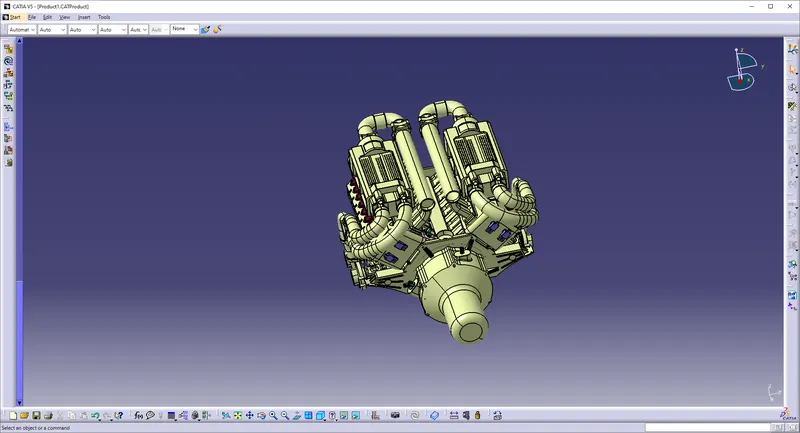
- The above figure shows the 16 valve where 8 cylinders are placed on the right side and 8 cylinders are placed on the left side.
- There are total 16 injectors where 8 injectors are used for 8 cylinders on right side and 8 injectors are used for another 8 cylinders on left side.
- Also there are 4 cam-shaft sensors, so there are total 20 sensors that we have to connected electrically.
- Generally, 4-pole connectors are used for fuel injectors of the engine.
- The engine will also have an interconnection connector which will connect the engine to other parts of the vehicle. We will be using a 12-pole electrical connector with a mounting clip feature as an interconnection connector.
- The plastic guiding channel used in this harness should be made of a material that can withstand at least 150 degree Celcius.
- The bend ratio for the all bundle segmets should be 1.4
Assumptions:
- Provide clips/clamps as per requirement.
- Make sure that there is no any fauling case while designing the wire harness. Additional clips/clamps may be used to avoid fauling case.
- Give additional slack if needed. 5-10% slack is sufficient.
- Avoid routing over bolt and bolted joints to avoid harness puncture.
- Avoid routing on sharp edges or else provide protection over the harness.
- Follow the clearance distance and keep away the harness from heat generation components.
- Protection should be provided as needed according to surrounding temperature.
- Avoid direct support for harness on fuel lines routed in the engine.
- Use plastic guiding channels if needed.
- Branch length should be greater than 50mm.
- Minimum distance between two branch points should be at least 50mm.
- Minimum distance between clip and branch point should be at least 25mm.
- Avoid too many sheet metal brackets on the engine. Try to use available threaded bosses on the engine or demand for it.
- The wiring harness should be easy to assemble and easy to access.
- While using dummy connectors, ensure that whatever positions you are defining that are practical. Bundle diameters and another placements can be defined properly for the wire harness routing.
- If the packaging area is too tight and there are many packaging constraints then we can think of creating harness channel which can be used to route and protect the wire harness effectively.
Creating Context Assembly:
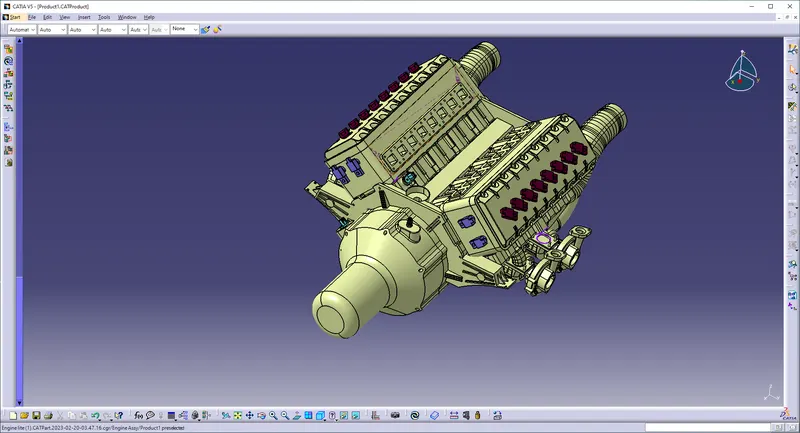
- A Context Assembly for Engine Harness has created which will work as the main assembly as shown in above figure.
- A Context Assembly will contain Engine Assembly data for Bugatti V16 Engine and Engine Harness Geometrical Bundle Assembly.
- If any sheet metal bracket will require then they are added in the context assembly.
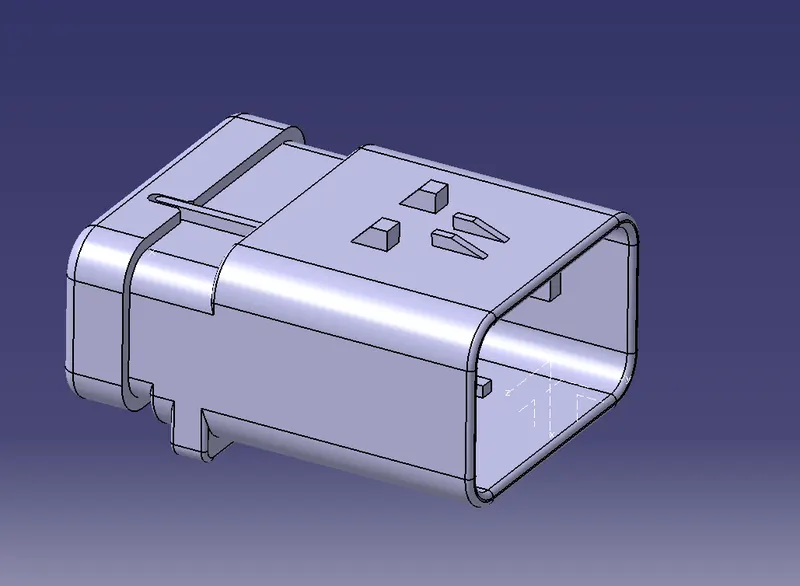
To define 2-pole connector electrically:
To define 12-pole connector electrically:
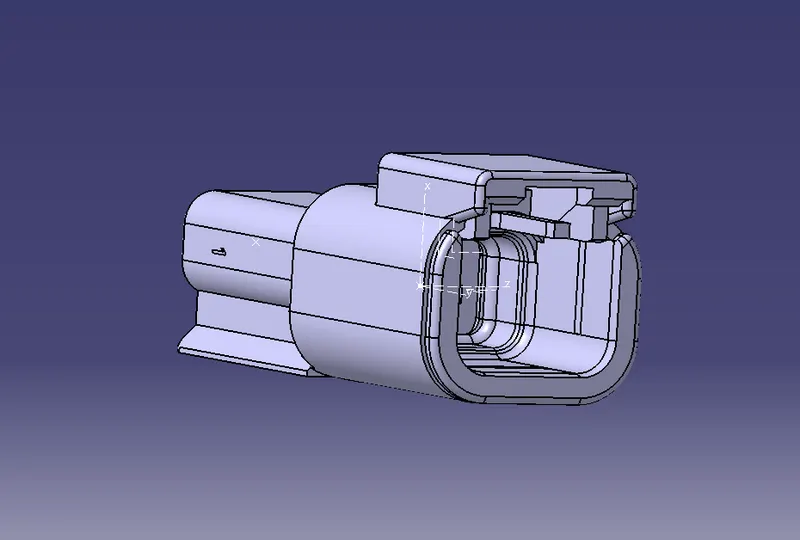
Here, according to the requirement we are using 'C-1563689' which is a 4-pole connector. This CAD data is downloaded from te.com. Now, to define a connector electrically we should define the geometrical parameters like bundle connection point and connector connection point in Electrical Part Design workbench for the downloaded connector.
Adding connectors to the all 16 fuel injector sensors and 4 cam-shaft sensors:
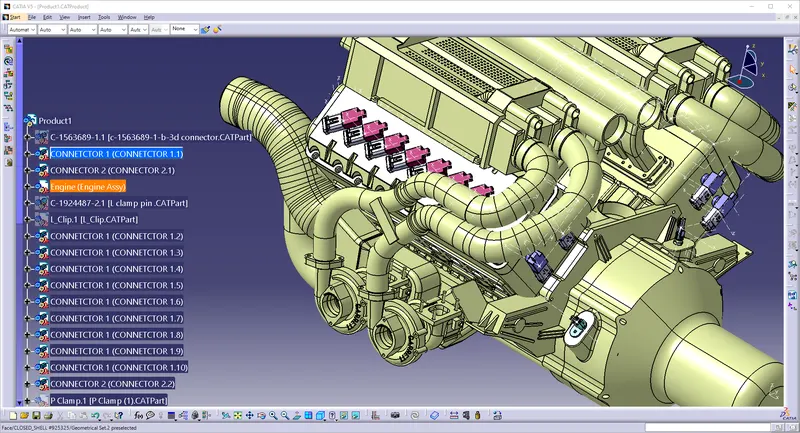
In this step, we are placing connectors to fuel injector sensors and cam-shaft sensors. So we will require total 20 connectors which have to be added in the Engine Harness Geometrical Bundle Assembly. We have to use manipulation tools along with compass, snap and smart move features to locate all the 20 connectors at their desired locations.
Adding sheet metal bracket:
Now, we have to add sheet metal bracket in order to provide mounting for the interconnection connector. Also, we have to make sure that the bracket is placed inside the context assembly and outside of engine and geometrical bundle assembly. The bracket should be mounted on the existing bolt as shown below. This bracket should have locking system in clockwise direction so that it can't be move freely. Herein below figure, rib is performing the locking feature for the bracket. All the design ideas should be discussed with the engine designing team so that there won't be any disturbance for the smooth working of engine in real world application.
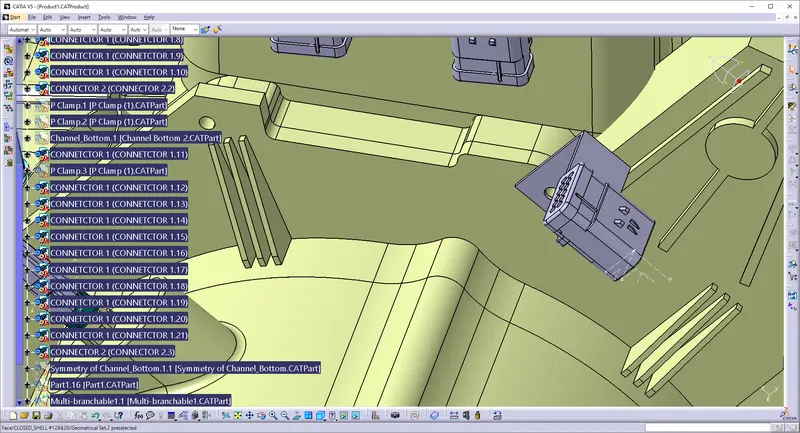
- Now, we have to mount that electrically connected interconnection connector and cavity on sheet metal bracket as shown in above figure.
- We have to mount 3 P-clamps also on the existing bolts of the engine so before that we have to define P-clamp electrically with geometrical parameters, entry and exit point on both left and right side of the P-clamp as shown in below figure.
- Here, we have mounted 3 P-clamps on the existing bolts of the engine for the wire harness routing as shown in above figure.
- In above figure, we have mounted furr tree clip also for the smooth path to wiring harness routing towards guiding channel on both right and left side.
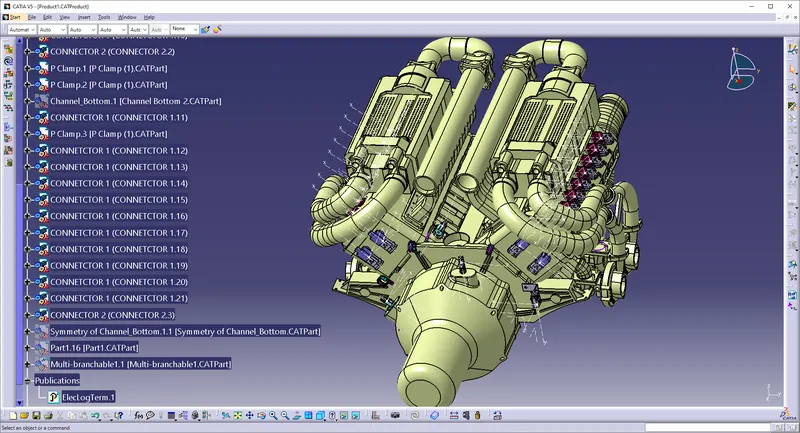
Mounting of a plastic guiding channel:
We have to add now plastic guiding channel because Bugatti V16 engine has 8 injectors on right side and 8 injectors on left side which are very close to each other. Hence plastic guiding channel is best option for proper and easy routing of the wiring harness. It will reduce the complex wiring harness routing. We will require two different guiding channel for both right and left side of the engine. Now, before placing guiding channel, we have to define geometrical parameters of guiding channel as below.
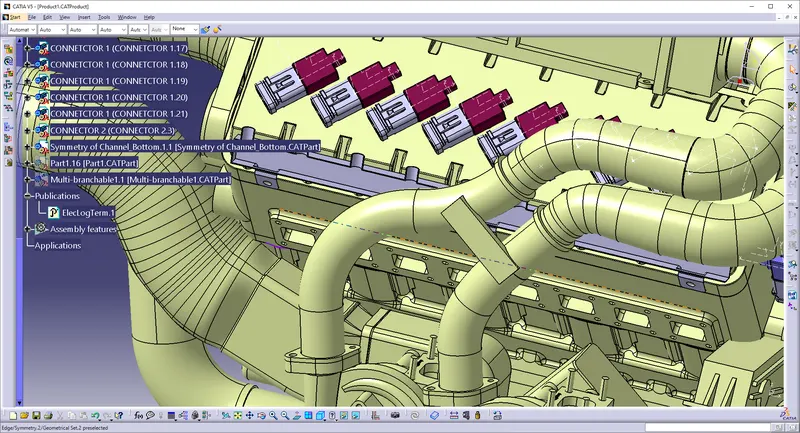
- After electrically define of guiding channel, we have located guiding channel at desired place as shown in above figure.
- Here, we have used different commands like manipulation, snap, smart move, compass etc. for placing of guiding channel.
- Now at this stage, we have just located bottom of the guiding channel.
IMAGES OF THE ELECTRICAL HARNESS:
The connectors in the assembly should be electrically defined and it is placed in the appropriated position on the engine surface.After positioning the connectors place the supporting mounting clips in the engine to acheive the proper routing without fouling of the bundle with the surrounding parts.After achieving ths route the harness in the geometric bundle , make sure the bundle segment do not clash with the surronding parts.Flatten the geometric bundle after finalised the geometric bundle , make sure for the bundle connectivity in the wiring harness.
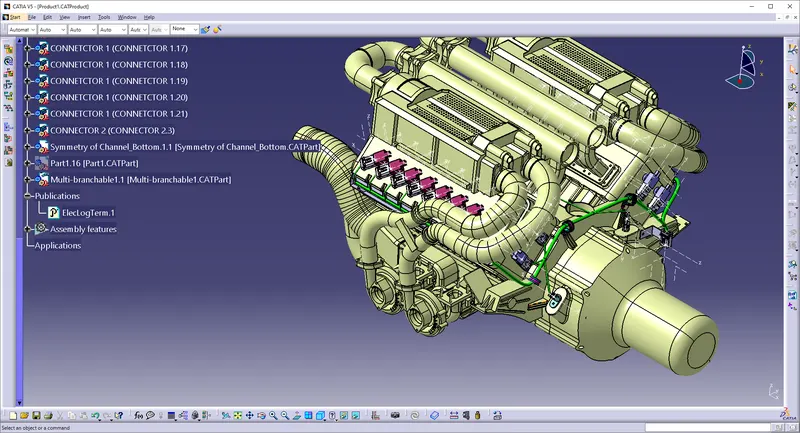
Adding protective coverings and guiding channels top shell to harness bundle:
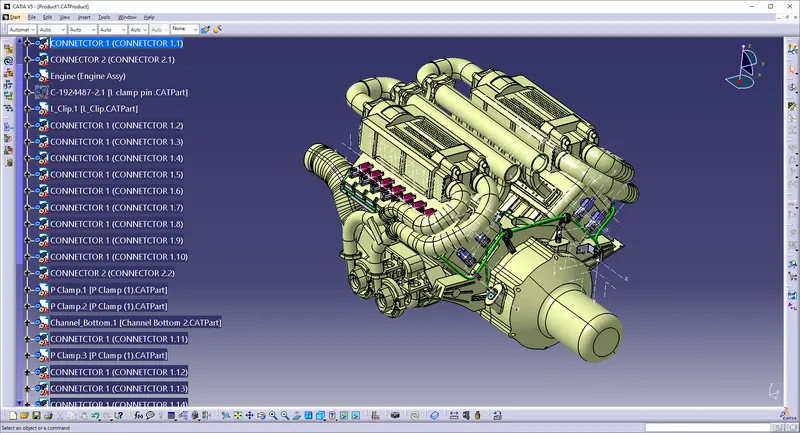
Here in below figure, we have done with whole wiring harness routing for the V16 Engine. Now, we have to add protective coverings to all bundle segments and top shell of the guiding channel.
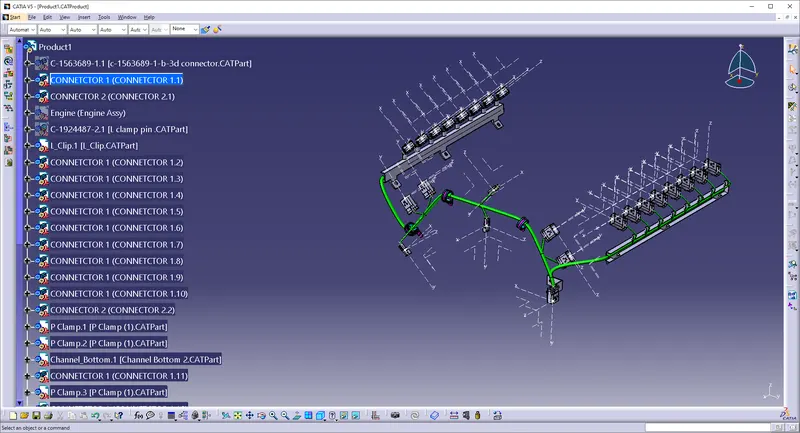
Checking bundle continuity:
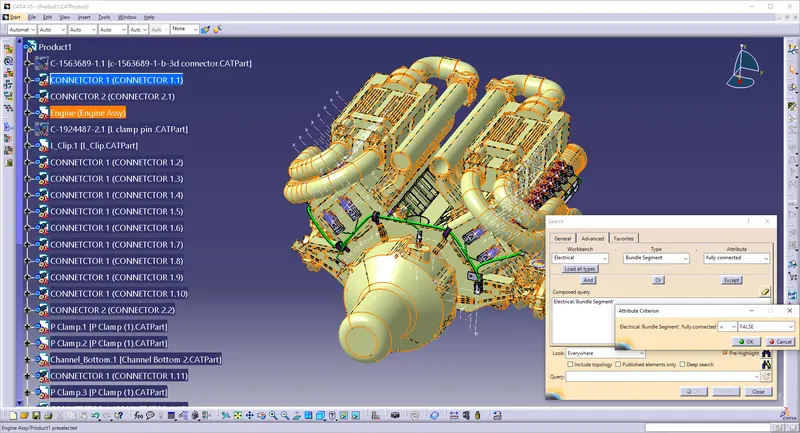
In this step, first we have to make sure that multi-branchable is selected then we have to go in Edit>Search>Advanced>
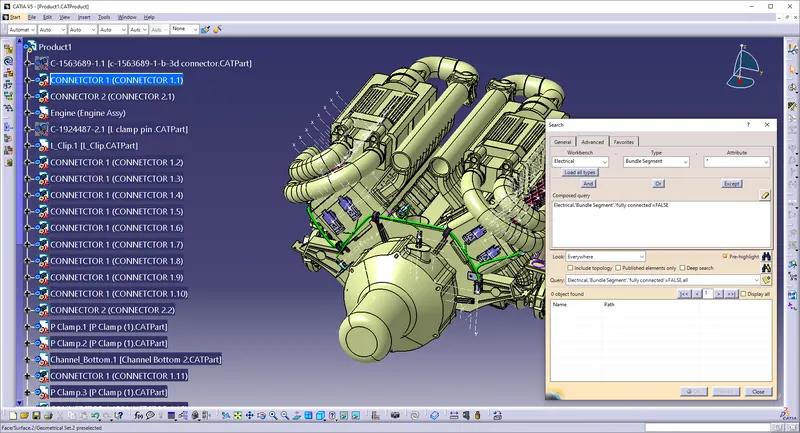
- By selecting 'True' option will show all the connected bundle segments while selecting 'False' option will show all the non-connected bundle segments.
- Here, we have selected for the 'True' option and searched for results. All the bundle segments are highlighted found showing that all the bundle segments are electrically connected as shown in below figure.
Creating flatten view of the engine harness geometrical bundle assembly:
In this step, for creating flatten view we have to work in Electrical Harness Flattening workbench of Catia V5. We should also make sure that the flattening file is saved in the same folder where other files of harness assembly are saved.
- Before creating flatten view, first we have to define flattening parameters. Make sure that selecting 'Single line' for bundle segment and 'Double' line for protective covering.
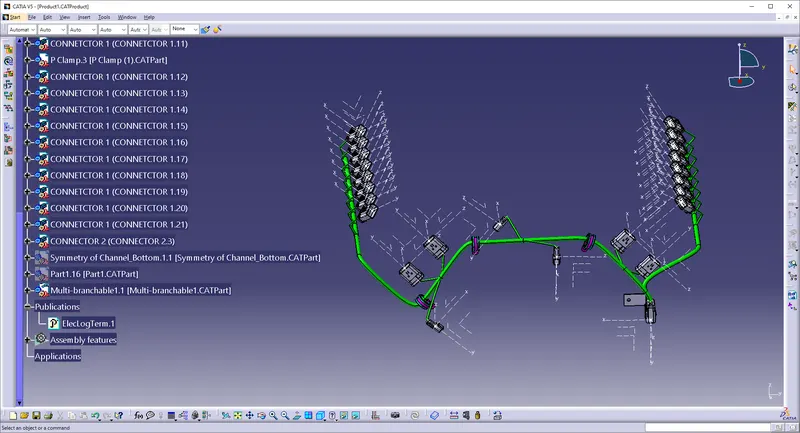
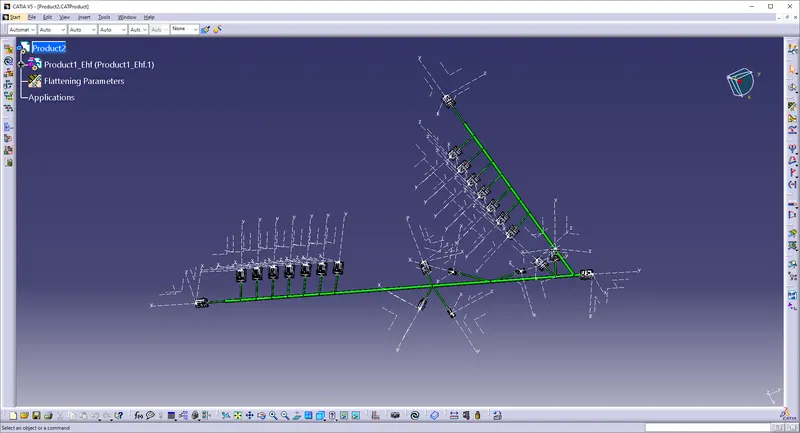
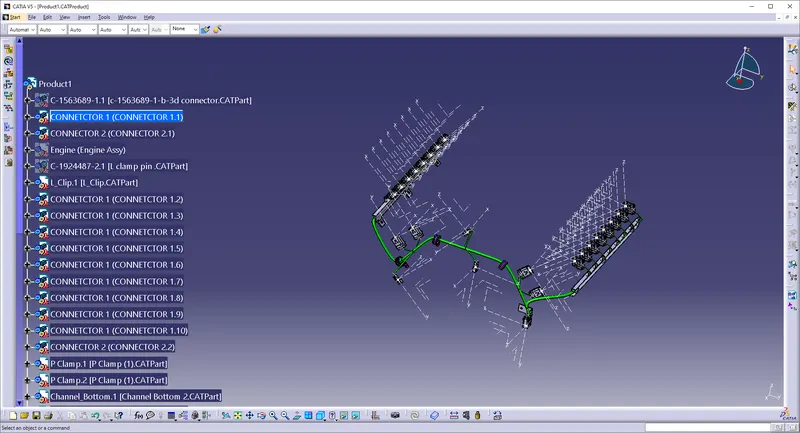
- We have extracted the bundle assembly into Engine Harness Flattening Product file and then flattened the file along face of interconnection connector as shown in above figure.
- At this stage, for clarity, we have been hidden the flattening diagram of the plastic guiding channels from the drawing view.
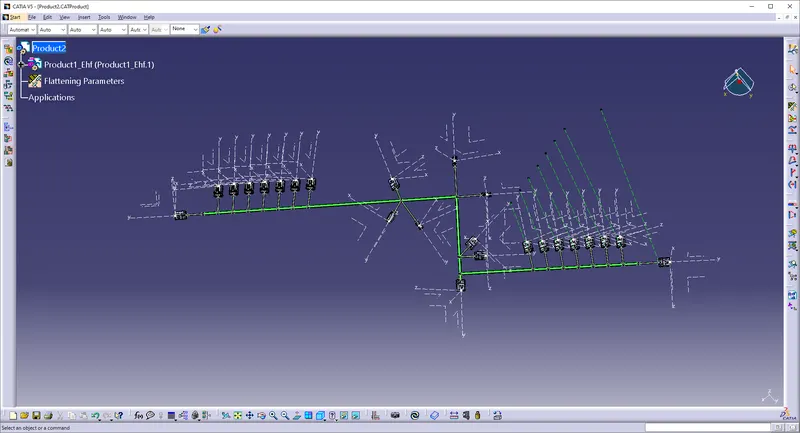
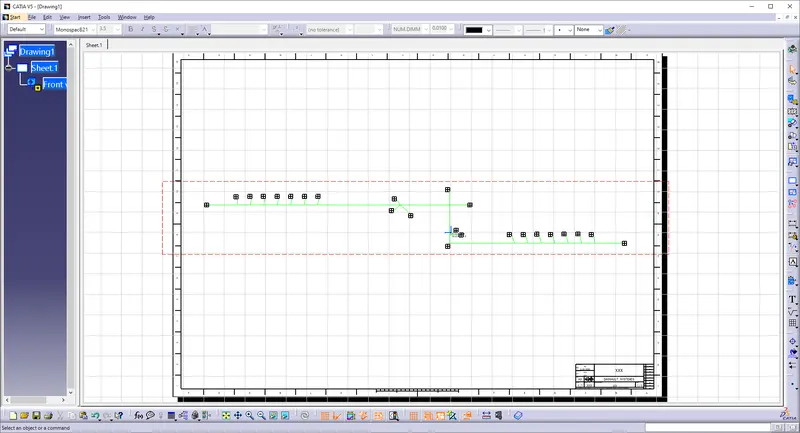
- In above figure, we are creating new drawing file and defined all the necessary drawing parameters. We have to insert the front view of the Engine Harness Flattening Product file into the Drawing file.
Conclusion:
In this way, we have routed wiring harness for the V16 Engine. Also, prepared flatten view drawing with proper sheet in CATIA V5