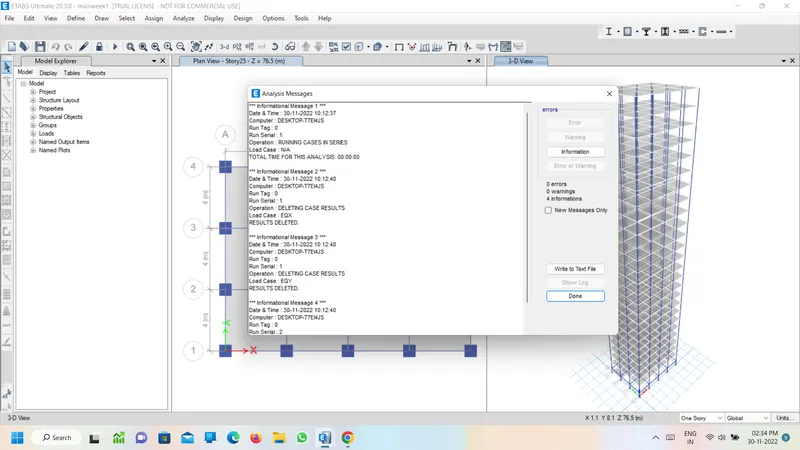
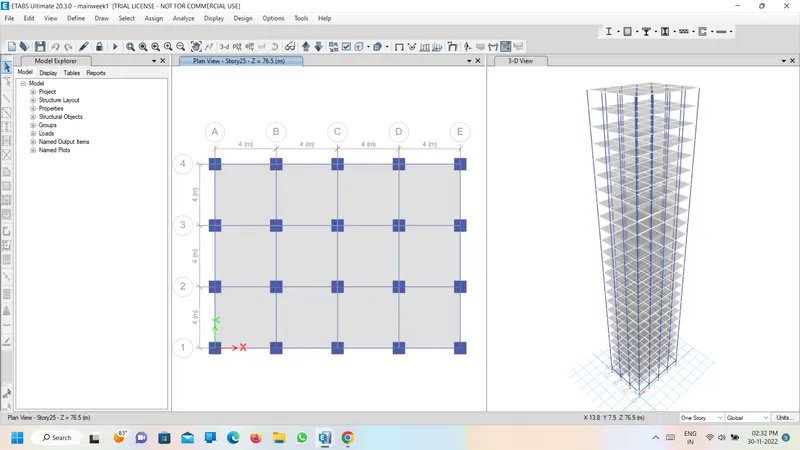
Modelling of 25 storey building with the specified properties using ETABS
AIM:
To model a 25 storey building on ETABS 2018 with structural properties as specified above specifications.
PROCEDURE:
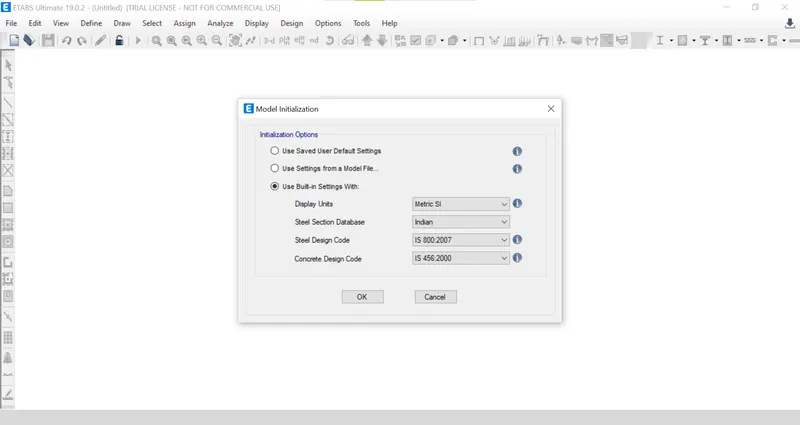
- Open ETABs > new model>set the model Initialization>ok
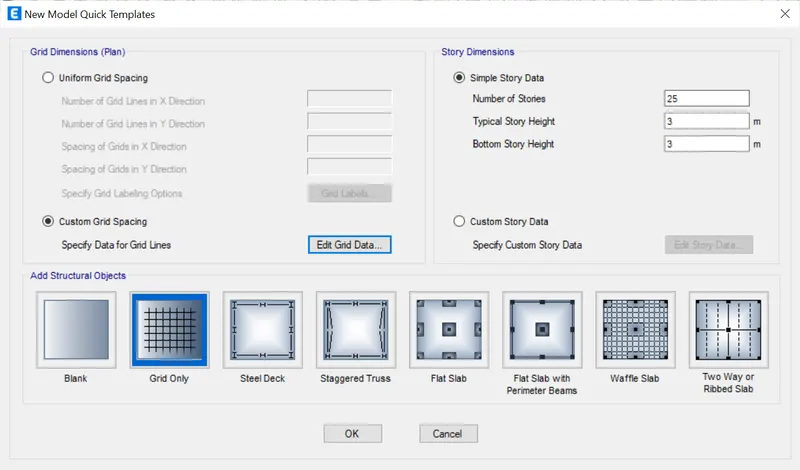
- Then, we can see the New Model Quick Template dialogue box.
- set the grid pattern and by clicking the edit grid data and give the grid to grid spacing as 4 in both X and Y directions as per the question.
- enter the story number of story's,height of the story we need.
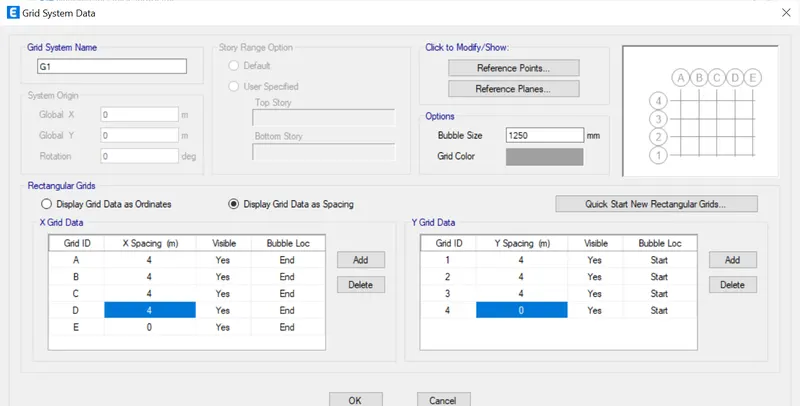
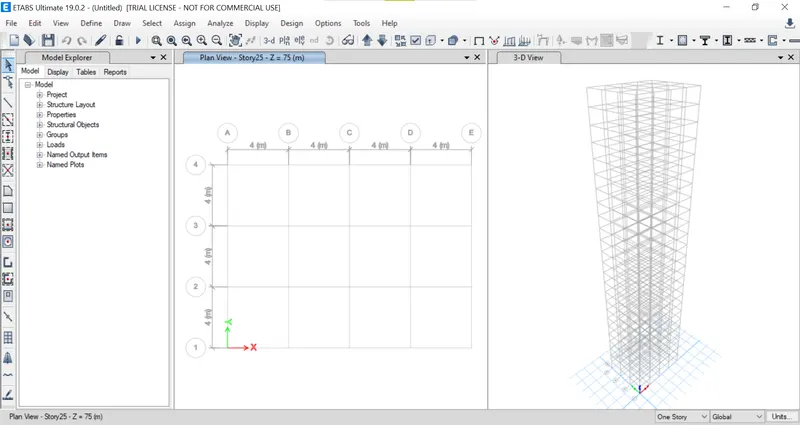
- By clicking ok we can see the plan view and also 3-D view
- click on Define tab>click Material properties
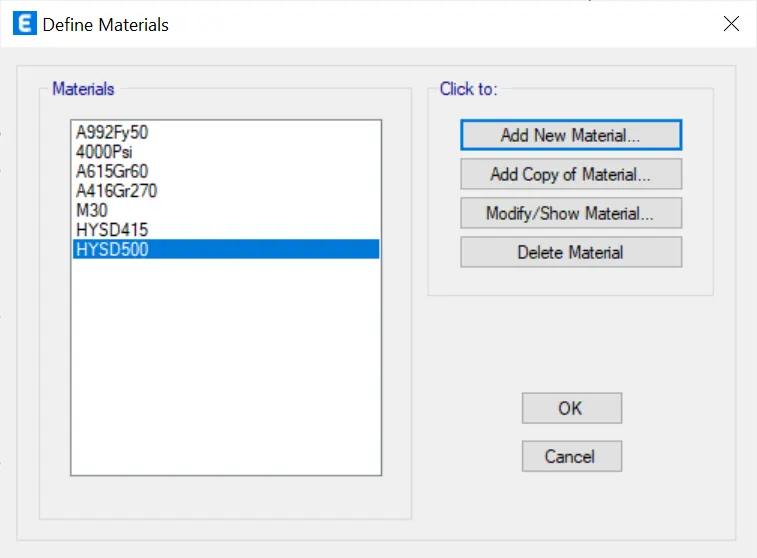
- Define material dialogue box will appears and click on add material properties.
- select grade of concrete M30,material type as concrte.
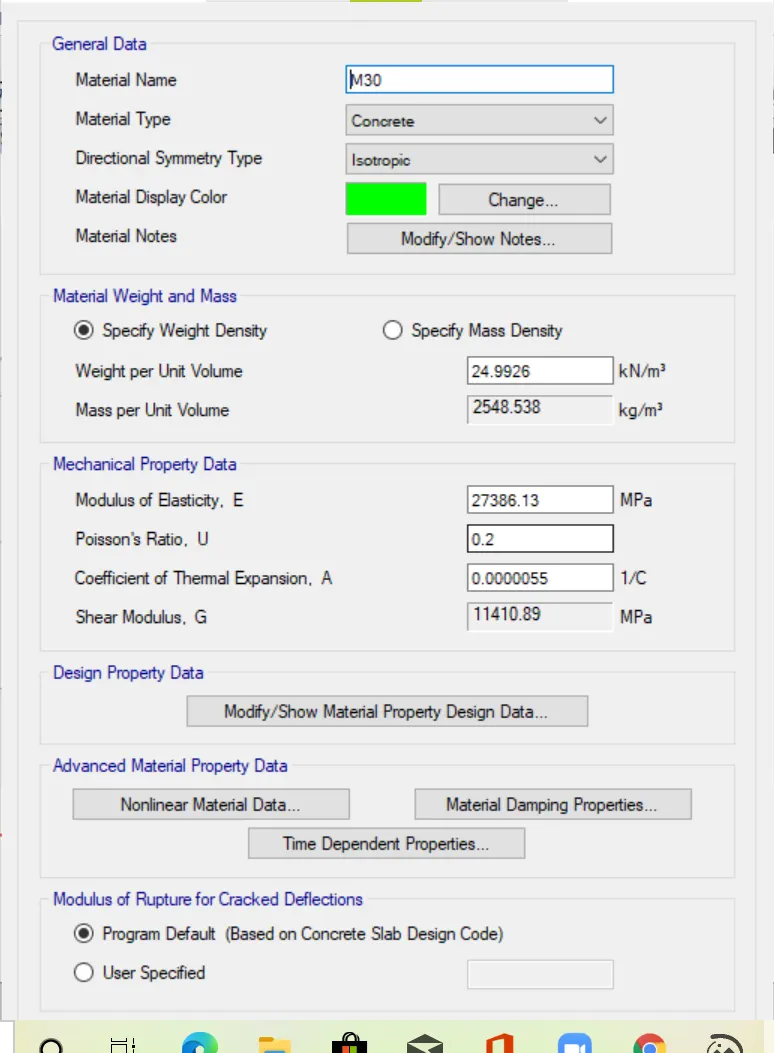
Add the REbar HYSD 500, HYSD 415.
- Then, again click the Define tab, go to Section properties, and click Frame sections.
- Now, you can see the Frame properties, Add the new property.
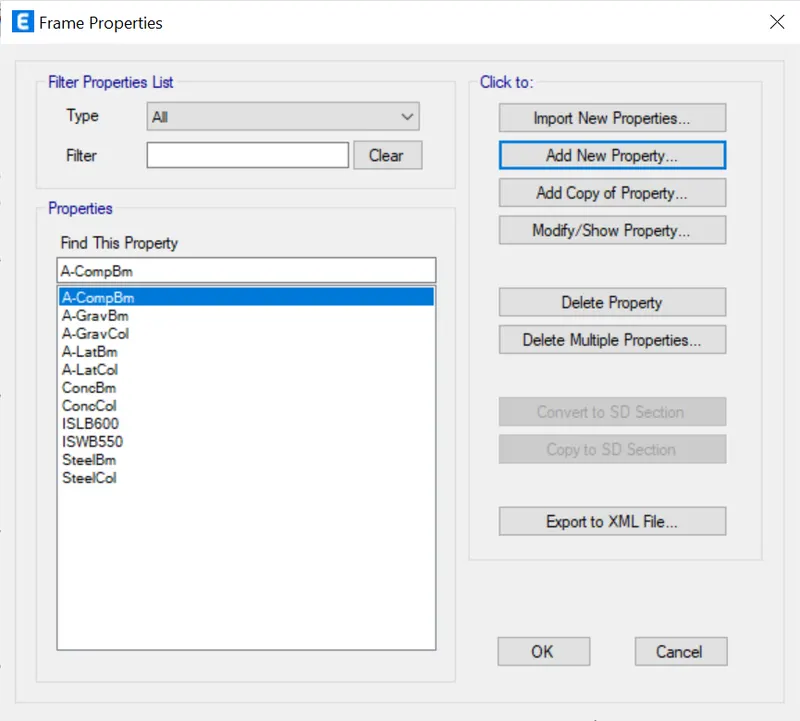
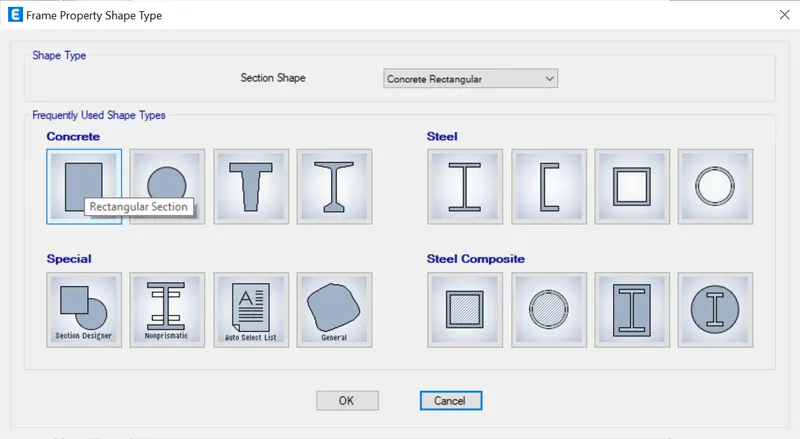
- set the column properties.
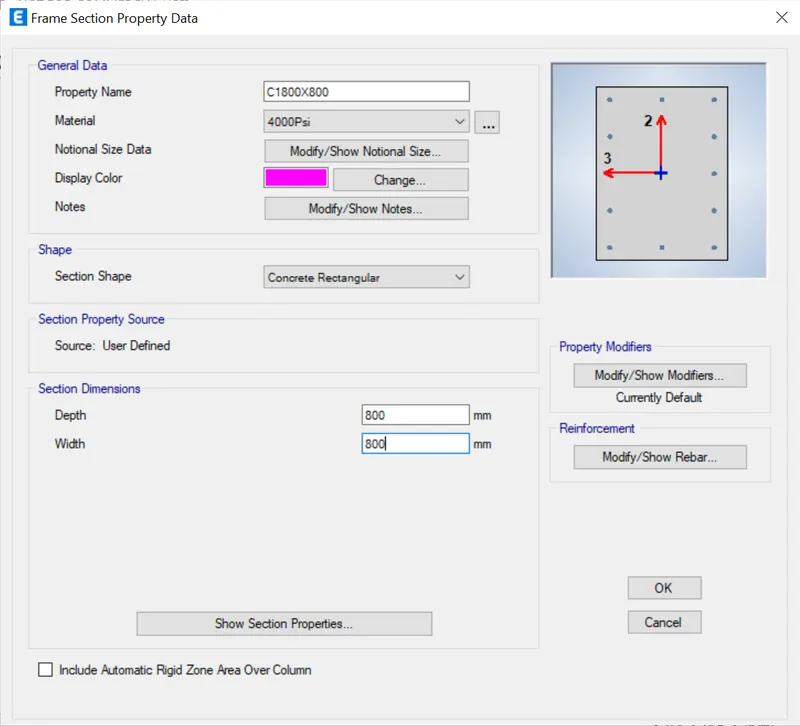
- Next set the beam.
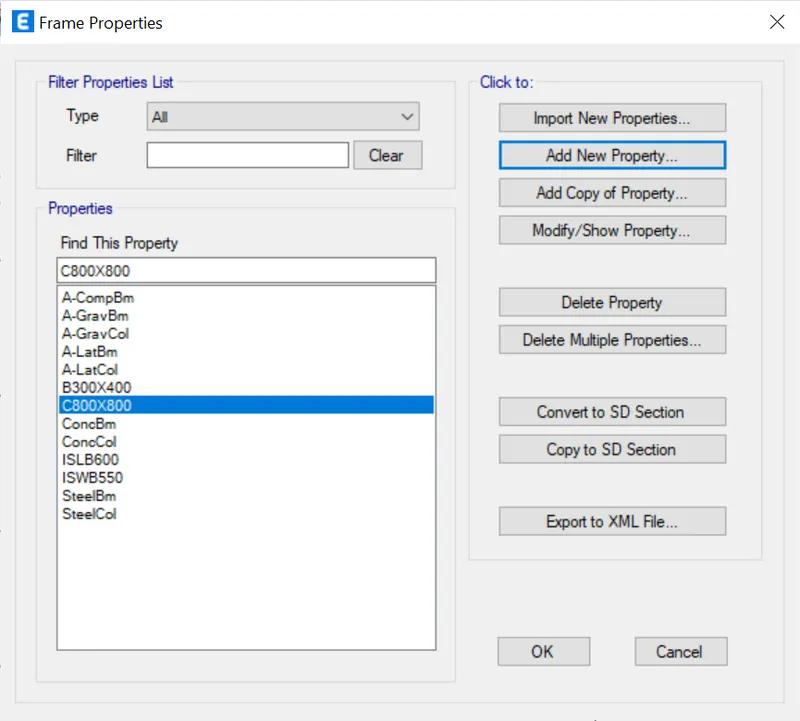
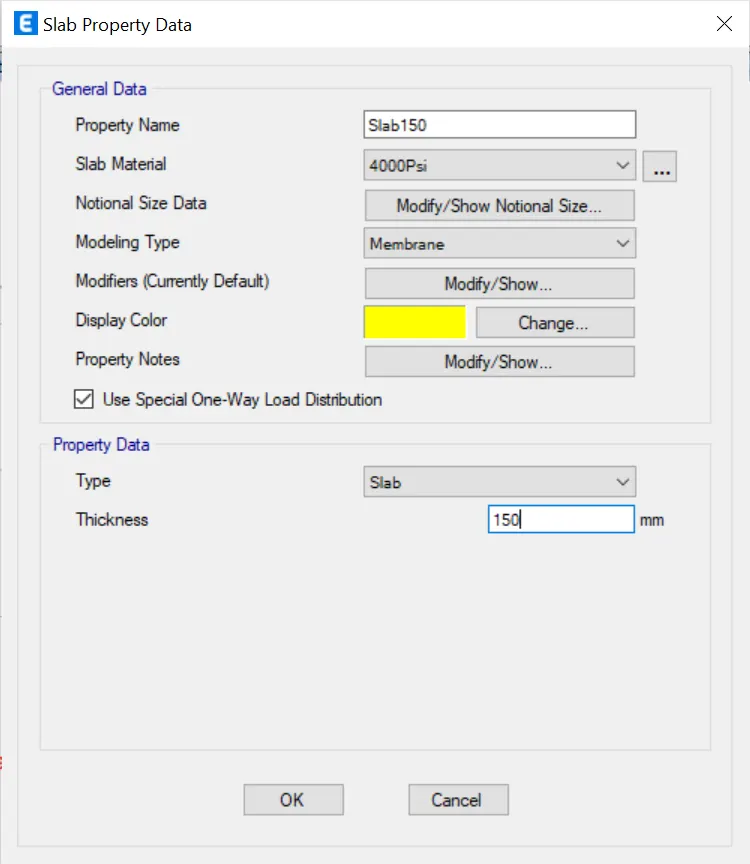
- Again, go and click section properties and click the slab Sections.
- set 150 as a dimension
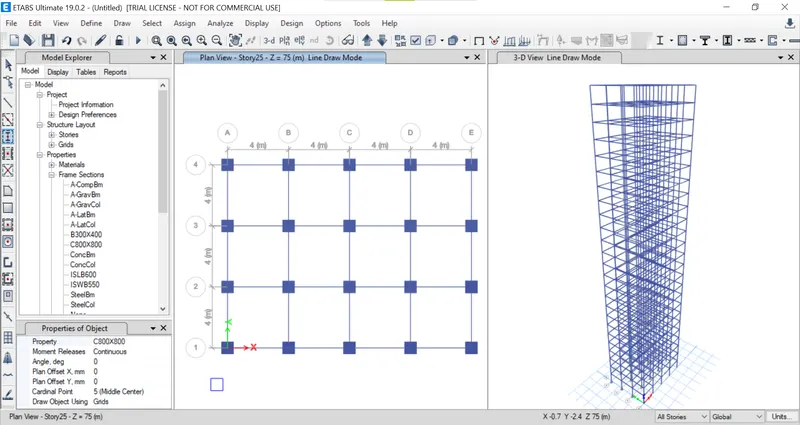
- Draw the beam and column to the plan by selecting quick draw option
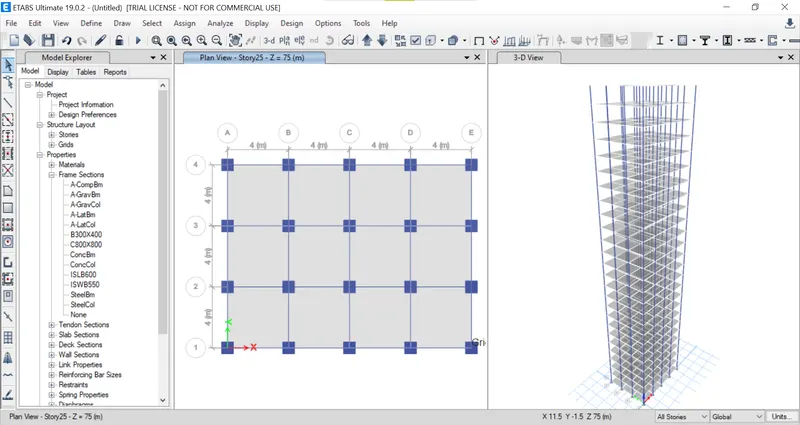
- Then set the floor slab to all Stories by clicking the quik draw slab opion
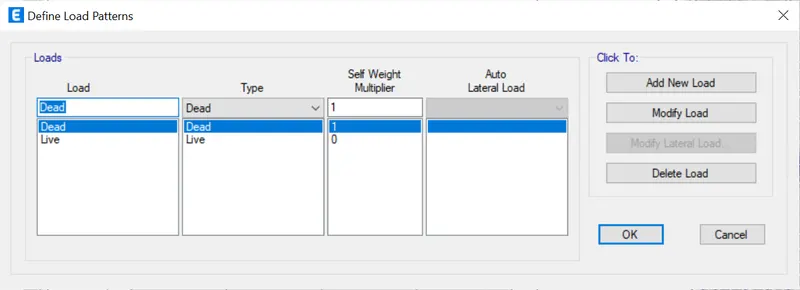
- Click the Define tab, to go to the load paterns and set the loads
- select the slab section
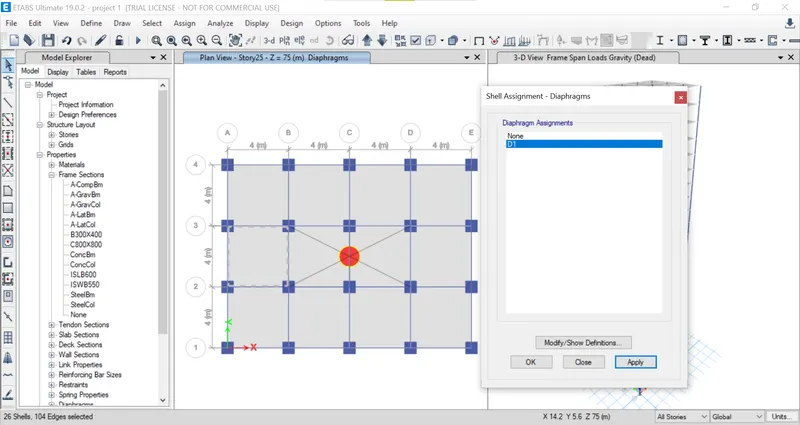
- nxt assign tab>shell>Then set the Diaphragm.
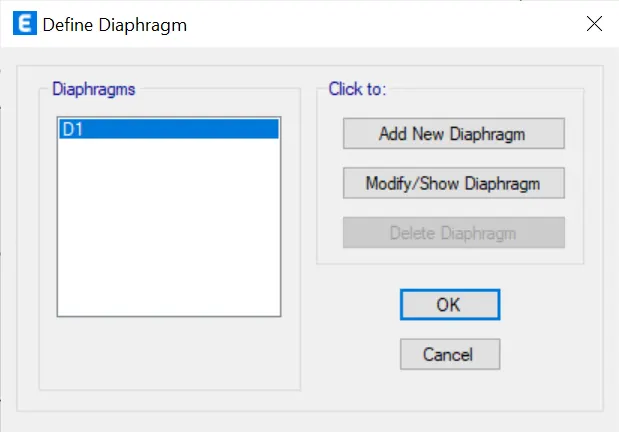
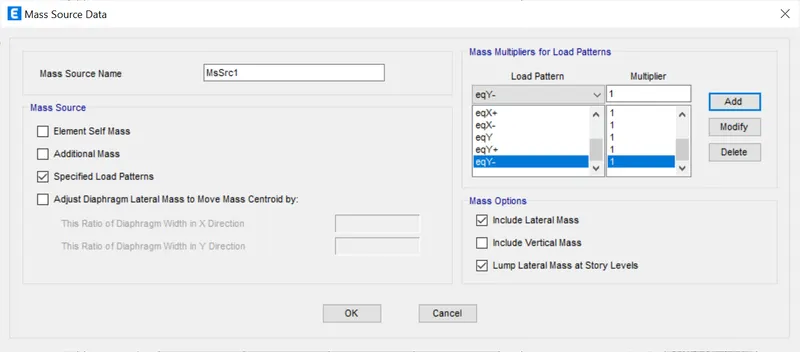
- define tab>the Mass Sourse Data.
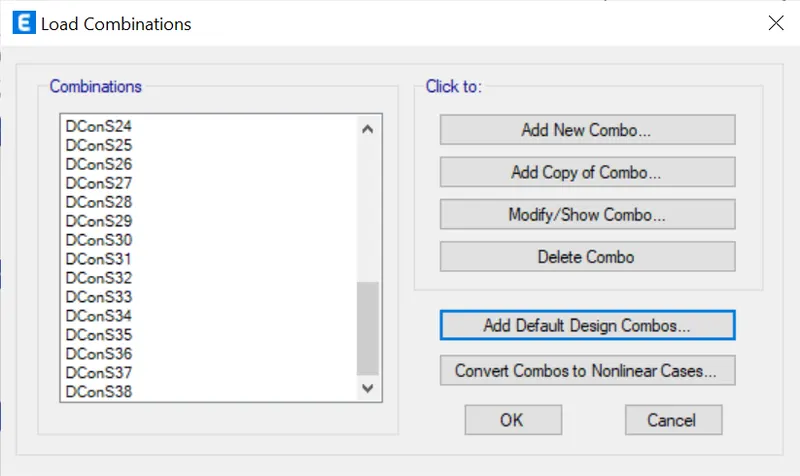
define>Add Load Combination,
Set the default the combination it has the set automatically calculated the loads.
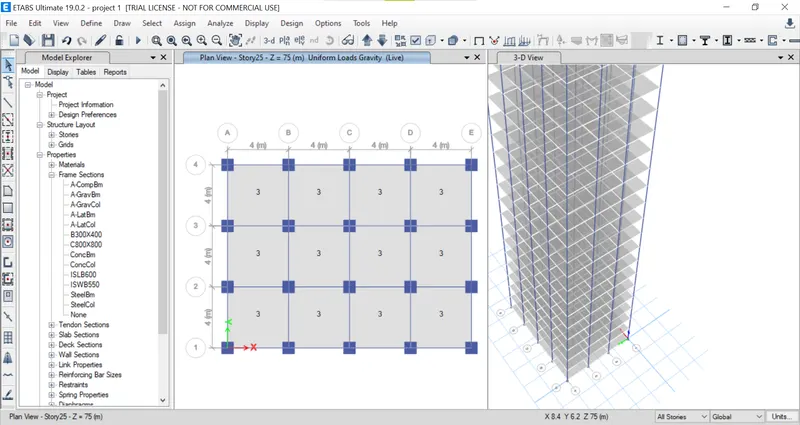
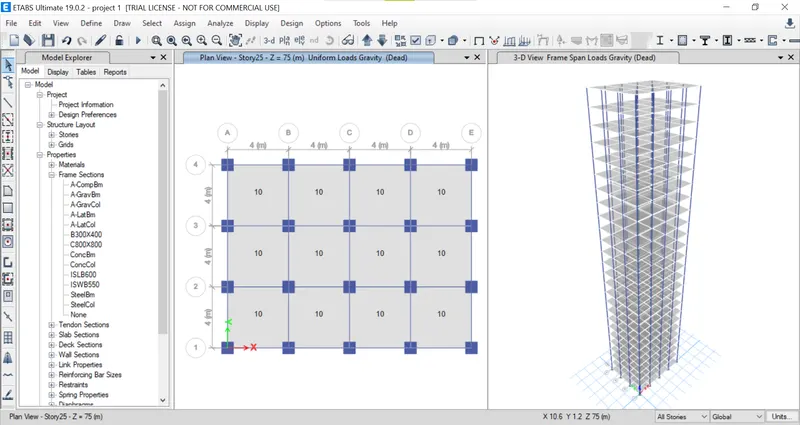
Now, ASSIGN the loads, Frames, Beams, Columns, Slabs everything.
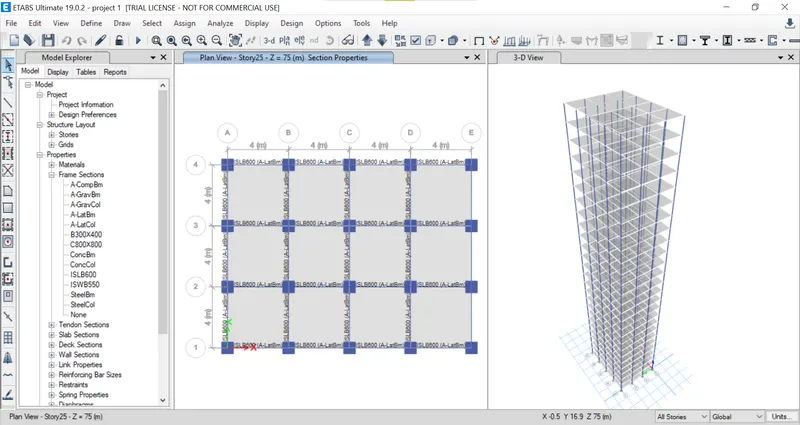
live loads
dead loads:
DIAPHARGM:
Analysis: