Challenge 4 : Concept Modelling of Alloy Wheel
CONCEPT MODELLING OF ALLOY WHEEL
OBJECTIVE : Making a car alloy wheel, from side images.
INTRODUCTION : In the automotive industry, alloy wheels are wheels that are made from an alloy of alluminium and magnesium. They generally provide greater strength over pure metals, which are usually much softer and more ductile. And moreover they are stylish in look wise.
Here the project is to modelling an alloy wheel of renault car just by a side view. We have to visualise it's overall structue from side view itself and modelling it acccordingly.
DESIGN METHODOLOGY :
- Change construction preset to catiaV5 conditions.
- Import canvas image of side of the alloy wheel renault.
- By analysing the view we have to pick out its symmetric part, and construct that part by using tools like cv curve, keypoint curve tools, free form blend control, skin,rail,project,trim etc
- Make the surfaces with almost single span and make them perfect,
- Check and resolve any issues in the surfaces
- Make the symmetric part of the costructed oart
- Duplicate the geometric part with complete rotation
DESCRIPTION :
For constructing alloy wheel we are using CATIAv5 conditions in AUTODESK ALIAS.there are many convinient tools to construct the alloy wheel effortlessly.
cv curve, keypoint curve tool :


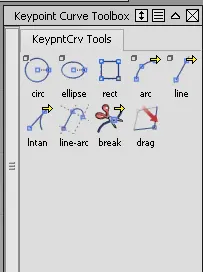
for constructing any model the biginning should be from cv curve or keypoint curve toolbox.
cv curve as we know it help us to make curve according to the design. keypoint curve toolbox help us to make lines, circle etc according to dimensions. Like by clicking the information window we can change its attributes according to our needs.
extend :

This tool helps to extent a particular curve or surface to desired position by not changing its origin. In this construction of alloy wheel it helsps to make the uther surfaces meets the main surface without making any gap between them.
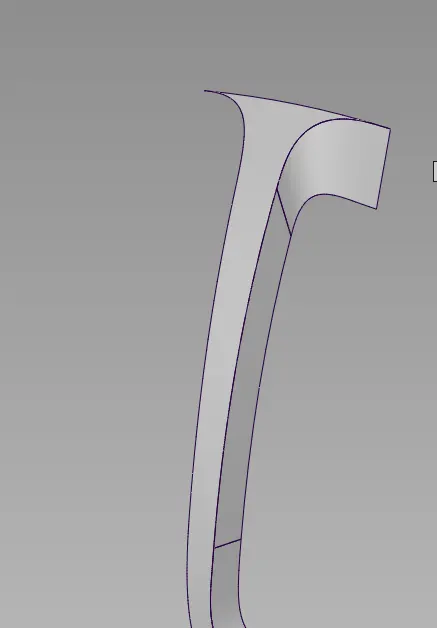
the front and side of this surface is get aligned properly by the use of extend ,project and trim processes, By this the surface continuity will not change.
Duplicate :

To make duplicate of object with same magnitude and plane in which it positioned. We can give what number of duplicates we need and what should be the angle of it etc.
Attach and Detach :

Just like trim operation detatch tool is used to spli a curve or surface and attach tool is used to make joining together
Align:

Align tool is used to align one surface to one or more surface edges. we can change the continuity by G0,G1 tangent, G2 curvature, G3 curvature.
Project and trim :

for remove certain parts from the surface we use trim tool. For that first we fix the shape of the needed surface and by that draw the cv curve and project the curve to the surface then make trim, and hence we got the desired surface. There is also the option for untrim also.
Free from blend :

This tool is enable us to make transitional surface between two surfaces or two curves.
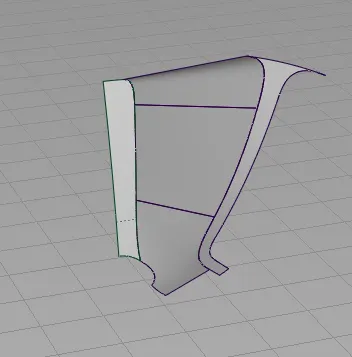
the above trasitional surface is made by using ffblend.
Planar tool :

this tool enables us to create a flat surface inside a curve. the curve should enclosed.
Surface continuity options :

The tool is used to evaluate the continuity of the surface with other surface.
CONCLUSION :
By doing this project i got to visualise the whole structure with just a side view. I could draw the entire model with span one. Know how to make surfaces with continuity. This project has increase my confidence for making designs using ALIAS