Challenge 5 : Concept Modeling of Car Bumper
CONCEPT MODELING OF CAR BUMPER - Abarth 500
OBJECTIVE : To design the car bumper.
INTRODUCTION :
A bumper is a structure integrated with the front and rear ends of a motor vehicle, to absorb impact in a minor collision, ideally minimizing repair costs. On one side it reduces collision effecr on vehicle and also is protects pedestrians from injury.
In this project i have drawn front bumper of fiat Abarth 500. I have blue print of front, side, back and top of the car. For drawing the front bumper actually we need front and side view only. The whole project has done by using Autodesk Alias.
DESIGN METHODOLOGY :
- Import the side and front view of car bumper blue prints.
- Make a dimension box according to the given information.
- Place the blue prints perfectly fitting in the dimension box.
- Trace out the blue prints using the tools which are on autodesk alias
- We have to visualise the blueprint in a 3D manner. The curves have to be drawn accordingly.
- While making the surfaces make sure about continuity.
- make fillets at the edgess of surface meeting for smooth edges.
DESCRIPTION :
Here i have construct a design of Bumper of abarth 500 using Autodesk Alias. The main thing that focus on this project is making continuity on the surface. There are lot of tools which are makes this construction effortlessly.
CV curve and Keypoint cuve tool box

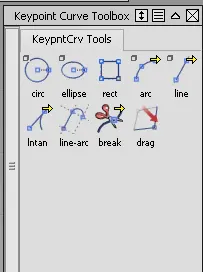
We can't complete a design without the help of cv curve and keypoint curve tool box. Both tools are that much important in designing in autodesk alias. We can make any type of curve using cv curve and by moving the cv's we can adjust its shape according to our needs. Keypoint curve tools help[s us to draw lines, circle, ellipse etc to our dimensions by editing its attributes in information windows.
Blend

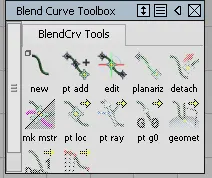
Blend curve used to blend or connect to curves. We can edit the blend curve using edit tool also.
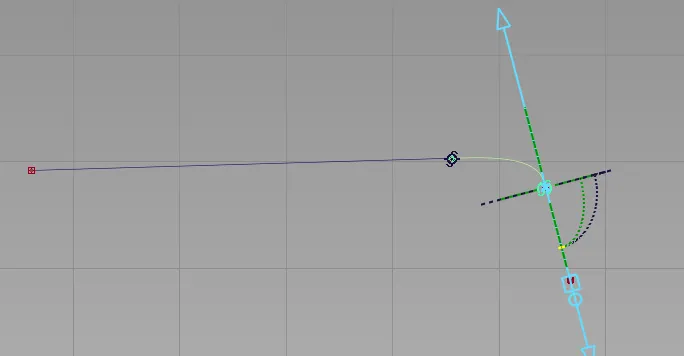
Above figure shows blend curve and its editing option.
Birail and Square

Both tools are used to make surfaces. BIrail tool used when there is only one generator and one rail or 1 generation and two rail or two generation and two rail. Square tool used when there is for sides. We can adjust the continuity by G0, G1 tangent, G2 curvature and G3 curvature and implied tangent.
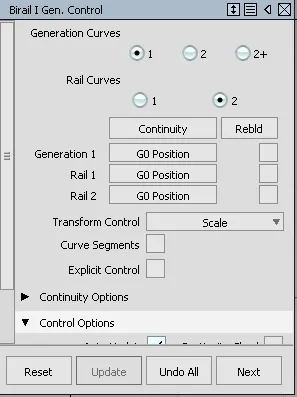
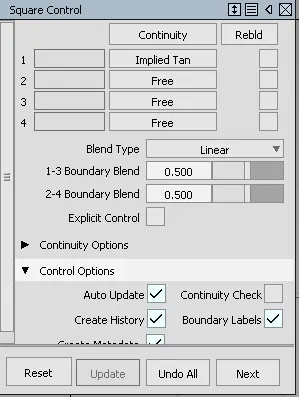
The above figure shows the windows of both Birail and Square control.
We can check and correct the continuity of the surfaces by visualising the model by horver diagonostic shade.
Fillet

Fillet tool is used to make smooth curves at the edges of two surface meeting.
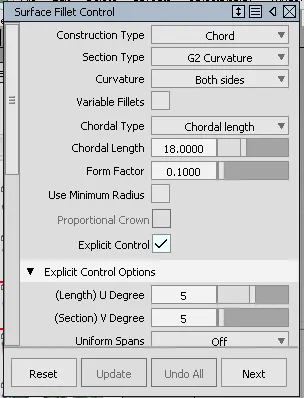
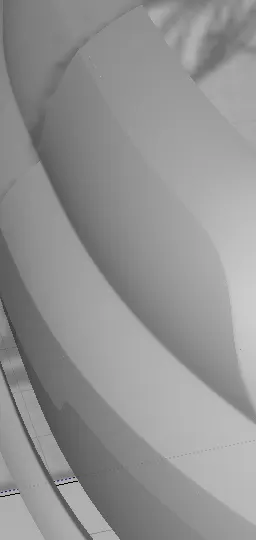
As shown in the above figure the edges are smoothen by the use of fillet tool.
Project and Trim

Project tool used to project any curve to the surface. And we can separate out any shape from the surface by projectiong the desired shape on to the surface and using trim tool we can trim the shape or we can separate the projected shape.
Align

Using align tool we can align surfaces. By using this tool it forcefully align the surfaces
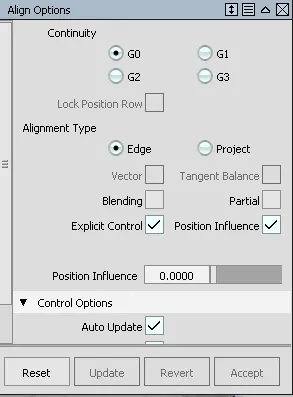 As shown in the figure we can align the surfaces by G0 or G1 or G2 continuity.
CONCLUSION
By doing this project i got to make bumper of a car having surfaces with good continuity.