Wiring harness design in CATIA V5 - 3D modeling Week 7 Challenge
Aim:-
- To prepare a flattened view of a previously created harness assembly.
Objective:-
- The objective of the given project is to create a flattened view for a harness assembly and then it on the drawing sheet.
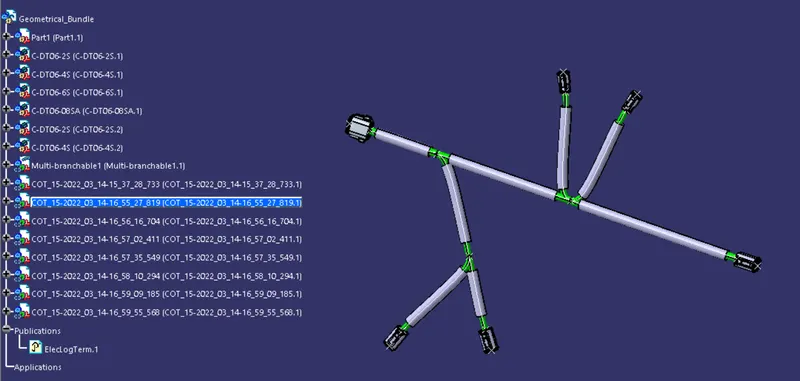
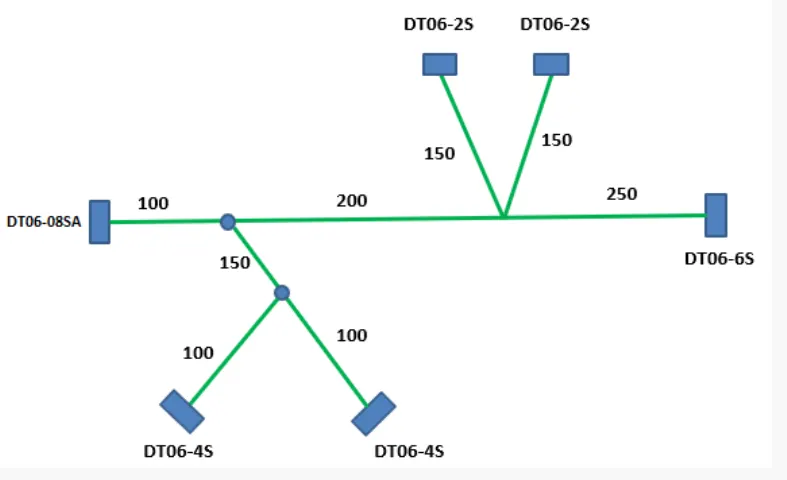
Steps:-
1. Defining harness flattening parameter.
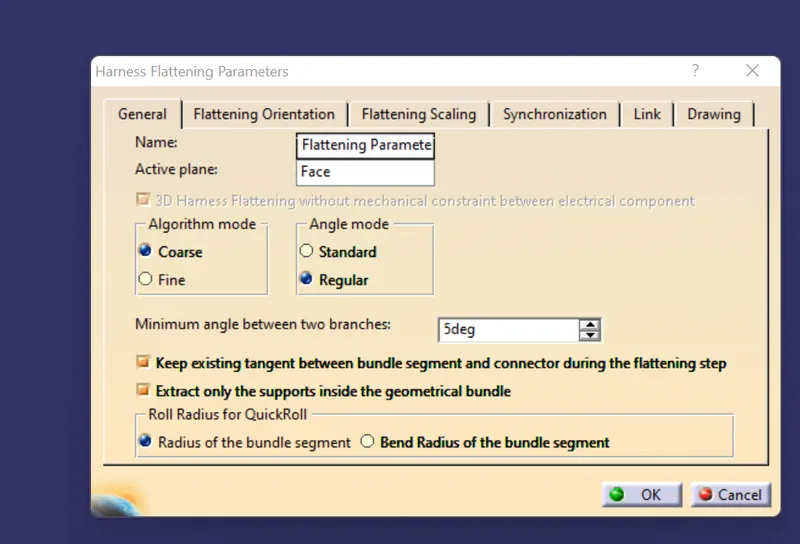
Firstly, we should make a new product file inside the electrical harness flattening workbench, secondly, we should define the harness flattening parameter by clicking on its icon as shown above. In the general tab, we should select the setting as shown above. After general tab settings are completed we should define the setting for the drawing tab as shown below,
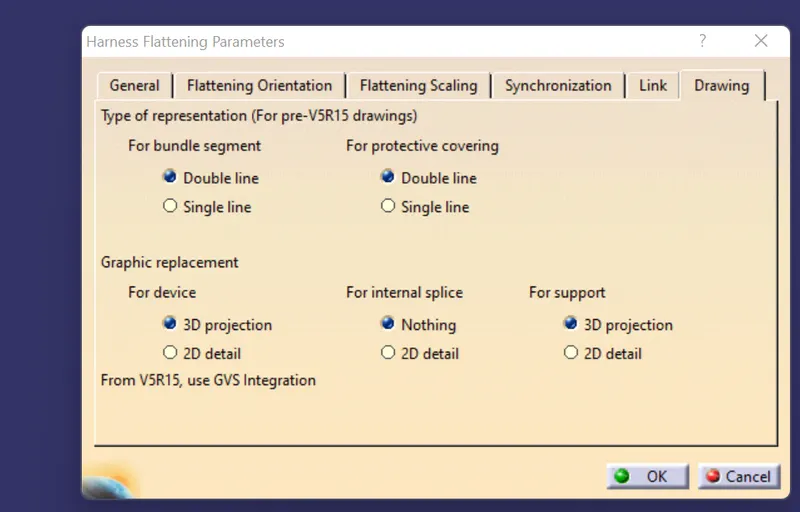
2. Bring the harness assembly into the newly created flattening product by using the EXTRACT feature.
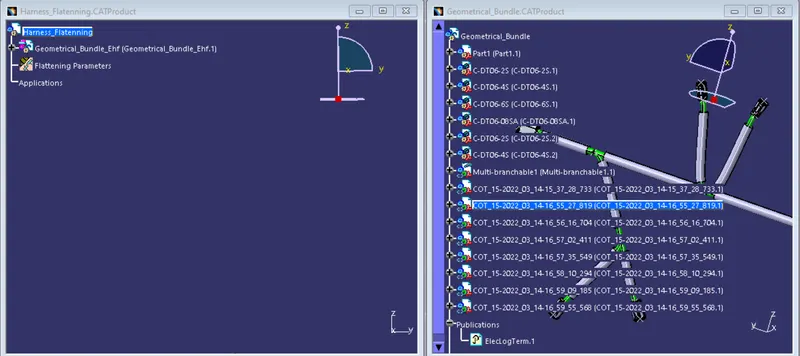
Firstly, we should align the flattening product and harness bundle tabs vertically. Now, as shown below, we should use the EXTRACT feature.
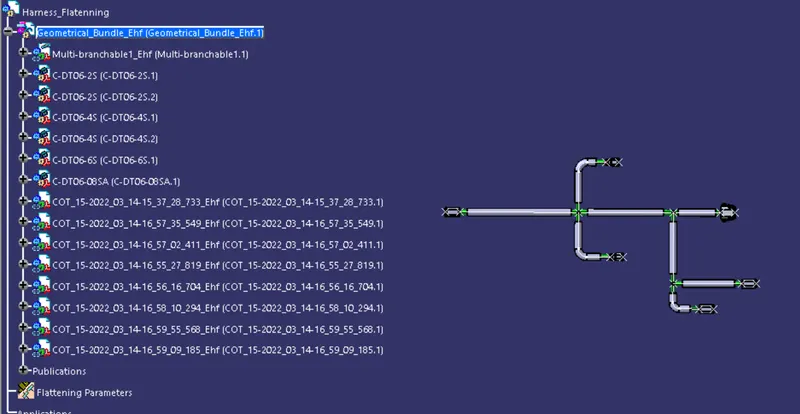
It should be noted that our geometrical bundle assembly or harness assembly file is now changed to an 'EFH' file which stands for 'electrical harness flattening'.
3. Flattening of the harness.
To flatten the harness we should select the flatten plane and then select all the branches present in the harness assembly as shown below, then I applied ROLL and ROTATE TOOL.
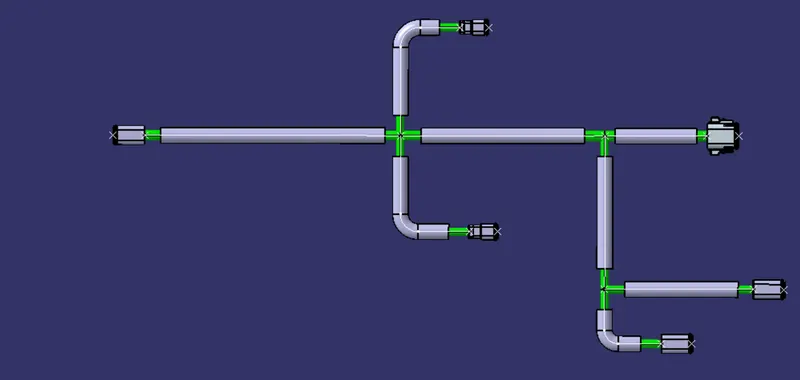
4. Insert view into the drawing file.
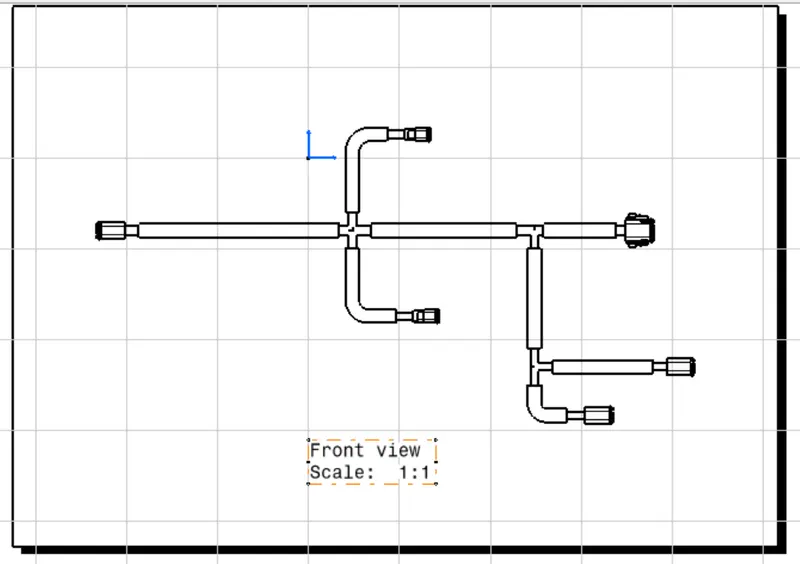
We will insert the view of the wiring harness into the drawing sheet file as shown below. We should make sure we have both harness drawing and flattening drawing products. Defining proper drawing properties as we needed.
Conclusion:-
- The Final flattened drawing was produced for the wiring harness. As per requirement, different representation was given to the bundle segments and the protective covering.