Wiring harness design in CATIA V5 - 3D modeling Week 7 Challenge
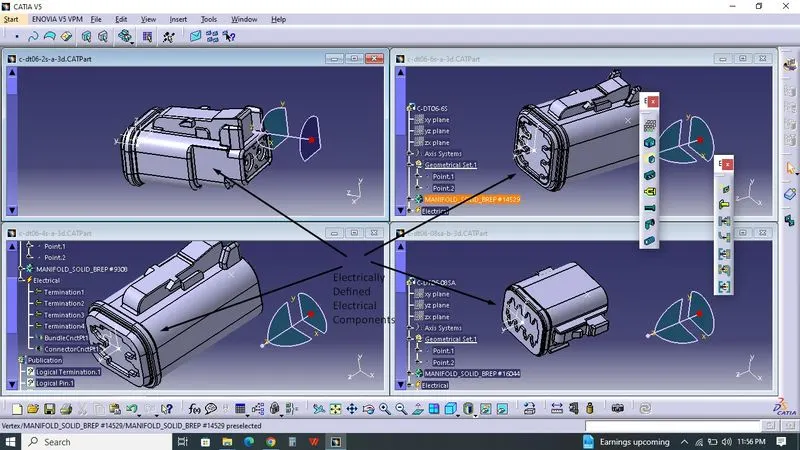
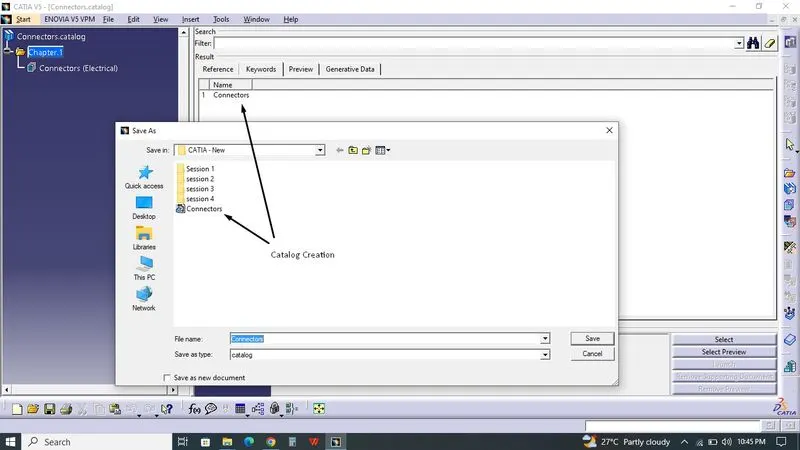 Given Electrical Components downloaded from te.com. Connectors Catalogue created for Connectors. Then the Connectors were electrically defined by creating point at back side for Bundle connecction point and Point with Axis creating for Connector Connection Point. Connectors saved into Connectors Catalogue.
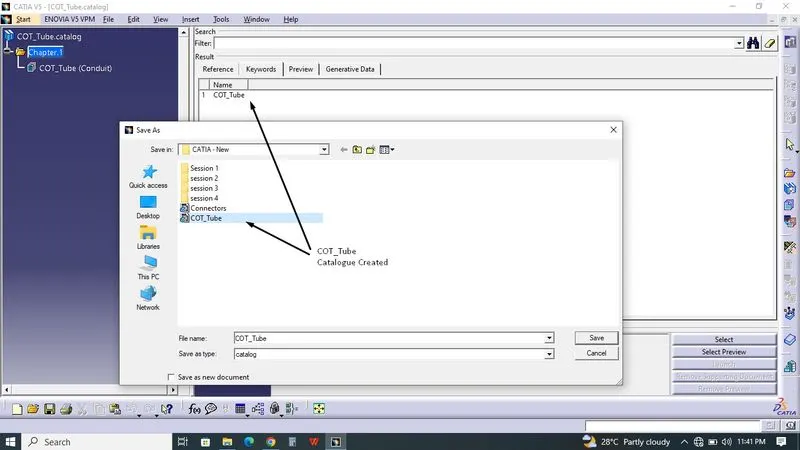
 Then COT_Tube Catalogue created. COT_Tube with the sizes of 19mm, 14mm, 9mm created and saved in COT_Tube Catalogue.
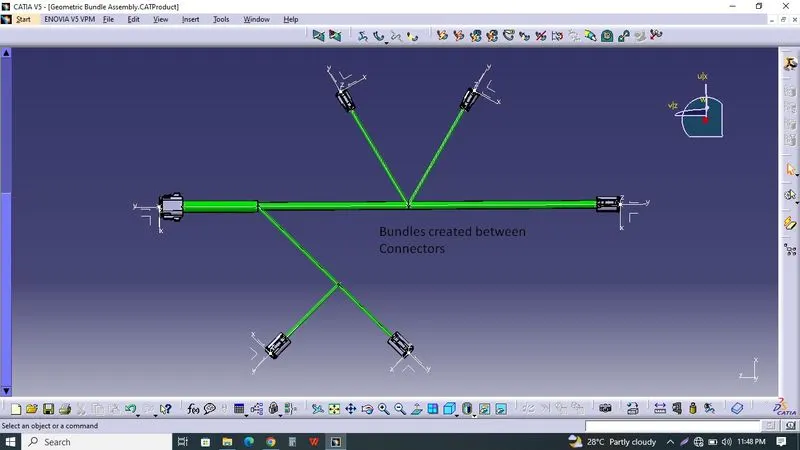
 Connectors imported into New product which named as Geometrical Bundle Assembly. Connectors were Positioned by using Smart Snap as per Question Data at given Distance. Switched to Electrical Hareness Assembly, Activated Geometrical Bundle. Then using Multibranchable, Main bundle created between 08sa & 06s which have two breaking point with length of 100mm,200mm,250mm of Diameter 15mm, 10mm, 10mm respectively. From first breaking point of 100mm & 15mm Diameter, Sub-branch created with Bundle diameter of 5mm, 250mm Length and connected with 4s. At this sub-branch another breaking point created at 150mm length from Sub-branch and connected with Another 4s at 100mm length.
From second breaking point of 200mm & 10mm Diameter, Sub-branch created with Bundle diameter of 5mm, 150mm Length and connected with 6s. At this second breaking point,another sub-branch created at 150mm length from Main branch and connected with Another 6s.
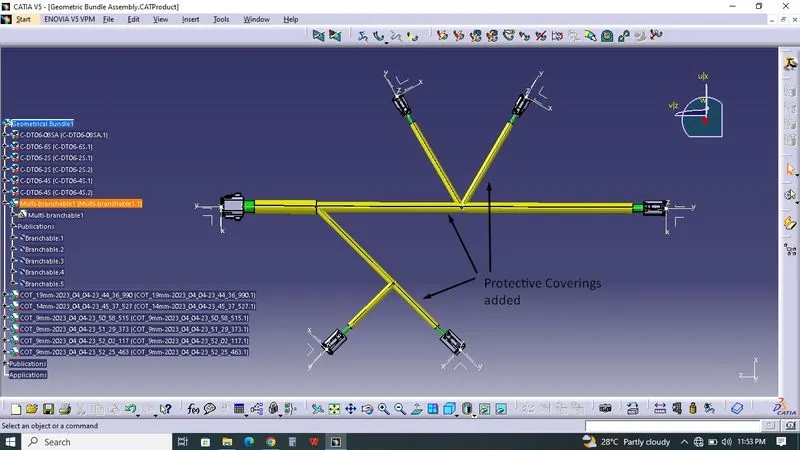
Protective Covering of COT_Tube added from COT_Tube Catalogue by using protective covering at Electrical Hareness Assembly.
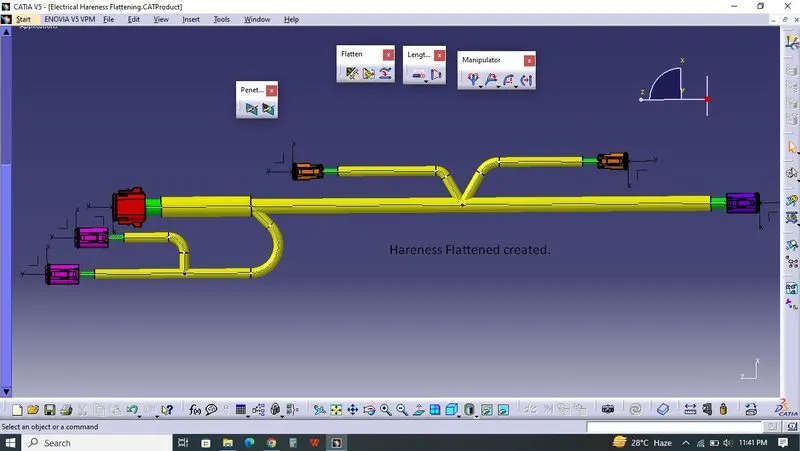
Switched into Electrical Hareness Flattening, Named as Electrical Hareness Flattening. Flattening Parameters created at first. then the files positioned vertically. Using Extract, Geometrical Bundle imported into Hareness flattening. Then the Geometrical Bundle Assembly flattened by using Flatten. Hareness Bundle were positioned by Rotate and Roll Command.
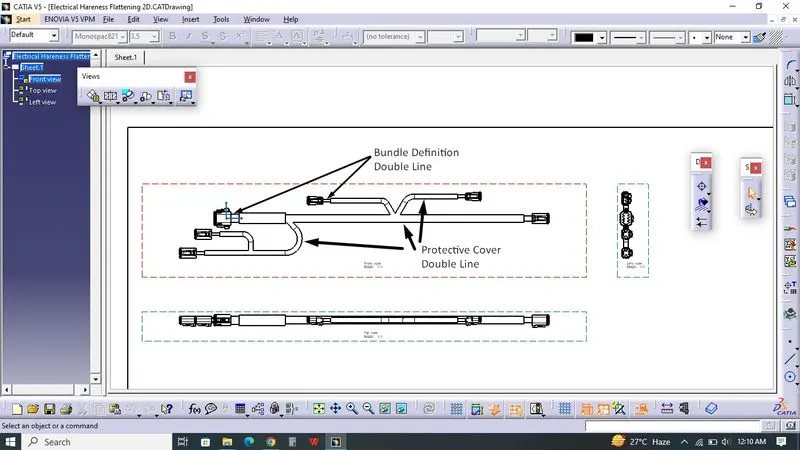
Switched to Drafting, by selecting Front view command Hareness Flattening imported in Drawing and rotated as per requirement. Connectors viewed as 3D Detail, Hareness Bundle viewed as Double line, Protective covering viewed as Double line which defined previously at Hareness Flattening as Flattening Parameters. Using Projected view, Side & Top View created.
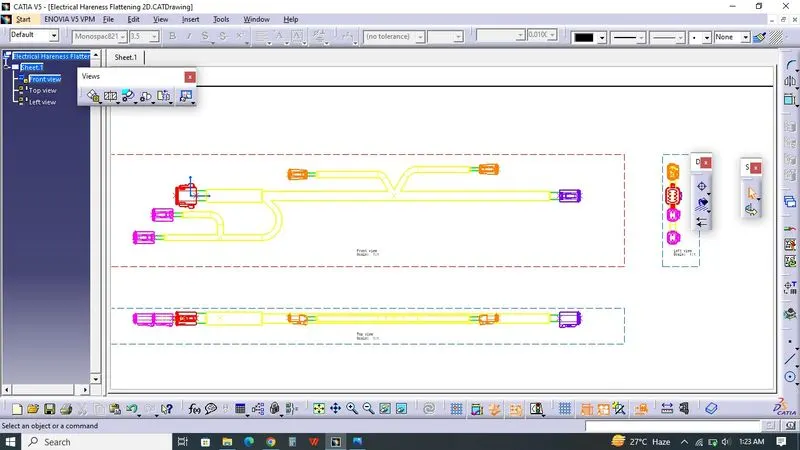
by selecting view, right click and properties 3D Colors activated.