Wiring harness design in CATIA V5 - 3D modeling Week 7 Challenge
Wiring harness design in CATIA V5 - 3D modeling Week 7 Challenge
Question:
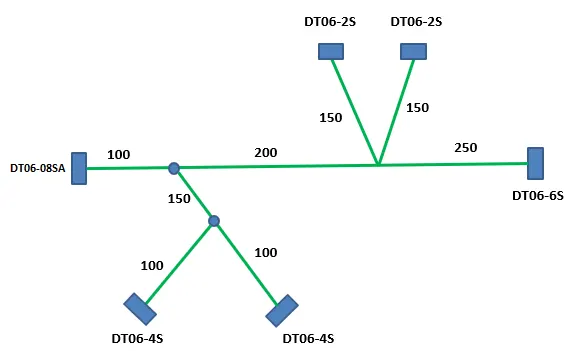
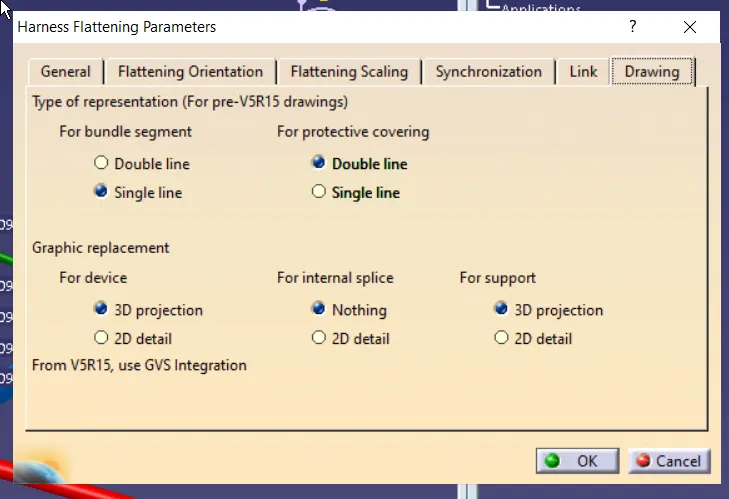
Flatten the harness assembly completed in “ week 4 challenge”. Place the flattened view on drawing sheet. Ensure bundles with protective coverings has different visuals on drawing view.
Solution:
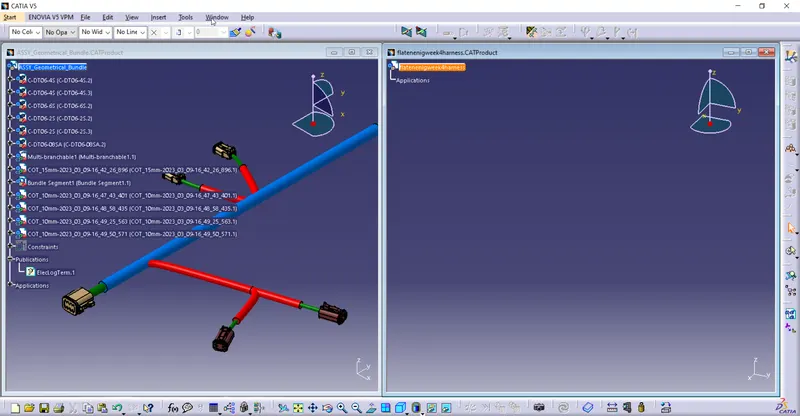
As per the quiestion let us import the previously comleted week 4 assymbly file.
open up the assymbly file , create a new product file forl electrical harness flatening
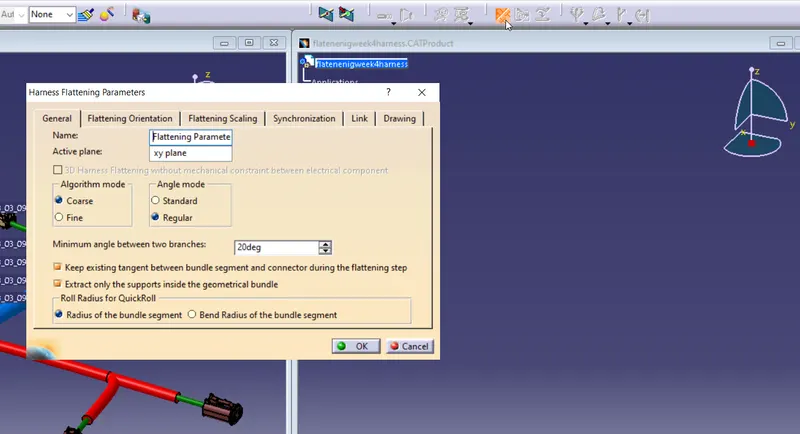
use Harness flatening parameters and enable the following settings.as these parameters help in final drawing projectons.
no to import the harness data use ectract command and press on required assyfile
once extrated it will appear in new product file
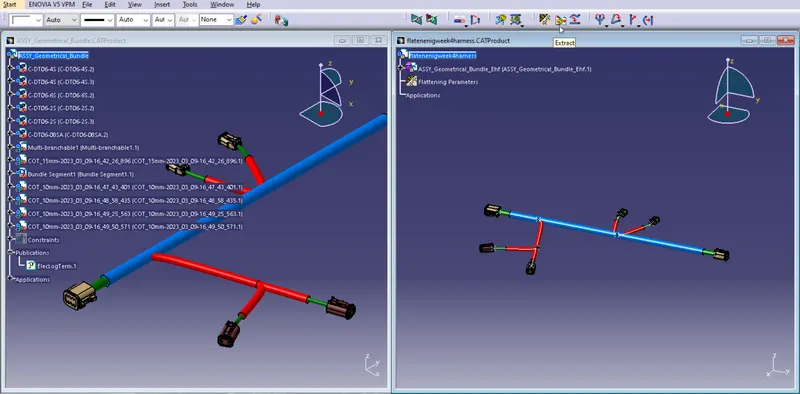
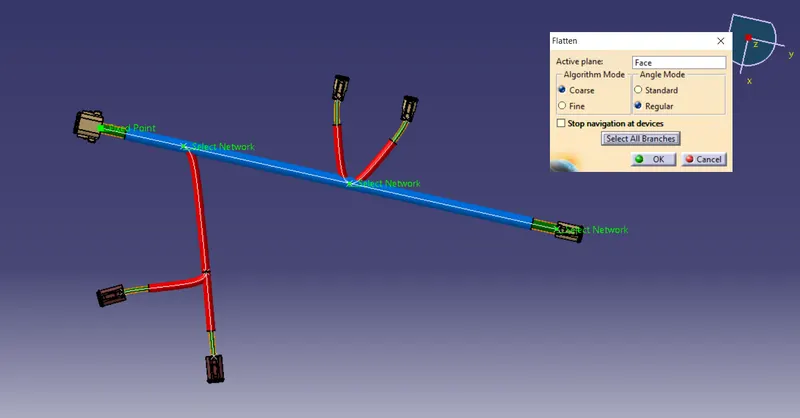
use flaten command, lets use the surface of the connector as it allygns with xy plane
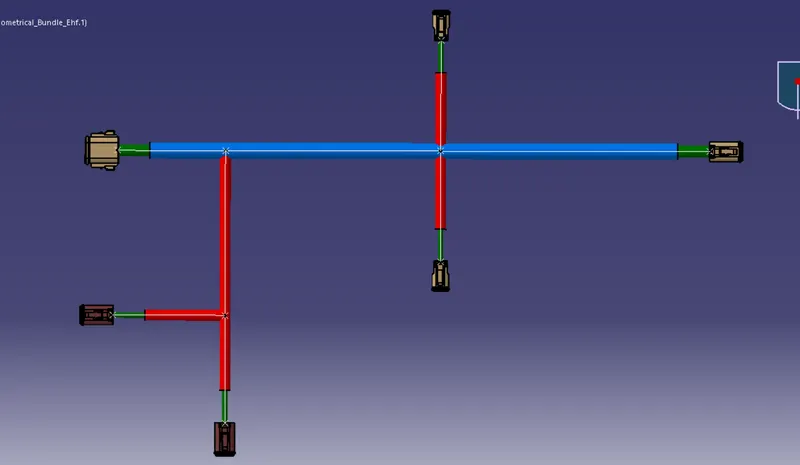
lets use Arange junction umberla like patern to arrange the bundle in more elegent mannar
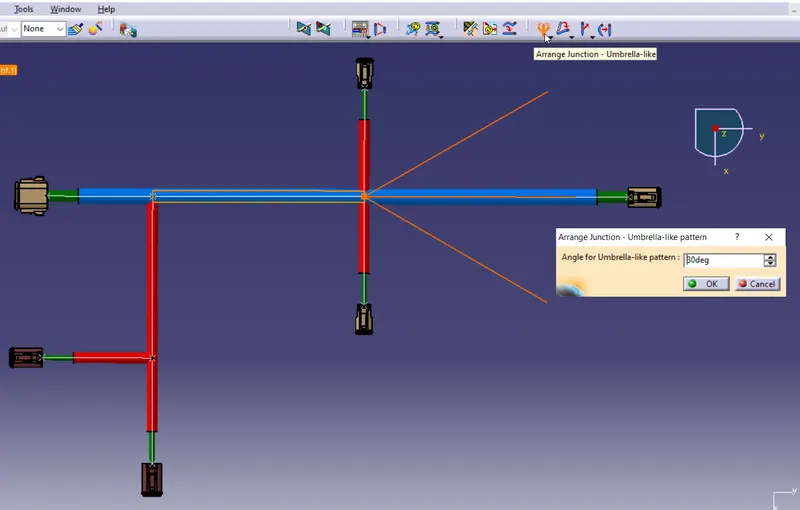
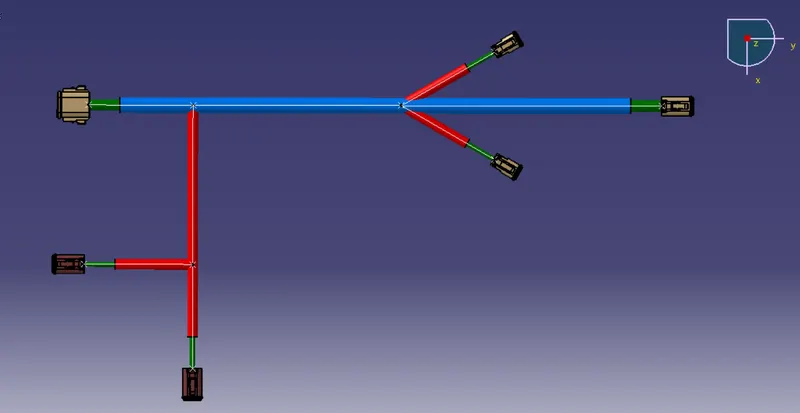
using roll command to give a parallelism to main harness
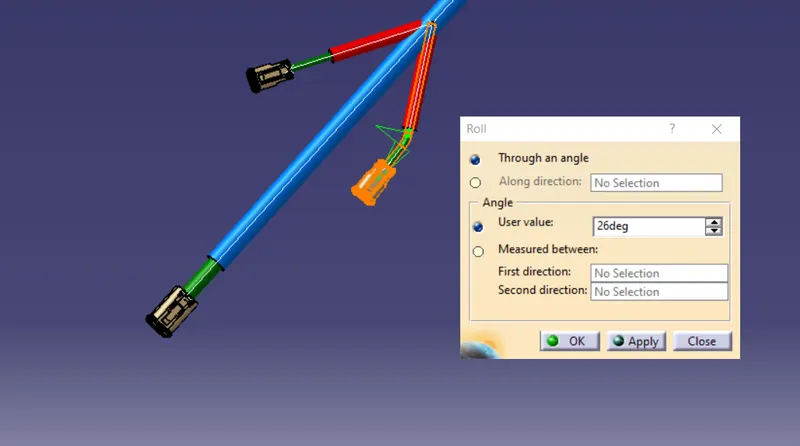
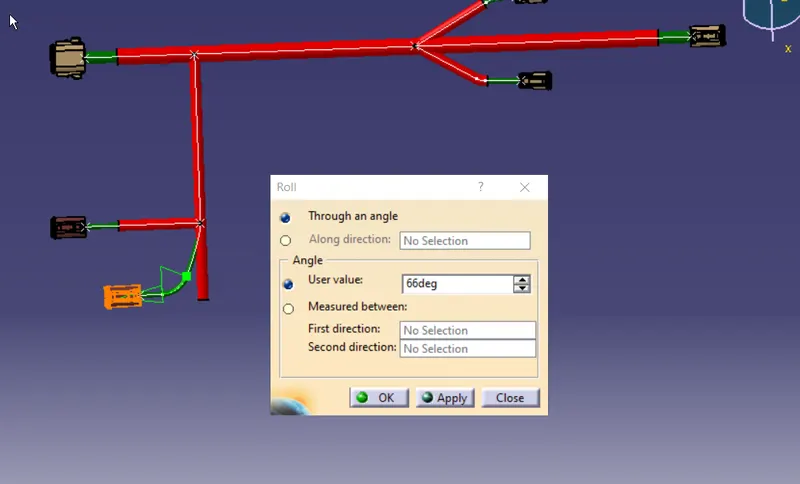
final strctura:
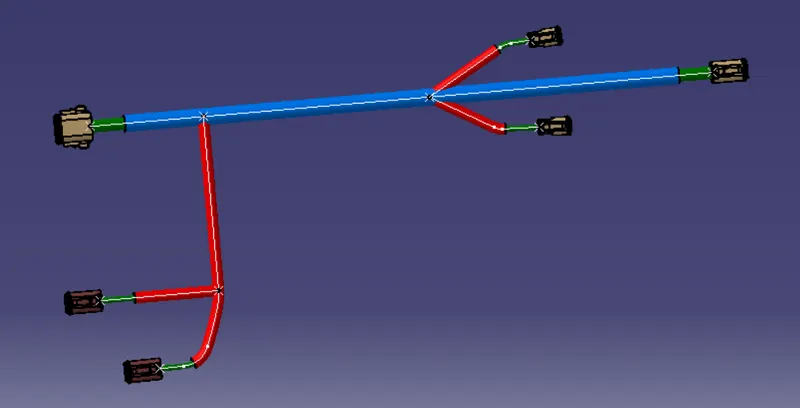
To create a projection, create a new drawing file
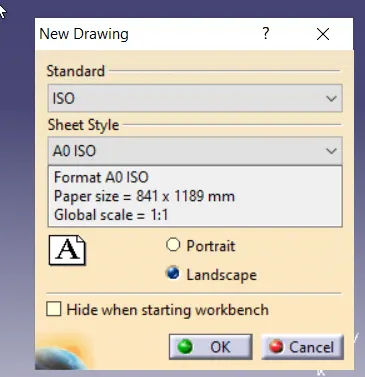
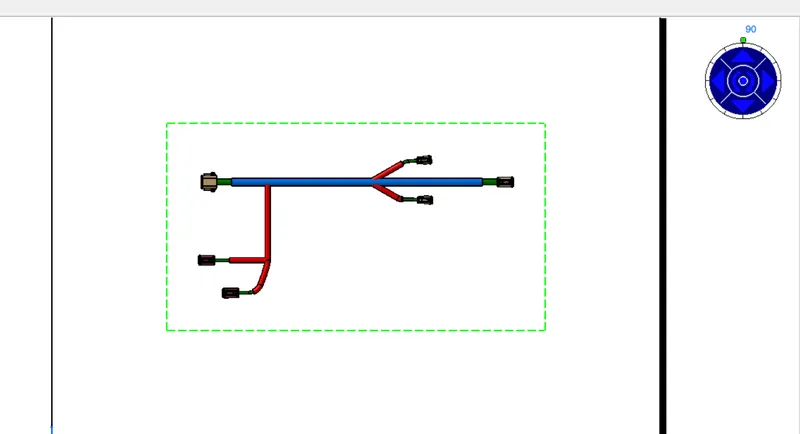
use front view and click on the face ofa connector
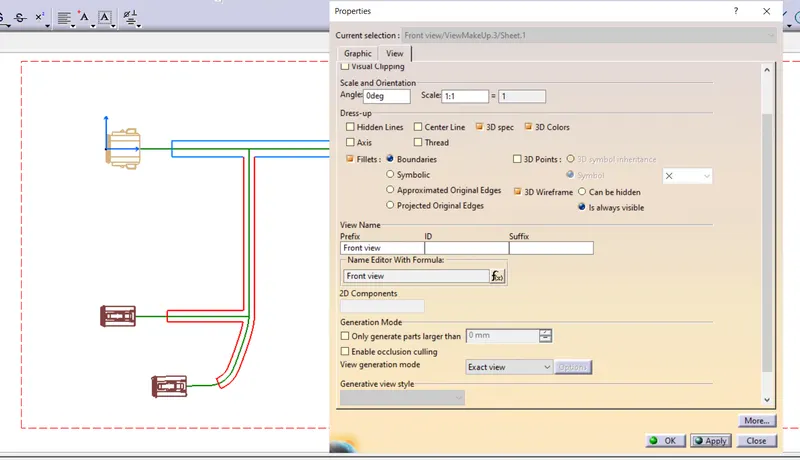
use following setting to get a proper view
final drawing
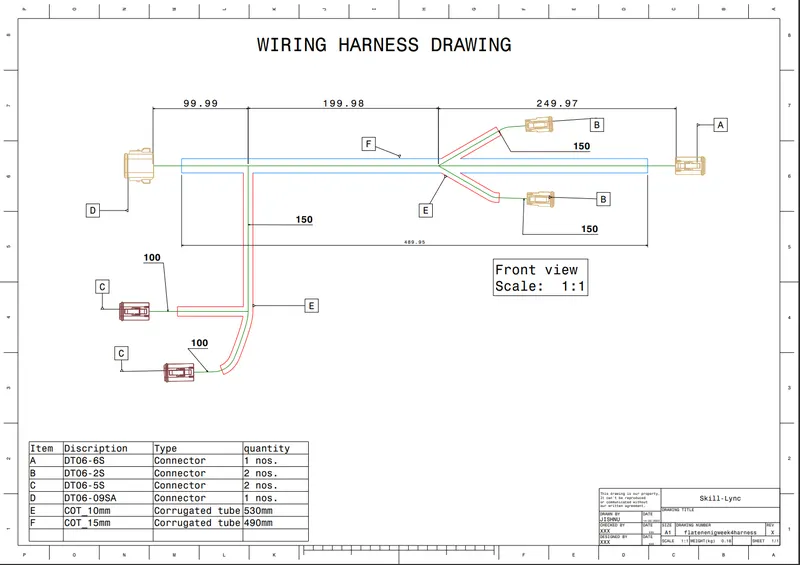
note : pdf , caddrawing along with week 4 data is provided as zipped