Wiring harness design in CATIA V5 - 3D modeling Week 7 Challenge
Wiring harness design in CATIA V5 - 3D modeling Week 7 Challenge
Aim:-
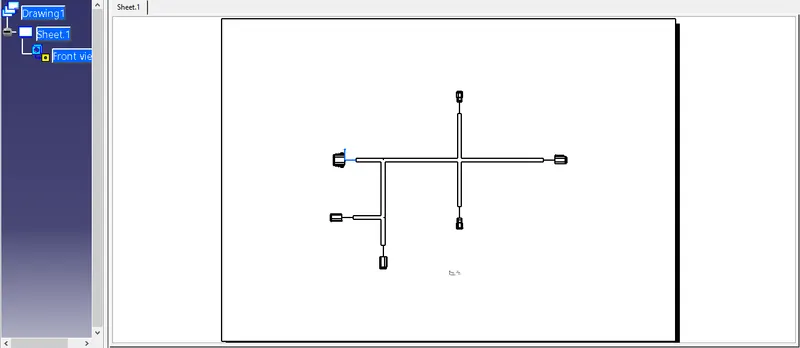
Q1. Flatten the harness assembly completed in the “ week 4 challenge”. Place the flattened view on the drawing sheet. Ensure bundles with protective coverings has different visuals on the drawing view.
Solution:-
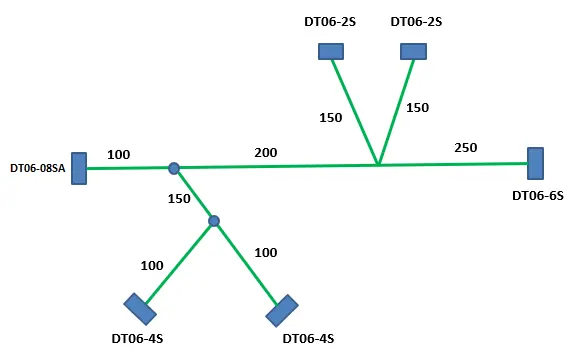
Harness assembly layout of week 4 challenge.
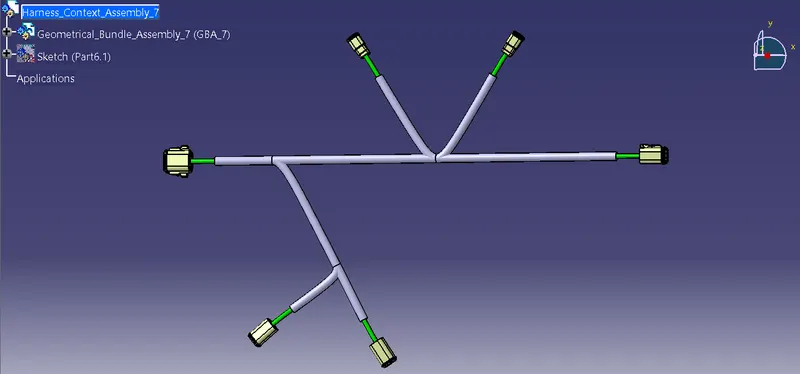
All the connectors are electrically defined in Part Design and Electrical Part Design workbench. Bundle routing is done in the Electrical Harness Assembly workbench, referring to a sketch as per the required layout. COT tubes as protective covering are used for the bundle segments.
Electrical Harness Flattening
Creating a new product in electrical harness flattening workbench for the flattening process.
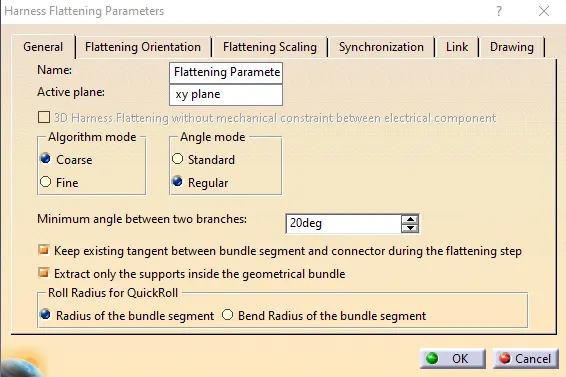
- Harness Flattening parameters
Defining all the necessary parameters for harness flattening.
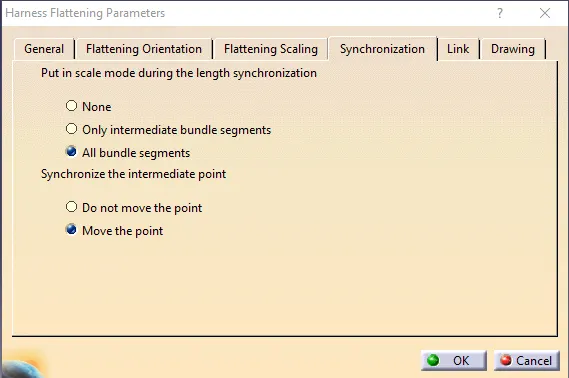
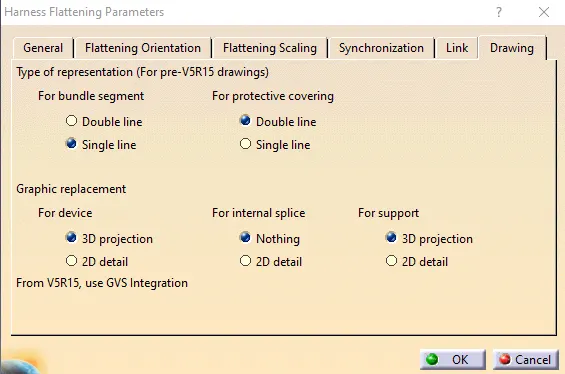
- Extract
Selecting an electrically defined geometrical bundle assembly for flattening.
- Flatten
Selecting the active plane for the harness flattening and selecting all the branches of the harness assembly.
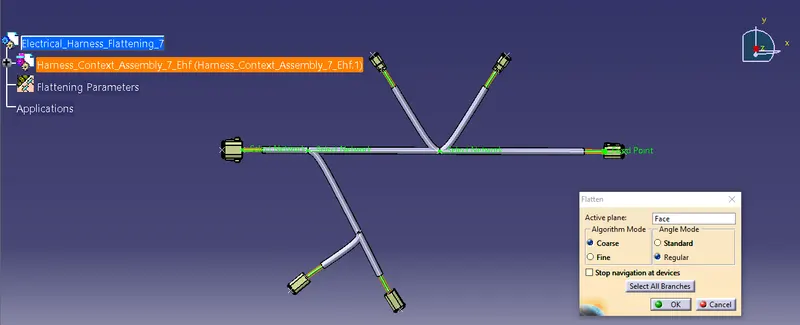
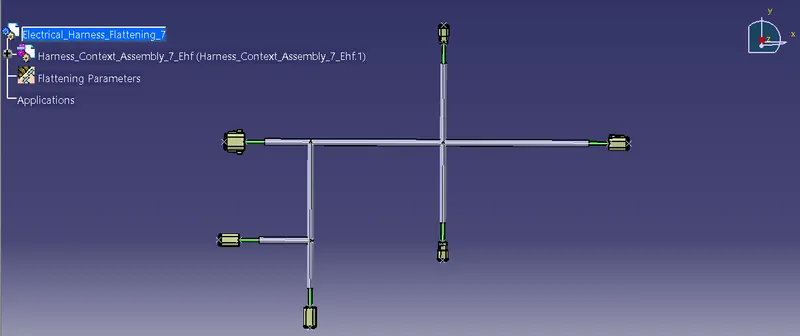
Drafting
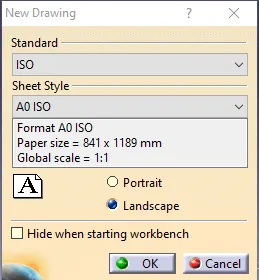
Creating a new drawing in the drafting workbench, applying the below standard and sheet style.
- Front View
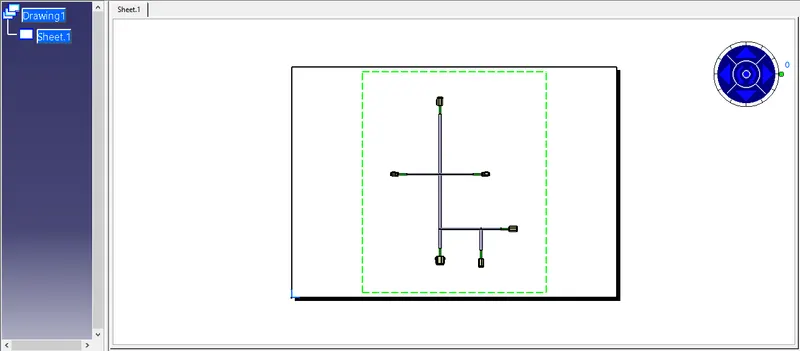
Selecting the front view of the electrical harness flattening for drawing.
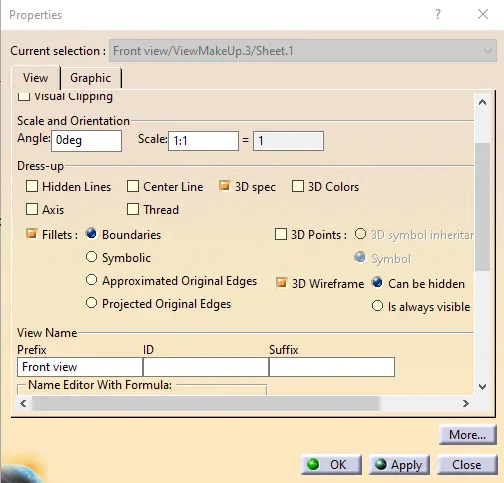
Updating the front view drawing parameters to get a proper drawing for the electrical harness flattening.
This is the drawing created for the harness flattening, where a single line is for the bundle segment and a double line is for the protective covering as defined in the flattening parameters.