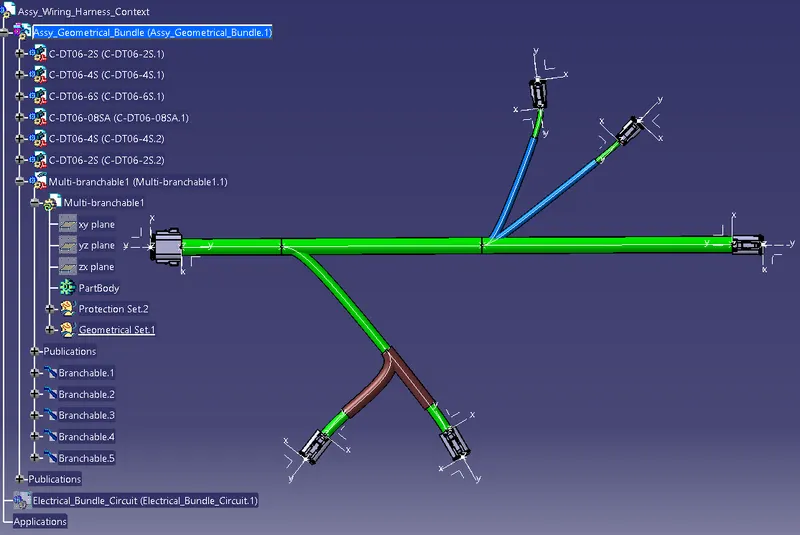
Wiring harness design in CATIA V5 - 3D modeling Week 4 Challenge
All the connectors have been downloaded from the website.
Each connector is electrically defined with all the necessary properties.
All the connectors are included in assembly geometrical bundle and the positioning of the connectors is made using manipulator and translate or rotate command.
After positioning, conversion of the mechanical assembly to electrical assembly we need to change to Electrical Harness Assembly workbench and select Geometrical Bundle > Select the whole assembly > save.
Now for routing select Multi-branchable, Multi-branchable will be added in the model tree.
Enter all the parameters in the branch definition like diameter = 10 mm, bend radius or bend radius ratio.
After entering all the parameters select Route Definition, later select the part from where the routing should be started.
Once selecting the first part, make sure the routing direction is correct and proceed.
Select the next connecting part and the routing to be checked for error free.
Now enter the electrical harness installation workbench and choose add branch point later select the necessary bundle to be branched.
provide the distance from the reference point and branch point will be defined at the distance provided.
Again to provide the routing in the branched condition, select branch defintion > same procedure like the main bundle to be followed.
By maintaining the given distance and length of the route all the necessary dimension is achieved.
Different diameter is provided for the connection bundles.
To provide the protecting covering, choose light protective command from electrical harness installation workbench, select the necessary cot tubes or tape from the catalog created from previous assesment is to be choosen and applied to the said branches.
Select the branch to be covered with protective tube and mention the required parameters, since it is mentioned to maintain a distance of 30 mm from the connector end, choose the end extremity and provide the value in the distance tab and maintain the same in all the branches.