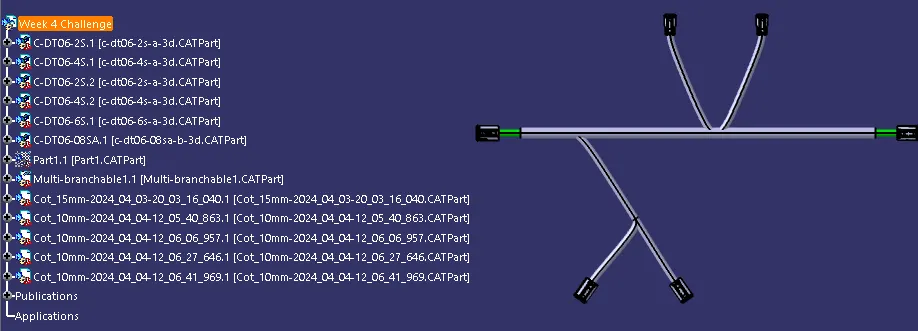
Wiring harness design in CATIA V5 - 3D modeling Week 4 Challenge
Wiring harness design in CATIA V5 - 3D modeling Week 4 Challenge
AIM:
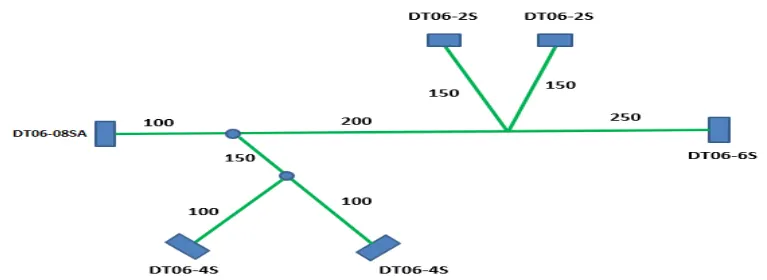
Route the following harness layout in Electrical workbench. Make assumption for harness bundle diameters. Use Following connectors as shown in layout diagram.Add protective covering on all branches connected to DT06-2S & DT06-4S connectors. Keep end extremity at 30mm (from connectors end)
Download connector 3D data from www.te.com
-
DT06-4S
-
DT06-6S
-
DT06-2S
-
DT06-08SA
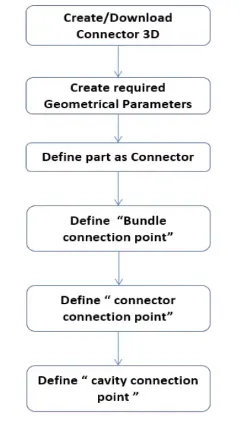
Mechanical part into the Electrical part
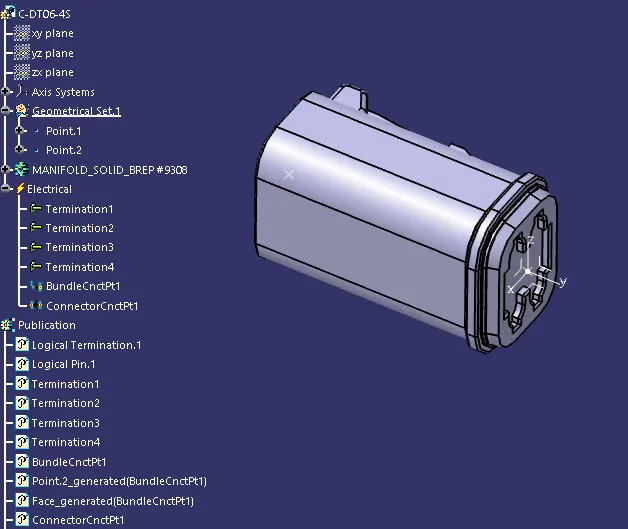
C-DT06-4S
- Create required Geometrical parameters(Part Design)
- Define part as connector (Electrical Part Design)
- Define Bundle Connection point (Electrical Part Design)
- Define Connector Connection point (Electrical Part Design)
C-DT06-2S
- Create required Geometrical parameters(Part Design)
- Define part as connector (Electrical Part Design)
- Define Bundle Connection point (Electrical Part Design)
- Define Connector Connection point (Electrical Part Design)
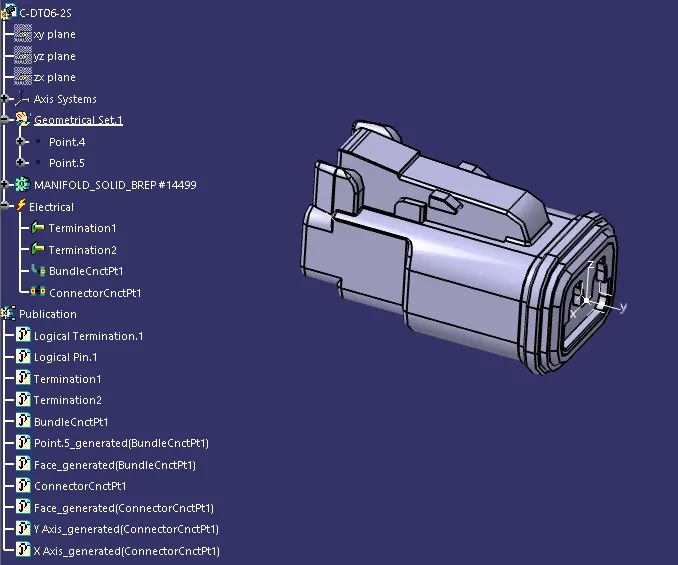
C-DT06-6S
- Create required Geometrical parameters(Part Design)
- Define part as connector (Electrical Part Design)
- Define Bundle Connection point (Electrical Part Design)
- Define Connector Connection point (Electrical Part Design)
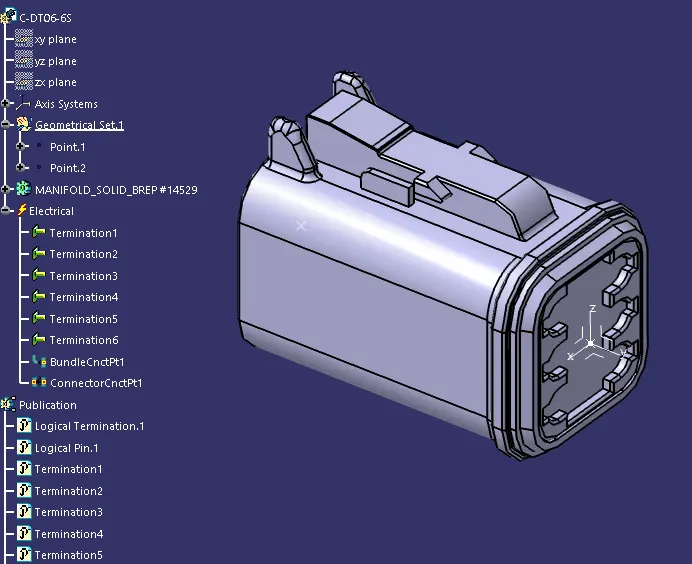
C-DT06-08SA
- Create required Geometrical parameters(Part Design)
- Define part as connector (Electrical Part Design)
- Define Bundle Connection point (Electrical Part Design)
- Define Connector Connection point (Electrical Part Design)
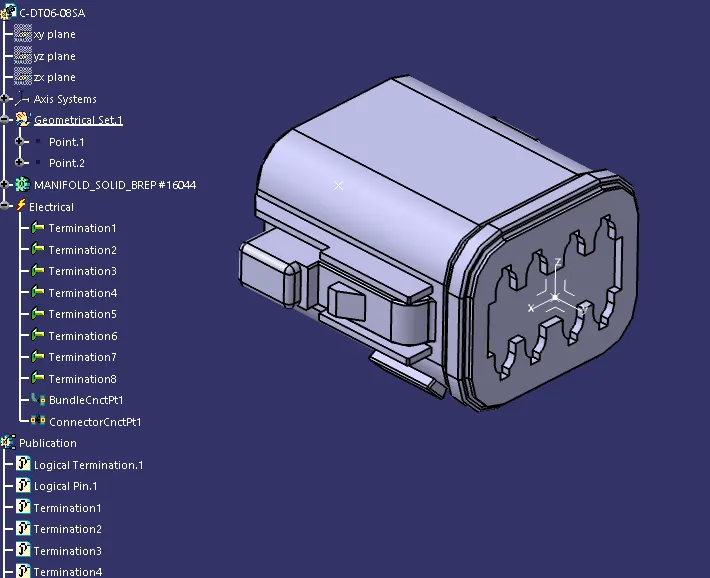
Create New product Arranging as per layout & Multi-Branching to the Connectors
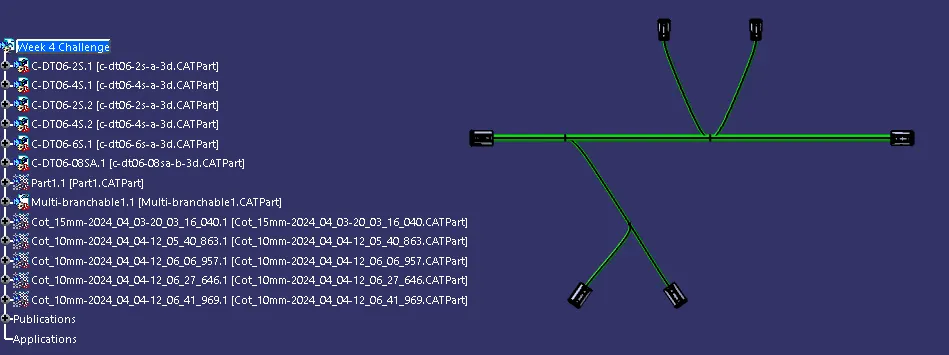
Add protective covering on all branches connected to DT06-2S & DT06-4S connectors. Keep end extremity at 30mm (from connectors end)