Wiring harness design in CATIA V5 - 3D modeling Week 4 Challenge
1) Download the connector cad file from the given link.
2) Position the Connectors as per given dimensions using Compass manipulation option.
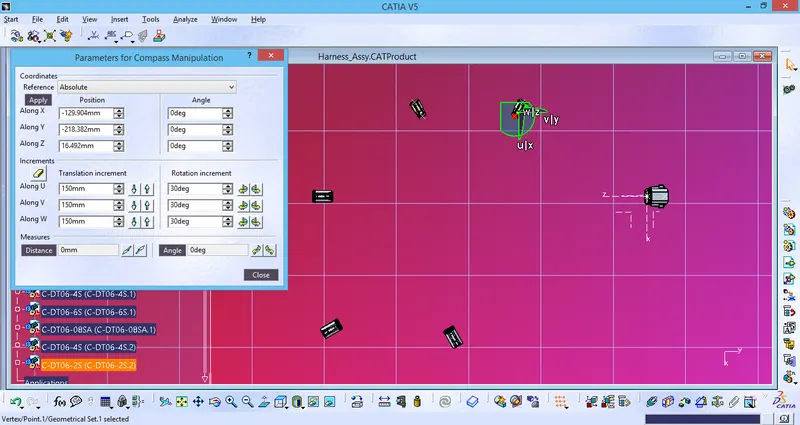
3) Create main Branch between 6s and 8s Connector using Branch definition option.
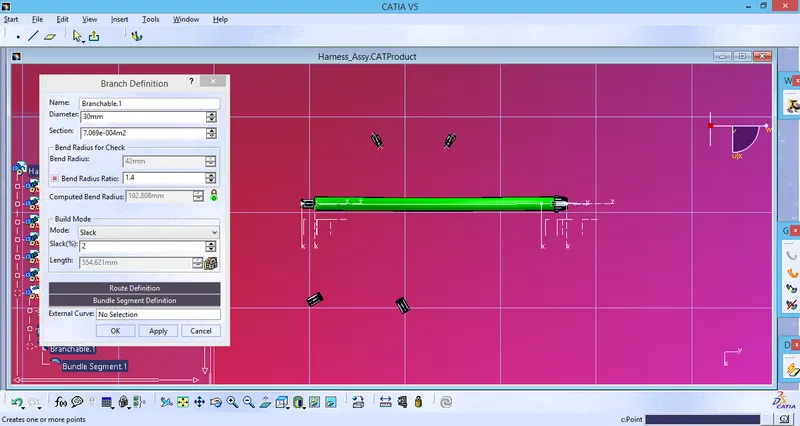
In this case Bundle diameter is assumed to be 30mm.
4) Add Branch point on the main Bundle using branch definition option.
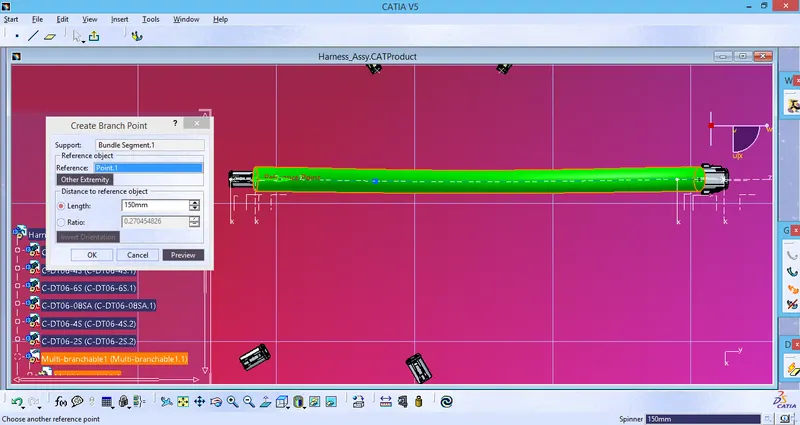
5) Create new routing between Branch point and 4S Connector using Branch definition option.
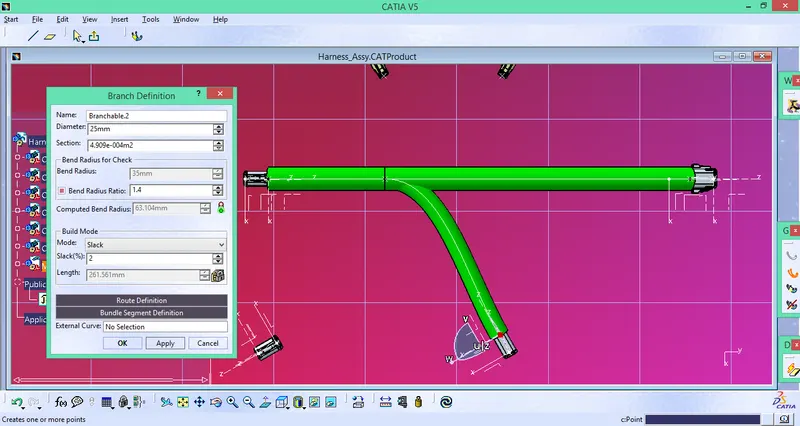
In this case Diameter is assumed to be 25mm with 2% allowance in Slack length.
6) Add another branch point at 150mm from the previous branch point.
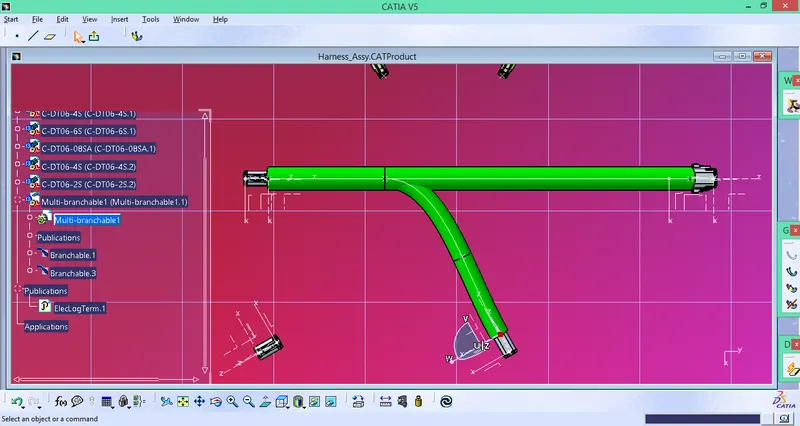
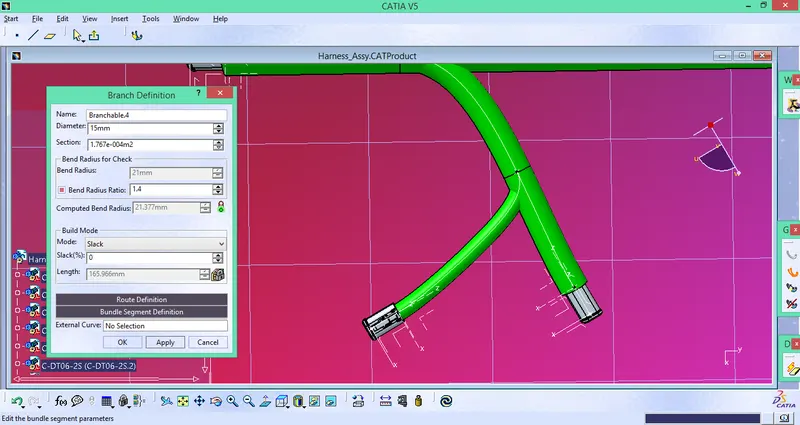
7) Create new Bundle segment from the Branch point. Bundle diameter is assumed to be 15mm.
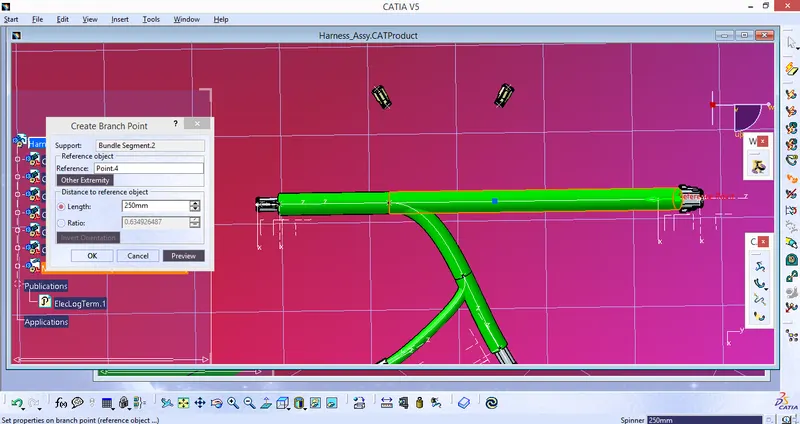
8) Add new Branch point at 250mm from the end (6S)connector
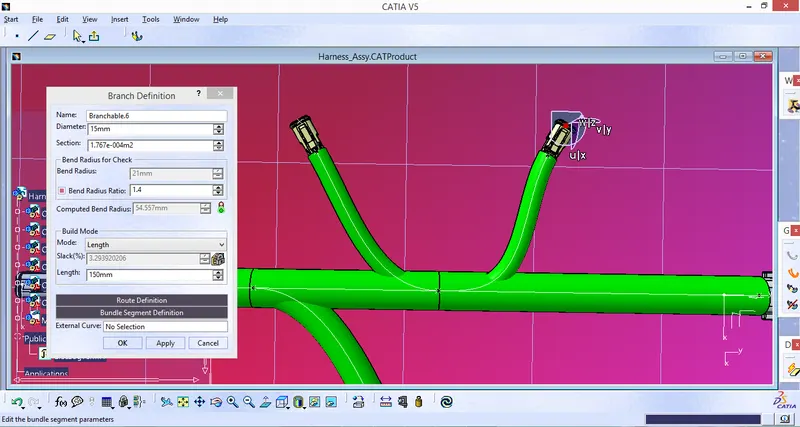
9) Adjust Connector position. Add new Branch using Branch definition option. In this Case Bundle diameter is assumed to be 15mm and length of the segment to be 150mm.
10) Add Protective Covering
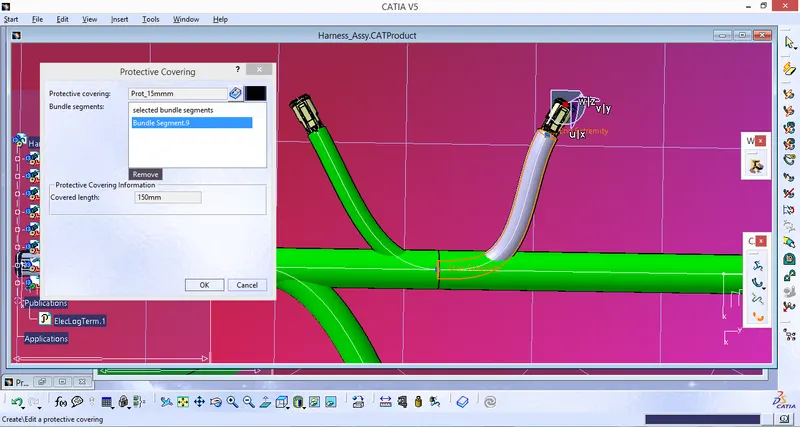
11) Optimize length of protective covering using end extremity option.
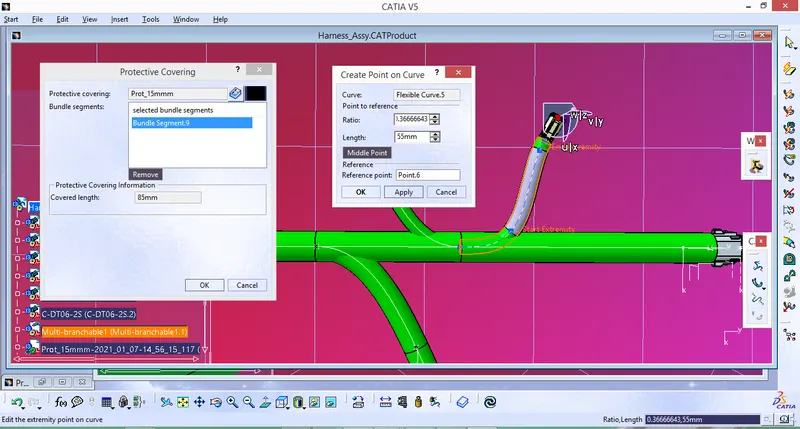
12) Add Protective covering for other branches using the same procedure.
13) Save the Cad file.