Wiring harness design in CATIA V5 - 3D modeling Week 4 Challenge
DT06-2S
First download the connector from the given link and import it to the part workbench
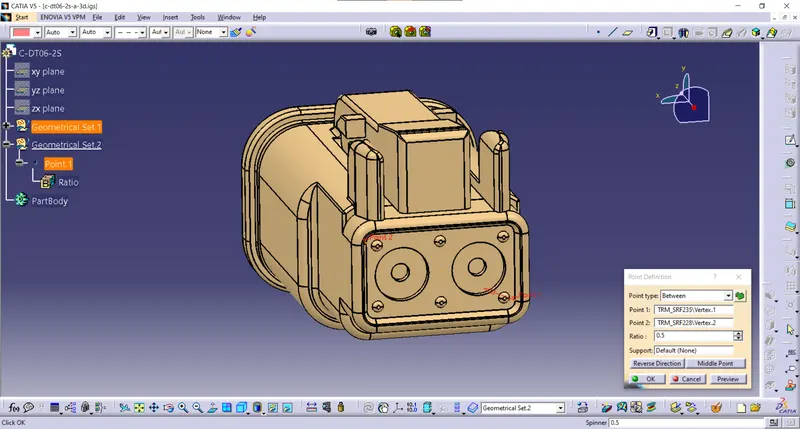
Defined the middle point with help of the mid-point. On the bundle side.
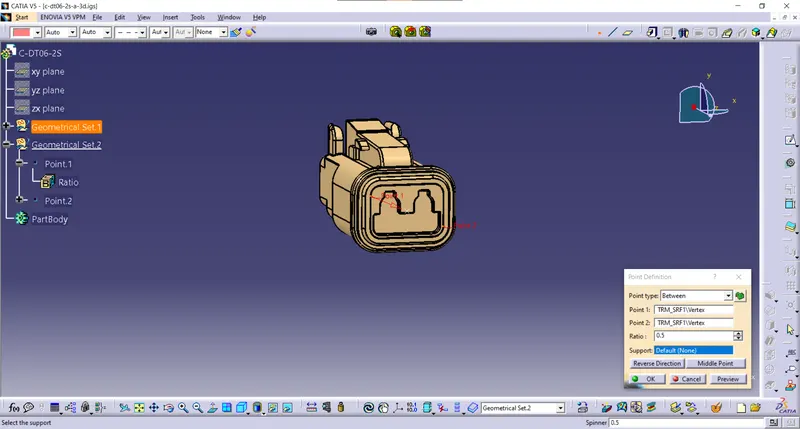
Defined the middle point with help of the mid-point. On the connector side
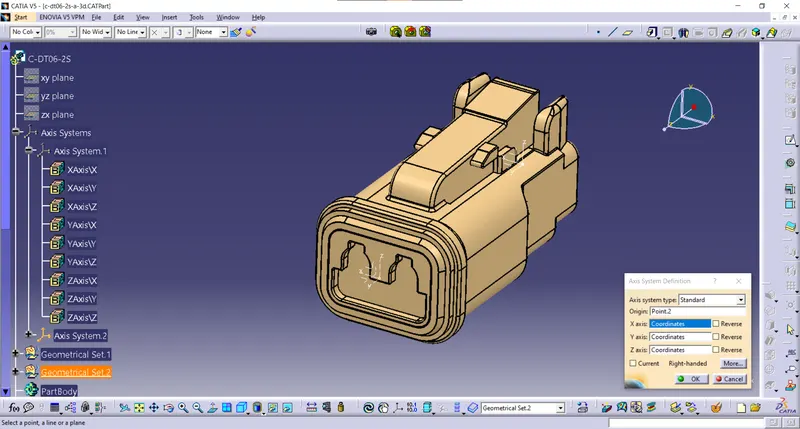
insert axis system in the mid point on connector connecting side, rotated the x-axis 90 degrees to y-axis coincidence
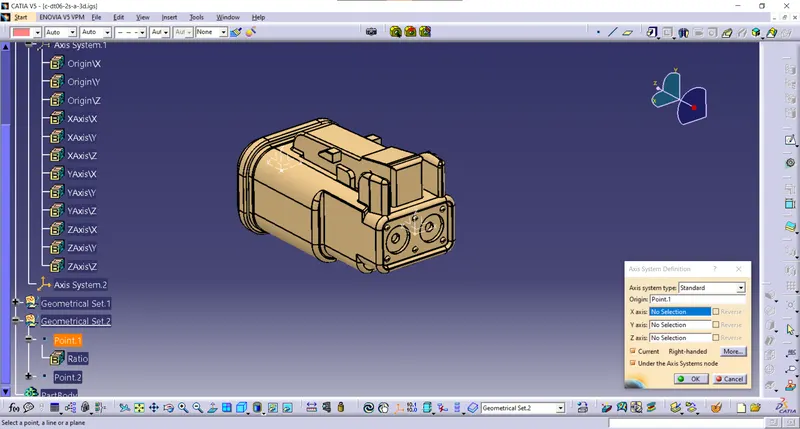
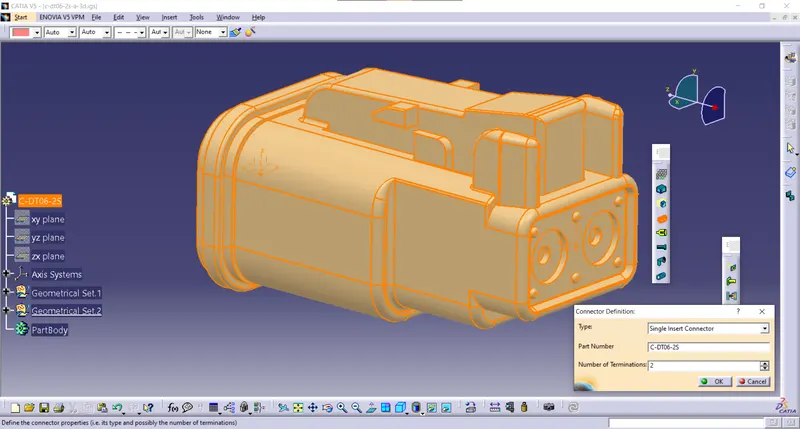
Define the Number of Terminations
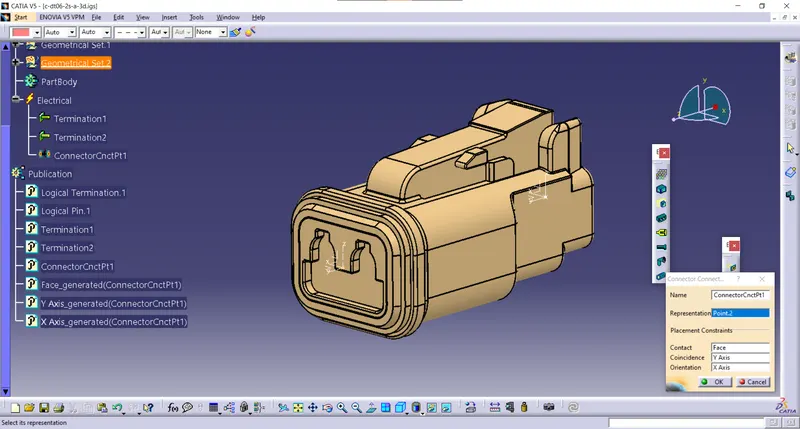
Define the connector connecting side
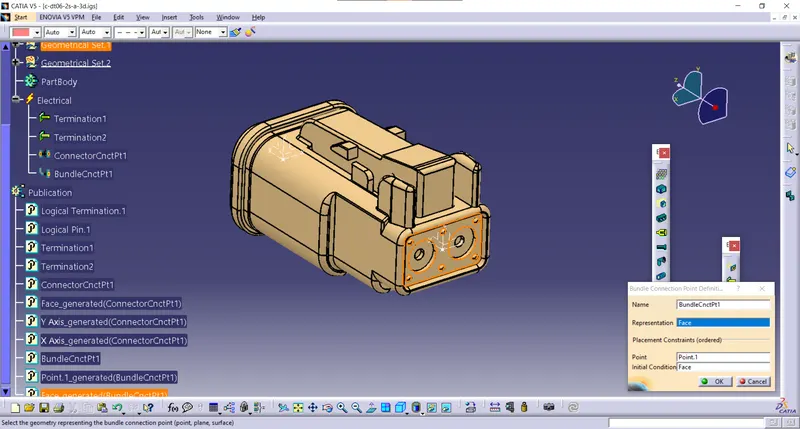
Define bundle connecting side.
DT06-4S
First download the connector from the given link and import it to the part workbench
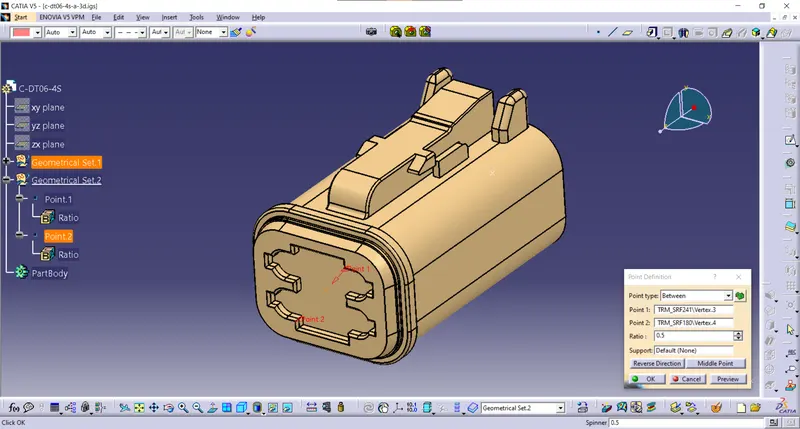
Define the middle point with help of the mid-point. On the connector side
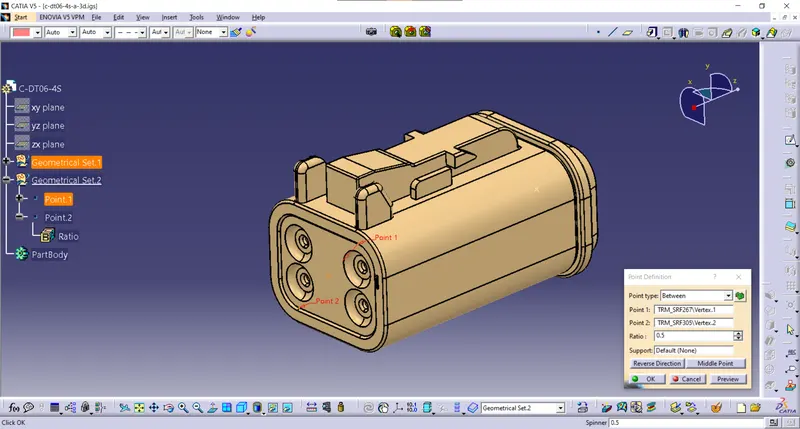
Define the middle point with help of the mid-point. On the bundle side.
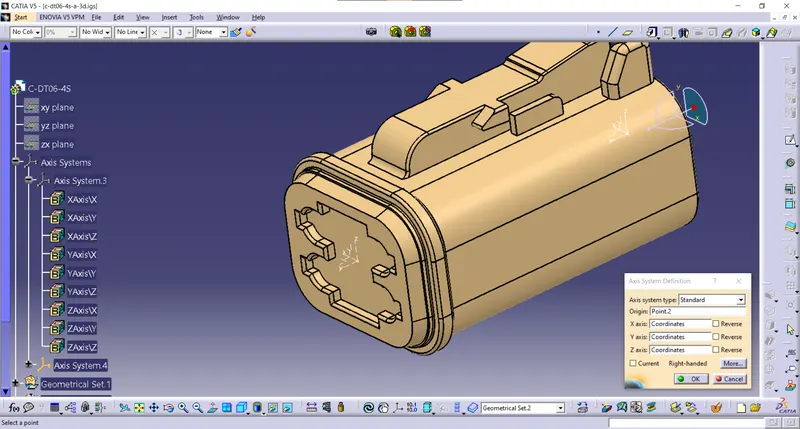
insert axis system in the mid point on connector connecting side, rotated the x-axis 90 degrees to y-axis coincidence
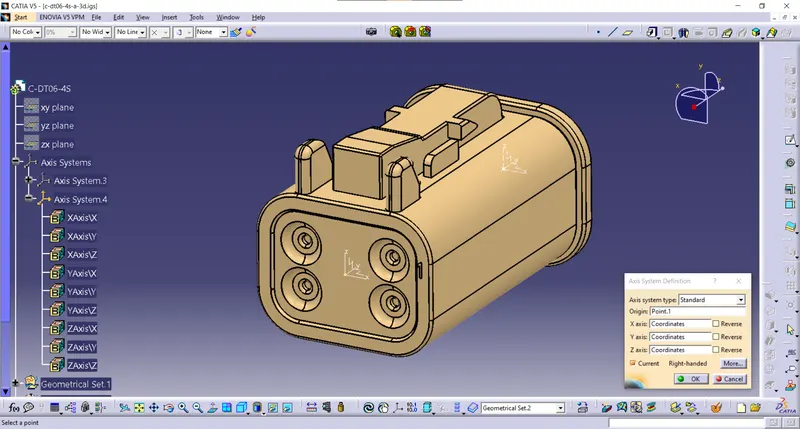
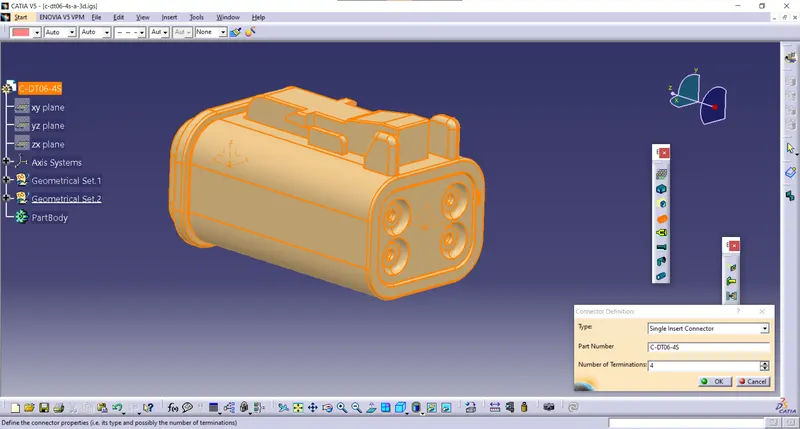
define the number of terminals in bundle side
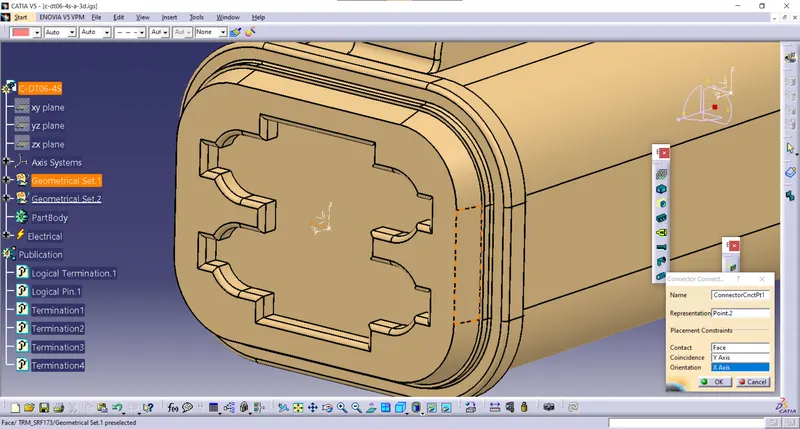
Defined bundle connection side as a connector connection point.
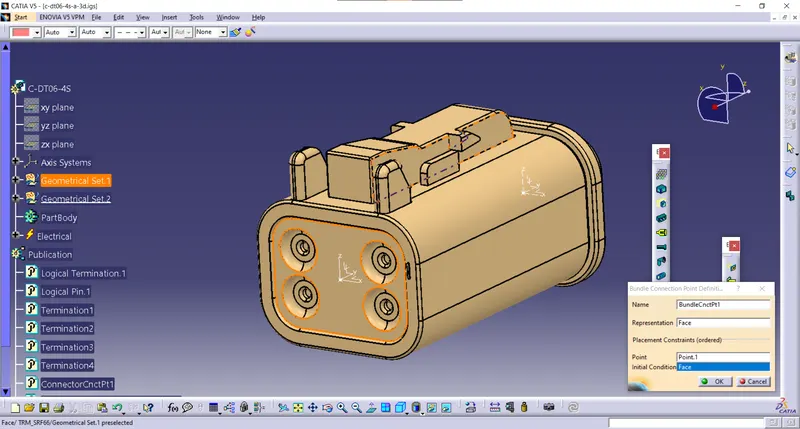
Defined bundle connection side as a bundle connection point.
DT06-08SA
First download the connector from the given link and import it to the part workbench
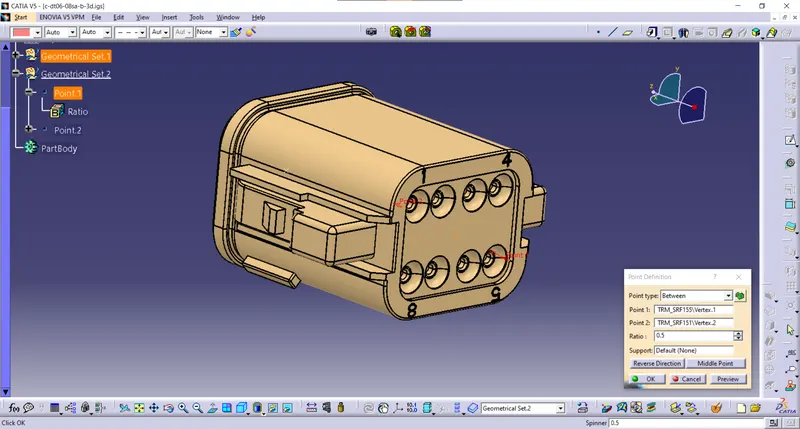
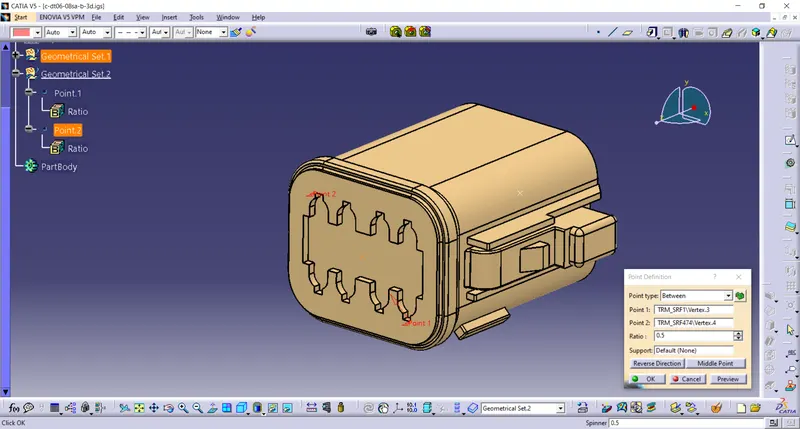
Define the middle point with help of the mid-point. On the connector side.
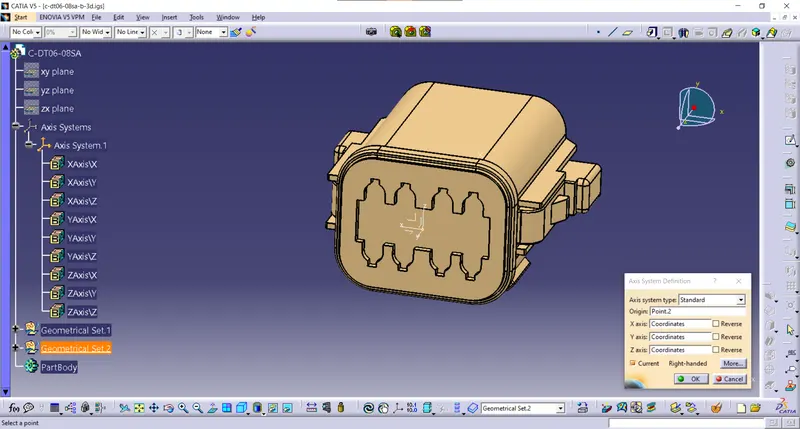
Define the middle point with help of the mid-point. On the connector side.
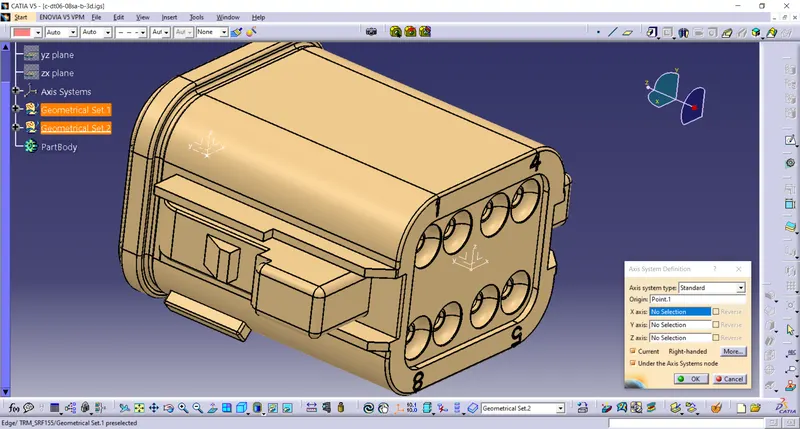
Define the middle point with help of the mid-point. On the bundle side
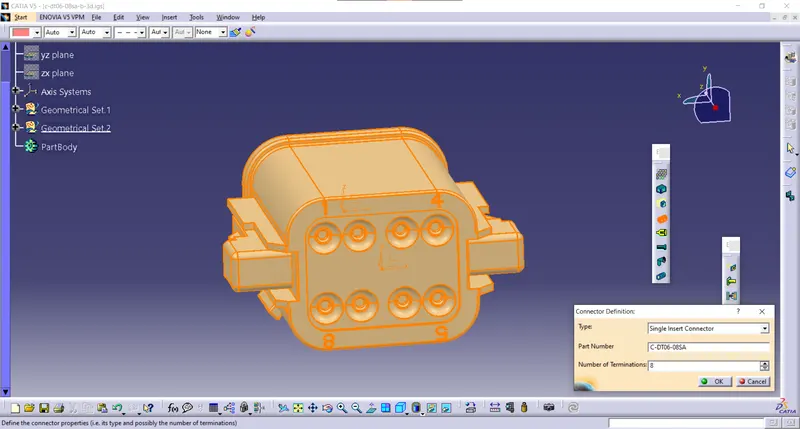
define no of terminals
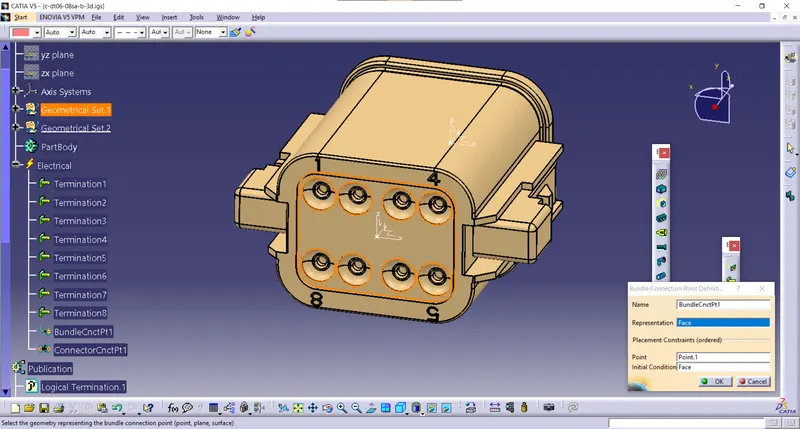
Defined bundle connection side as a bundle connection point.
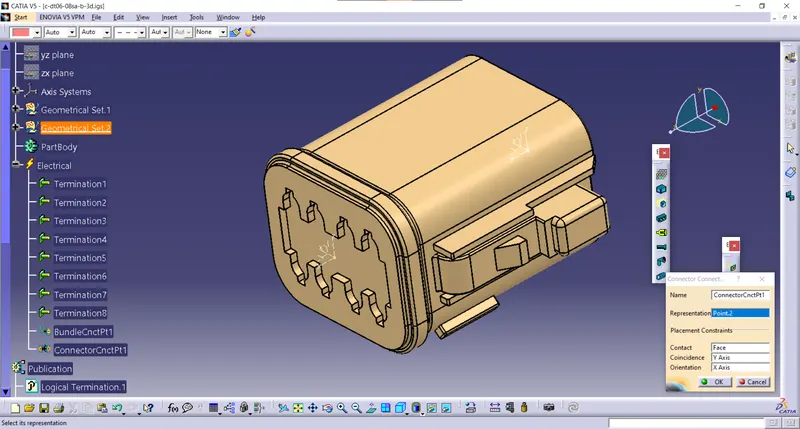
Defined bundle connection side as a connector connection point.
DT06-6S
First download the connector from the given link and import it to the part workbench
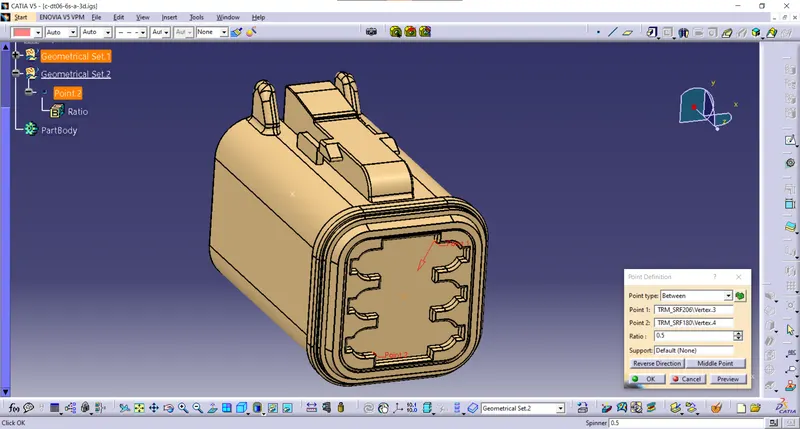
Defined the middle point with help of the mid-point. On the connector side and bundle side.
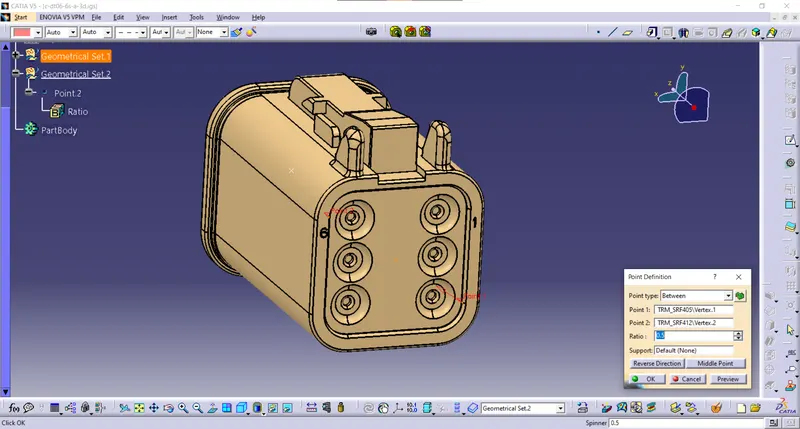
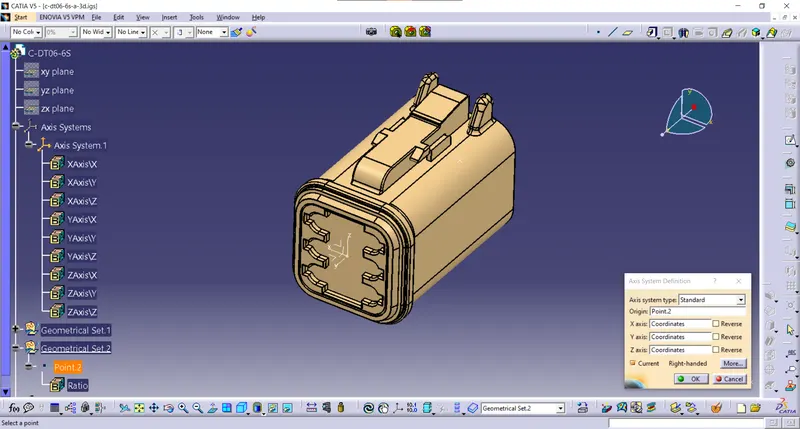
Given axis system to Bundle side.
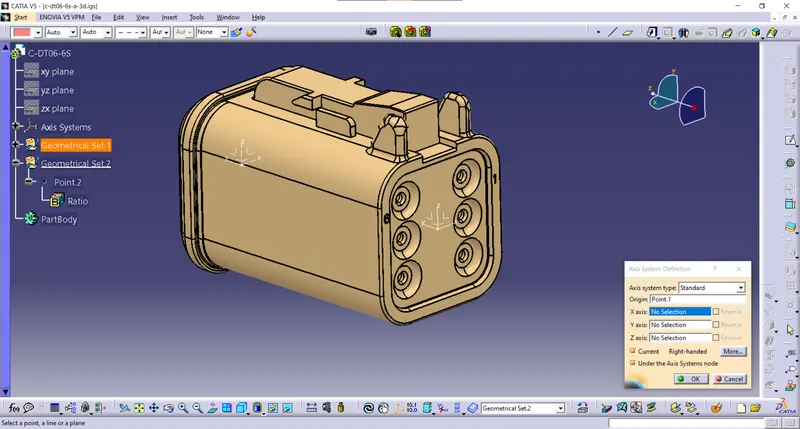
Given axis system to connector side.
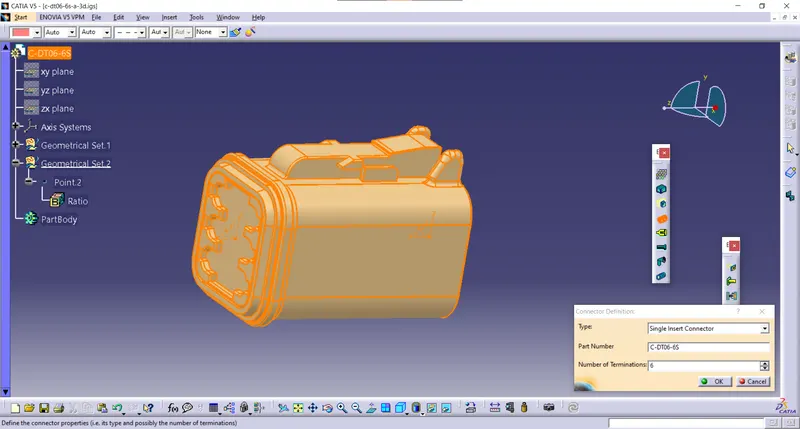
Define number of terminals
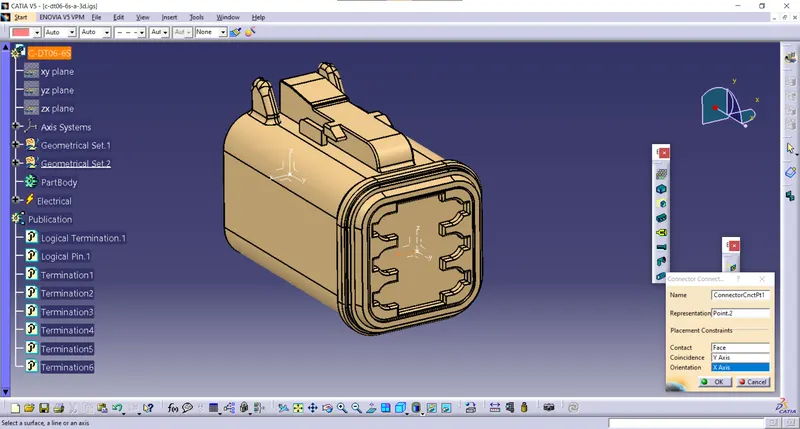
Given axis system to connector side.
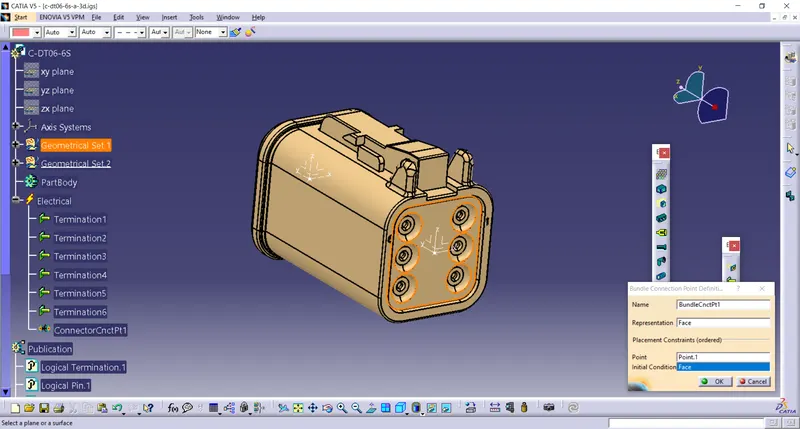
Given axis system to bundle side.
Product
Open a new product file and imported all the defined models into it.
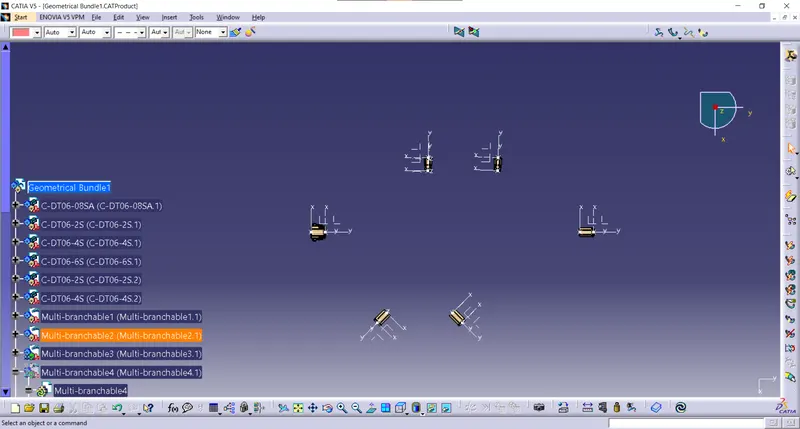
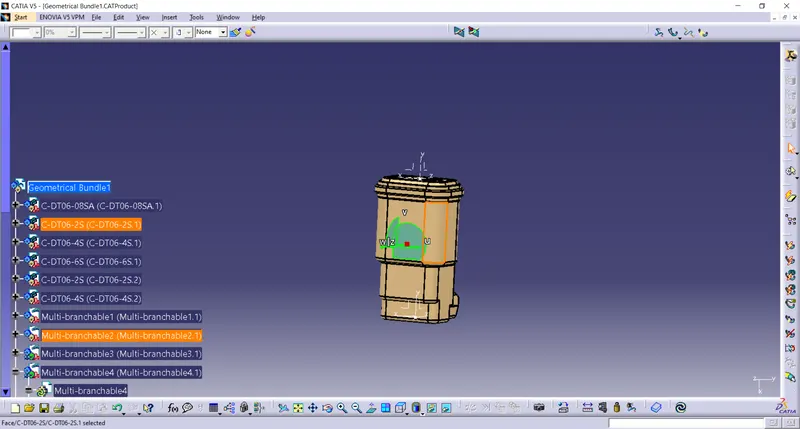
Manipulated all the models into the required positions.
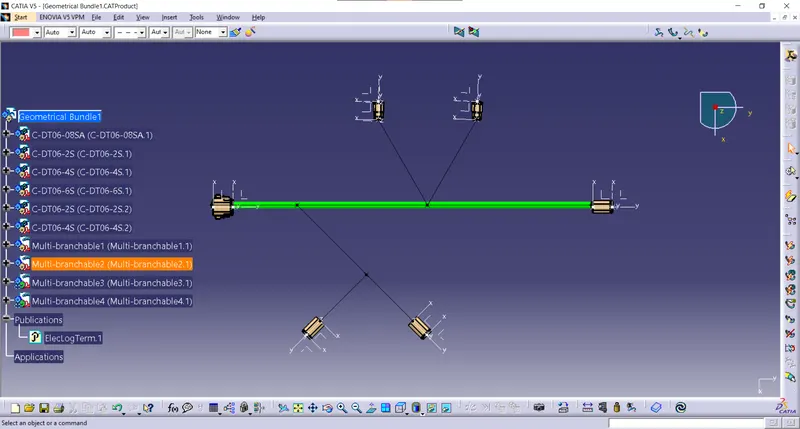
Made the main branch Bundle to bundle.
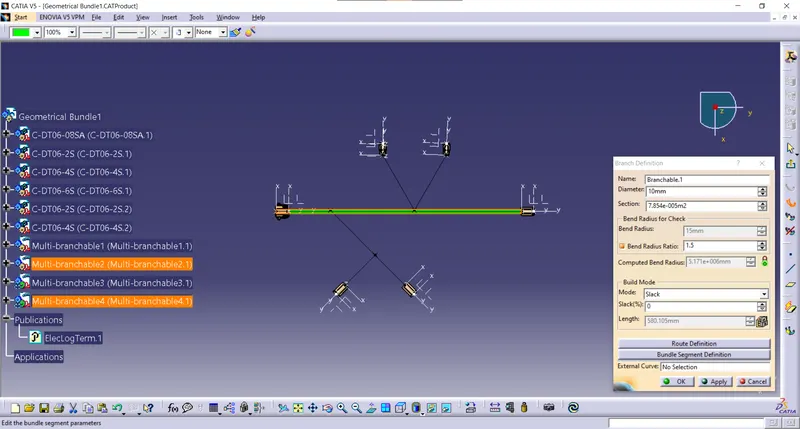
all the branches are created with lines.
Create a Branch point with a distance of 100mm. with that point made a line with help of a point to direction.
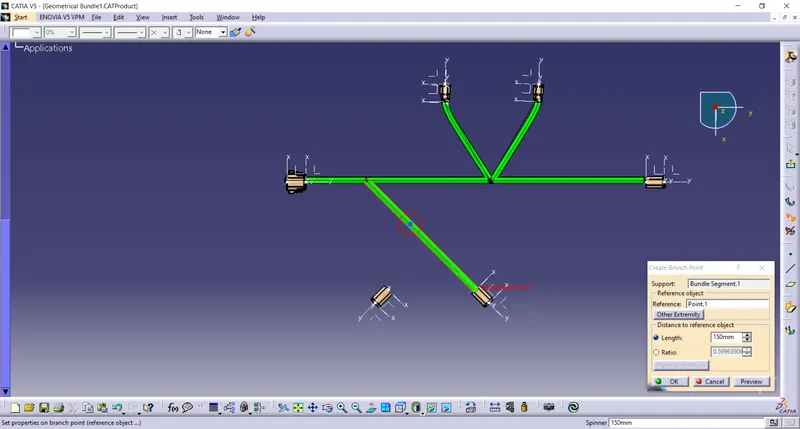
creating branch point
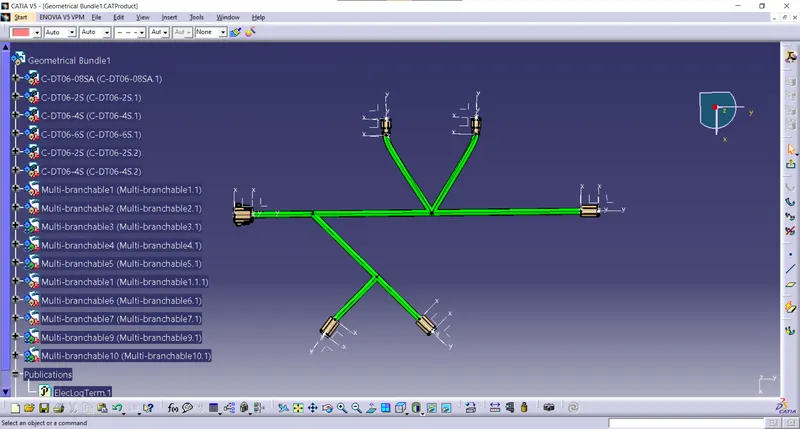
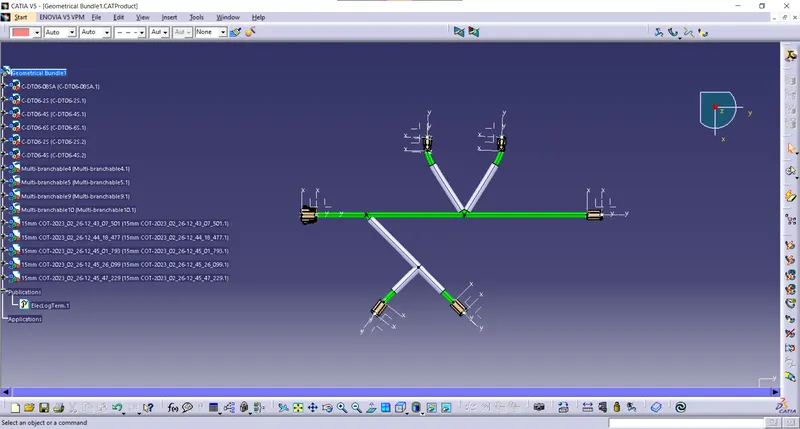
Made Cot for all sub-branches by maintaining a 30mm distance from the connector side.
Completed the challenge.