Wiring harness design in CATIA V5 - 3D modeling Week 4 Challenge
* First of all,download the connector files and all these connectors gives mechanical connector connection point and bundle entry point and at connector connection point taken axis system and save it.
* Then go to the electrical part design define bundle connection point and connector connection point, then save it.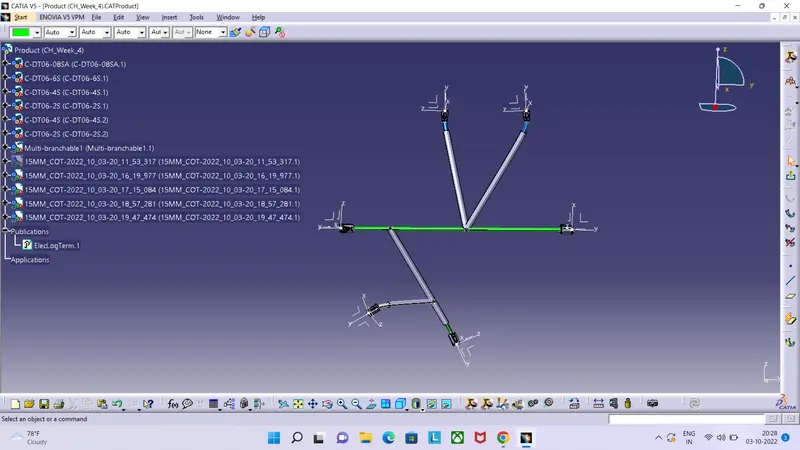
* Then go to the mechanical assembly workbench and paste all eletricaly define connector here in new product file and arrange it as per question layout shows and saving this file.
* Then go to the electrical harness assembly workbench and select geometrical bundle and then click on product file then select multi branching document command window pop-up on screen put value there as per requirements and click on route defination and select point from connector to connector as per require and create routing all the connectors.
* Then click on exit command and click on protection covering command and one by ane all routing apply corrugated tubes from the saved catalog as per its diameter and give it 30 mm extremity from the end of connector as per ask in question, save this product.