Wiring harness design in CATIA V5 - 3D modeling Week 2 Challenge
1. First of all file download one by one and save it in connectors folders.
2. DT06-08SA open in catia V5 go to part design then locate center point both location at bundle entry point and connector connection point.
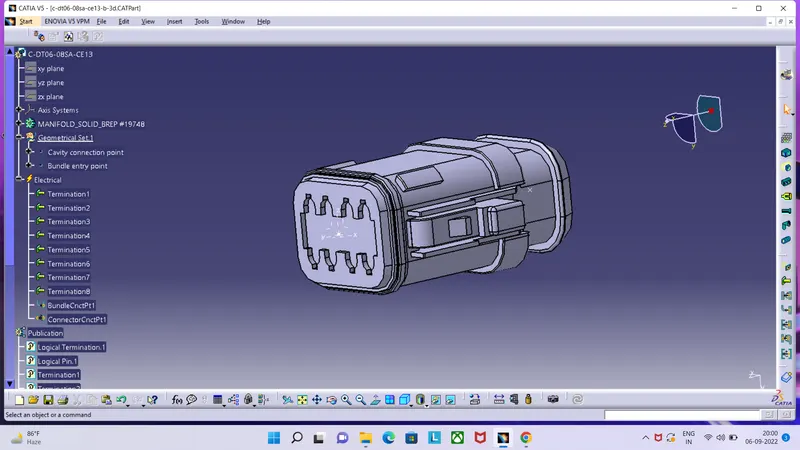
3. Then the at connector connection point provide the axis systems.
4. Go to the electrical part design the define connector electrically.
5. Define bundle connection point put no. of terminals generate it.
6. Save the connector in connectors catalog.
7. Then the define connector connection point, and save it.
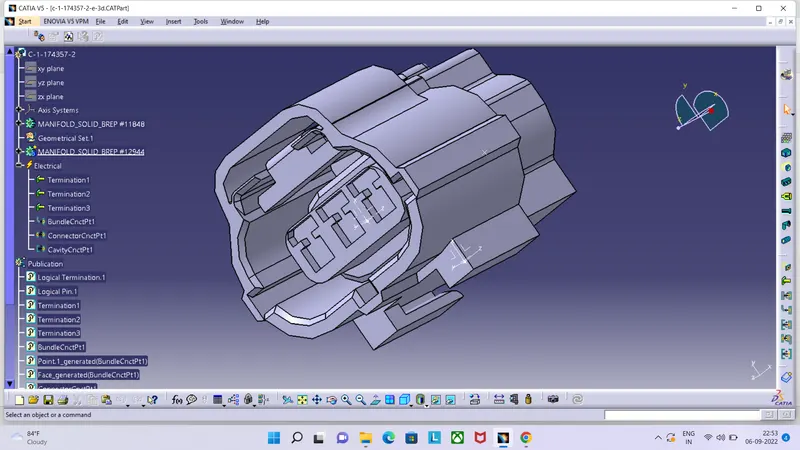
8. In this 174357-2 connector same procedure as above connector only one define cavity connection point is extra other than.
9. Generate point in center and on this point provide axis system .
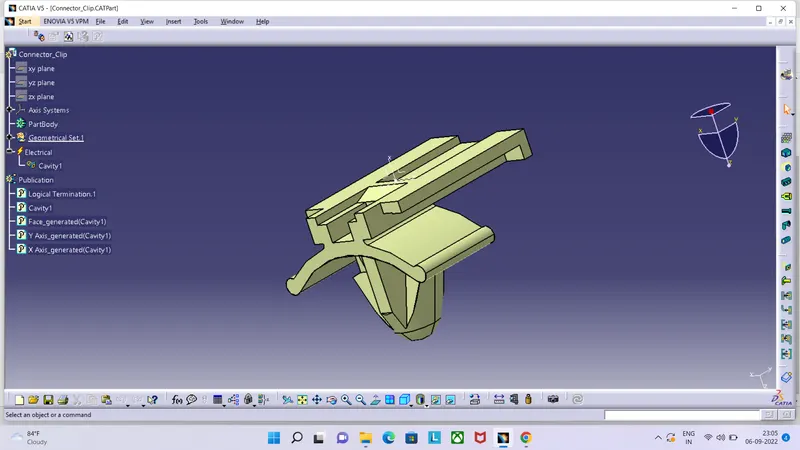
10. Take point in center at the face give axis system and then define cavity connection point as per connector cavity connection axis system.