Wiring harness design in CATIA V5 - 3D modeling Week 2 Challenge
Initially for the creation of the catalogue go to file-new-catalougedocument and choose standard catalouge and save in the folder in which you want to save. then the catalogue is saved to the favorites folder
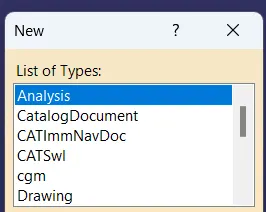


Same can be done for connector catalouge as well
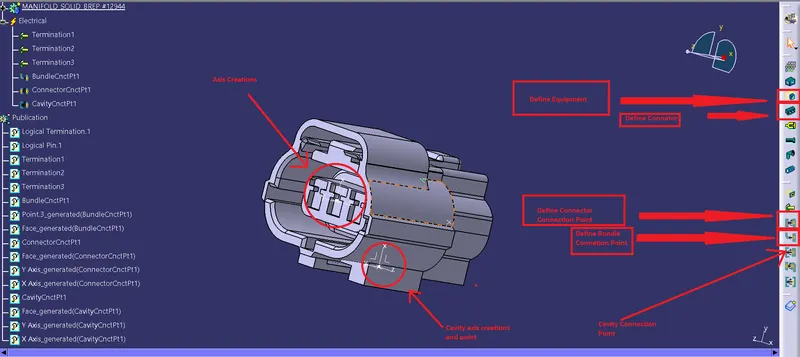
For the creation fo the connector connection point first we create a point on the connection face such that the point is at the centre of the connection. After that we create an axis system in the point we created such that the y axis is facing the direction where the connections are connected x axis is pointing top and z axis is facing accordingly.
For the Bundle point creation the face where the numbering is done and the termination are made is the bundle point is created. It is done using the same procedure as done for connector connection point using the middle point function.
After creation of the points the define equipment option is used for defining it as a electrical part after this the connecor point option is used for defining the connector point.
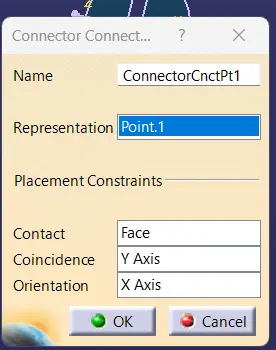
For the bundle point creation create bundle point option is selected and the configurations are selceted as follows
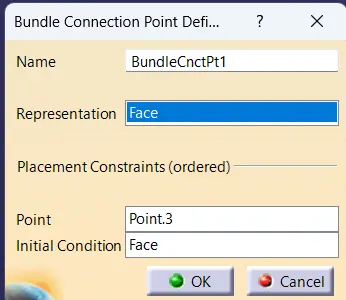
the same is done for cavity point connection as well and the configurations are selected accordingly.
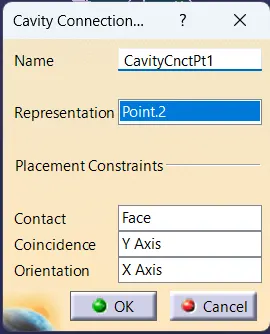
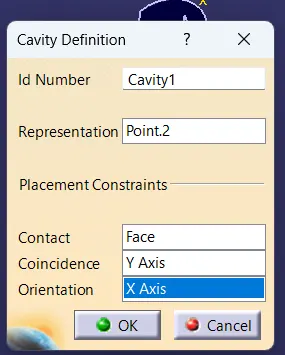
For the connector clip the point is created on the face where the connector and clip comes into contact. The axes are selected accordingly and and the cavity definiton option is used to selected the cavity point and face. they are selected as follows