Week 9 - Project - Master Section Development
Aim: To develop the given Class-A Surface of the B Pillar along the Master Section, and create a solid body out of it. Also create the engineering features on the B surface side and perform the draft analysis.
The Class-A surface of the B Pillar is given as shown below:
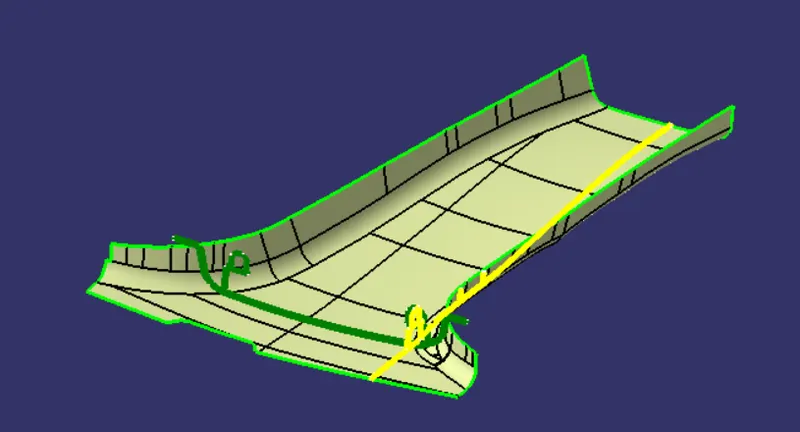
Fig. 1: Class-A with Master Section as given input
When the given Class-A surface is compared with the Master Section, it is observed that the Class-A Surface is incomplete. The outer flanged type surface is missing on the given Class-A surface.
Creating the Main Tooling Axis and Side (Lifter) Core Axis:
- Extract the vertical profiles of the Dog House from the given Master Section.
- Put a point in the middle of the two lines which are diagonally placed in the master section.
- Put a bisecting line between these diagonally placed lines and through the middle point. This is the Main Tooling Axis.
- To create the Lifter Axis, put a line through the above mentioned point and in the direction of the extrude of the Outer Profile of the Dog House as explained below in the report.
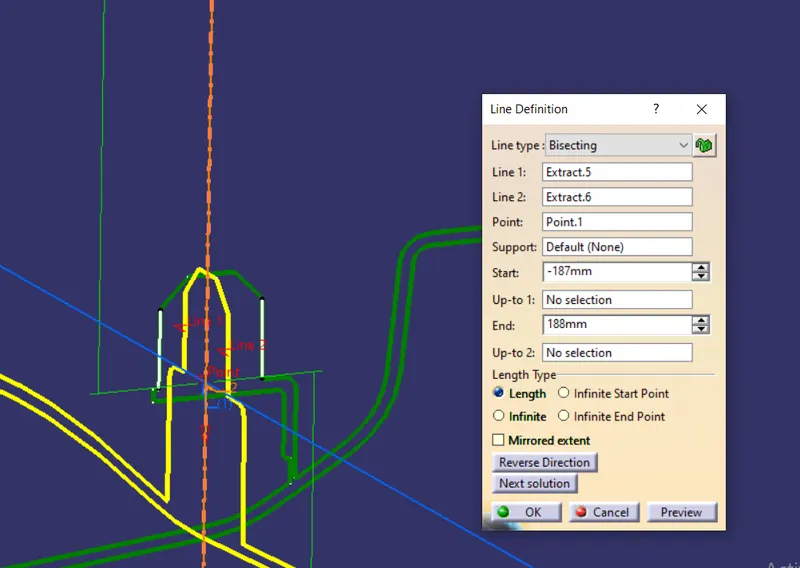
Fig. 2: Making the Main Tooling Axis
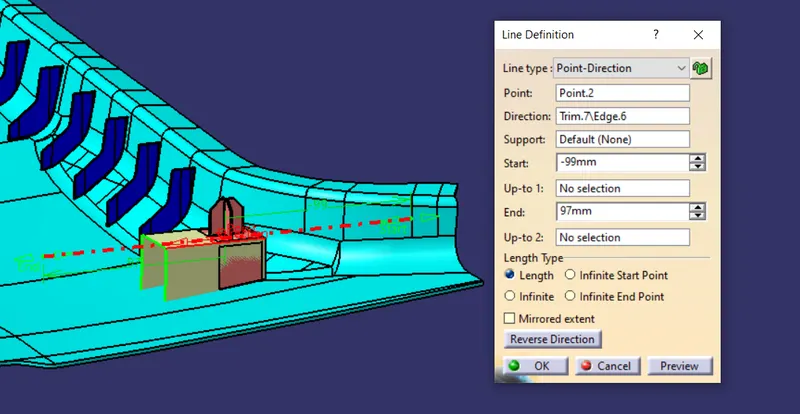
Fig. 3: Making the Lifter Axis
Creating the Flanges:
We need to complete the Class-A Surface according to the Master Section.
- Put a plane parallel to XY plane and passing through a point on the master section.
- In a new geometrical set named ‘Flanges’ create 2 flanges as per the master section. Extract the surface boundary and sweep it with reference surface with angle between them around 102 degree. Take ‘Intersect’ of the given surface and the swept surface to check gap between Class-A surface on the master section and the swept surface.
- Make the swept surface parallel to the master section and offset it downwards to match the master section. If any surface patch is missing, draw splines between the surfaces and create a ‘Multi-Section’ surface to fill the patch.
- Extract the end part of the master section and sweep it along the boundary and split this, so that the end profile of the surface matches with the master section.
- In another geometrical set, follow the above steps to make a surface on the other side.
- Trim these surfaces together to get a complete Class-A surface as shown below.
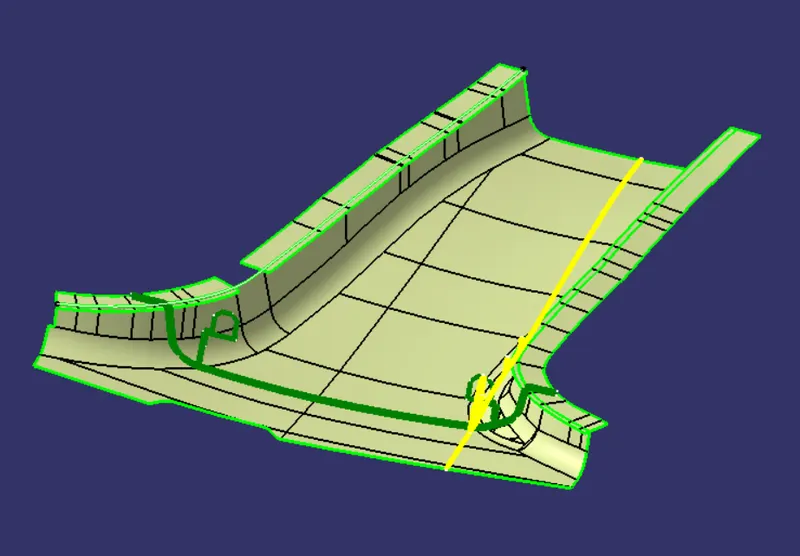
Fig. 4: The flanges are swept along the boundary. The missing surface patch is filled using Multi-Section Surface.
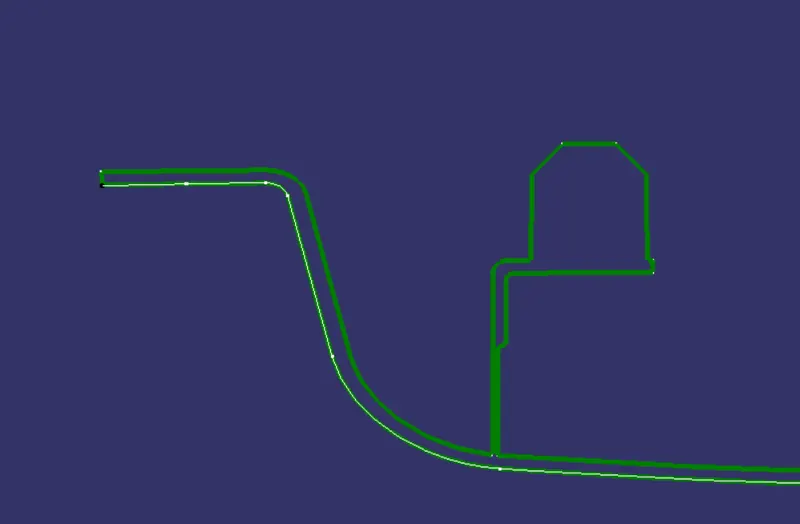
Fig. 5: Intersection of the surface and the master section
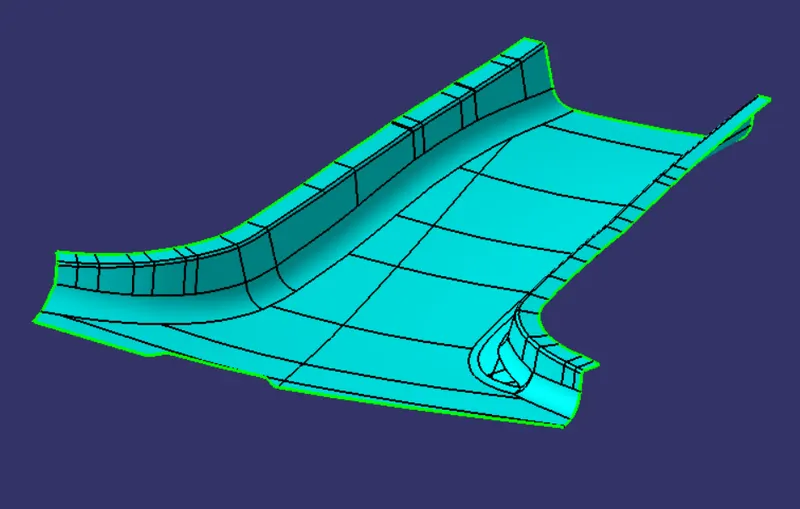
Fig. 6: Class-A surface with flanges.
Creating the Class-B Surface:
- In a new geometrical set, ‘Offset’ the above Class-A Surface with flanges by 2mm on the side where the flanges are made.
- Extrapolate this surface using ‘Point Continuity’ for 10mm.
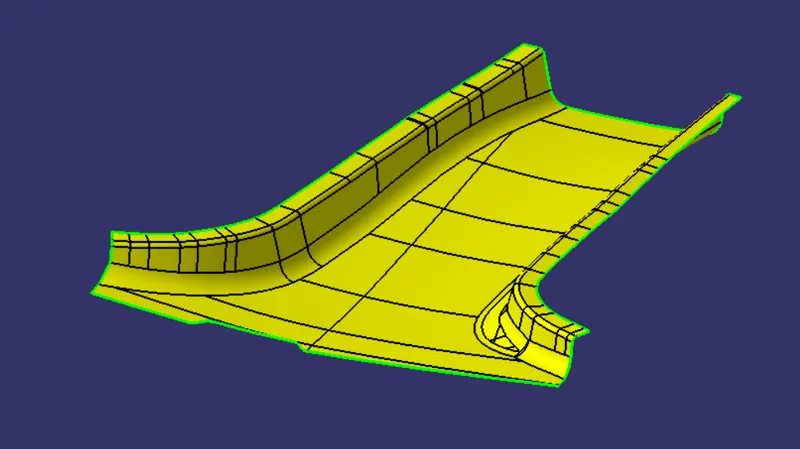
Fig. 7: Class-B Surface
Creating the Class- C Surface:
- Extract the boundaries of the Class-A Surface and sweep them with draft direction with a draft of 3 degrees on the outside.
- On the portion shown below, the sweep will create an error. To solve this, extract the two lines on the extremities of the profile and sweep the normal to the profiles. Use, ‘Multi-Section’ Surface to fill the gap between these. ‘Join’ them to create a single surface.
- Follow the similar process to make a surface on the opposite side.
- At the farther end in the above image, sweep only the middle portion of the curve and ‘Extrapolate’ using point continuity. The final Class-C Surface is shown below.
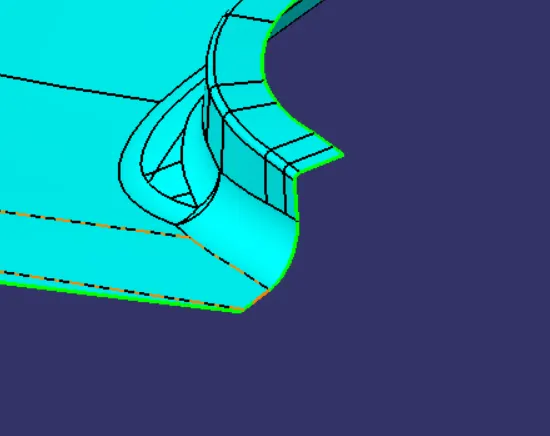
Fig. 8: Use Multi-Section Surface to create a surface on this profile
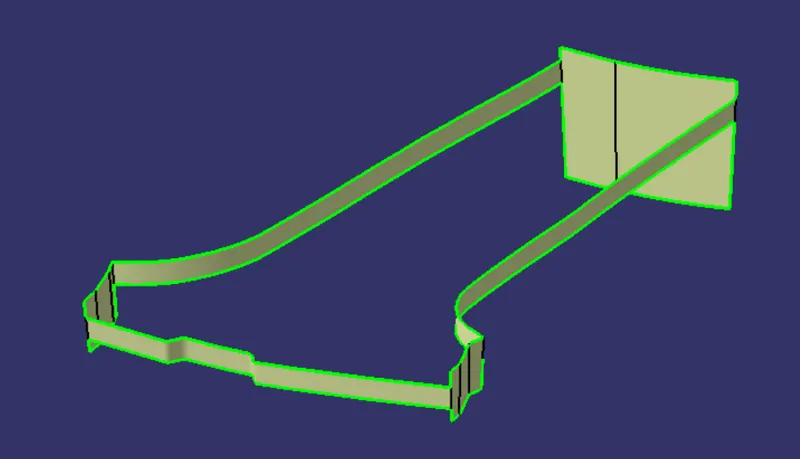
Fig. 9: Class-C Surface
Creating a Solid Body and making of the Engineering Features
Insert a new body, and use the ‘Close Surface’ command in the Part Design Workbench to create a solid body from the surface.
The master section of the B Pillar tells that there are Dog house with a 4-Way Locator on the top of it at two positions. Put a plane parallel to XY plane and through a point on the master section at a position where the given master sections meet together. This intersection of the sections will give us one set of Dog House and locator which can be then mirrored over to the other side.
- Draw a positioned sketch on this plane. Project the outer profile of the Dog House from the master section that runs along the length of B Pillar. Extend the extreme lines of the section approximately below the Class-A Surface. Extrude this C-type surface normal to the sketch plane.
- Extract the front and rear profiles from the master section and extrude to form surfaces normal to the section of the Dog House. Trim the rear surface to close the dog house from behind.
- Insert a new body and use ‘Thick Surface’ feature to thicken this trimmed surface by 2mm.
- Use the front surface to split the body and form the limit of the Dog House.
- Now Extract the inner profile of the Dog house and extrude it normal to the sketch plane. Extend it beyond the limits of the Dog House and split it to form the base profile of the dog house where the wall thickness is 40% of the total wall thickness.
- Draft vertical faces of the Dog House w.r.t. Main Tooling Axis and Horizontal faces w.r.t. Side Core Axis.
- Give appropriate fillets of radius 2mm on the outer edges and 1mm on the inner edges. Give fillets on the inside of the Dog House.
- Start a sketch on the top plane of the dog house and project the extreme edges of the base of the 4-Way Locator and make a cross shaped sketch between the inner limits of the projections.
- ‘Pad’ this sketch and thicken the ribs by 1.3mm symmetrically. The height of the ribs is measured from the master section. Draft the faces with 0.5 degree draft and chamfer & fillet the edges with radius 0.3mm.
- ‘Add’ this body to the Dog House Body.
- Union trim this combine body to the main body.
- Copy and ‘Paste Special’ this body. Put a point in the middle of the dog house profiles in the master section and ‘Symmetry’ this body to make the second Dog House in proper orientation.
- ‘Union Trim’ this body in the main body.
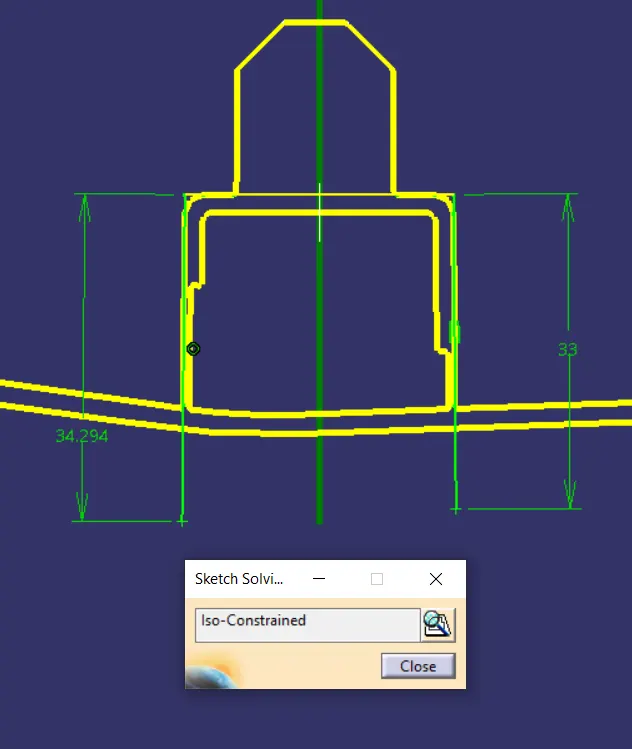
Fig. 10: Sketch for Dog House Outer profile
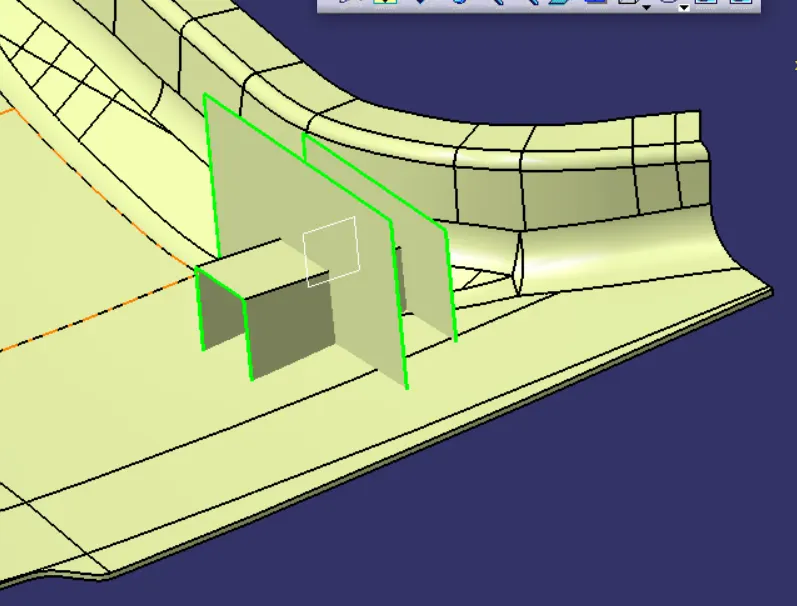
Fig. 11: Making of the Dog House Profile. Make a C-type section and split using the rear surface. Thicken the profile and split the body with the front surface
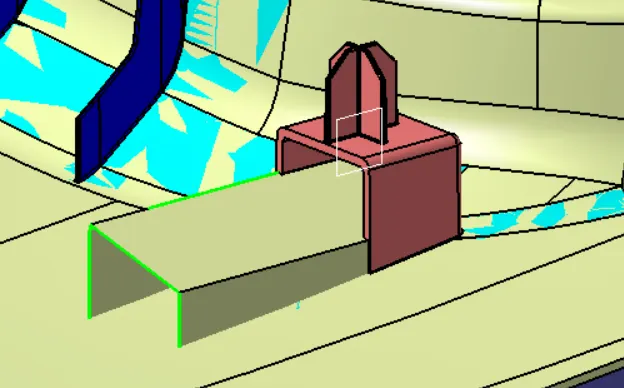
Fig. 12: Make the internal surface profile using ‘Multi-Section Surface’ and split the solid. Add fillets and draft.
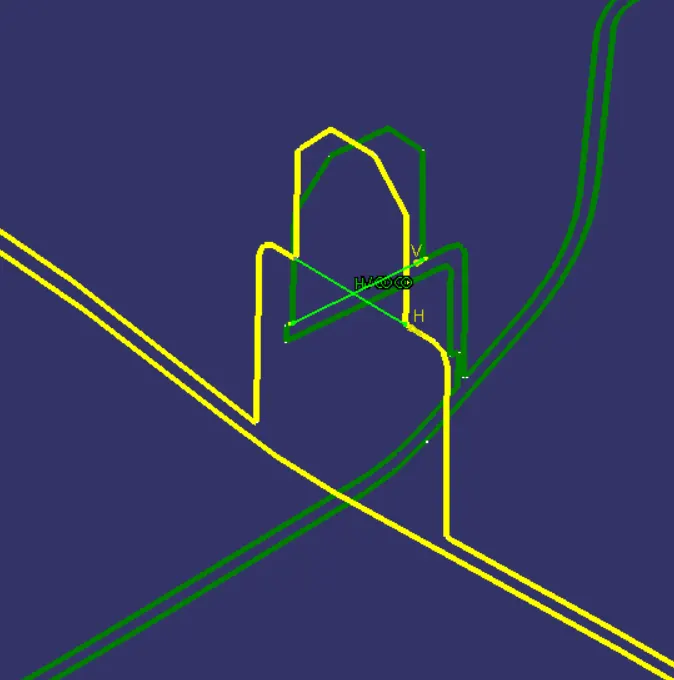
Fig. 13: Sketch for Locator Profile
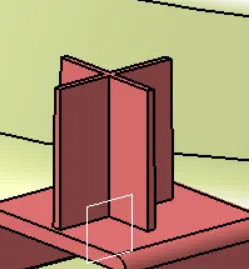
Fig. 14: Extrude the locator profile and draft the faces.
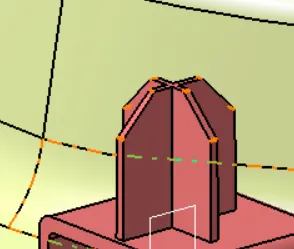
Fig. 15: Chamfer the edges and give appropriate fillets
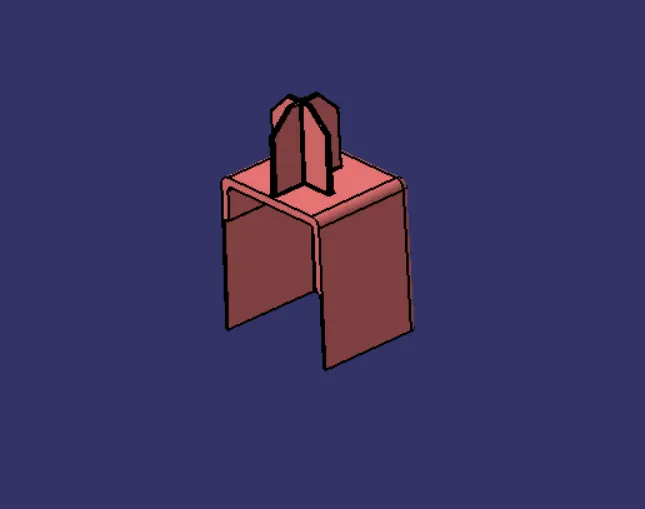
Fig. 16: Final Dog House and Locator on the top.
Creating the ribs:
- Put a plane parallel to XZ plane and though a point in the middle of the 4-Way Locator. Draw a line as shown in the sketch. Extrude the surface and use thick feature to thicken the rib by 1.2mm symmetric about the center line.
- Extract the local Class-B surface and offset it by 10-12mm approx. Split the rib using the offset surface.
- Draft the faces of the rib by 0.5 degree with Class-B surface as the neutral surface.
- Draw a line between the end points of the flange boundary. Make a linear pattern of the rib along the line with spacing of 50mm between ribs.
- Fillet the edges and ‘Union Trim’ it with the main body.
- On the other side, follow the same steps but make sure the values are changed to make a rib suitable for the profile on the other side.
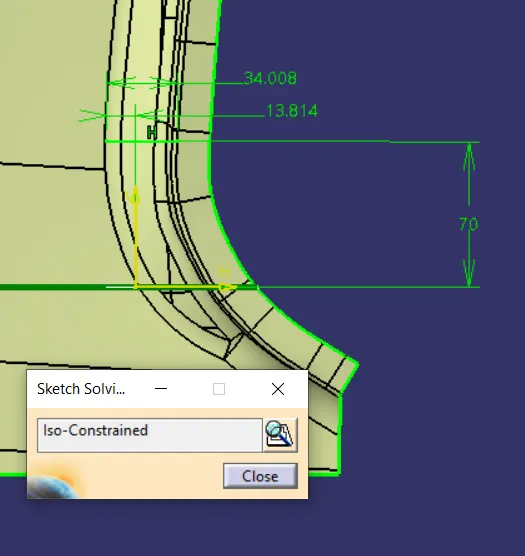
Fig. 17: Sketch used to make Rib

Fig. 18: Extruded Surface and the Splitting Surface
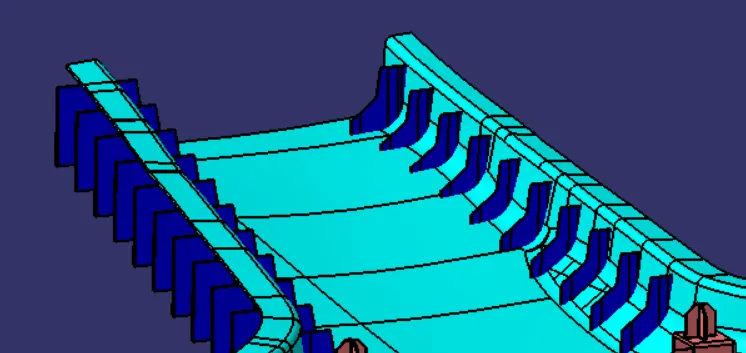
Fig. 19: Pattern of ribs
Draft Analysis:
- Put the View Mode in Material Mode and click on the ‘Feature Draft Analysis’ command.
- Activate the compass and place on the Main tooling axis. Click on the Class-A surface. The draft analysis is shown below:
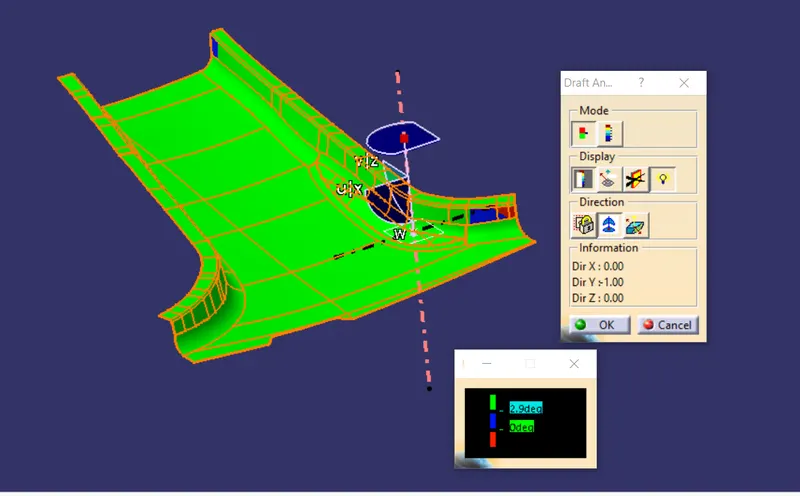
Fig. 20: Draft Analysis of Class-A surface w.r.t. Main Tooling Axis. The surfaces shown in blue colour have draft of 2.7 degree and is acceptable.
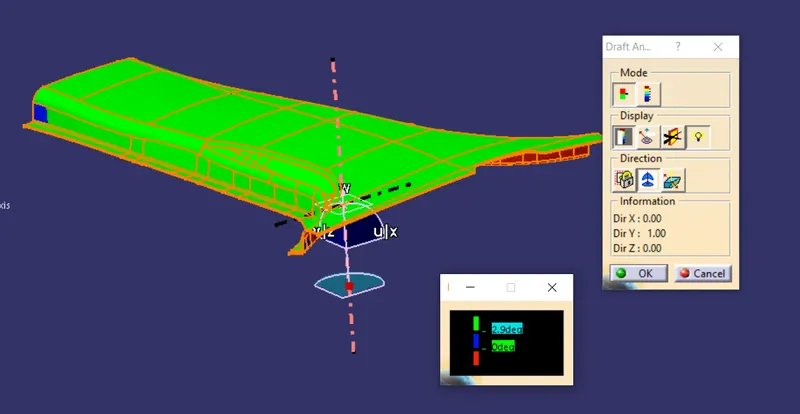
Fig. 21: Draft Analysis of Closed Body w.r.t. Main Axis showing the A surface side and C surface side.
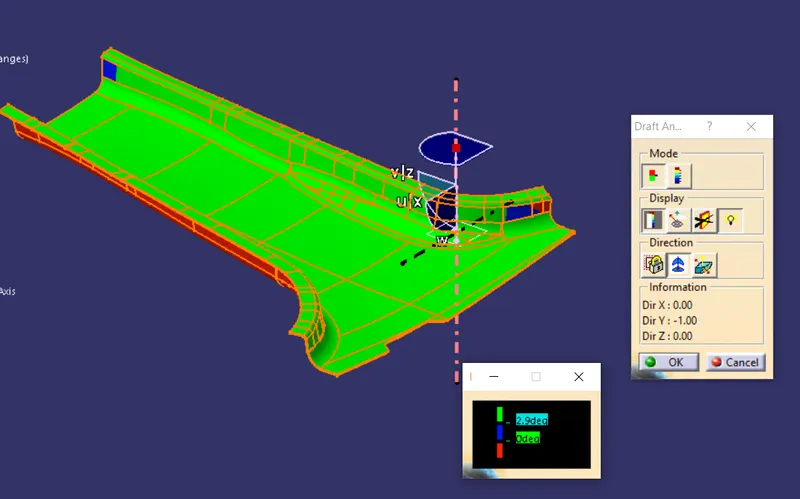
Fig. 22: Draft Analysis of Closed Body w.r.t. Main Axis showing the B surface side and C surface side.
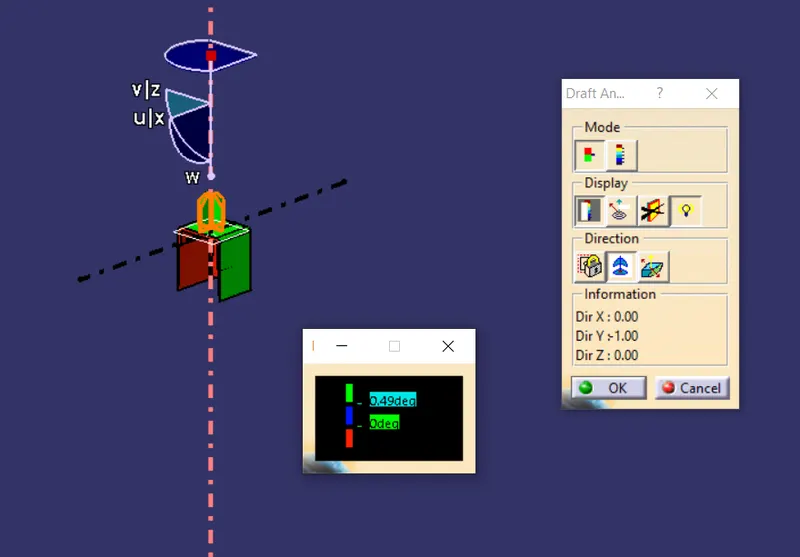
Fig. 23: Draft Analysis of Dog House and Locator w.r.t. Main Axis.
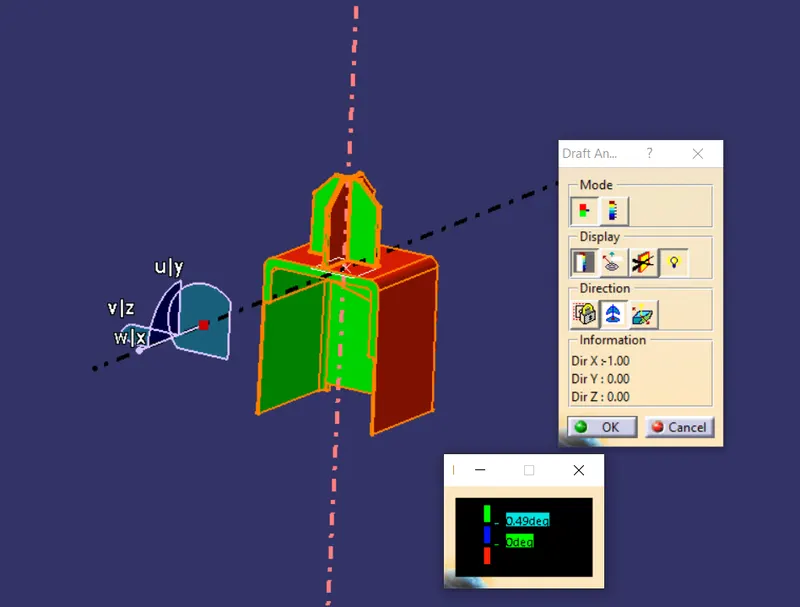
Fig. 24: Draft Analysis of Dog House and Locator w.r.t. Side Core Axis.
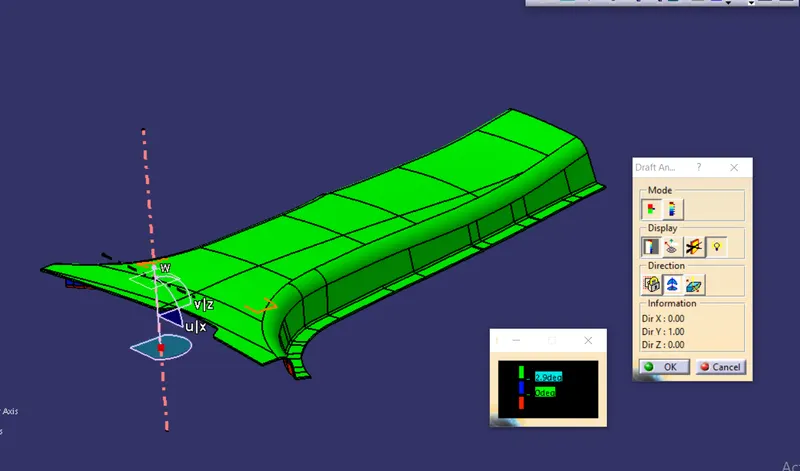
Fig. 25: Draft Analysis of Final Body w.r.t. Main Axis showing the Class-A surface.
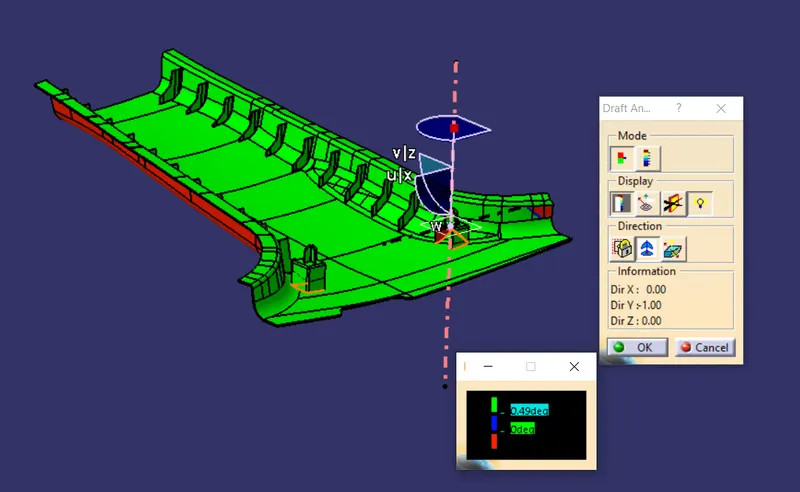
Fig. 26: Draft Analysis of Final Body w.r.t. Main Axis showing the B side features and Class-C surface.
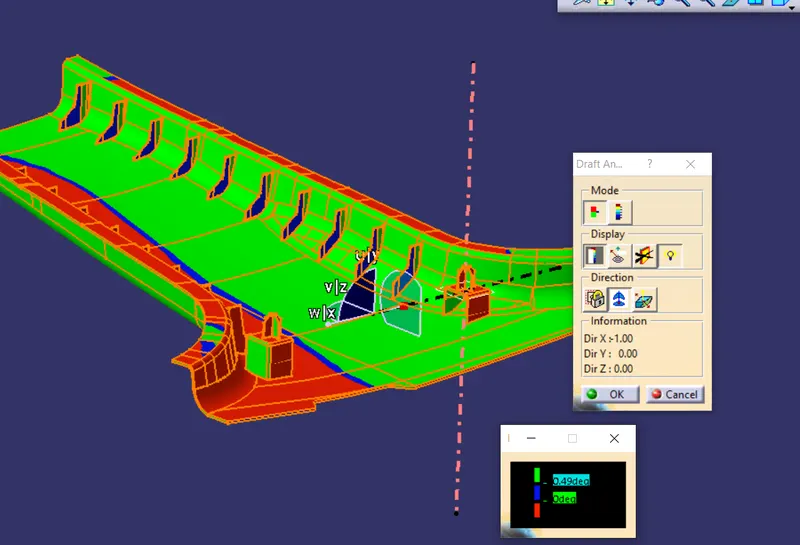
Fig. 27: Draft Analysis of Final Body w.r.t. Side Axis showing the B side features and inside part of the Dog House
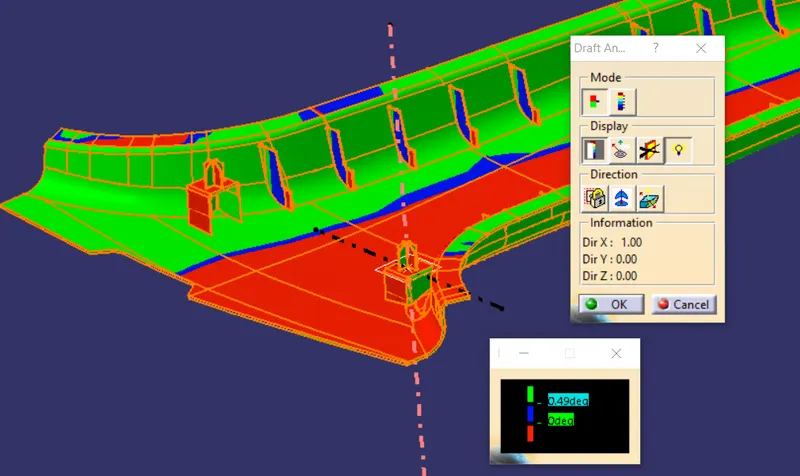
Fig. 28: Draft Analysis of Final Body w.r.t. Side Axis showing the B side features and inside part of the Dog House on other side.
The orientation of the B Pillar is shown below:
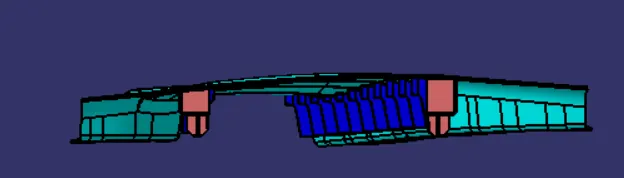
Fig. 29: Front View
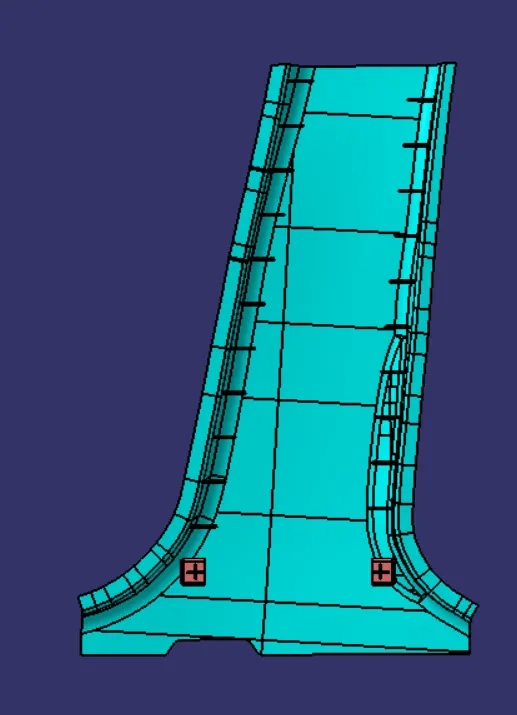
Fig. 30: Top View
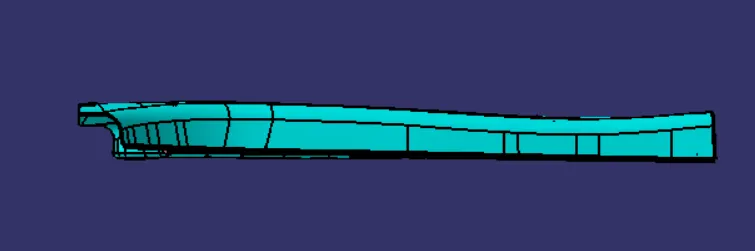
Fig. 31: Right View
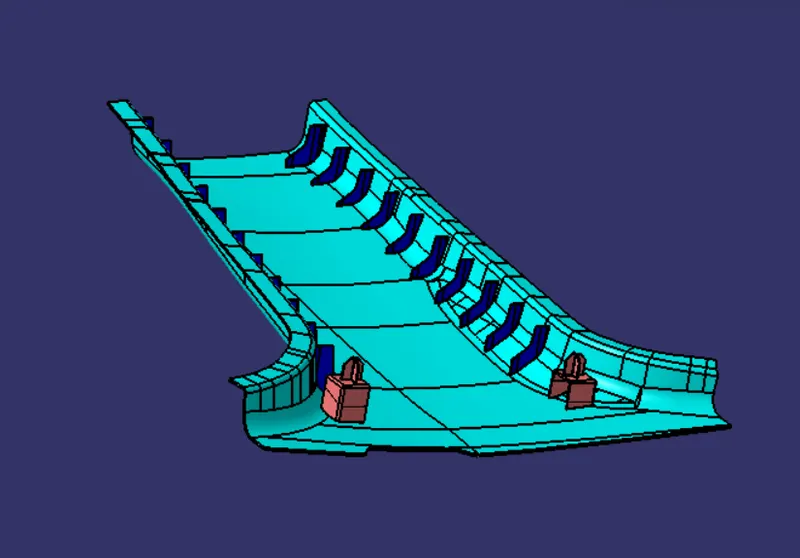
Fig. 32: Isometric View
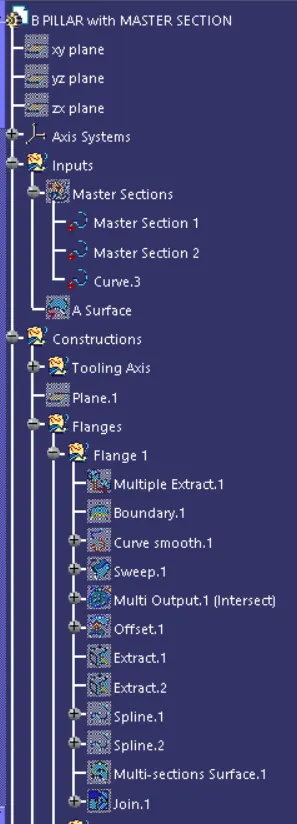
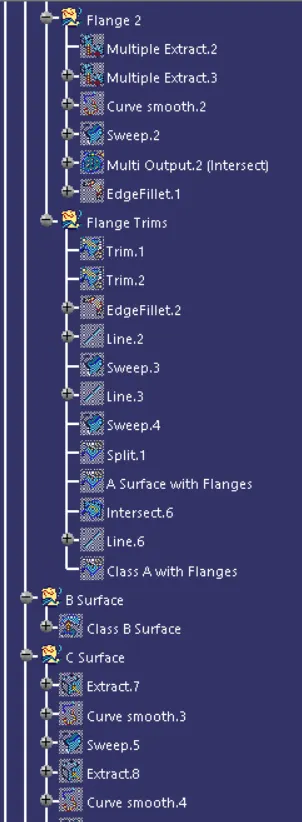
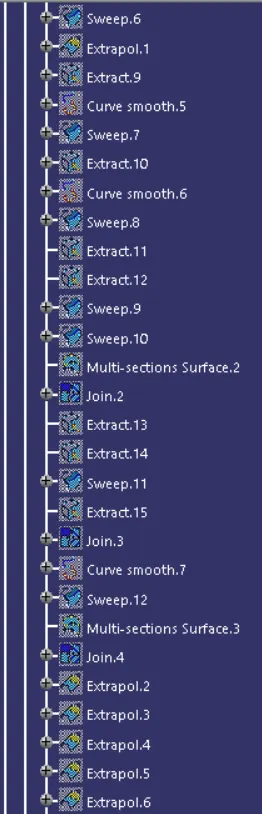
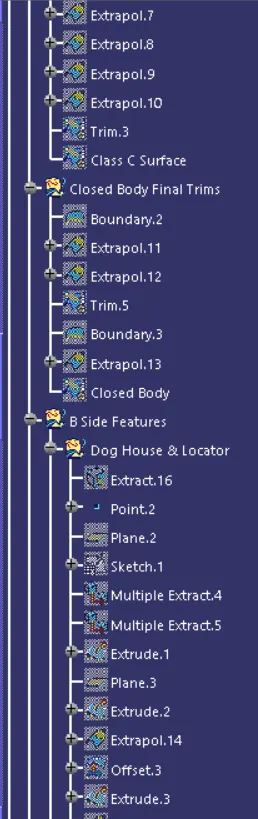
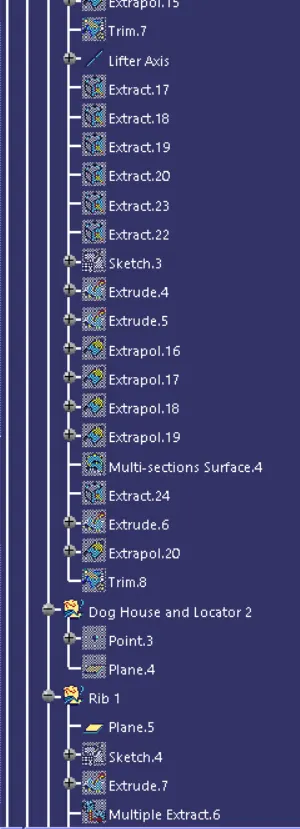
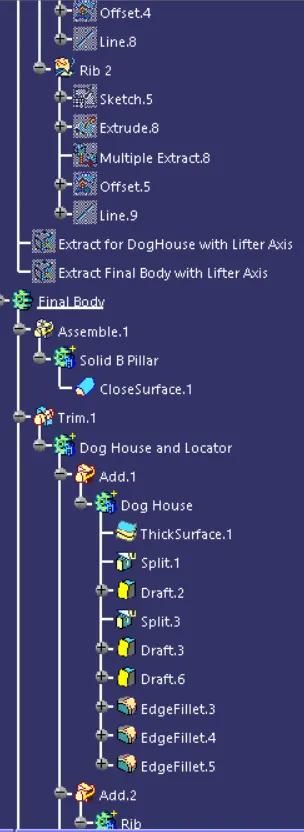
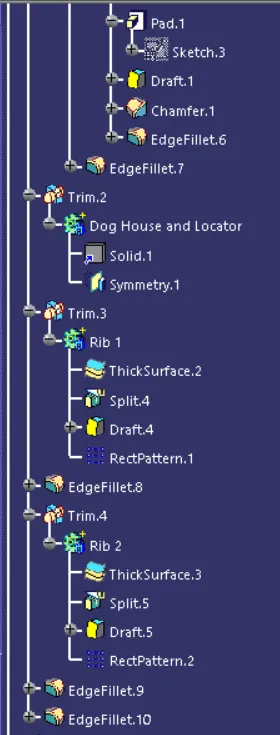
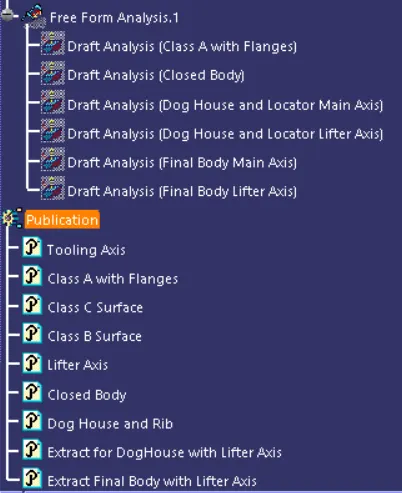
The Feature tree of the B Pillar is shown below: