Week 9-Challenge
MODEL 9:
AIM:To create connector between the componenets and attach the various components in the given model.
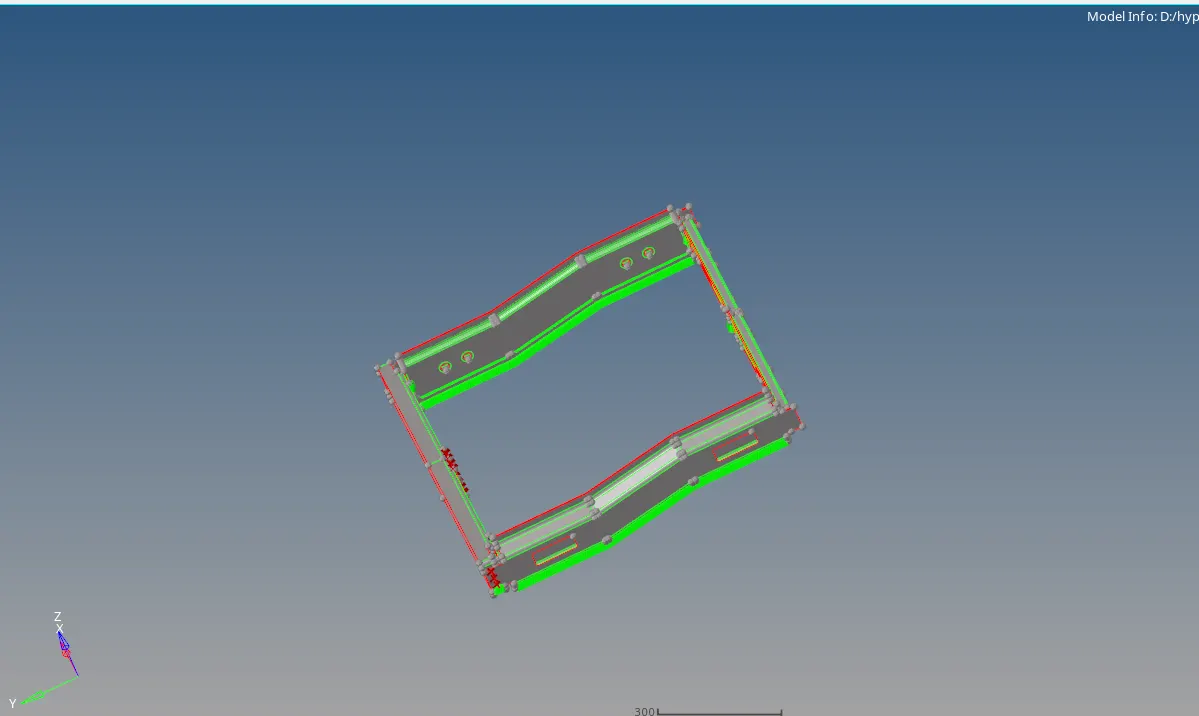
OPERATIONS:
2D>Connectors
Bolt,spot,seam
PROCEDURE:
1.Mesh the component with element size and mesh type.
2.With the given connections,connect the components with diferent connectors
A.Right rail 2 & Front truss 1:seam-quad(angle+capped+L)1.Connect the 2 components of right rail 2 and front truss 1 with the seam quad by 2D>connectors>seam at the edge.
2.Select the type seam-quad(angled+capped+L) and nodes and select components that to be connected and give the values of spacing,tolerance and create which creates the connection.

B.Left rail 2 & Front truss 1:Quad elements:
1.Connect the two components with the quad elements by 2D>connectors>seam at the edge.
2.Select the type quads and nodes and select components of left rail 2 and front truss 1 that to be connected and give the values of spacing,tolerance and create which creates the connection.

C.Front truss 1,2 and Right rail 1:Spot weld with 3layers and 5mm diameter
1.Connect the components with the spot weld by 2D>connectors>spot at the edge.
2.Select the type weld and nodes and give the no of layers and select components of front truss 1,2 and right rail 1 that to be connected and give the values of spacing,tolerance,diameter and create which creates the connection.

D.Front truss 1,2 and Left rail 1:Hexa(adhesive)
1.Connect the two components with the Hexa(adhsive) by 2D>connectors>seam at the edge.
2.Select the type Hexa(Adhesive) and nodes and select components Front truss 1,2 and left rail 1 that to be connected and give the values of spacing,tolerance and create which creates the connection.
3.Connect the two components of Left rail 1 and Front truss 1 first and then connect Front truss1 and front truss 2.

E.Rear truss 2 & Right rail 2:Bolt connector:
1.Connect the two components with the bolt connector by 2D>connectors>bolt away from the edge.
2.Select the type bolt(general) and node and give the no of layers and select components of Rear truss2 and right rail 2 that to be connected and give the value of tolerance and select the type of hole like to create in the existing hole/create a hole and then create which creates the connection.

F.Rear truss 2 & left rail 2:Bolt connector
1.Connect the two components with the bolt connector by 2D>connectors>bolt away from the edge.
2.Select the type bolt(general) and node and give the no of layers and select components of Rear truss2 and left rail 2 that to be connected and give the value of tolerance and select the type of hole like to create in the existing hole/create a hole and then create which creates the connection.
G.Right rail 1 & right rail 2:Spot weld with rigid elements:
1.Connect the components with the spot weld by 2D>connectors>spot at the edge.
2.Select the type rigid elements and nodes and select components of Right rail 1 and right rail 2 that to be connected and give the values of tolerance,diameter and create which creates the connection.
H.Left rail 1 & left rail 2:Spot weld with spring elements:
1.Connect the components with the spot weld by 2D>connectors>spot at the edge.
2.Select the type spring elements and nodes and select components of Left rail 1 and left rail 2 that to be connected and give the values of tolerance,diameter and create which creates the connection.
I.a.Rear truss 1 & rear truss 2:Spot weld
1.Connect the components with the spot weld by 2D>connectors>spot at the edge.
2.Select the type weld elements and nodes and select components of Rear truss 1 and rear truss 2 that to be connected and give the values of tolerance,diameter and create which creates the connection.
I.b.Front truss 2 and Left rail 2:Seam-Quad(Vertical+angled):
1.Connect the 2 components of Front truss 2 and Left rail 2 with the seam quad by 2D>connectors>seam at the edge.
2.Select the type seam-quad(vertical+angled) and nodes and select components Front truss 2 and Left rail 2 that to be connected and give the values of spacing,tolerance and create which creates the connection.
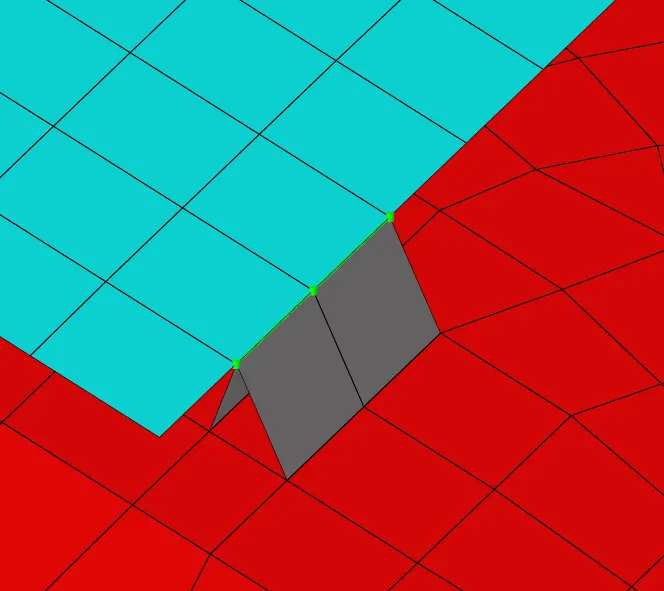
RESULT:Created connections between the componenets with the connectors.