Week 9 - Attachment Feature Creation (Ribs & Screw Boss) - Challenge 1
WEEK 9 ATTACHMENT FEATURE OF RIBS AND SCREW BOSS IN DOOR HANDLE:
AIM:
To create ribs and screw boss in door handle with given class A surface at the thickness of 2.5mm.
DESIGN PROCESS:
- Class A surface
- Tooling axis
- Class B surface
- Class C surface
- Covertion of surface feature into solid feature.
- Creation of ribs.
- Creation of screw boss.
- Draft analysis
PROCEDURE:
CLASS A SURFACE:
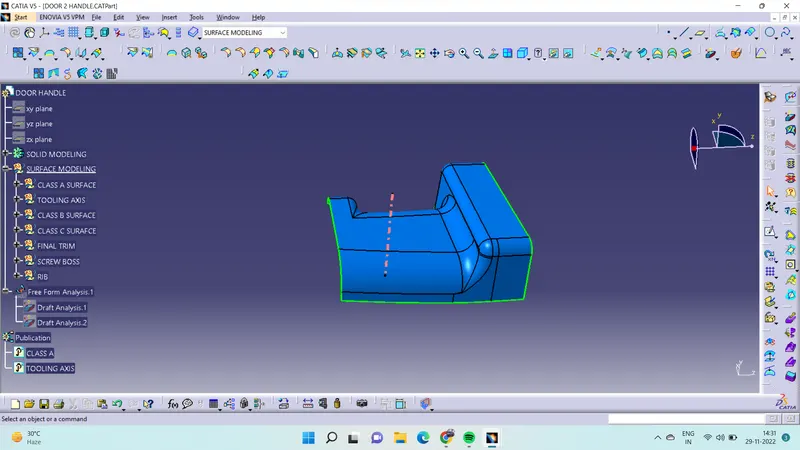
- Class A surface is the aesthetic surface it is top surface of the component of door handle.
- Class A surface is done in stylish team using ALIAS software.
- Its the input of the plastic designer to design a component.
TOOLING AXIS:
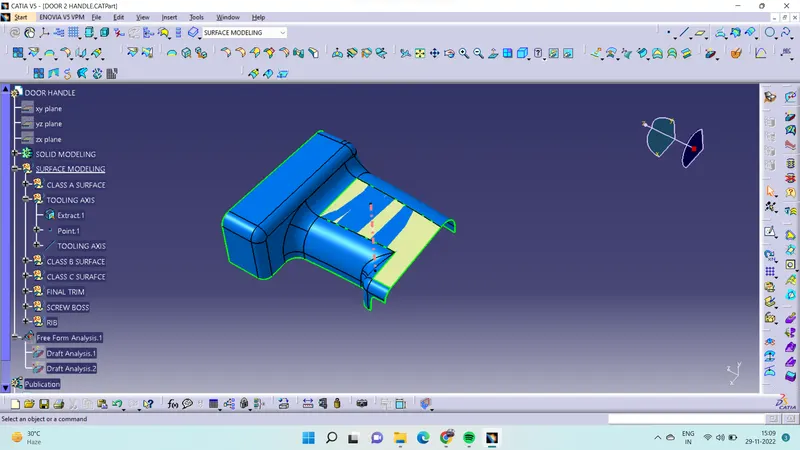
- Tooling axis is the important feature of the plastic component design it will deside the open and close of core and cavity of the machine.
- To create tooling axis have to analysis class A surface choose the best side to place the tooling axis.
- To create a tooling axis need a surface for that copy the surface from class A using with exract command.
- Click the extact command select the surface give a no propagation element and give ok.
- After that create a point at the middle of the surface.
- Then create a line then named as the tooling axis.
CLASS B SURFACE:
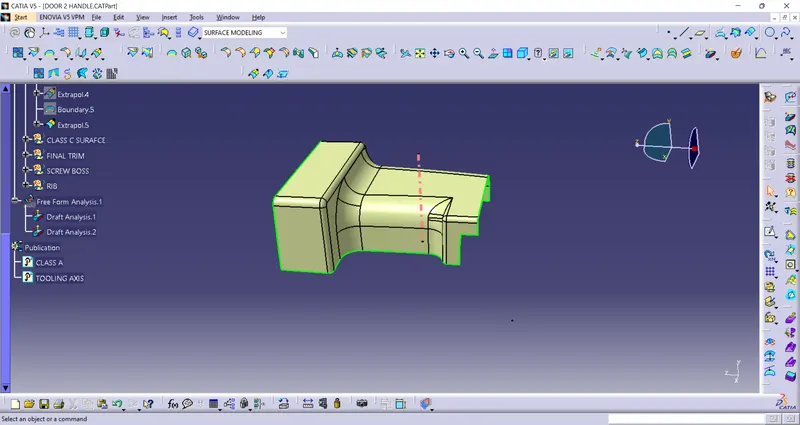
- Class B surface is the bottam surface of component in door handle design.
- After creation tooling axis have to create class B surface for that offset the class A surface at given dimension of 2.5mm.
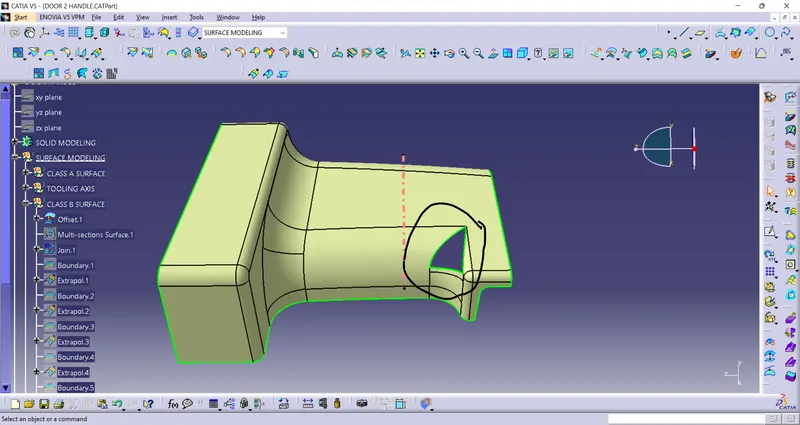
- While offset the class A surface some area has dispatch.
- For clear dispatch area use multisection command select the edges and also select the guide curve.
- While selecting the edges give support the edges and also guide curve.
- After clear the area have to extent the surface for help to trim surface.
- For that use command of extrapolate for this command extent the surface at the requied dimension.
CLASS C SURFACE:
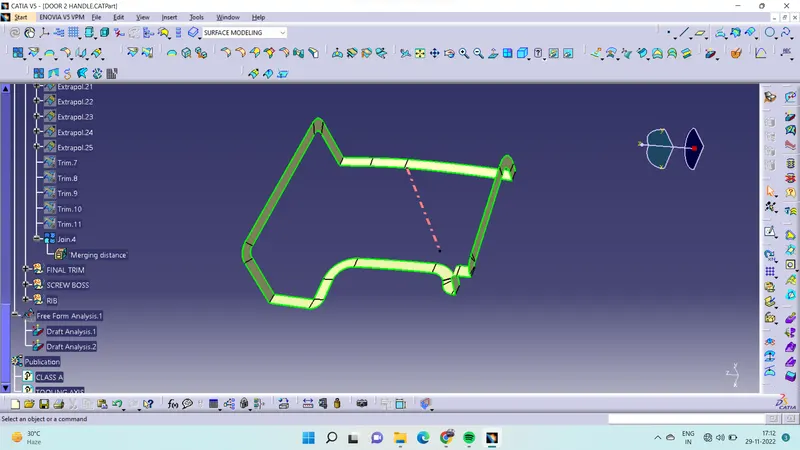
- Class c surface is act like a thickness of class A and class B surface.
- In class C surface have to clear to draft analysis for that use sweept command.
- In sweept command two ways can be create a C surface.
- In subtype select the with referance surface select the edge also select the surface and give the angle at the given dimention.
- And another method is with draft direction select the edge also select draft direction and give the angle at the given dimension.
- While create C surface have to split the surface into two or more surface to get proper surface.
- After that join the sweept and form the C surface.
FINAL TRIM:
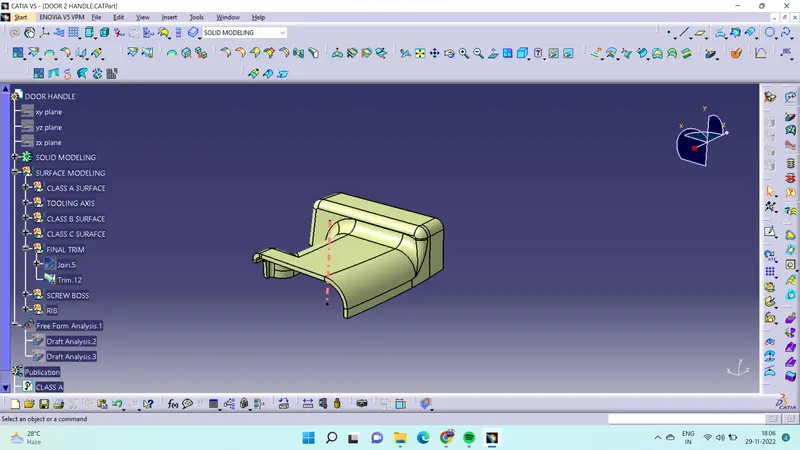
- After create C surface use join command join the class A and C surface.
- Then unhide the class B surface use trim command trim the class a and B then it form surface modeling of door handle.
CONVERTION OF SOLID:
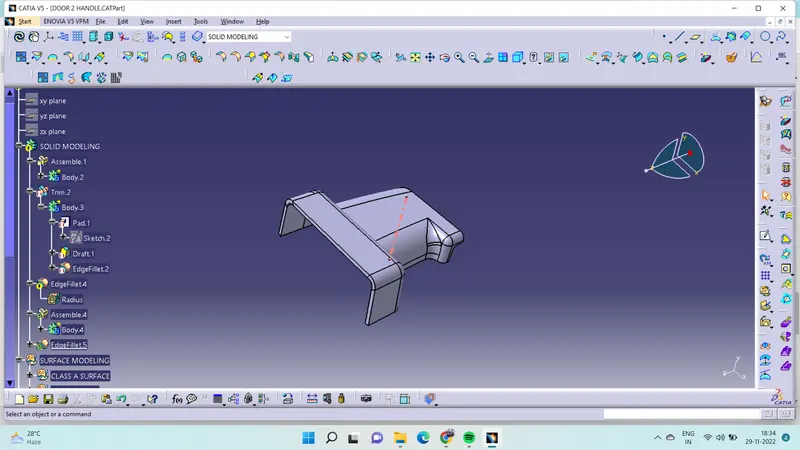
- After creating the surface of door handle then go to part workbench use close surface command select the surface give ok it form solid feature.
CREATION OF RIBS:
- Ribs is the support feature to fix the component at the location.
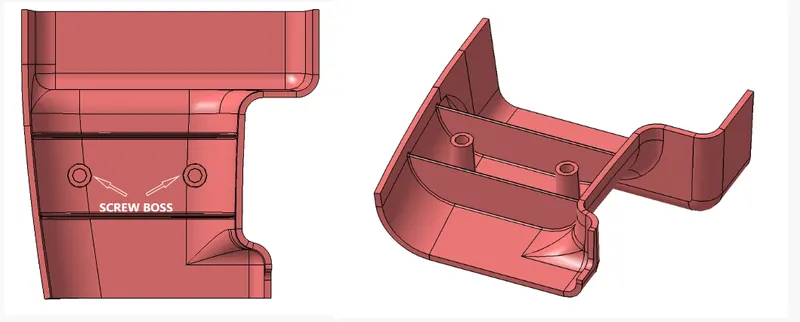
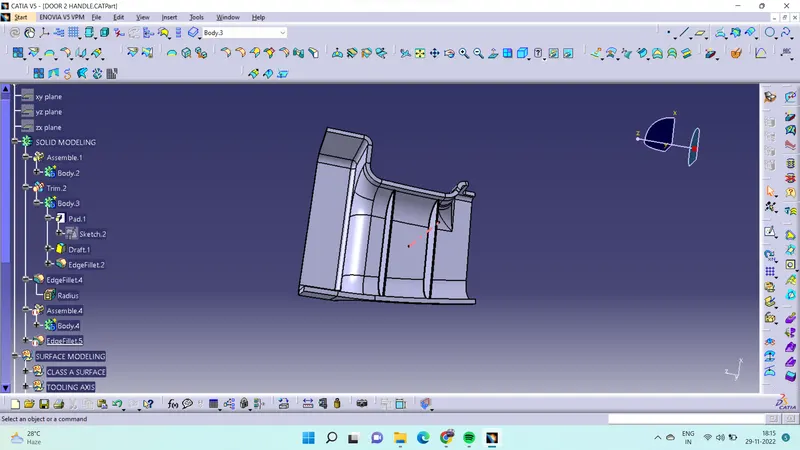
- In given model ribs are parallel to each other at the certain distance have to follow the ribs rule.
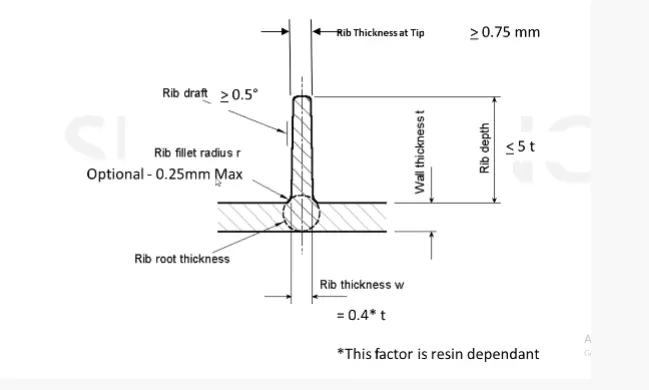
- For that draw a line at the certain distance then pad sketch at the thickness of 0.4*component thickness.
- After that draft ribs at the dimension less then or equal to 0.5mm.
- Use uniontrim obtion trim the excess surface of the ribs .
- And give fillet maximum of 0.25mm.
CREATION OF SCREW BOSS:
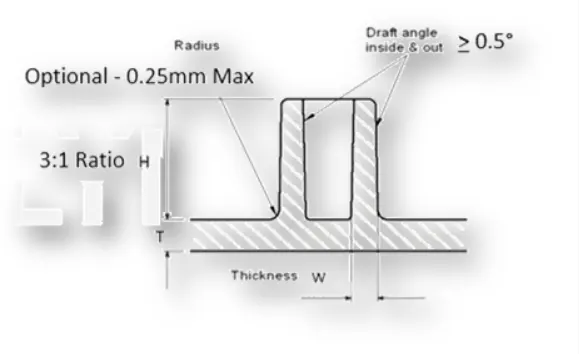
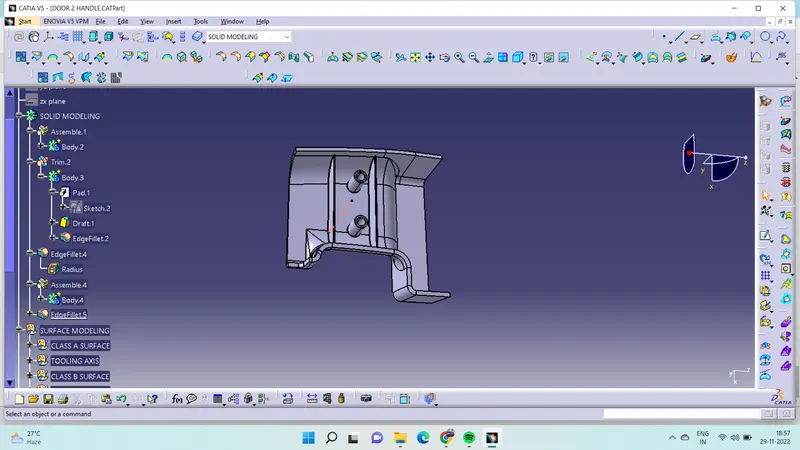
- Screw boss is the support feature to fix the component to located screw.
- To create screw boss need to draw the circle at diameter of 5mm.
- Then calculated the thickness of the screw boss formula of 2*thickness of component .
- And also calculate the height of the screw boss at ratio of 3:1.
- Then draft to the screw boss at the dimension of less or equal 0.5mm.
- Then give a fillet at the give dimension of 0.25mm and assemble to the solid feature.
DRAFT ANGLE ANALYSIS:
CLASS A SURFACE:
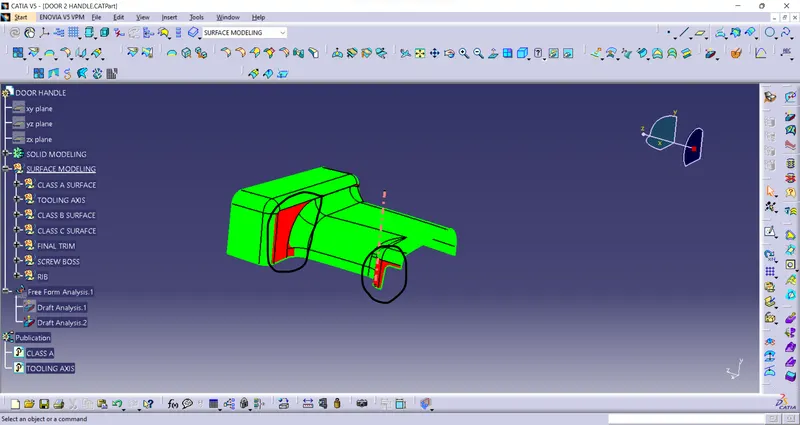
- While analysis the draft angle maked area it not cleared so that sylish team have to concentrate at draft angle it mush be in 3deg.
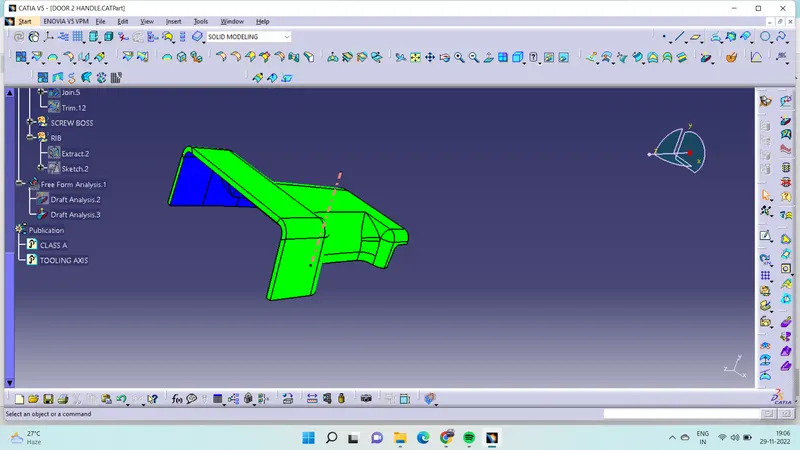
FINAL COMPONENT:
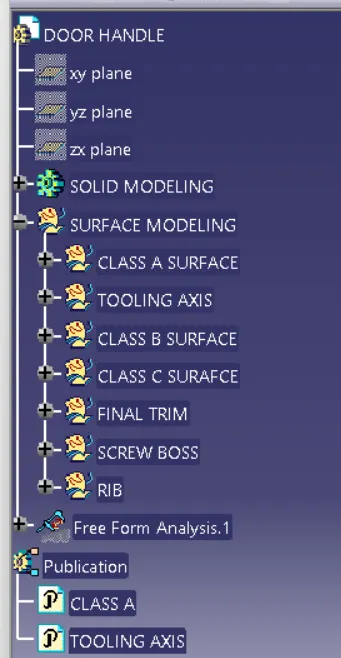
TREE STRUCTURE:
CONCLUSION:
Created the ribs and screw boss to the door handle at the give thickness 2.5mm.