Week 8 - Challenge 6 - Core & Cavity Design
SWITCH BEZEL OF CORE AND CAVITY:
AIM:
To create a core and cavity of switch bezel design need to create surface of the switch bezel design with given CLASS A SURFACE.
INTRODUCTION:
CORE AND CAVITY:
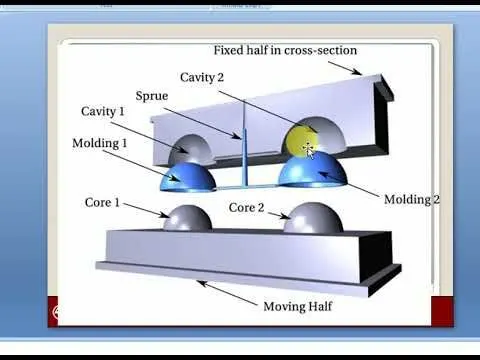
Core and Cavity is tool it's use to make a required shape of the object. The mould plastic component is injected to core and cavity it got requred shape of the object. Cavity is placed at top and Core is placed at the bottam there is gap between the core and cavity the moulded material is injected into it.
SWITCH BEZEL :
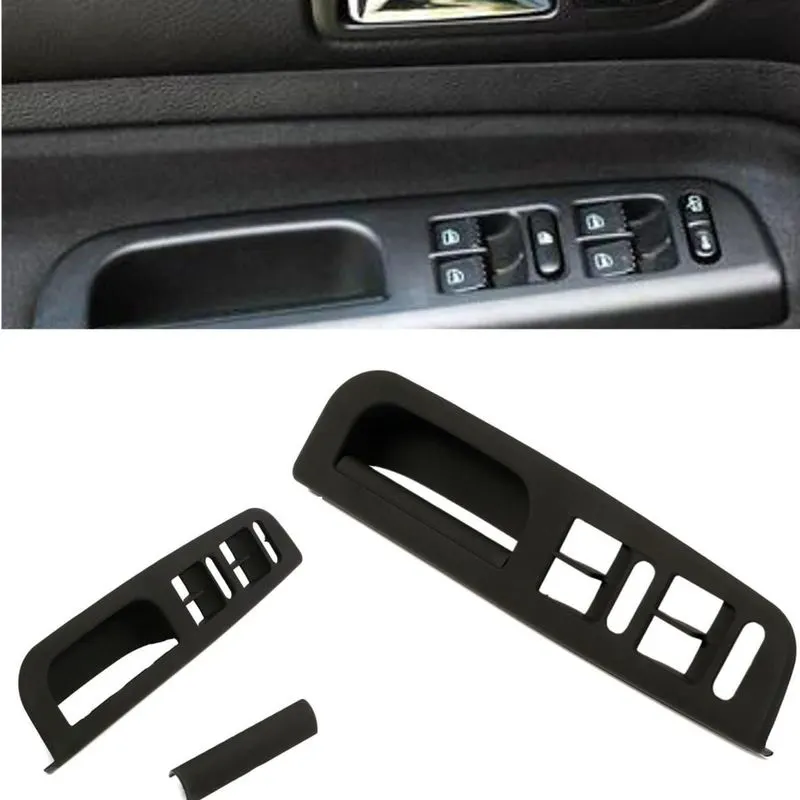
Switch bezel is one the plastic component in the car. It's located the door switch of car.Switch bezel has aesthetic surfaceat the top at the bottam B surface os placed.
OBJECTIVES:
- Create a tooling axis with the referance of given class A surface.
- Create a class B and C surface with referance of given a class A surface.
- Then create a final component and make a solid model.
- After that to create core and cavity to need a parting surface.
- Then draw the rectangle which intersect with parting surface to make a core and cavity of the object.
CLASS A SURFACE:
Class A surface is top surface of the object. It's a aesthetic surface of the plastic component which is create by sylish team then passed to the part design engineer.To analysis class A surface use boundary command its there is any gap in between the surface.
TOOLING AXIS:
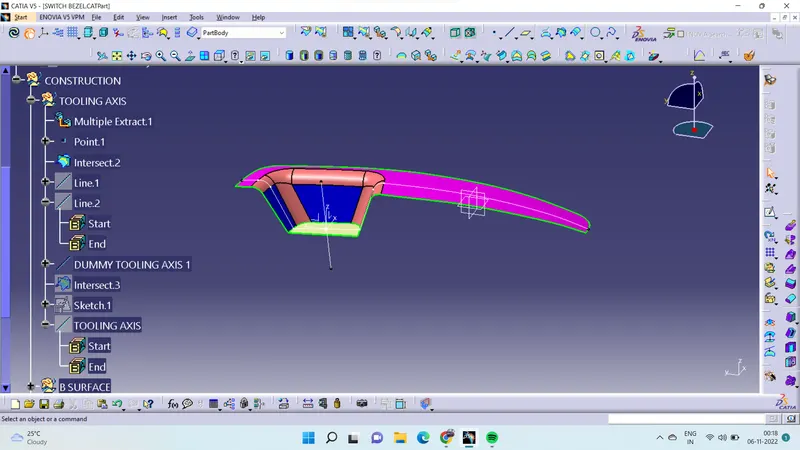
To create tooling axis analysis the class A surface which right place to located the tooling axis. Use intesect command intersect with XY axis. Use bisector line command draw the line bisect with intersect with xy axis.Then place the tooling axis of in between the line.
CLASS B SURFACE:
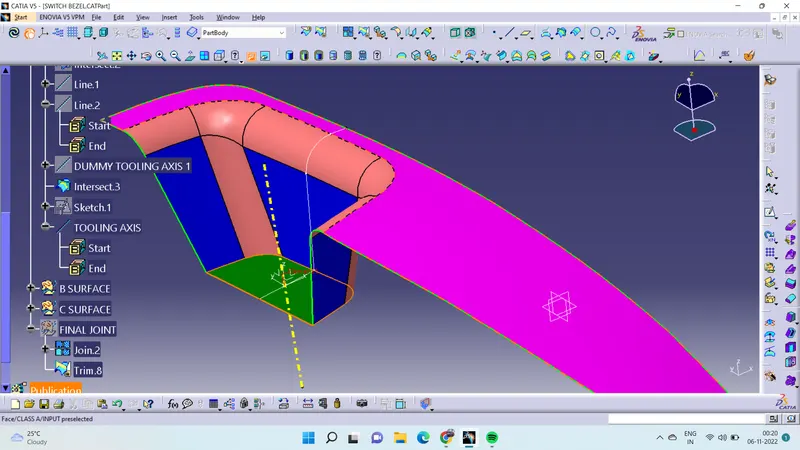
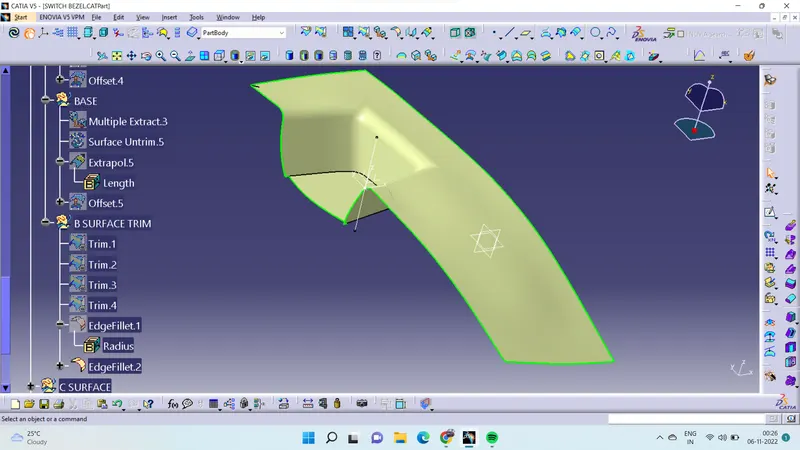
CLASS B surface is bottam surface of the component.To create a class B surface to extract the surface from class A. Then extracted has to untrim and do extrapolate the edges and trim in between which not required.after that offset at 2.5mm.
CLASS C SURFACE:
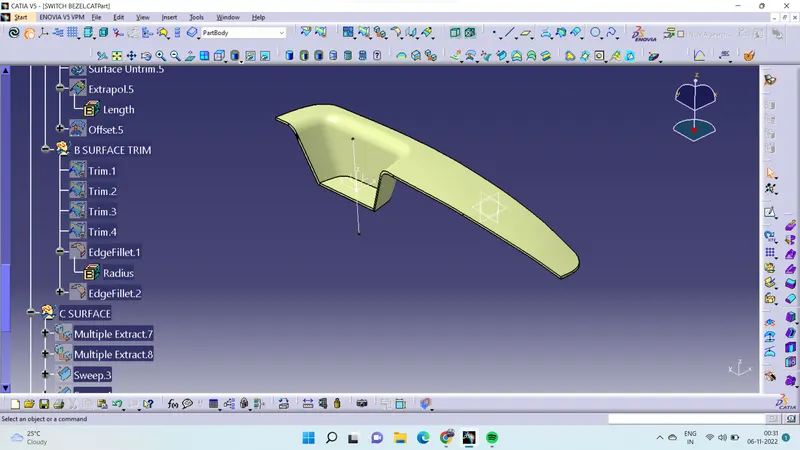
Class C surface is act like a thickness of the class A and B surface. To create class C surface extract boundary edges then use sweept command go to draft as referance.select the extract edges and select the tooling axis then create class C surface. after create a class C surface then join the class A and C and trim the surface with class B surface.
CORE AND CAVITY OF SWITCH BEZEL:
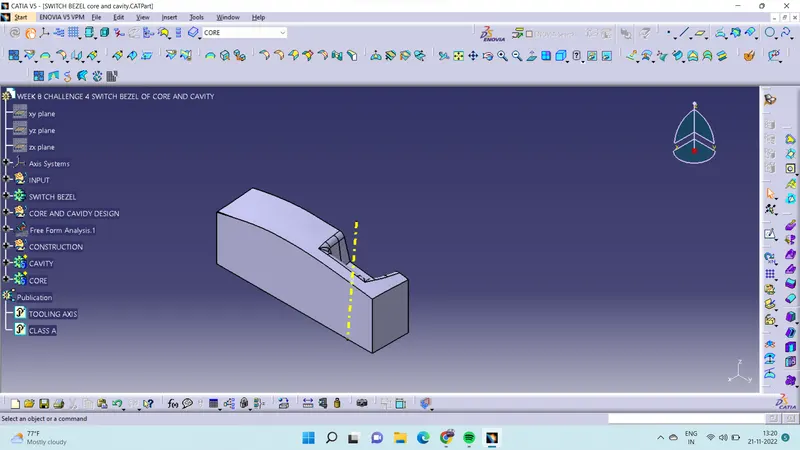
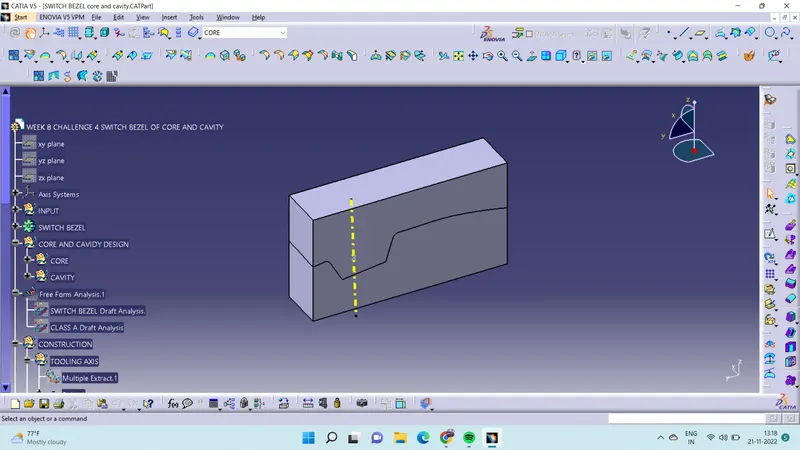
After create a surface modeling of swich bezel then create a core and cavity of switch bezel.Class B surface is act has the parting surface. Go to position sketch draw the rectangle at top which intersect with parting surface.Then trim the parting surface and rectangle surface. It will form a core and cavity of the switch bezel. 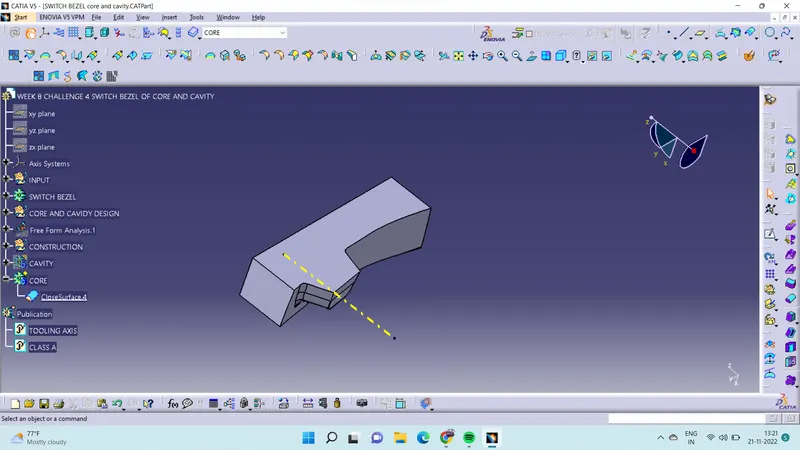
VIEW OF CORE AND CAVITY:
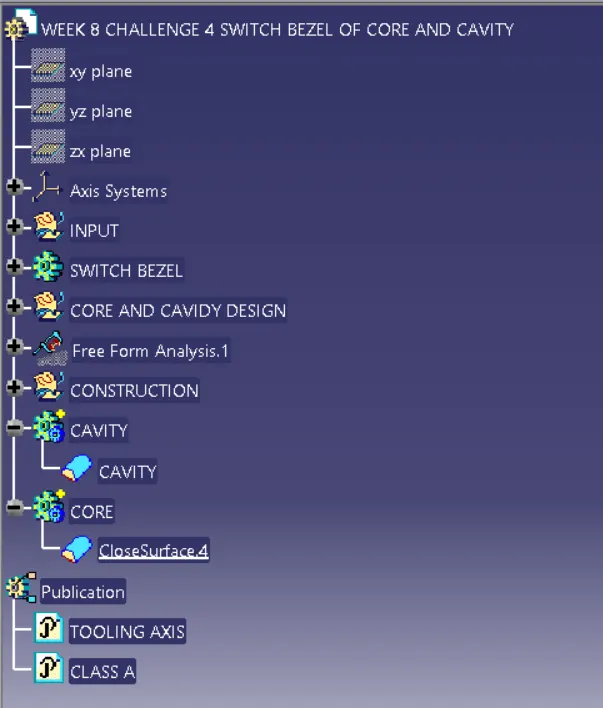
TREE STRUCTURE:
CONCLUSION:
I have create a switch bezel design of class A and class C with referance given class A surface. And also created a core and cavity of the switch bezel design.