Week 9 - Attachment Feature Creation - Challenge 1
Aim: To create the tooling axis for the given Class-A surface of the Coin Holder and create a solid part along with Class-B and Class-C surface. Also create Ribs with reference to the design rules.
Procedure: The input model for the draft analysis is the class-A surface given by the class-A designers as shown below:
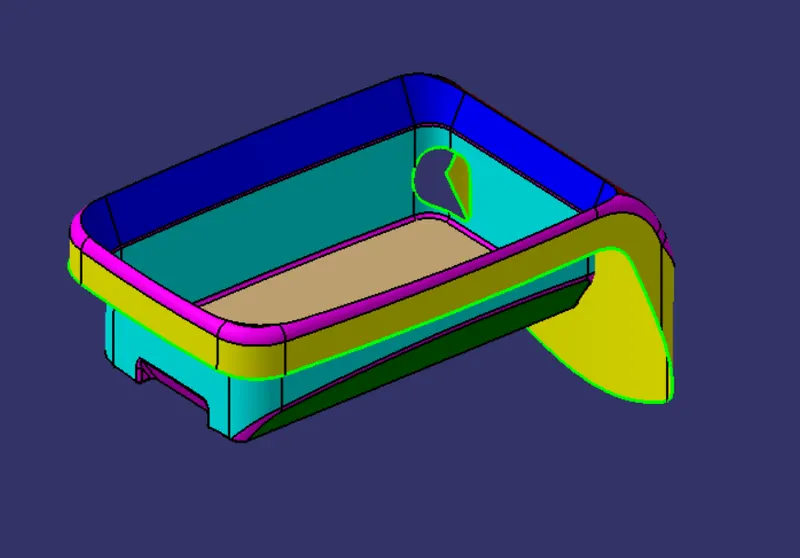
Fig. 1: Class-A Surface of the Coin Holder
Considering the shape of the given component, the tooling axis is made in the Z direction at the center of the base.
Put a point at the center of the base of the Class-A surface, and draw a line through the point in the Z-direction. Name this line as the Tooling Axis.
This tooling axis and the Coin Holder surface need to be accessed multiple times and hence, need to be published. Go to Tools>Publication. These will be published in the feature tree.
Next step is to perform the draft analysis of the part with reference to the Tooling Axis. Go to Insert>Analysis>Feature Draft Analysis. Make sure that the View Mode Customization is set to the Material Mode as shown below:
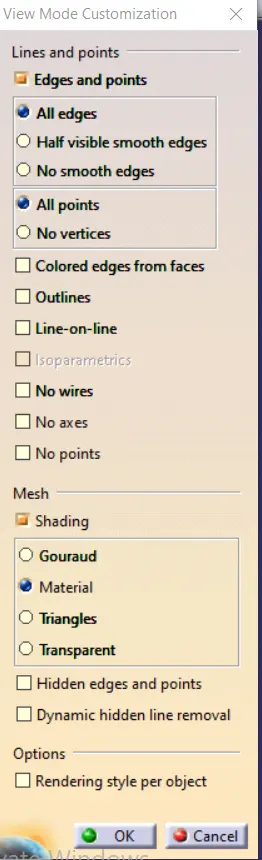
Fig. 2: View Mode Customization
The draft analysis of the Class-A surface w.r.t. the tooling axis is shown below:
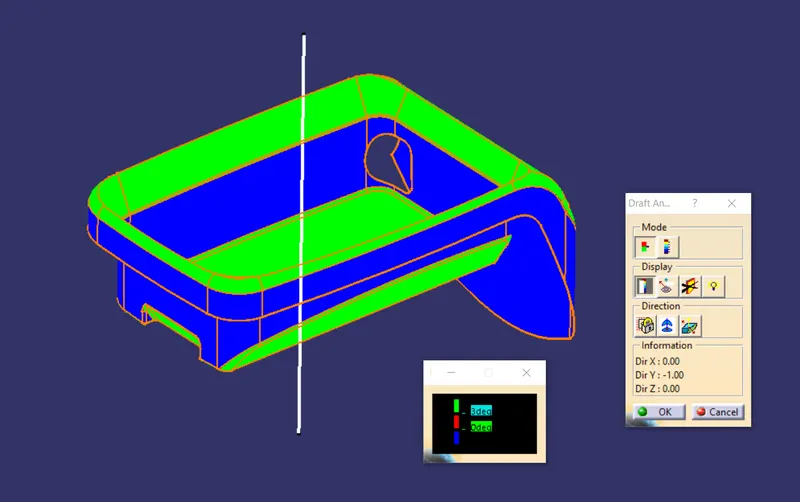
Fig. 3: Draft Analysis of the Class-A Surface
The green coloured faces are given a draft of certain amount and can be cleared using the tooling axis. The faces coloured in blue colour do not have a draft w.r.t. the tooling axis and hence, these surfaces cannot be cleared using the tooling axis.
Also, we are not allowed to change the shape of the given Class-A surface, hence we will proceed building the Class-B and Class-C surface on this part only.
A similar approach was followed to perform the draft analysis of the closed surface, and the results are shown below:
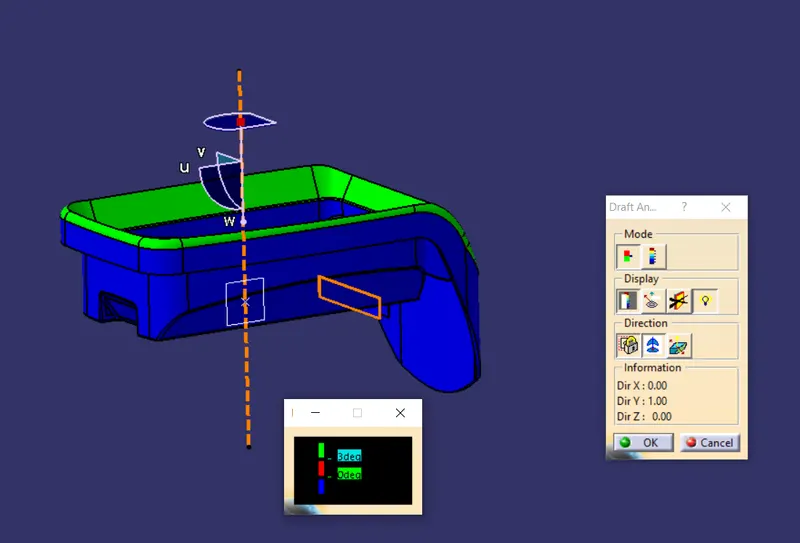
Fig. 4: Draft Analysis of the Solid part with Ribs
Creating the Class-B Surface:
The Class-B surface was divided into multiple parts, the base, the side wall, the top wall, and the flanges. The surfaces were extracted individually and, commands such as Untrim, Offset and Extrapolate were used to make these surfaces. These surfaces were then trimmed together to get the final Class-B surface. Finally, the edge fillets were applied in the appropriate positions. The final Class-B surface is shown below:
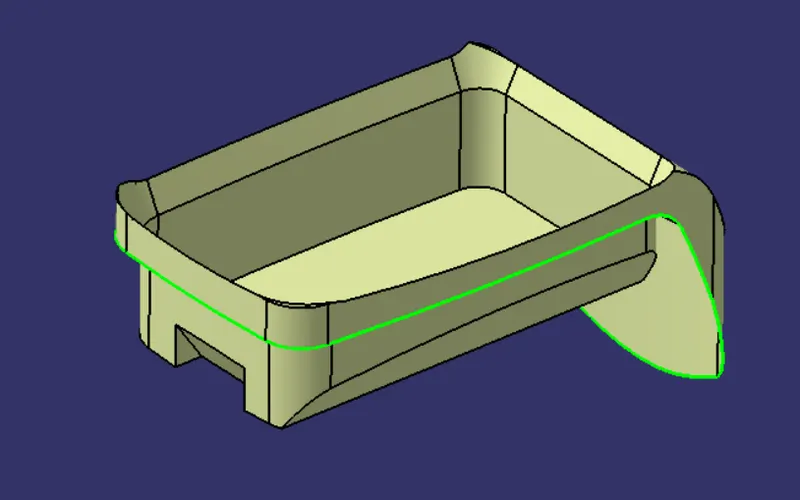
Fig. 5: Class-B Surface
Creating the Class-C surface:
To create the Class-C surface, use boundary command on the Class-A surface and use the Sweep command to make a surface perpendicular to the outer faces of the Class-A surface. The Class-C surface is shown below:
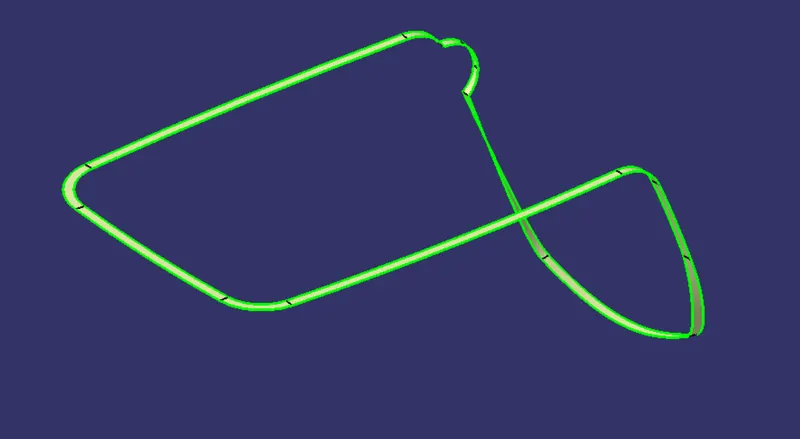
Fig. 6: Class-C Surface
Creating the Ribs
These surfaces are trimmed together and a closed body is created in the Part Design Workbench to make a solid part. The ribs can be made on this solid by following the given steps:
- Create a Geometrical set named Rib Design and extract the base surface. On this surface draw a line as shown below and make it as output feature.
- Extrude this line in the Tooling Axis direction for 2.5 times the thickness of the part i.e. 12.5mm in this case.
- In the Part Design Workbench, use Thick Surface command to give the thickness of the rib equal to 0.4 times thickness of the part i.e. 1mm in this case.
- Use Draft command to give a draft of 0.5 degree to the faces of the rib.
- Assemble this body with the solid body.
- Fillet the edges of the rib with fillet radius = 0.25mm
- In the sketch drawn earlier for the rib, offset the line by 6mm and again follow the steps to make another rib.
- In the Design Rib geometrical set, ‘Intersect’ the Coin Holder body and a plane parallel to the XY plane and passing through the projection point.
- Create a Tri-tangent circle at the Rib base and measure the diameter to complete the Rib Root Thickness Analysis as shown below.
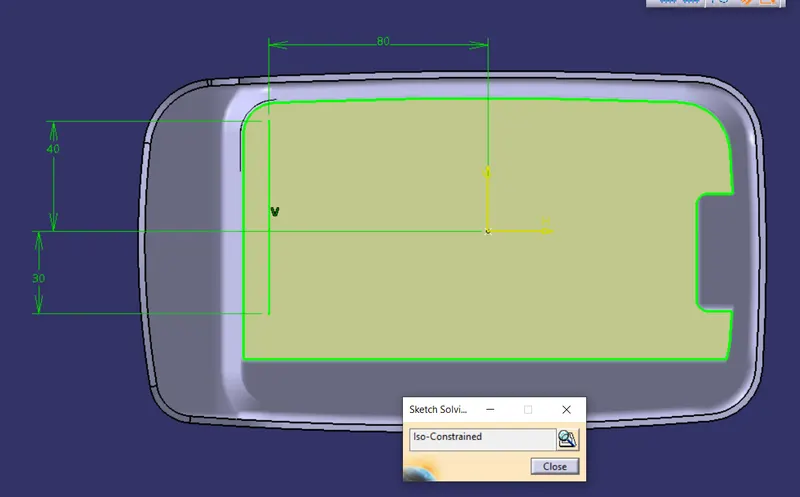
Fig. 7: Rib Design Sketch
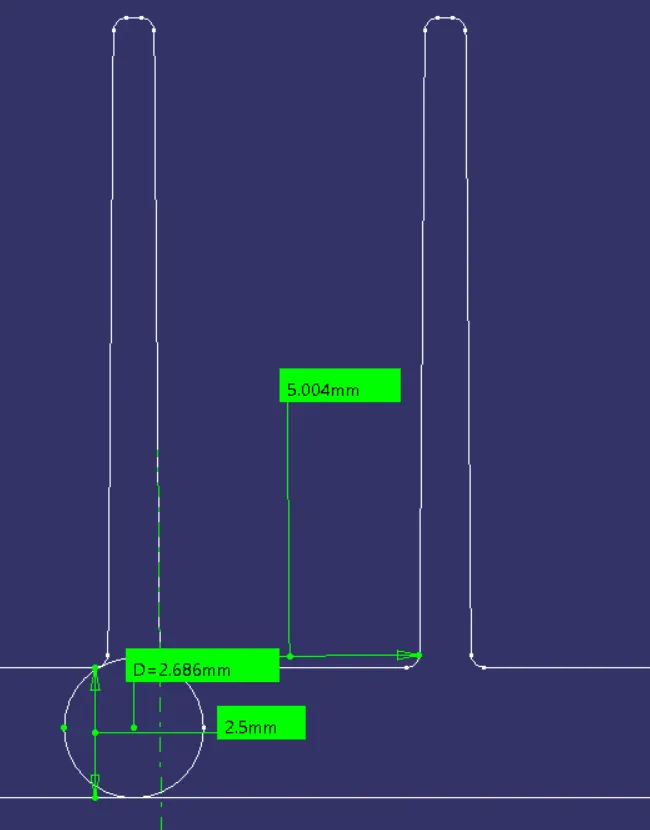
Fig. 8: Rib root thickness analysis
The orientation of the Coin Holder is shown below:
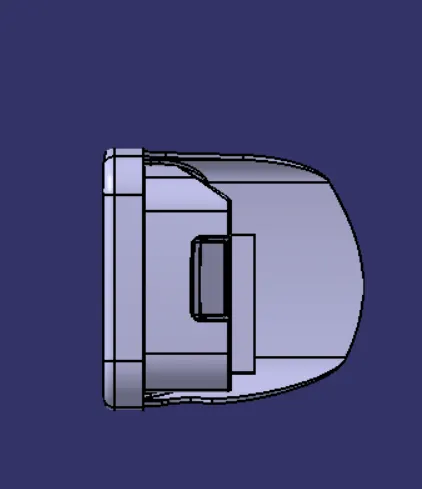
Fig. 9: Front View
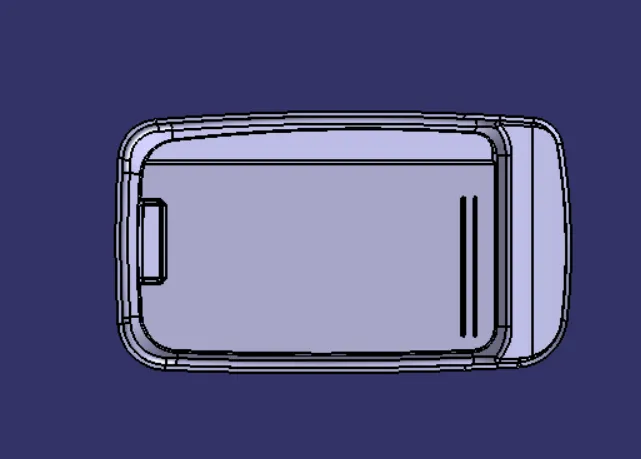
Fig. 10: Top View
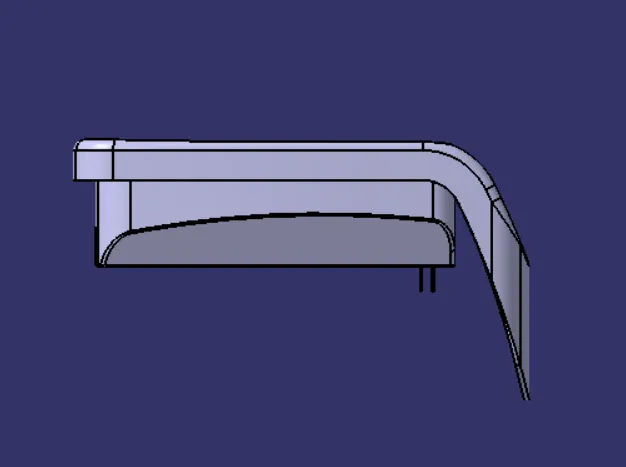
Fig. 11: Right View
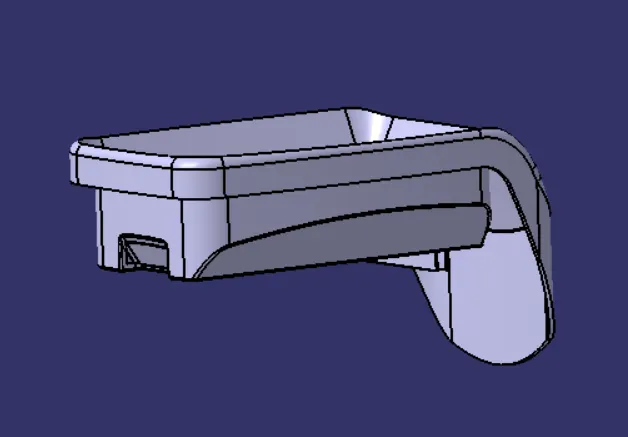
Fig. 12: Isometric View
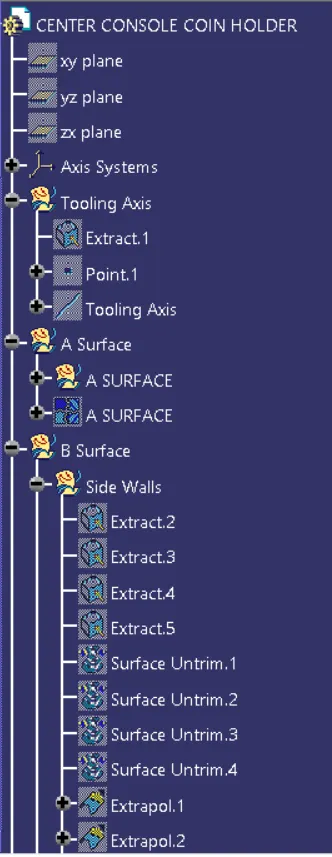
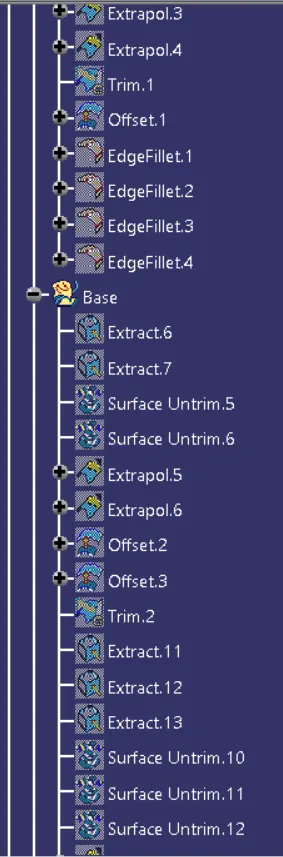
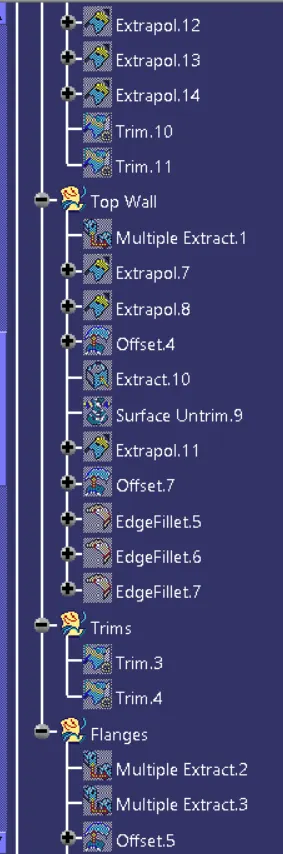
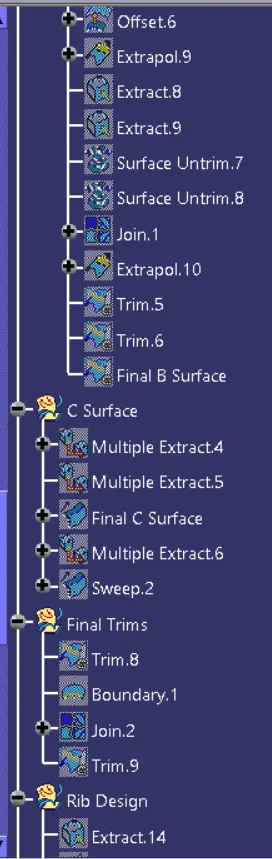
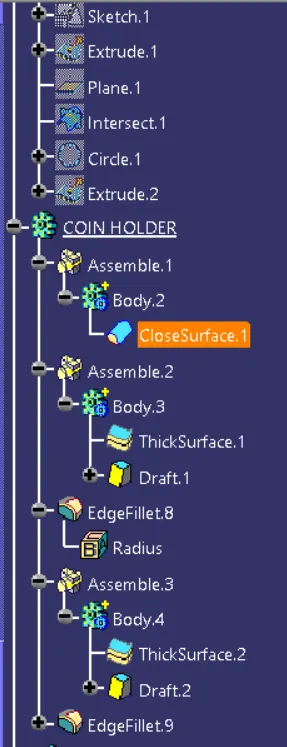
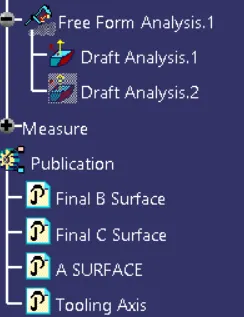
The feature tree of the Coin Holder is shown below:
Conclusion: The draft analysis of the given Class-A surface was completed successfully and a closed surface was built out of the given Class-A surface. Also ribs were created with reference to the design rules