Week - 8 - Morphing
AIM:--
Perform morphing for the Model and Increase the Height of the Dog houses and Ribs.
PROCEDURE:--
1) First import the Model
2) Check for geometry cleanup.
3) Check for orientation it will help us in later stage while simulation of the model.
WHAT IS MORPHING?
:-- ANSA encompasses a full-fledged Morphing menu that is completely integrated with ANSA's interface and doesn't require any additional module installations or licenses. The functions of the Morphing menu can be used to efficiently re-shape both FE and/or Geometry-based models.
Morphing means changing form or shape. Usually, in a design cycle, FE modeling and simulations are performed once the concept CAD is generated. With the need to reduce design iterations, it will be useful if the concept changes are made in the FE model itself, taking the time required for CAD generation, off the cycle. This can be achieved by CAE Morphing. Morphing as the name suggests is an adaptation of given shape to a new form. The same concept is used in case of mesh morphing. In this method, the concept model or the donor model can be modified/altered to the required proportions to create new designs using morphing techniques.
For instance, the solid or shell mesh of a structural part ready to be processed by an FEA solver, or the volume mesh complete with boundary conditions for a CFD solver, can take a new shape by just updating nodal positions. This means that the topology of the mesh (nodes count, cells count, connectivity) stays the same. Only the x,y,z coordinates of the nodes in the part of the model undergoing a shape modification are updated.
Mesh morphing can be used for different purposes: create shape parameters (i.e. change a length, an angle a thickness), move onto a new known shape (i.e. as manufactured, as designed by CAD), move onto a shape predicted by the CAE solution (automatic shape optimization with adjoint or BGM), and/or support multiphysics (move CFD mesh according to the evolution of the FEM-connected one, enable erosion/deposition). Usually, mesh morphing is faster than remeshing for a number of reasons: it avoids “remeshing noise" (having the same mesh adapted means the effect of a parameter is not confused with the effect of a new mesh structure), so variation effects can be assessed even with a coarser mesh. The CAE model can be updated on the background keeping all the original settings (boundary conditions). The update of nodal positions usually requires less computational efforts vs a full mesh regeneration. Creating shape parameters with mesh morphing is faster than creating a parametric
CAD model.
4) In morphing, First we have create MORPH BOX to move the GEOMETRY or CAD.
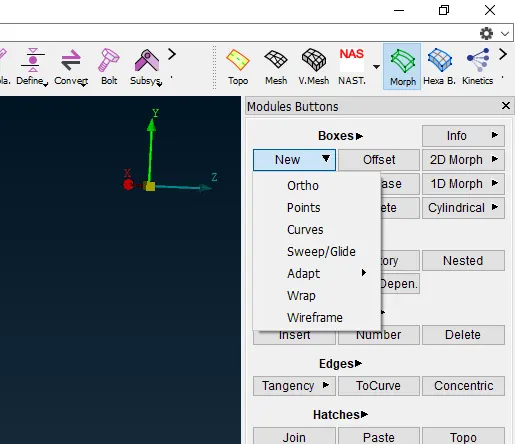
5) Select any of the options to select the MORPH BOX.
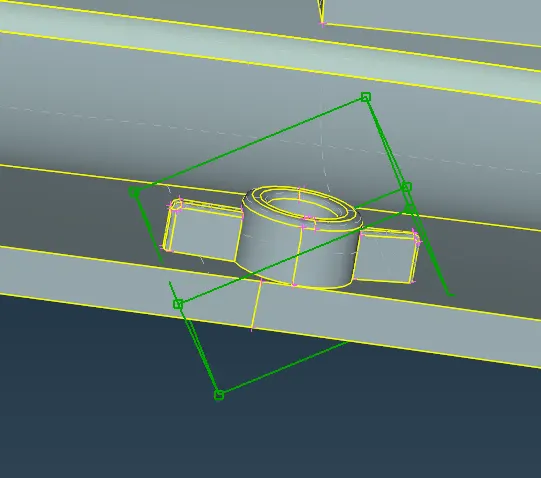
6) After selecting the box, we can MOVE THAT MORPH BOX in any of the XYZ axes.
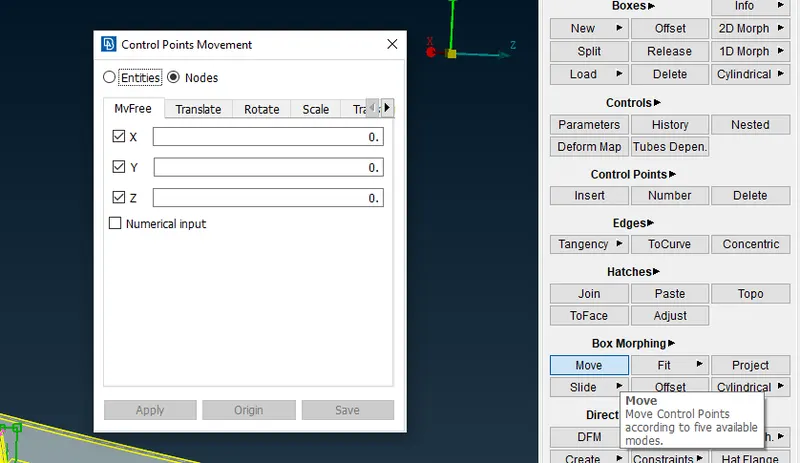
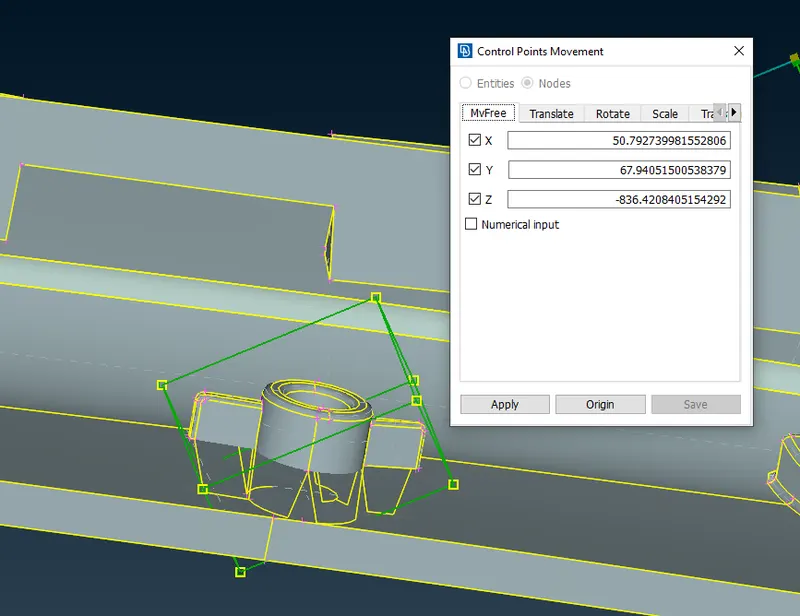
7) If you want to move in any specific direction then you can uncheck the axis box also.
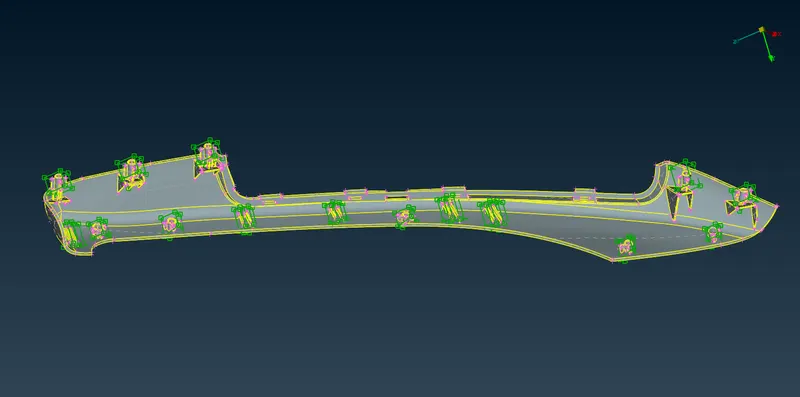
8) After MORPHING MODEL IS-- this way we can increase the height of the RIBS & DOG HOUSES
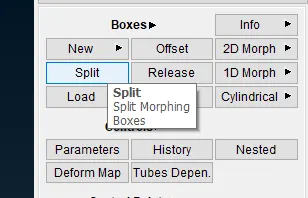
9) We can also split the MORPH box according to the new model
10) APPLICATION AND BENEFITS OS MRPHING
1. Component and full system level FE/CFD models (such as automotive vehicle Crash, NVH and durability models) can be morphed to fit target
design features such as styling lines, sections, proportions etc. precisely.
2. Minimizes time in design modification by directly working at mesh level thus improves the overall lead time
3. Creation of 'n' number of parameters for different designs, enabling easy trial and error method of design correction
4. For the cases where, parametric CAD is not available or is not easily linked to the CAE, morphing softwares allow engineers to study
parameterized changes in the attributes of vehicle geometry.
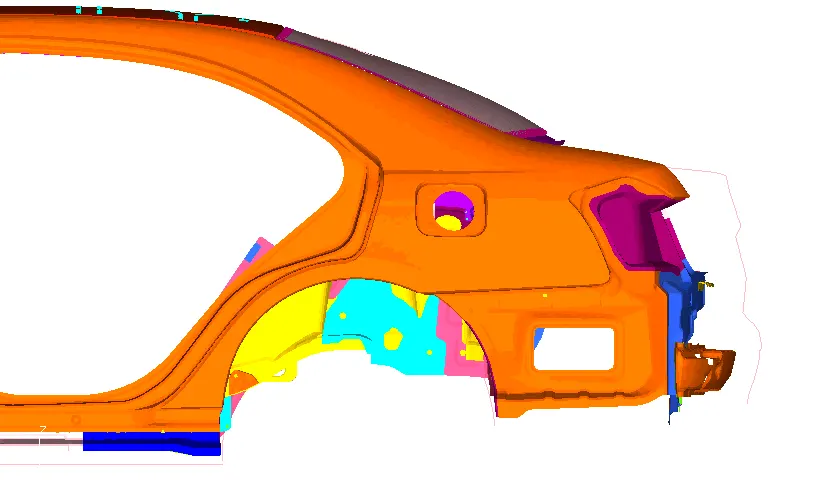
5. In automatice industry morphing is commonly used for match styling, upper body to carry over under body matching, morphing sedan to
station wagon or SUV etc. rapidly.
CONCLUSION:--
1) Learnt how to do MORPHING
2) Learnt about the application of MORPHING
3) How to create MORPH BOX
4) How to move MORPH BOX according to new design or parameter