Week 4-1D Element Creation Challenge
AIM:-
a) To extract the midsurfaces from the given geometrical.
b) To create 1D elements (i.e., Rod, Beam & Bar) in the given component with the given cross-section and Degrees of Freeom.
PROCEDURE:-
Firstly, we have to import the geometry which is in the IGES format.
Mid surface is the surface which in between two other extreme surfaces and we have to extract it. If there is no mid surface then, firstly we have to mesh the component in 3d. And Number of nodes will increase, Number of elements will also increase which results in more storage space of component and more processing power to analyze the component.
Then a midsurface is created in the upper bracket. And if we create another midsurface for the lower bracket, this midsurface is also created with the same name in the components list by default. So, we need to create a new component and just name it as Bracket_2 for the lower bracket. And we need to rename the middle surface of the upper bracket into Bracket_1 for easy refrence.
After extracting the midsurface, now we have to move the Bracket_2 component to predefined mid surface.
This is done by selecting the Tool Option in main menu page. And should click on the "Organize" option. Then a new dialogue box appears showing that, to where it should be moved.
NOTE:- We need to double cross-check which component is selected. It will in the right down corner. And it should be Bracket_2.
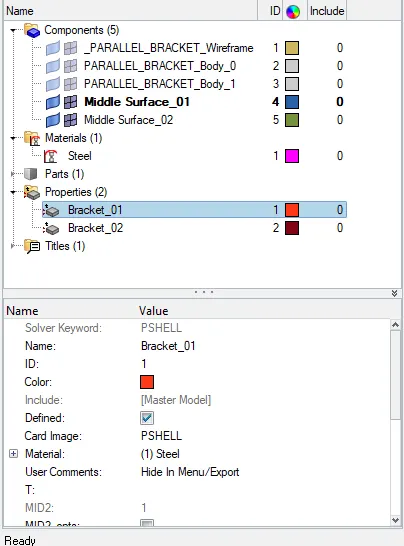
Now next step is the alot the materials for brackets. Let us choose STEEL as material and card id as MAT1. (Image id will change as per the industry requirements.) and solver keyword will be PSHELL. thickness 2.5
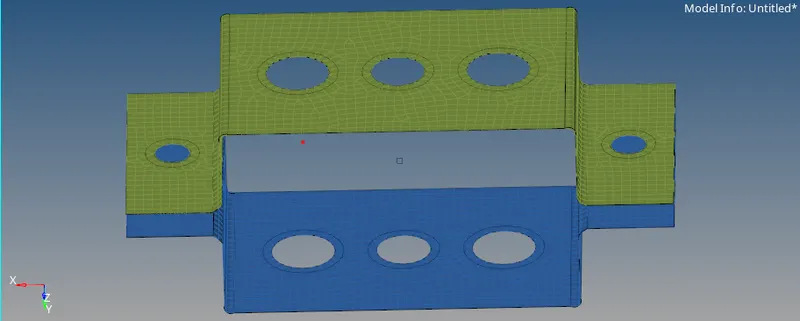
Now we have to mesh the component by automesh option in 2d, choosing component size as 5.
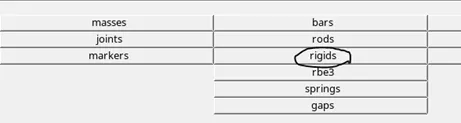
After this 1D elements are created. Initially, we need to ceate the links(RBE2, RBE3) based on the Degrees of Freedom. RBE2 element is very rigid,
when compared to RBE3. And also RBE2 element distributes the load uniformly in all directions than RBE3.
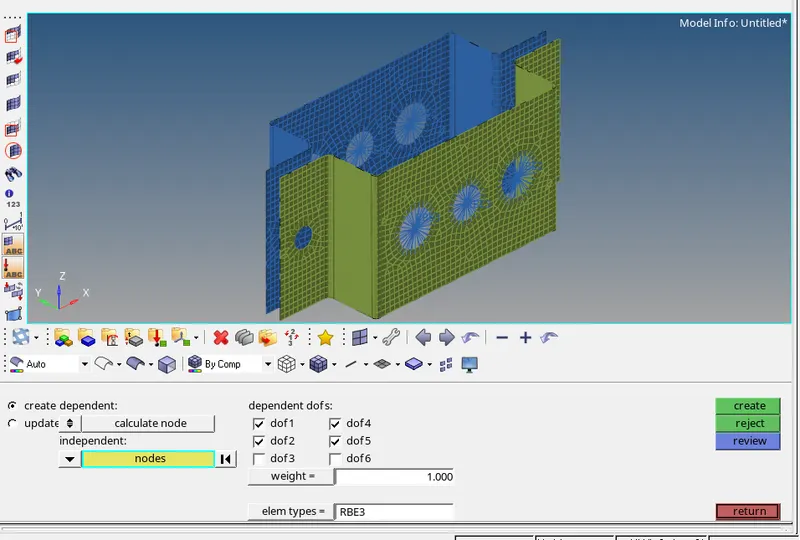
Now all the links are created after this we have to creat hyperbeam sectionn for all those links.
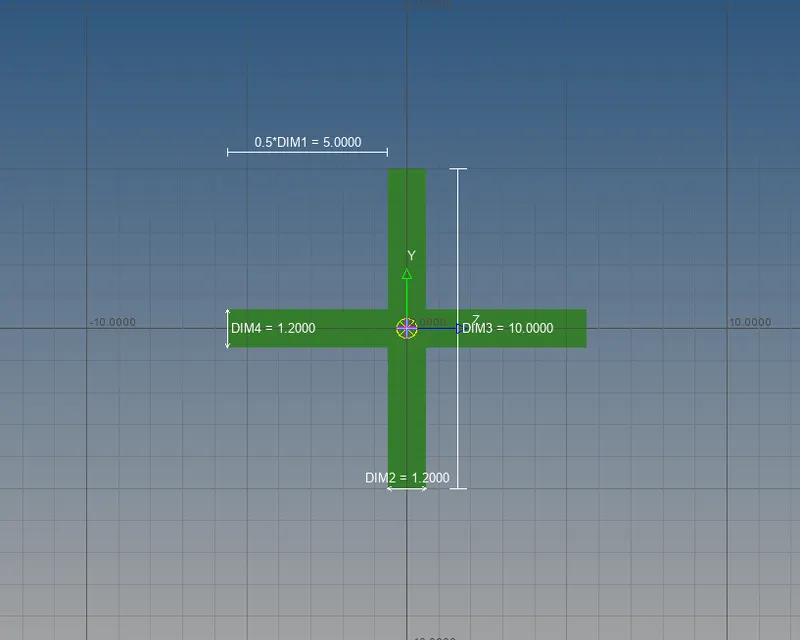
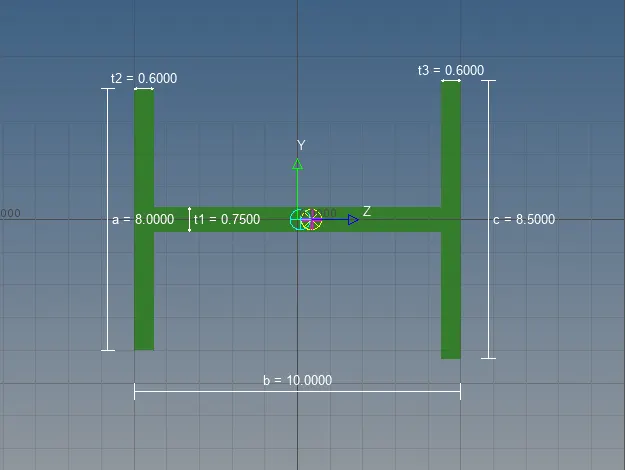
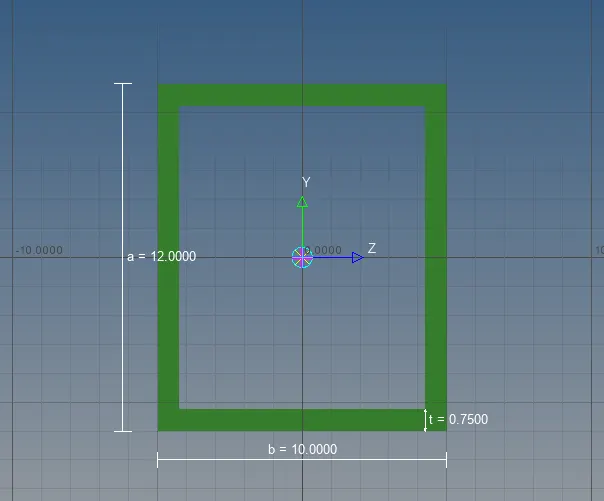
And now alot the property, material and cross section to all the 1d components.
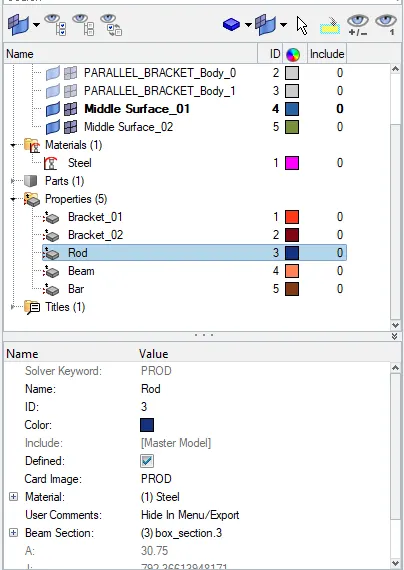
After aloting properties this is the model
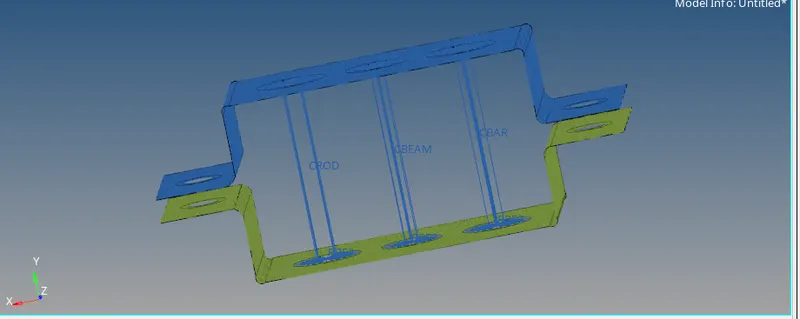
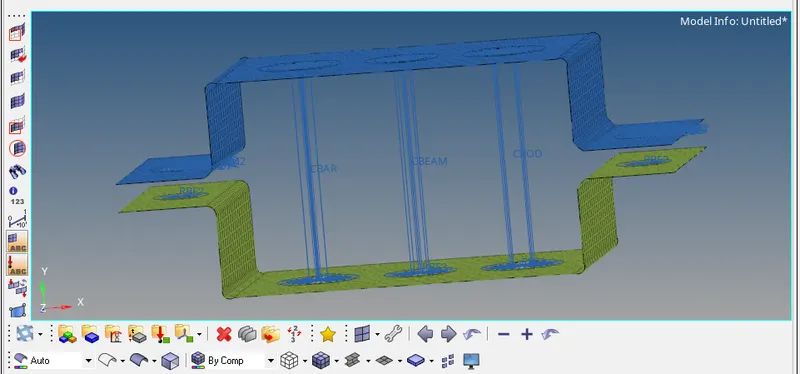
This is the final model.
Conclusion:- a) Extracted the midsurfaces from the given geometrical component.
b) Meshed the exracted midsurfaces.
c) Created 1D elements (i.e., Rod, Beam & Bar) in the given component with the given cross-section and Degrees of Freeom.