Week 12:Project 2-Meshing of Rear Wheel Holder challenge
Aim:--
Extract the mid surface of the Rear Wheel Holder.
Procedure:--
1) First Import the model.
2) Visualize the model properly.
3) Check for symmetry if it is there.
4) Extract the mid surface using following option.
- Auto extrcartion
- Manual mid-surface
- Using both.
5) Split the surface so that it will easy for you to handle the component and it is totally dependent on solver.
6) Assign criteria file setting according to challenge.
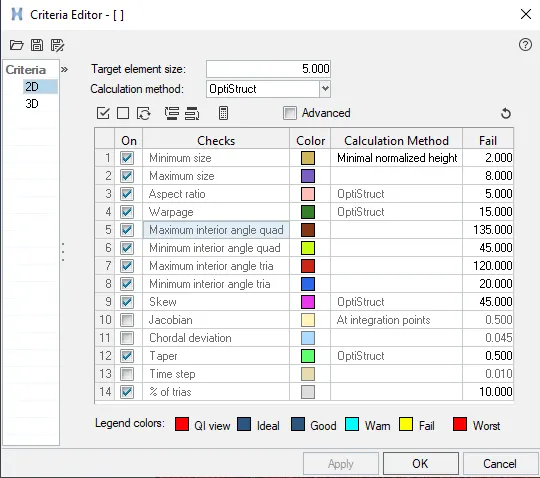
7) Now switch to TOPO and BY ELEMENT QUALITY.
8) Try to remove TRIAS and keep these point whilw removing TRIAS
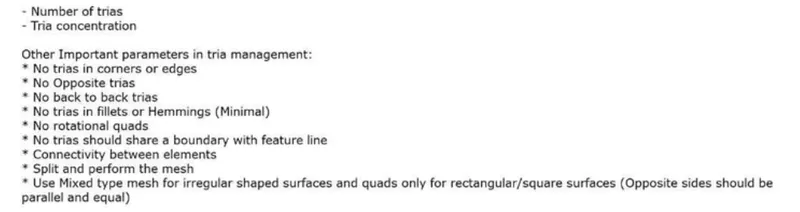
9) Remove the Failing elements using following option.
- Quick Edit
- Line edit
- Node edit
- Quality index
- Rebuild mesh
- Automesh
- Elements edit
- Translate
- Reflect
- Solid edit
- Surface edit
10) Complete the mesh.
FINAL MODEL:--
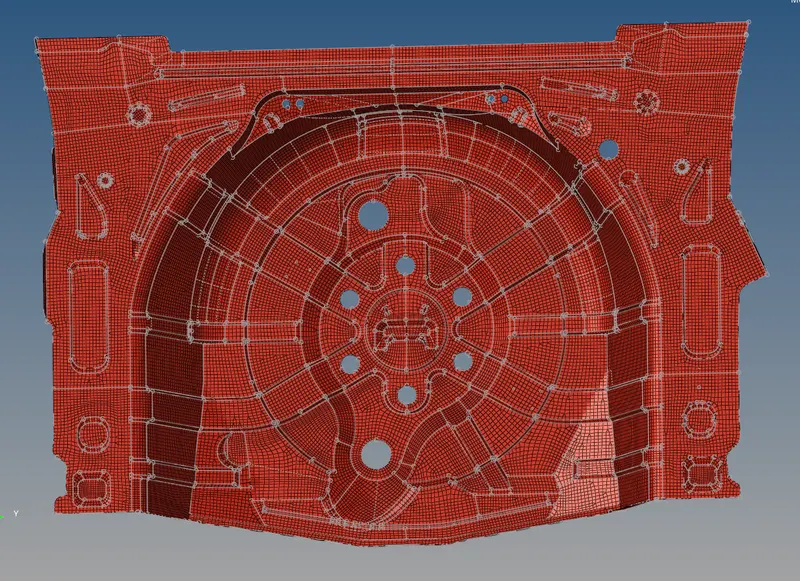
CONCLUSION:--
1) Learnt how to do proper mesh and remove trias.
2) Got command on most of the TOOL used for meshing.
3) Got more clear idea how to remove trias and maintain the proper mesh flow.