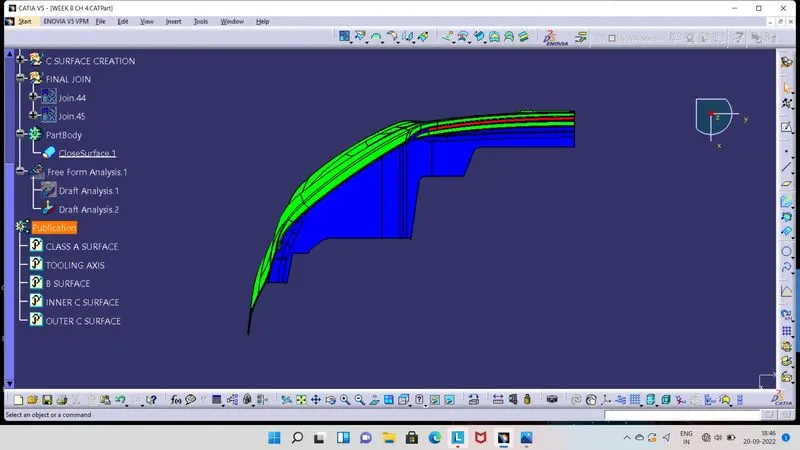
Week 8 - Challenge 4 - Bumper
- Screenshots of the Draft analysis report for the given Class-A surface.
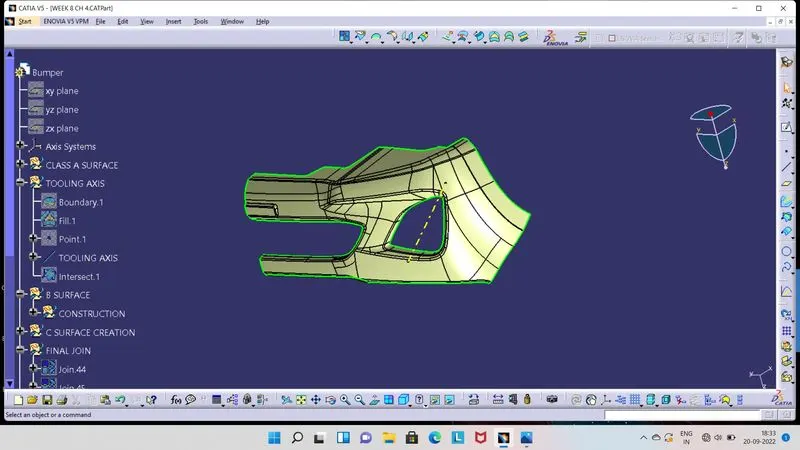
- For Draft Analysis we need Tooling Axis.
- In this component we have selected hole area for Tooling Axis, which is normal to that surface as we fill the gap of hole by creating boundary and fill tool.
- So, selectng 0 point on that surface and we have to create line, should be normal to that surface, now its our Tooling Axis.
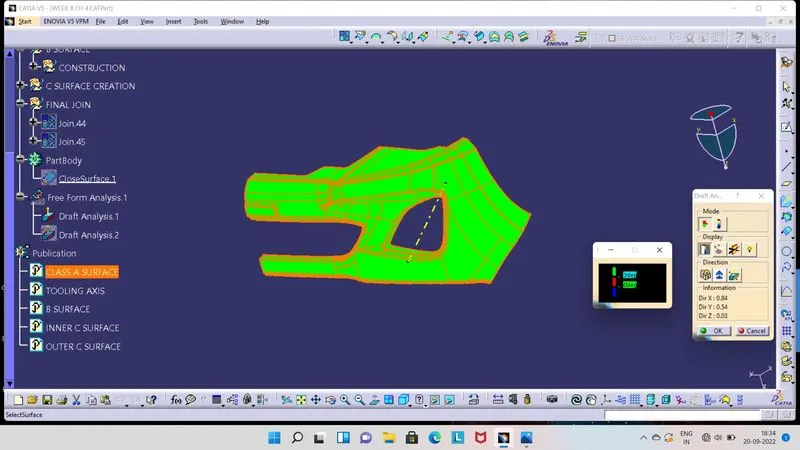
- Once Tooling Axis get, now we can go for Draft Analysis.
- We have to select Feature Draft Analysis, ensure that we have kept our component in material view mode.
- As tool open, click on compass, so compass will be seen at screen. Now align this compass with Tooling Axis, by moving compass.
- Once compass and Tooling Axis aligned, click on lock symbol and then click on Class A Surface.
- Now surface will get colour on it.
- Green colour indicates the, drfat angle is above 3 degrees.
- Red colour indicates the, drfat angle is between 0 to 3 degrees.
- Blue colour indicates the, draft angle is below 0 degrees or negative.
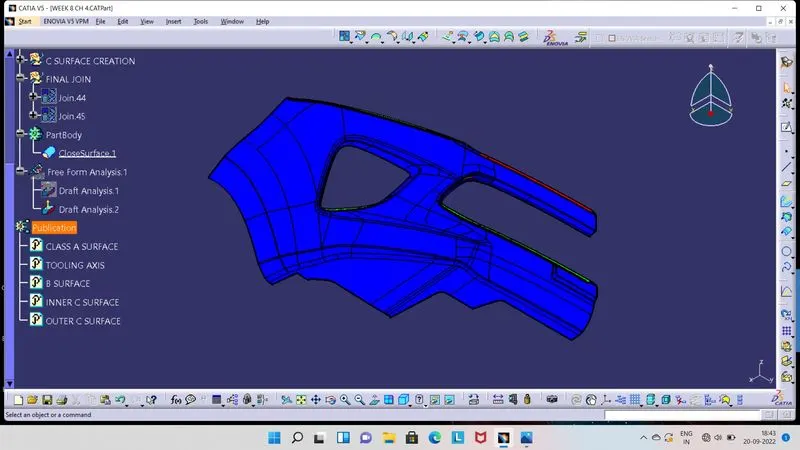
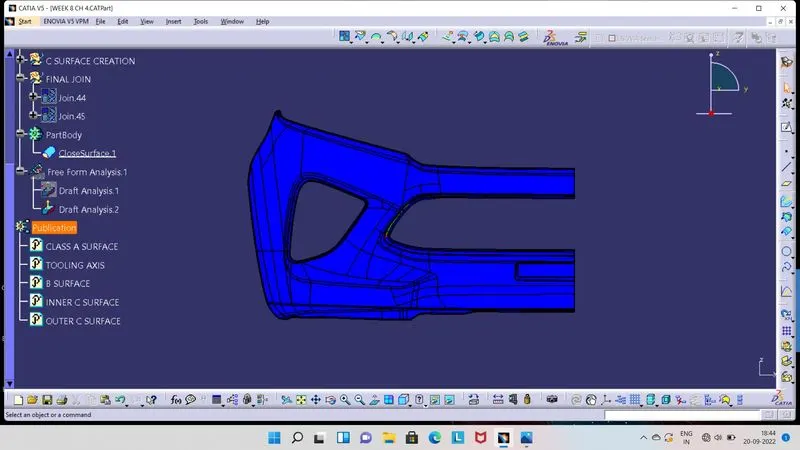
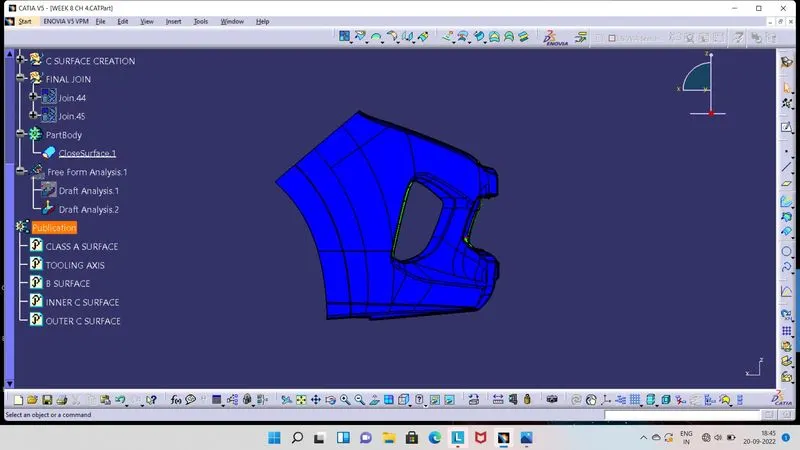
- Screenshots of the Draft analysis report for the final plastic component.
- Class B Surface :
- Its a offset of Class A Surface.
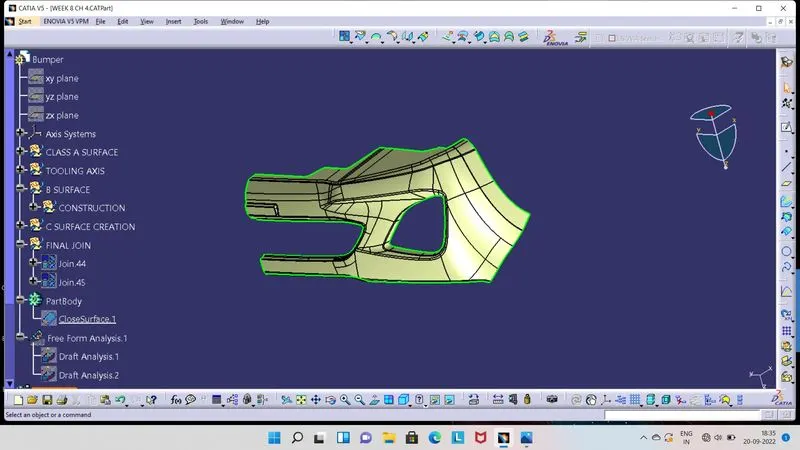
- Class C Surface :
- Its a joining surface of Class A Surface and Class B Surface.
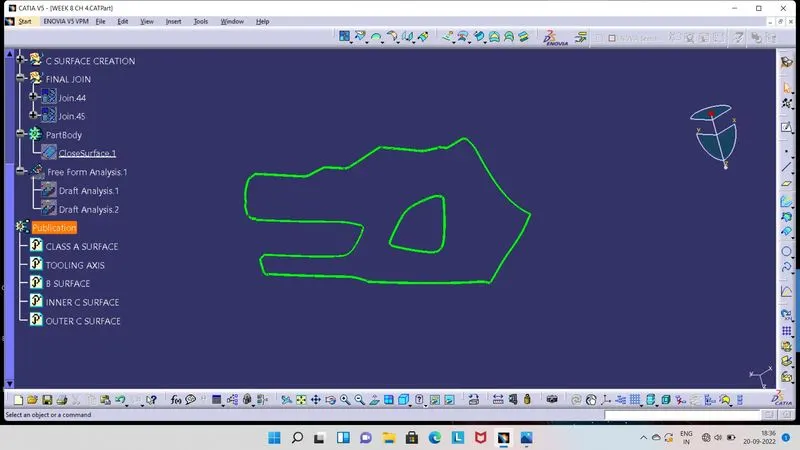
- Joining of Class A, B and C Surfaces.
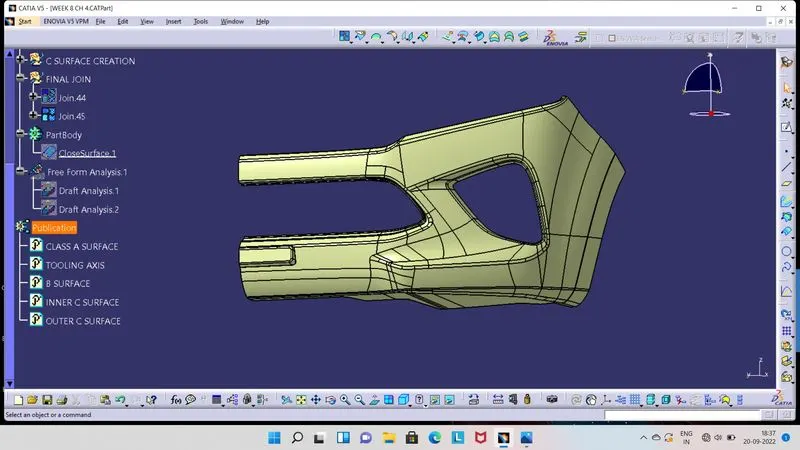
- Final Plastic Component.
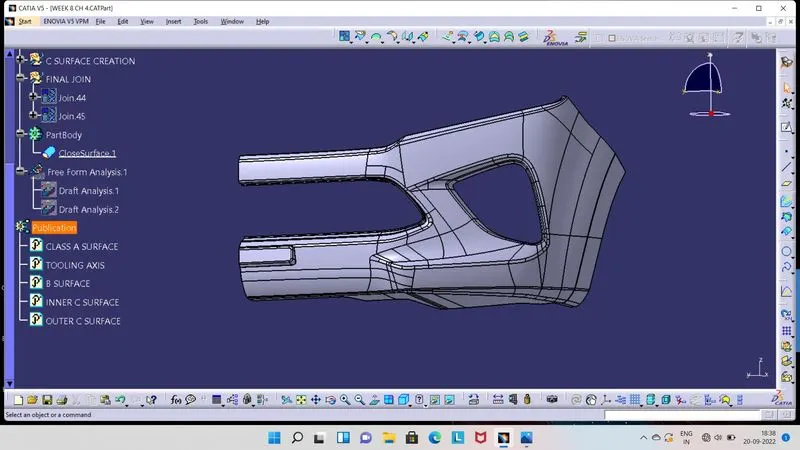
- Draft Analysis of Final Plastic Component.
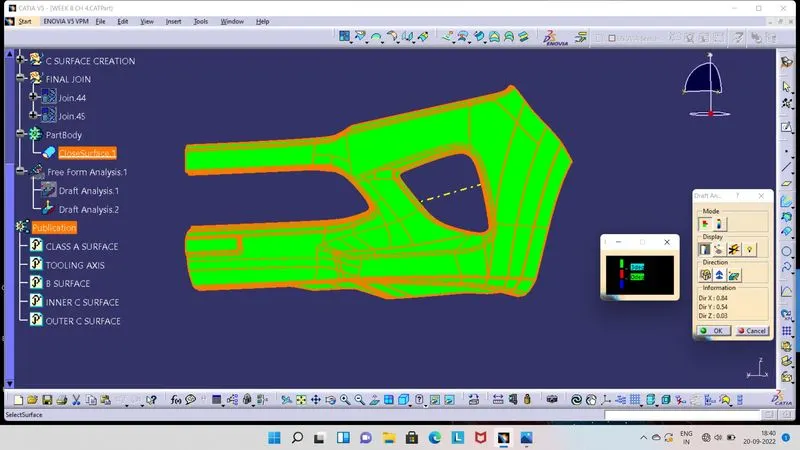
- We have to select Feature Draft Analysis, ensure that we have kept our component in material view mode.
- As tool open, click on compass, so compass will be seen at screen. Now align this compass with Tooling Axis, by moving compass.
- Once compass and Tooling Axis aligned, click on lock symbol and then click on Final Plastic Component.
- Now surface will get colour on it.
- Green colour indicates the, drfat angle is above 3 degrees.
- Red colour indicates the, drfat angle is between 0 to 3 degrees.
- Blue colour indicates the, draft angle is below 0 degrees or negative.
- Screenshots of the solid model with the proper color code of the draft angle in various orientations.
- Isometric View :
- Front View :
- Side View :
- Top View :