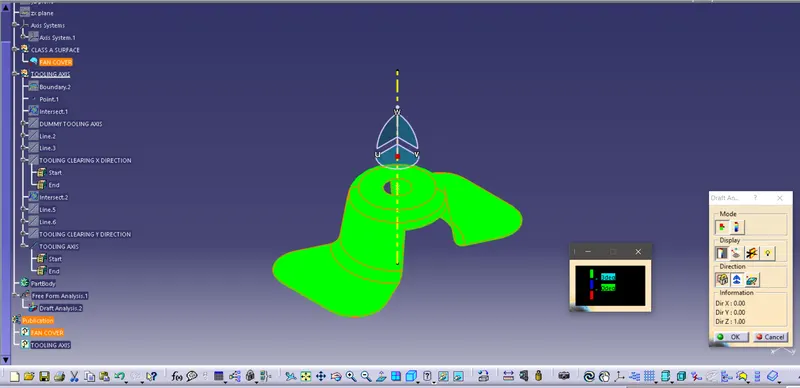
Week 8 - Challenge 1 - Draft Analysis on a Fan Cover
Report
Draft Analysis:
When we work in a plastic manufactutring of parts, it is important to ensure that the draft is provided to the part to be molded. It helps part to be removed from mold without any friction and material losses. It is an angle provided to taper the part to allow its easy release. Draft analysis helps us locate places on the given part design that needs drafts over it. It helps identify requirement of a draft in the given part.
For draft analysis we have to follow given steps:
1. We have to ensure that there is no discontinuity in Class A surface that is there is no gap between two adjacent surfaces. We can check it in CATIA with the help of 'join' and 'boundary' tool.
2. It is important to find and provide tooling axis of the given part design to check the tooling direction. Draft is given along the tooling axis.
Tooling Axis
It provides information about the direction in which mold opens and closes, or the direction in which the part is released from the mold.
Creating tooling axis:
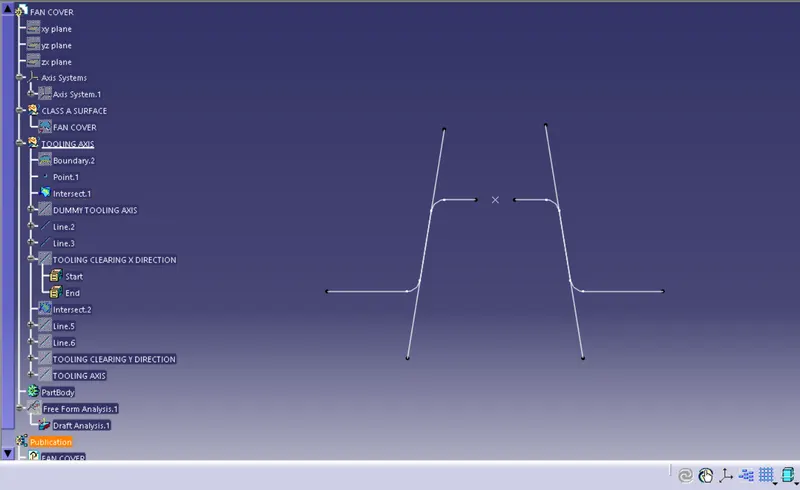
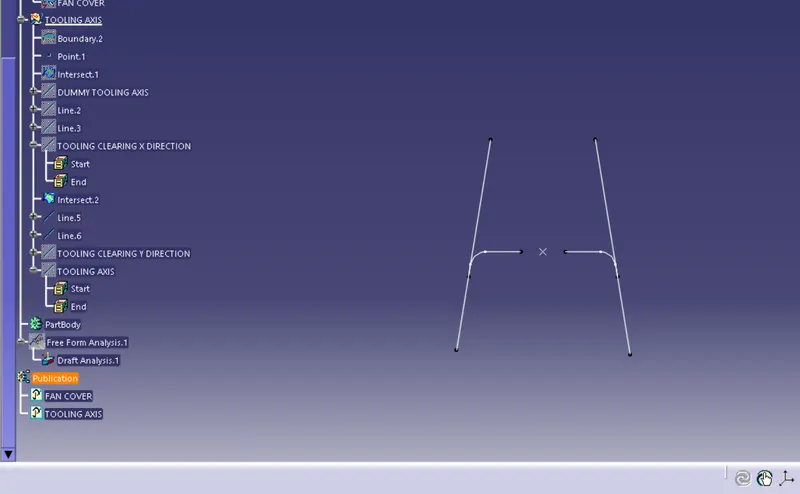
1. We have to make sure that all the surfaces or faces of the parts are clearing the tooling axis. For ensuring this step we create tool lines.
2. We create tool lines along x and y direction with the help of 'line' tool and finding tooling axis in respective direction.
3. Creating final tooling axis with the help of X and Y tooling axis by using bisection method.
Example:
1. Creating tooling lines:
Creating surface tool lines in X direction:
Creating tool lines in Y direction
2. Creating tooling axis in X and Y directions
Tooling axis in X direction
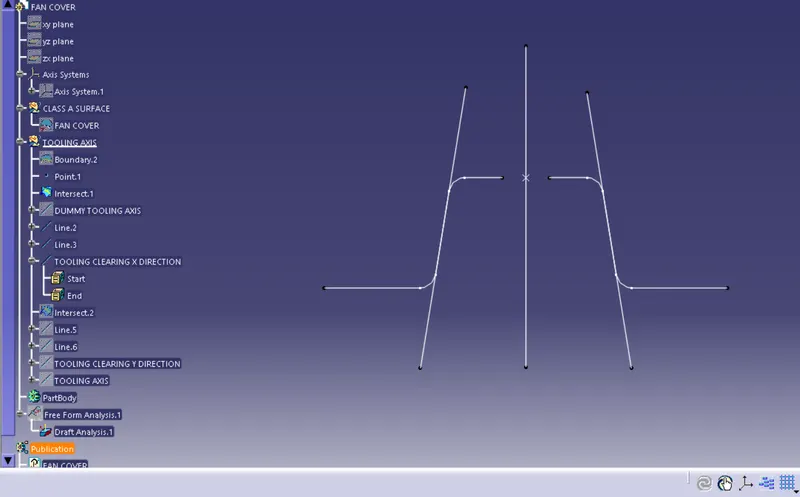
Tooling axis in Y direction
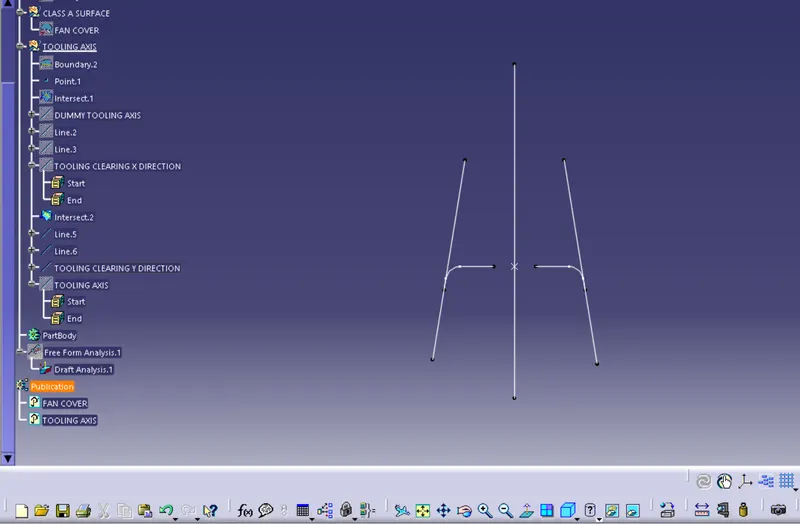
3. Creating final tooling axis:
With the help of bisection option in 'line' tool, we create a bisecting line (main tooling axis) with respect to two different lines (Tooling axis in X direction and tooling axis in Y direction)
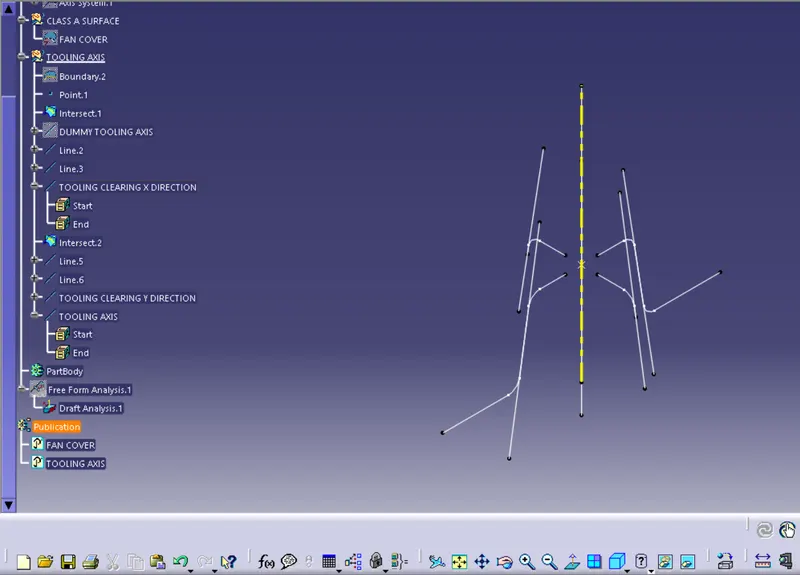
Draft Analysis:
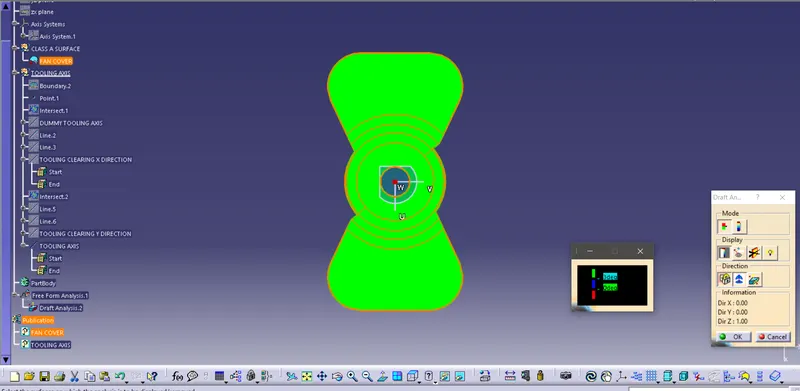
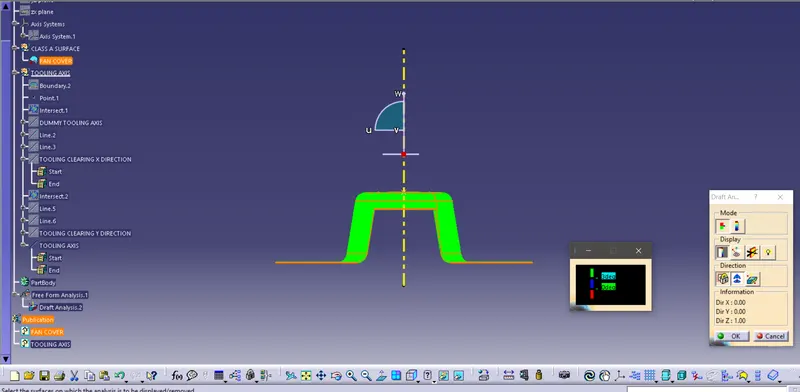
1. Decide the draft direction by putting compass over tooling axis.
2. A point appears that is put on the part to create draft analyisis over whole part.
2. The analysis mode creates color scheme for different range of angles.
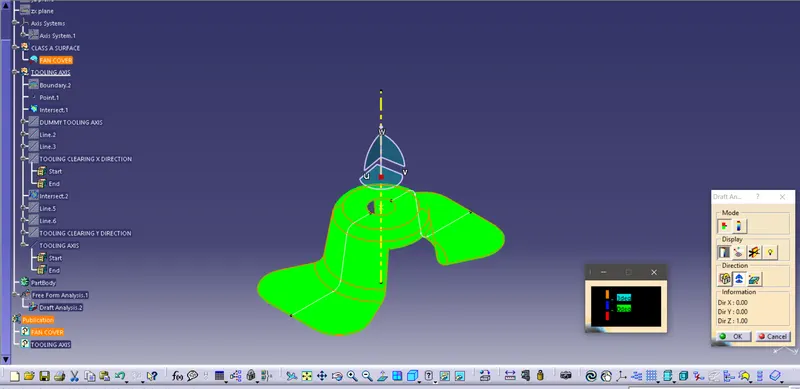
View
1) Front View
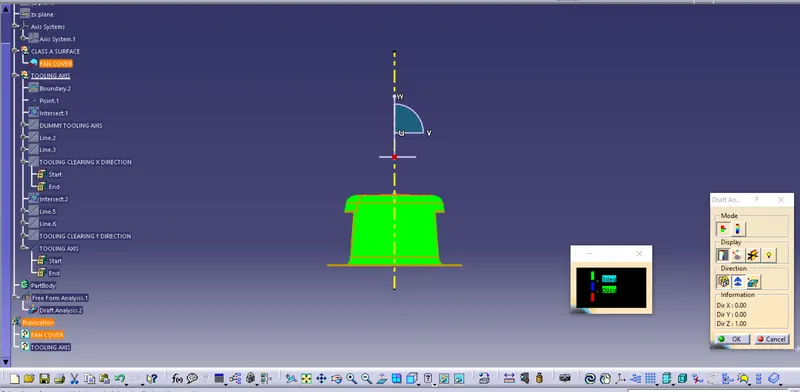
2) Top View
3) Side View
4) Isometric View