Week 8-3D Tetra Meshing Challenge
1 solution:
step 01:IN the given question there is a min and maimum sizes are mentioned , so we have to prefer the 2D shell elements method.
step 02:After importing the particular model , change into by topo mode if there are any solids delete them by pressing F2 in keyboard.
step.03:Then go to 2D meshing- keep element size as 4 then keep in trias mode then click on mesh and accept the mesh goto tools check elements rectify the failure elements .
step 04:After rectification is done then go to 3D panel goto tetramesh panel click on tetramesh mesh the component and then go to chechelements ,3D click on tet collapse rectify all the failed elements by using remesh option or translate .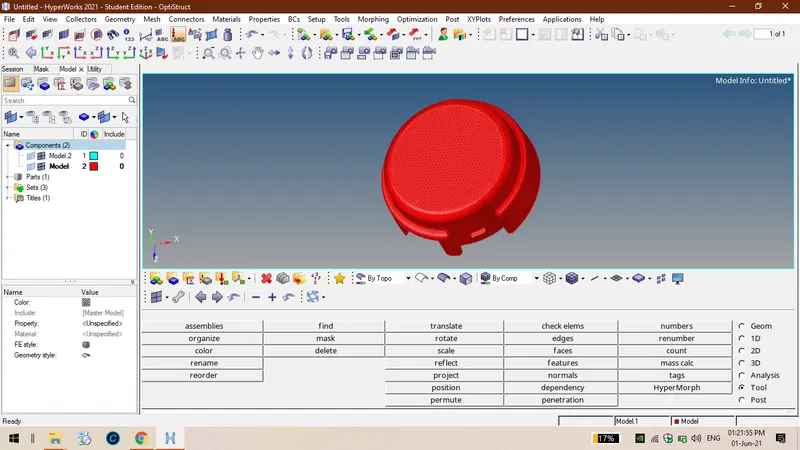
2.solution
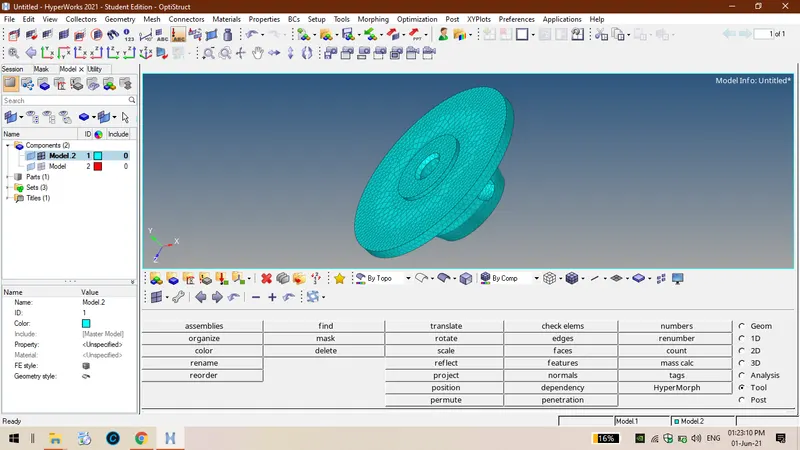
step 01:Firstly we have to import the model then we have the mesh criteria as per given in preferences and mesh criteria file.
step 02:Then we have to see whether solids are present in the given component or not , in this model they did not given any solids but they mention tet collapse value and target elememnt size so we have to prefer utility method.
step 03: GO to option view-browese-hypermesh-select utility , then select the for FEA option in the utility box then select quick tetrahedral then the component will undergo meshing .
step 04: Go to tools set the option in 3D enter the tet collapse value 0.15 then chech the failure percentage if the failure percentage is 0 then the component is under gone through proper meshingb with out any failures if there is any failure percentage try to rectify them by using translate or distance option.
3. solution
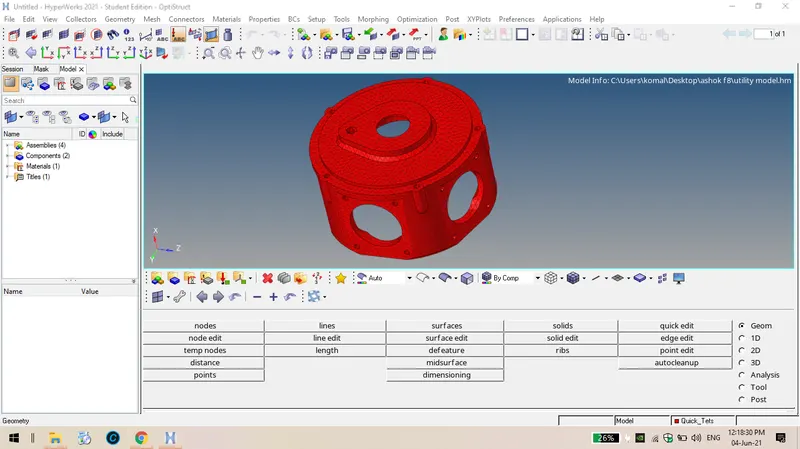
step 01: Firstly import the model then we have to check whether solids are present in the given component or not ? In the given component solids are present and they mention tet collapse value and target element size so we have to prefer third method select 3D meshing- tetrameshing-volume tetrameshing enter the tetcollapse value then select the given component which are in form of solids
step 02: According to hypermesh more than one lakh nodes must not be there in a single file or model so divide the components in to two or three segments and then mesh each component
step 03 Thus the given component has undergone meshing then check the failed elements in tet collapse try to rectify them by using translate or distance option.