Week 6-Meshing of Hood Challenge
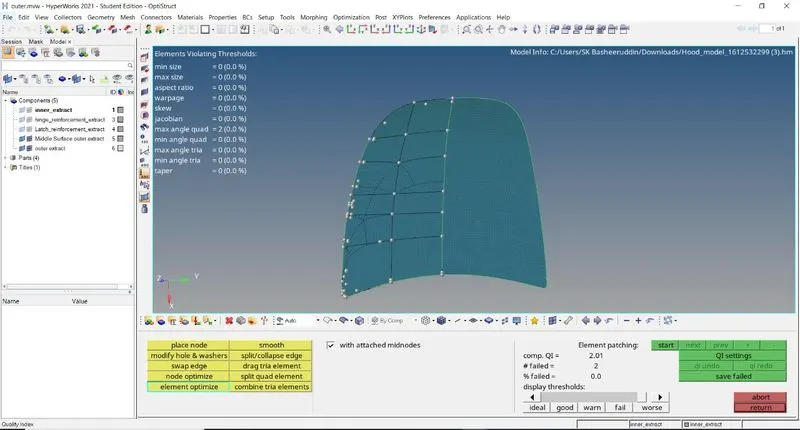
step 01: Firstly we have to import the model with using the option called model in import option firstly I am meshing latche component by deleting solids and then extracting mid surface using the option called 2D meshing and then select the whole surface then the mid surface will be extracted to the whole surface .
step 02: Then do the geometry clean up to the component and toggle unwanted lines basing upon the convenient if there is any requirement of lines then goto the option called geometry then go to quick edit and then using split surface line or split surface node then the lines will be created
step 03:If there is any misssing of flow of mesh then use the option called replace node (short cut for replace node is F3) then the flow of mesh is in proper manner.
step 04: Always keep the component in by topo mode and element quality mode and hide the remaning parts in parent tree which is the above the status bar then the required component will be visible so it is easy to mesh the component.
step 05:Always keep that the element quality must be zero either in max angle quad,min angle quad,aspect ratio,war page all these elements must be zero so we can say the quality of the particular compnent is perfect.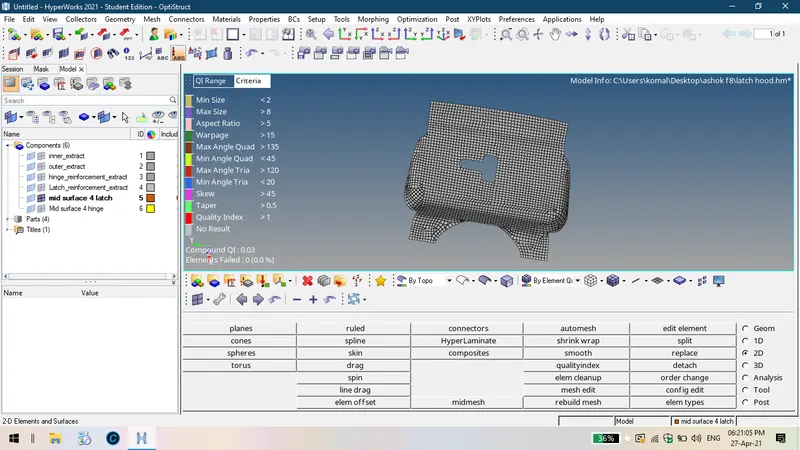
step 01: Firstly we have to import the model with using the option called model in import option firstly I am meshing latche component by deleting solids and then extracting mid surface using the option called 2D meshing and then select the whole surface then the mid surface will be extracted to the whole surface .
step 02: Then do the geometry clean up to the component and toggle unwanted lines basing upon the convenient if there is any requirement of lines then goto the option called geometry then go to quick edit and then using split surface line or split surface node then the lines will be created
step 03:If there is any misssing of flow of mesh then use the option called replace node (short cut for replace node is F3) then the flow of mesh is in proper manner.
step 04: Always keep the component in by topo mode and element quality mode and hide the remaning parts in parent tree which is the above the status bar then the required component will be visible so it is easy to mesh the component.
step 05:Always keep that the element quality must be zero either in max angle quad,min angle quad,aspect ratio,war page all these elements must be zero so we can say the quality of the particular compnent is perfect.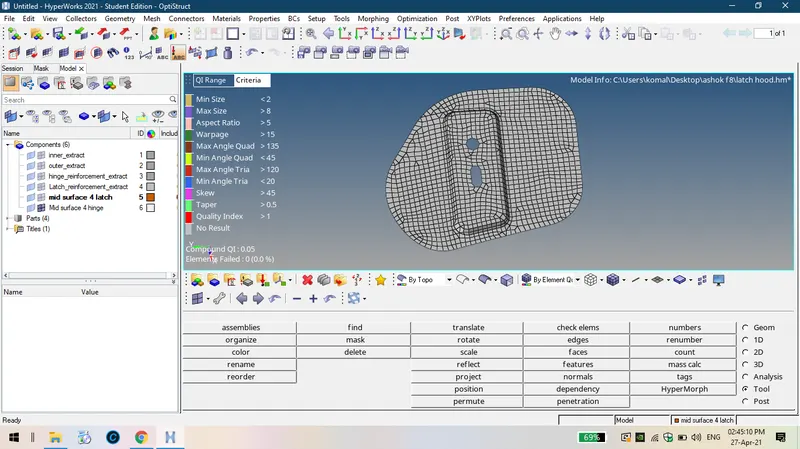
step 01: Firstly we have to import the model with using the option called model in import option firstly I am meshing latche component by deleting solids and then extracting mid surface using the option called 2D meshing and then select the whole surface then the mid surface will be extracted to the whole surface .
step 02: Then do the geometry clean up to the component and toggle unwanted lines basing upon the convenient if there is any requirement of lines then goto the option called geometry then go to quick edit and then using split surface line or split surface node then the lines will be created
step 03:If there is any misssing of flow of mesh then use the option called replace node (short cut for replace node is F3) then the flow of mesh is in proper manner.
step 04: Always keep the component in by topo mode and element quality mode and hide the remaning parts in parent tree which is the above the status bar then the required component will be visible so it is easy to mesh the component.
step 05:Always keep that the element quality must be zero either in max angle quad,min angle quad,aspect ratio,war page all these elements must be zero so we can say the quality of the particular compnent is perfect.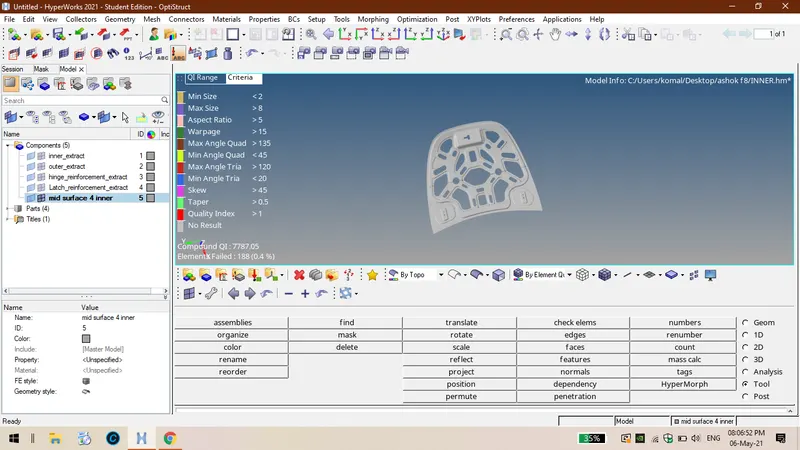
step 01: Firstly we have to import the model with using the option called model in import option firstly I am meshing latche component by deleting solids and then extracting mid surface using the option called 2D meshing and then select the whole surface then the mid surface will be extracted to the whole surface .
step 02: Then do the geometry clean up to the component and toggle unwanted lines basing upon the convenient if there is any requirement of lines then goto the option called geometry then go to quick edit and then using split surface line or split surface node then the lines will be created
step 03:If there is any misssing of flow of mesh then use the option called replace node (short cut for replace node is F3) then the flow of mesh is in proper manner.
step 04: Always keep the component in by topo mode and element quality mode and hide the remaning parts in parent tree which is the above the status bar then the required component will be visible so it is easy to mesh the component.
step 05:Always keep that the element quality must be zero either in max angle quad,min angle quad,aspect ratio,war page all these elements must be zero so we can say the quality of the particular compnent is perfect.