Week - 7 - Checking and correcting the edges
Objective:
PART A:
- Create a code that displayed free and T edges for displayed elements
- Free edge color red and T edge cyan
- Except for edges, all other components must be made transparent
- Also, temp nodes must be automatically created for “free nodes” for a tolerance value of 0.01
PART B:
- Also, create a code to turn off free edge display and restore the window to the way it was.
- Map these codes over a key and also create a tk widget for the same
Problem statement:
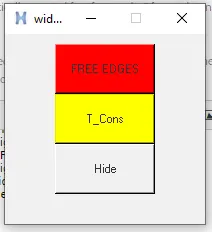
Creation of free edge button and t edge button by using of the tk widget.
Code:
*setdisplayattributes 4 1
set ::a1 {}
set ::b {}
proc Freeedges {} {
*createmark comps 1 "free_edges"
set ::a1 [hm_getmark comps 1]
if {$::a1=={}} {
*createmark elements 1 "displayed"
*findedges1 elements 1 0 0 0 30
*setvalue comps name={^edges} name={free_edges}
*createmark elems 1 "displayed"
*equivalence elems 1 0.5 0 0 30
*equivalence elems 1 0.5 3 0 30
*createmark nodes 1 "retrieve"
*nodemarkaddtempmark 1
} else {
tk_messageBox -message "FREE EDGES already exists" -icon info -type ok
}
}
proc T_connec {} {
*createmark comps 2 "T_connections"
set ::b [hm_getmark comps 2]
if {$::b=={}} {
*createmark elements 1 "displayed"
*findedges1 elements 1 1 0 0 30
*setvalue comps name={^edges} name={T_connections}
*createmark components 1 "T_connections"
*createmark elems 1 "displayed"
*setvalue comps mark=1 color=#FFFF00
*equivalence elems 1 0.5 0 0 30
*equivalence elems 1 0.5 3 0 30
*createmark nodes 1 "retrieve"
*nodemarkaddtempmark 1
} else {
tk_messageBox -message "T_Cons already exists" -icon info -type ok
}
}
proc hide {} {
*createmark components 1 "free_edges"
*createmark components 2 "T_connections"
*createstringarray 1 "elements_on" "geometry_on"
*hideentitybymark 1 1 1
*hideentitybymark 2 1 1
*setdisplayattributes 2 1
}
set a .widget
catch {destroy $a}
toplevel $a
wm geometry $a 200x190+750+250
wm resizable $a 0 0
wm deiconify $a
button $a.1 -text "FREE EDGES" -bg "red" -command Freeedges
place $a.1 -x 50 -y 10 -width 100 -height 50
button $a.2 -text "T_Cons" -bg "#FFFF00" -command T_connec
place $a.2 -x 50 -y 60 -width 100 -height 50
button $a.3 -text "Hide" -command hide
place $a.3 -x 50 -y 110 -width 100 -height 50
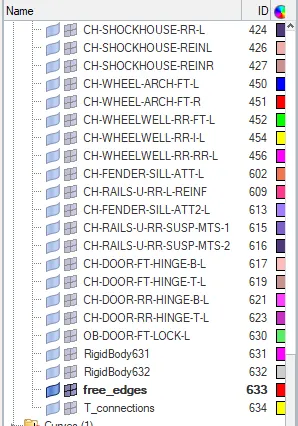
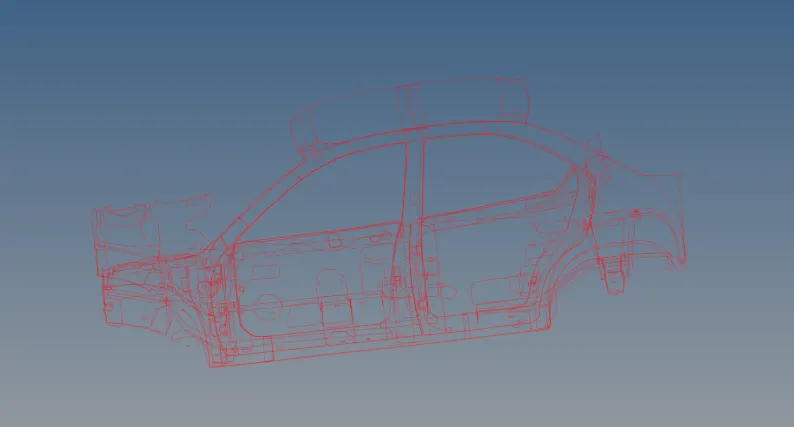
Fig:Application and finding of free edges from the model
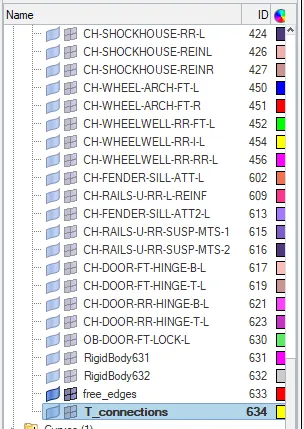
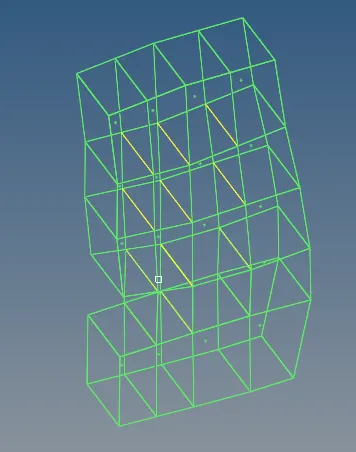
Fig:Application and finding of T edges from the model
Conclusion:
Thus,i created the free edges and t edges buttons was successfull and ran through widgets too.