Week 6-Meshing of Hood Challenge
Meshing of Hood Challenge
Aim: To extract mid-surface and generate mesh on Hood using Hyper mesh with the following mesh quality criteria,
Quality criteria:
|
S. No |
Quality criteria |
Value |
|
1. |
Aspect ratio |
5 |
|
2. |
Skewness |
45 |
|
3. |
Warping |
15 |
|
4. |
Taper |
0.5 |
|
5. |
Min. Length |
2 |
|
6. |
Max. Length |
8 |
|
7. |
Min Quad Angle |
45 |
|
8. |
Max Quad Angle |
135 |
|
9. |
Min angle Tria |
20 |
|
10. |
Max angle Tria |
120 |
|
11. |
Tria % |
10 |
Procedures:
Geometry Import
The given the IGS file is Imported, shown in Figure 1. After the geometry has been imported, the model is next processed for midsurface extraction after being checked for any missing surfaces or triple cons.
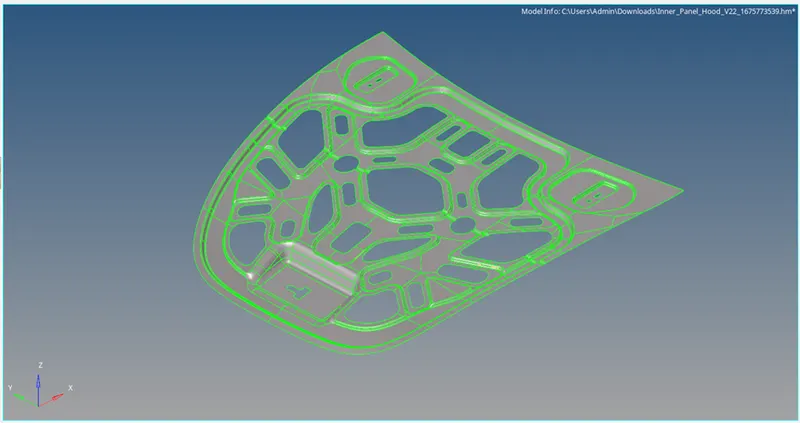
Figure 1: Inner Hood model
Extracted Midsurface
Midsurface can be extracted by Skin Offset and shown in Figure 2.
Command: Geometry + Midsurface + Select Skin Offset extraction option + select the surface + extract.
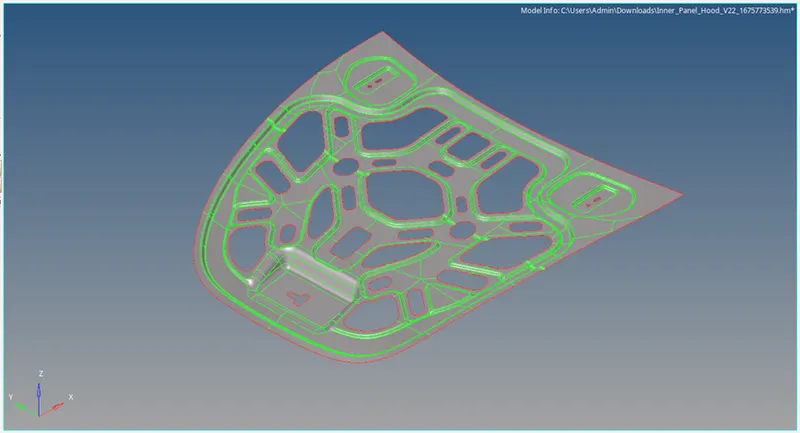
Figure 2: Extracted Midsurface model
Quality Criteria
The quality criteria has been assigned as per the given data by Preference + Criteria File Settings. In the Criteria Editor dialog box as shown in Figure 3.
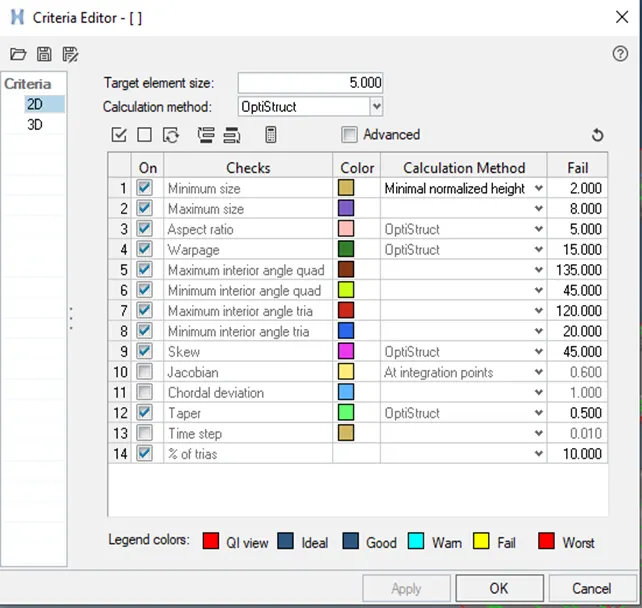
Figure 3: Criteria Editor dialog box
Geomentry Cleanup
Clean the geometry by the use of Quick edit option in the geometry. Use washer split, split surf-node, split surf-line, release point, project point, replace point, & toggle edge features for apt surface for mesh generation. The midsurface with Geomentry Cleanup is shown in Figure 4.
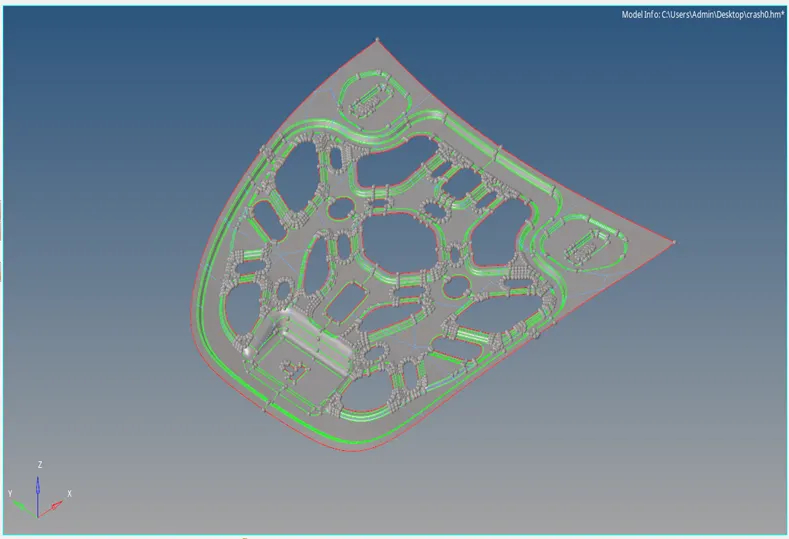
Figure 4: Criteria Editor dialog box
Component Mesh
In order to reduce the geometry complexity, the symmetry surfaces are deleted as shown in Figure 5 then Generate the mesh of element size as 5mm with mixed element type.
Command: 2D + Automesh + All Surface + Mixed element + Create
Mesh Quality
The meshed component is re meshed to avoid poor mesh elements with rebuild mesh option on localizied element selection.then with the help of Clean up tools the proper mesh quality is achieved, i.e. element optimize, place node, node optimize, split quad element, & drag tria element as shown in Figure 5.
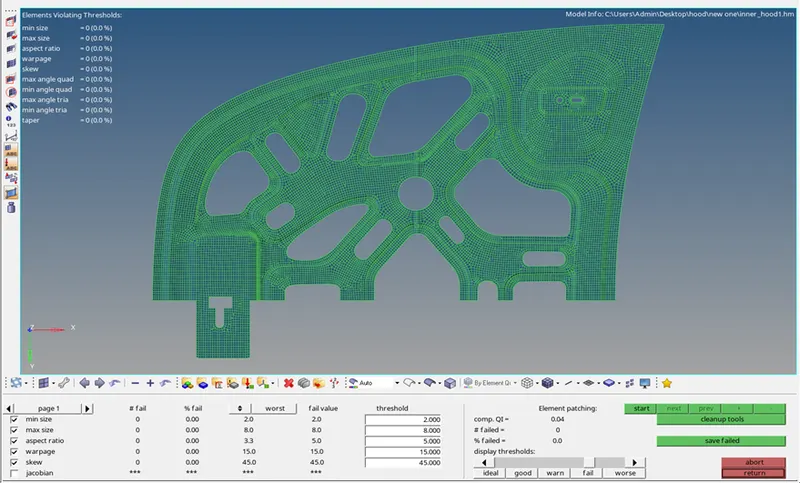
Figure 5: Segmented Midsurface with Mesh Quality
Reflect Surface
The full hood Midsurface is obtained by reflect option in the tool and the surface is duplicated and then the duplicated surface is reflected in the Y-axis with a node from edge as the base. Full midsurface is shown in Figure 6.
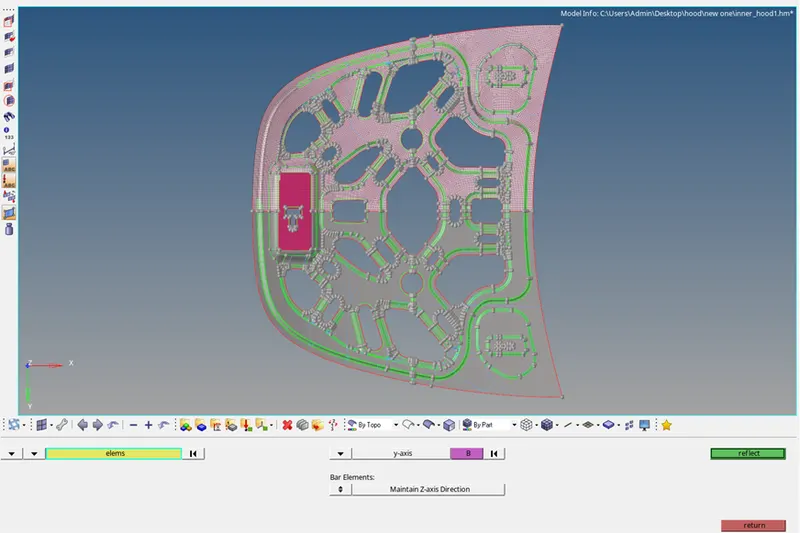
Figure 6: Reflected Midsurface
Reflect Mesh elements
The full hood Mesh elements is obtained by reflect option in the tool and the elements is duplicated and then the duplicated elements is reflected in the Y-axis with a node from edge as the base. Full Mesh elements is shown in Figure 6.
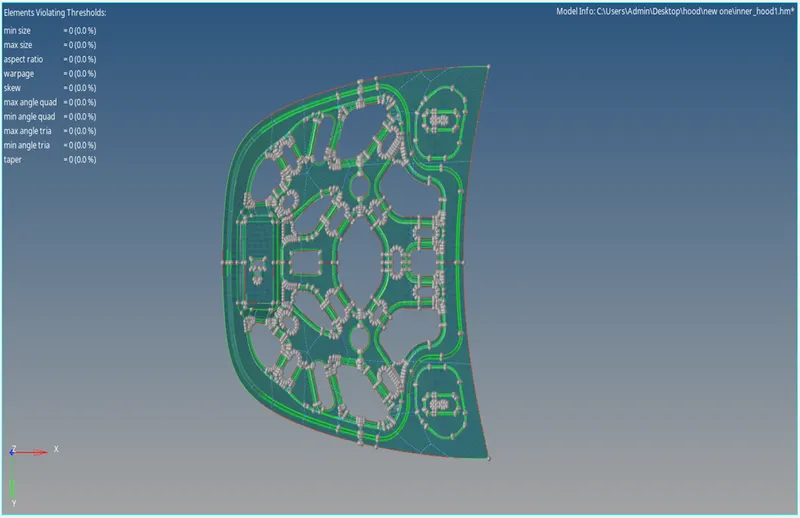
Figure 7: Reflected Mesh elements
Conclusion
Mid-surface is extracted from the provided hood panel, and mesh is created in accordance with the provided quality criteria.