Week 6 - CHT Analysis on a Graphics card
CHT Analysis on a Graphics card
AIM:-
To perform a steady-state conjugate heat transfer analysis on a model of a graphics card.
OBJECTIVES:-
- To run the simulation by varying the velocity from 1m/sec to 5m/sec for at least 3 velocities and discuss the results.
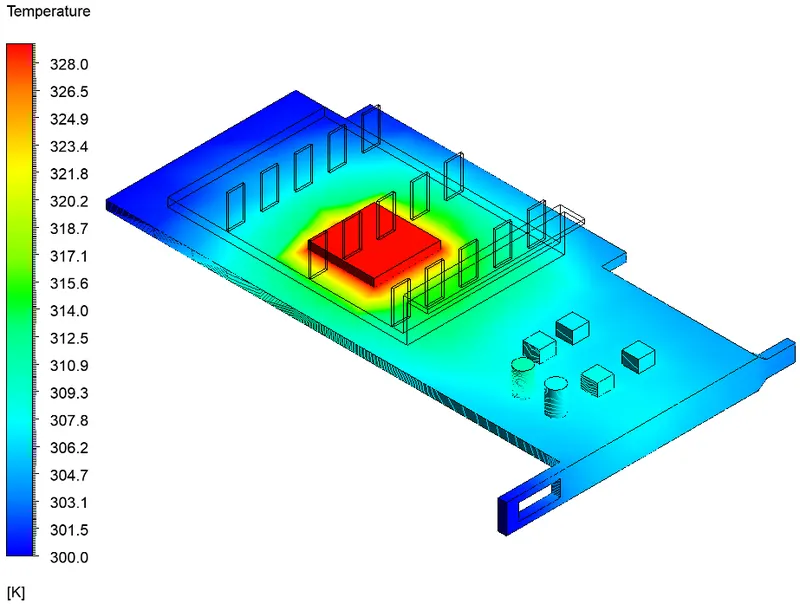
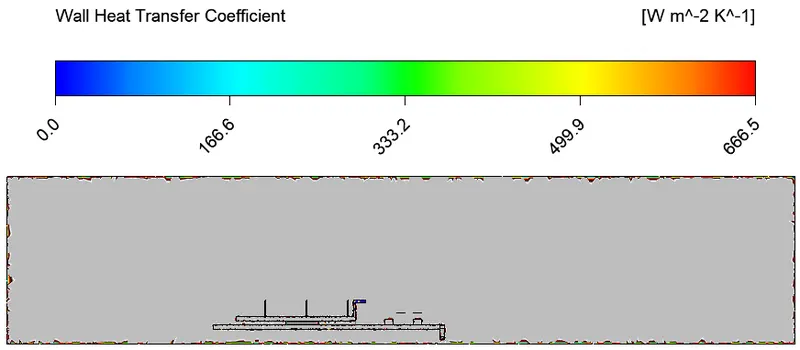
- To find out the maximum temperature and heat transfer coefficient attained by the processor.
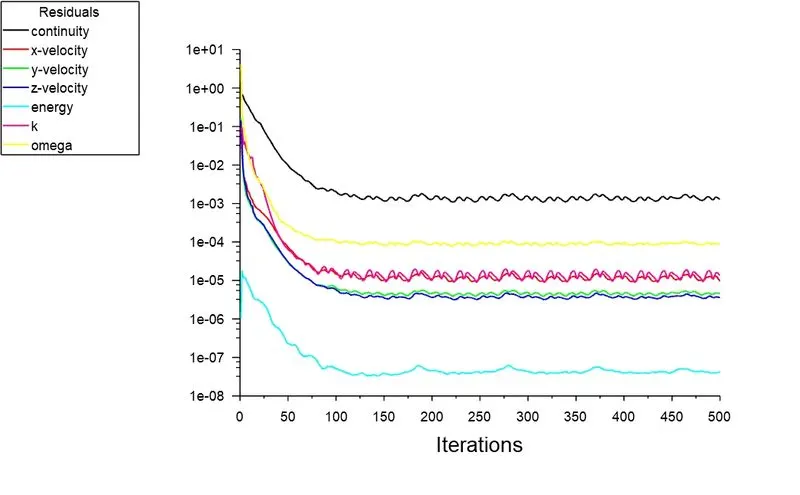
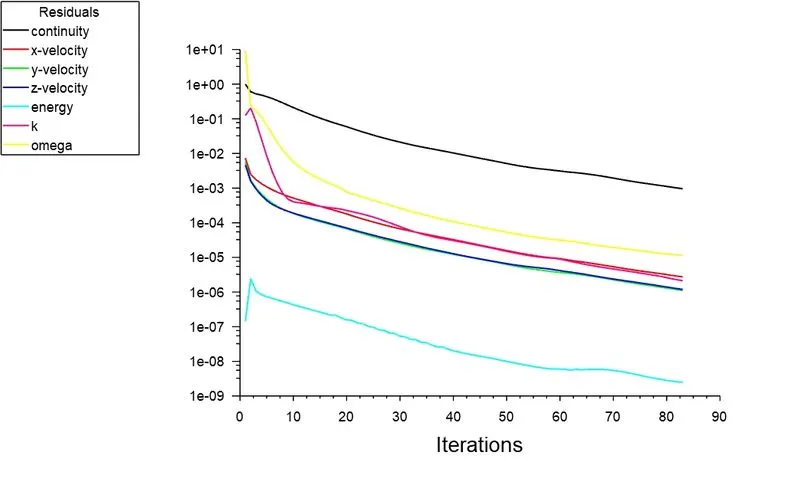
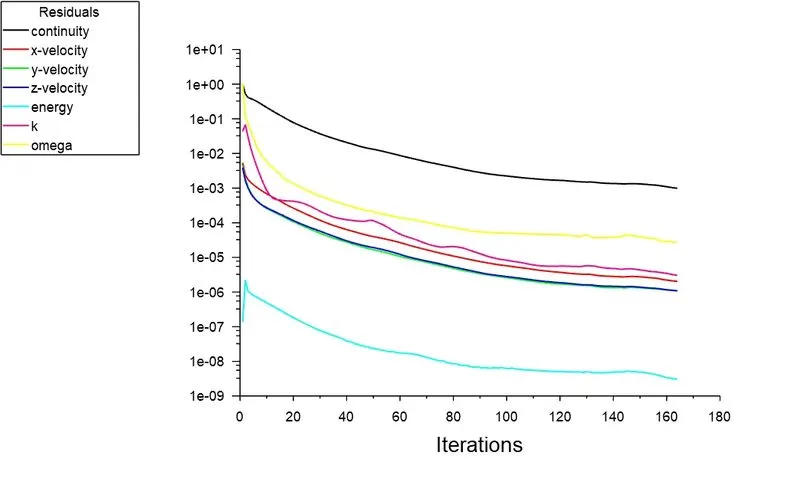
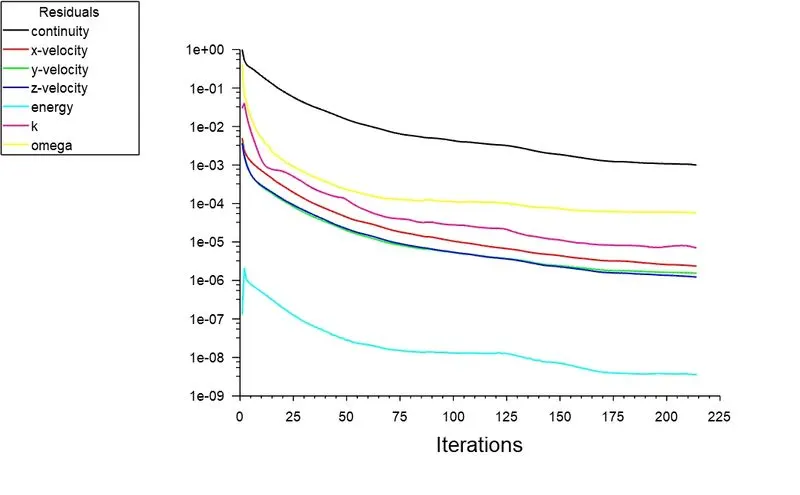
- To prove that the simulation has achieved convergence with appropriate images and plots.
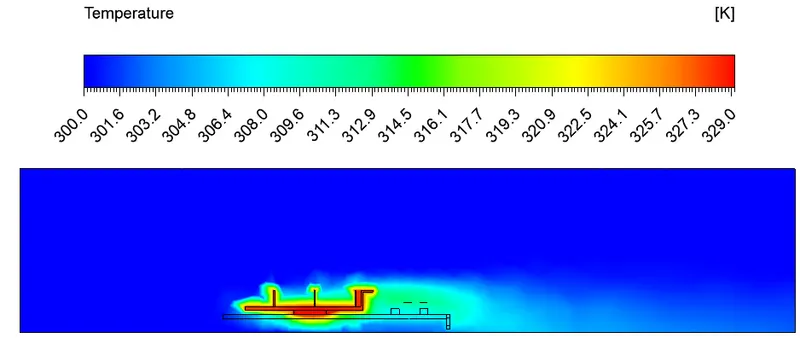
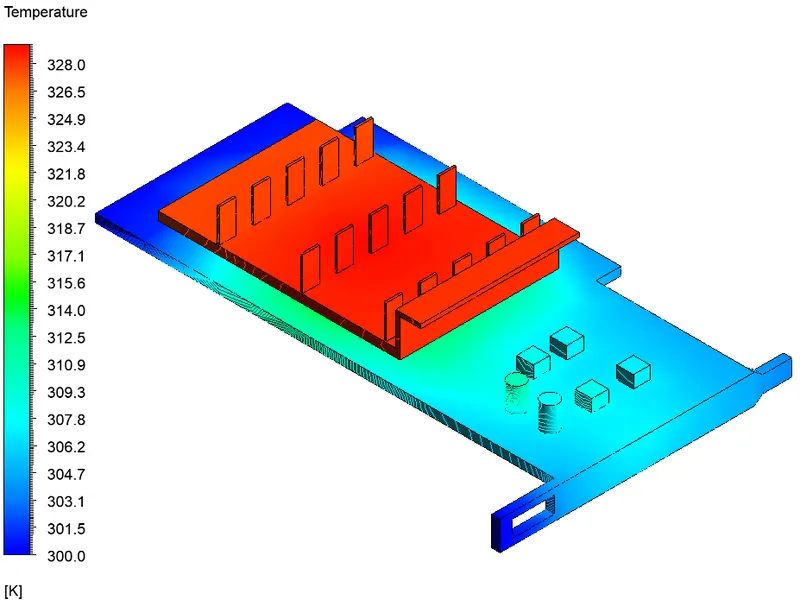
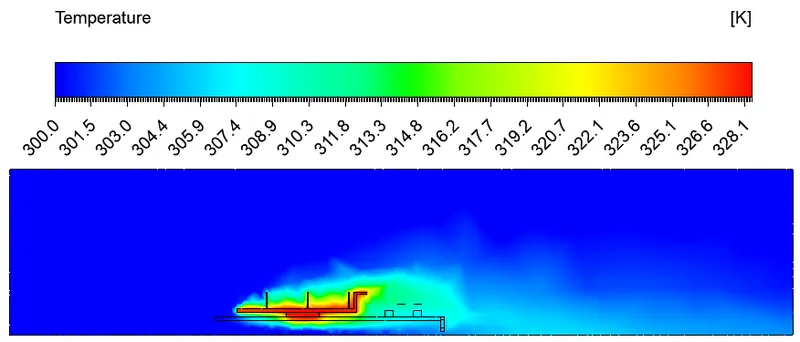
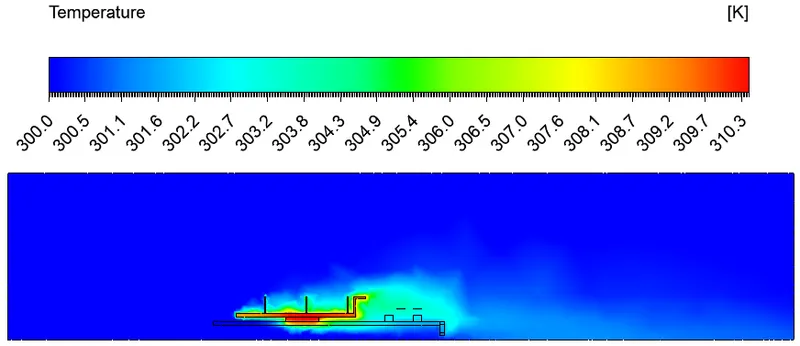
- To identify potential hotspots on the model.
INTRODUCTION:-
The Conjugate Heat Transfer (CHT) analysis type allows for the simulation of heat transfer between solid and fluid domains by exchanging thermal energy at the interfaces between them. It can accurately predict heat transfer by simultaneous solving all the relevant solid and flow field heat transfer processes, for example: conduction through solids, free and forced convection in the gases/fluids and thermal radiation.
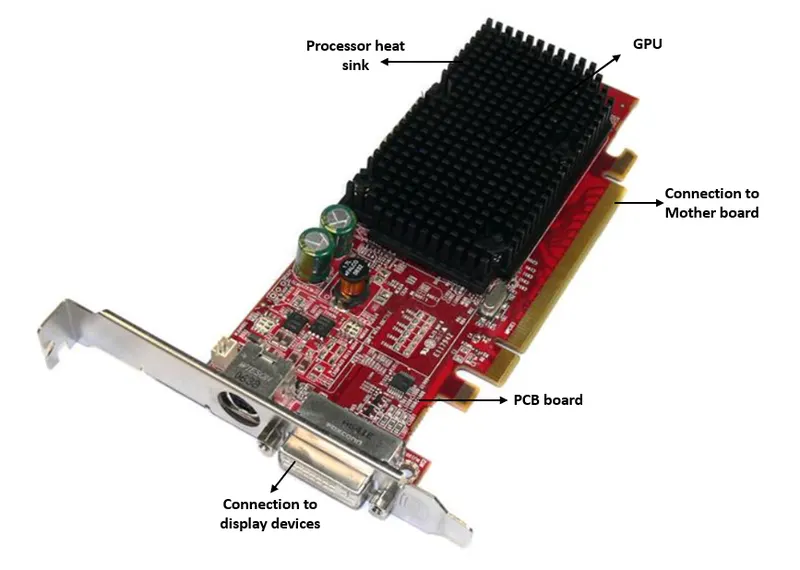
Graphics processing unit (GPU) has the most impact on a PC’s performance. The GPU consists of an additional processor that takes data from the CPU, and translates it into images that can be rendered on your display. In other words, when you’re playing a game, the GPU is doing most of the heavy lifting so it gets heated up. Graphics card temperatures typically range from 40°C to 90°C. Performance class graphics cards can reach high temperatures under heavy load. The heatsink and fan assemblies on the graphics cards are designed to pull the heat away from the graphics card. A case which does not have proper airflow can prevent the heat from escaping the graphics card.
Generally Graphics card includes following elements
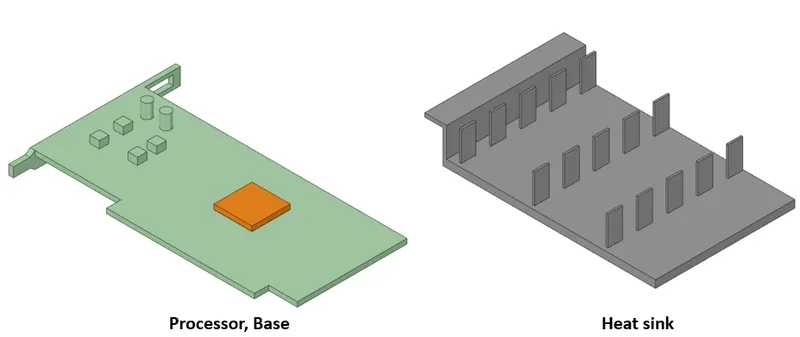
- Processor
- fin
- base
GEOMETRY:-
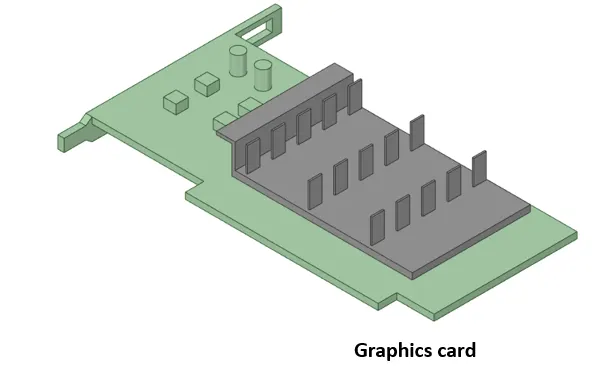
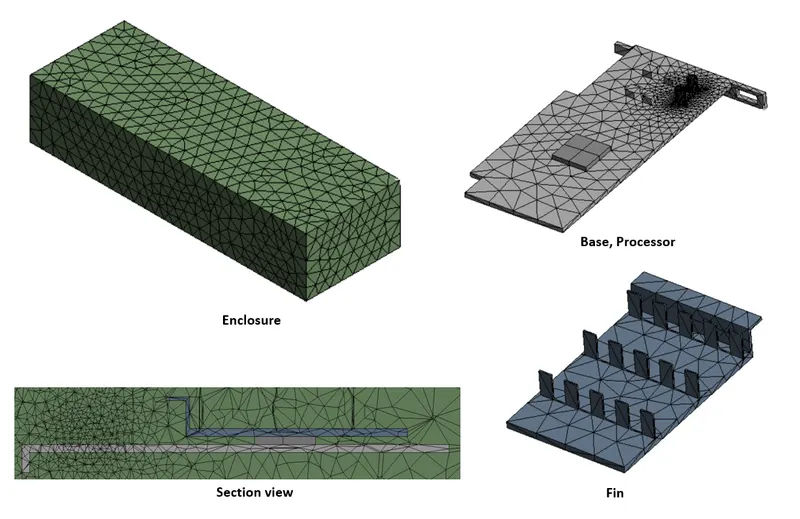
- The below figure is the model of graphics card which contains Processor, Heat sink(Fin) and Base.
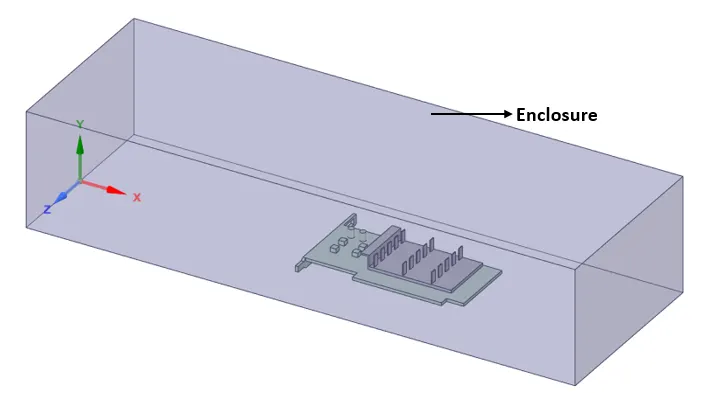
- Then we need to create enclosure around the geometry for simulation using Ansys Spaceclaim tool as shown in the below figure.
CASE 1:- Baseline mesh (Inlet Velocity --> 1m/s)
Meshing:-
Here we need to name the boundaries of geometry using named selection option as inlet, outlet, symmetry, base, fin, processor. Then we need to generate mesh. Here we use baseline mesh to run the simulation.
| Element size | 0.8cm |
| Number of Nodes | 12228 |
| Number of Elements | 66780 |
Material properties:-
Material used for processor is copper, for bace is fr-4, for fin it is Aluminium.
| Component | Material | Density (Kg/m^3) | Specific heat (j/Kg-K) | Thermal Conductivity (W/m-K) |
| Base | Glass fibre fr-4 | 1900 | 1103 | 0.38 |
| Fin | Aluminium | 2719 | 871 | 202.4 |
| Processor | Copper | 8978 | 381 | 387.6 |
| Enclosure | Air | 1.225 | 1006.43 | 0.0242 |
Setup:-
- Here we need to setup a solver. The solver type is pressure based steady state and absolute velocity formation.
- After the solver setup we need to select K-Omega SST turbulence model. K-omega sst model uses K-epsilon model in freestream section of fluid flow and uses K-omega model for the near wall computations. K-omega SST model is good for attaining thermal behaviour near the inner wall.
Boundary conditions:-
- After selecting the viscous model we need to assaign the boundary conditions to different part of component. Since we have already named the parts it automatically selects the boundary conditions.
- For inlet it is velocity inlet with velocity magnitude of 1m/sec and temperature of air is 300K
- for outlet it is pressure outlet with pressure gauge of 1atm.
- We take power consumed by processor as 1W. (64mm^3 is volume of processor)
- 1/64e-9Wm^3 = 15625000W/m^3
- Then we need to initialize the solver with hybrid initialization method and setup the number of iterations.
RESULTS:-
Residuals plot:-
Post processing results:-
Temperature contour:-
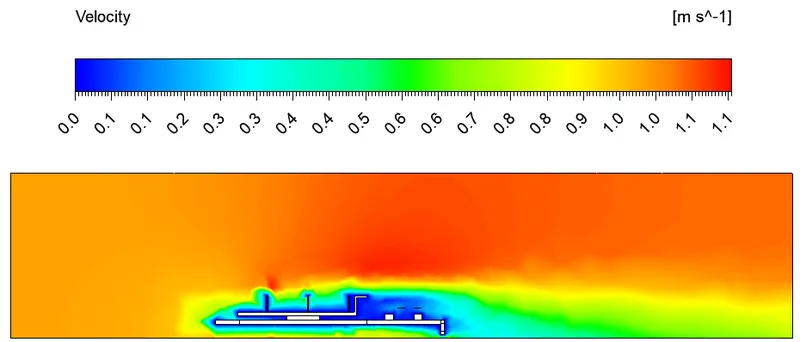
Velocity contour:-
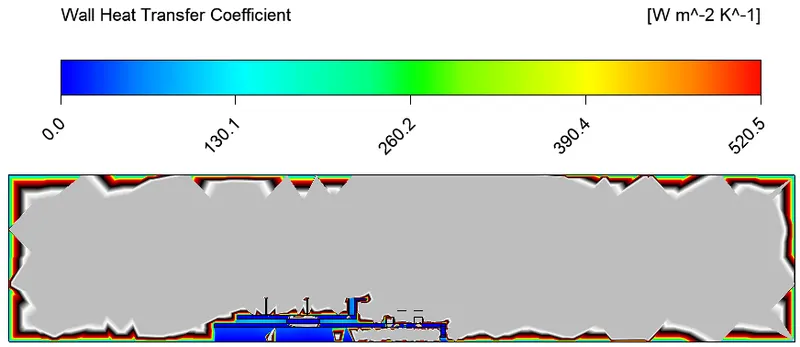
Wall heat transfer coefficient:-
Temperature on Base and Processor:-
Temperature on fin:-
CASE 2:- Refined mesh (Inlet Velocity --> 1m/s)
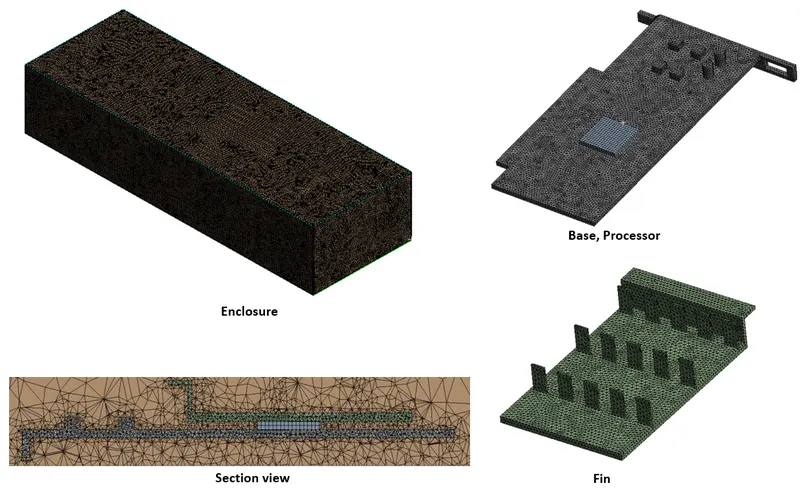
Meshing:-
Here we need to name the boundaries of geometry using named selection option as inlet, outlet, symmetry, base, fin, processor. Then we need to generate mesh. Here we use baseline mesh to run the simulation.
| Element size | 0.05 |
| Number of Nodes | 102486 |
| Number of Elements | 463705 |
Material properties:-
Material used for processor is copper, for bace is fr-4, for fin it is Aluminium.
| Component | Material | Density (Kg/m^3) | Specific heat (j/Kg-K) | Thermal Conductivity (W/m-K) |
| Base | Glass fibre fr-4 | 1900 | 1103 | 0.38 |
| Fin | Aluminium | 2719 | 871 | 202.4 |
| Processor | Copper | 8978 | 381 | 387.6 |
| Enclosure | Air | 1.225 | 1006.43 | 0.0242 |
Setup:-
- Here we need to setup a solver. The solver type is pressure based steady state and absolute velocity formation.
- After the solver setup we need to select K-Omega SST turbulence model. K-omega sst model uses K-epsilon model in freestream section of fluid flow and uses K-omega model for the near wall computations. K-omega SST model is good for attaining thermal behaviour near the inner wall.
Boundary conditions:-
- After selecting the viscous model we need to assaign the boundary conditions to different part of component. Since we have already named the parts it automatically selects the boundary conditions.
- For inlet it is velocity inlet with velocity magnitude of 1m/sec and temperature of air is 300K
- for outlet it is pressure outlet with pressure gauge of 1atm.
- We take power consumed by processor as 1W. (64mm^3 is volume of processor)
- 1/64e-9Wm^3 = 15625000W/m^3
- Then we need to initialize the solver with hybrid initialization method and setup the number of iterations.
RESULTS:-
Residuals plot:-
Post processing results:-
Temperature contour:-
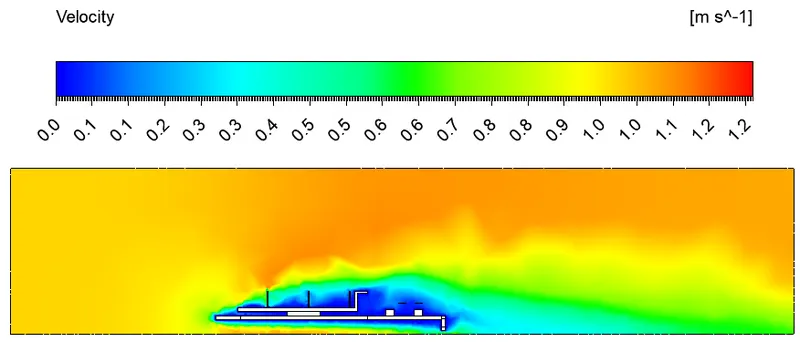
Velocity contour:-
Wall heat transfer coefficient:-
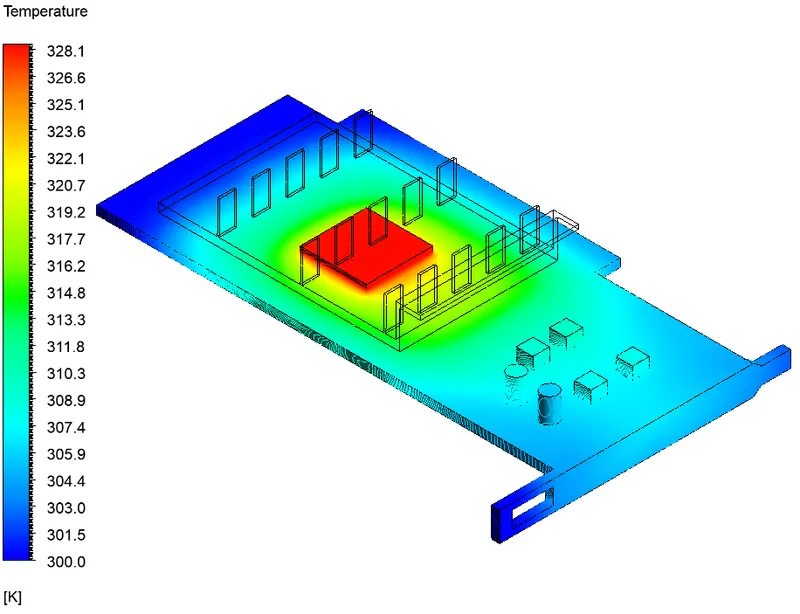
Temperature on Base and Processor:-
Temperature on fin:-
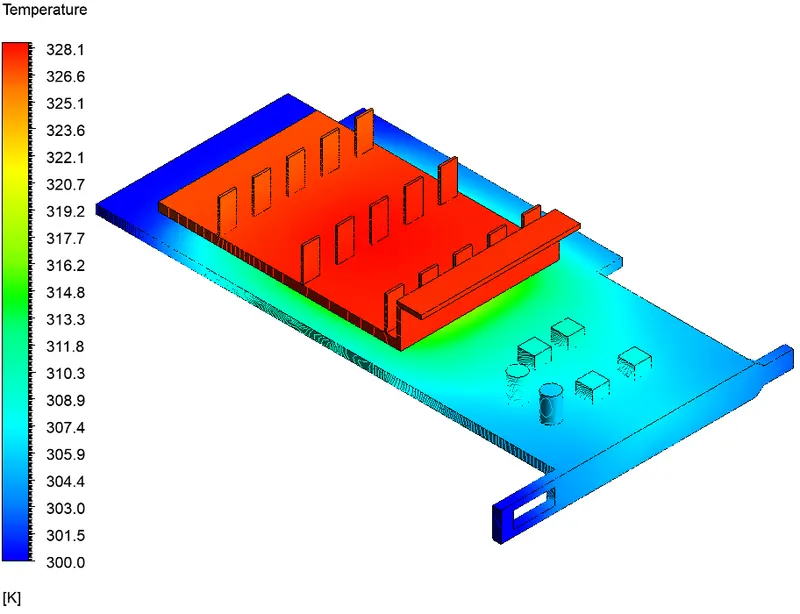
From the above obtained results we can clearley see that we obtained better results from Refined mesh. As the element size decrease we can obtain better results, so we use refined mesh for further simulations.
CASE 3:- Refined mesh (Inlet Velocity --> 3m/s)
We use same Refined mesh, material properties, setup, boundary condition as we had used in above case for further simulations, but here inlet Velocity is 3m/s.
RESULTS:-
Residuals plot:-
Post processing results:-
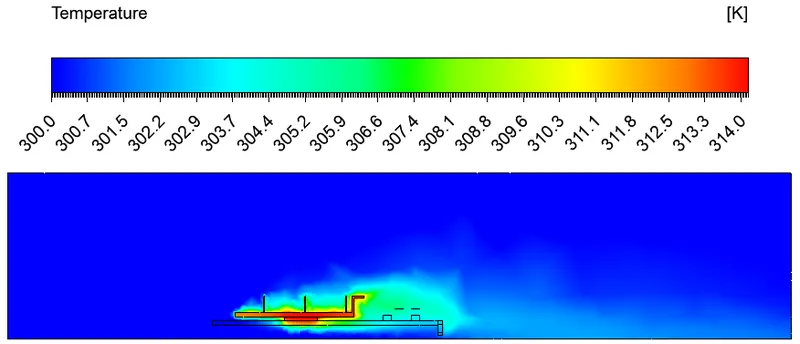
Temperature contour:-
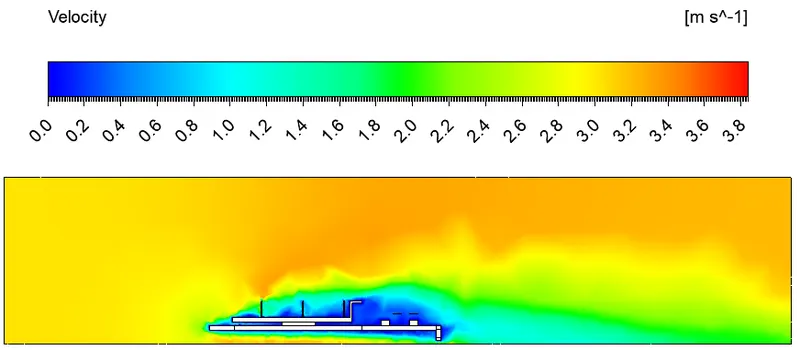
Velocity contour:-
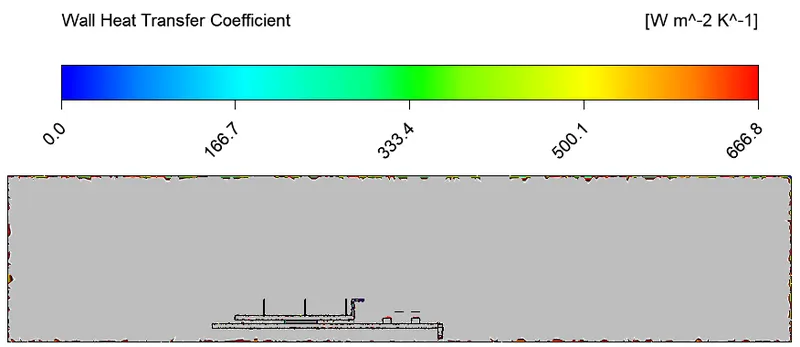
Wall heat transfer coefficient:-
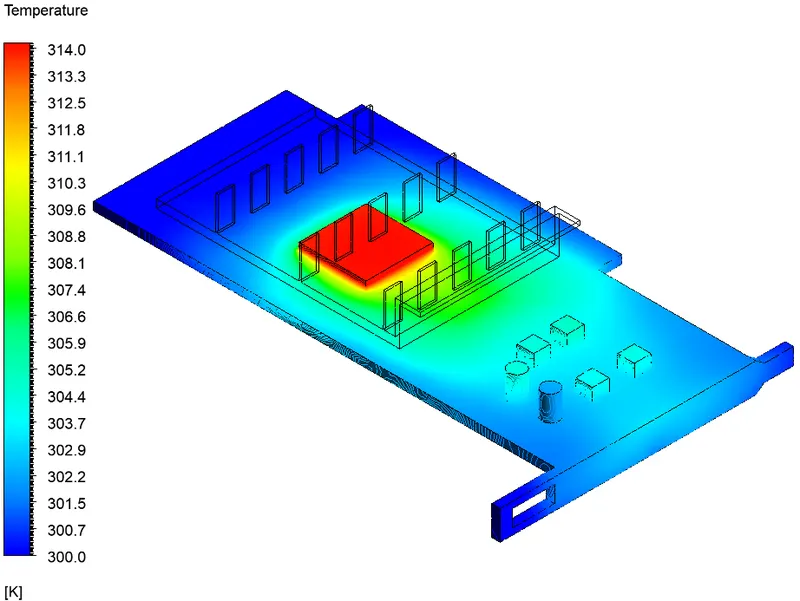
Temperature on Base and Processor:-
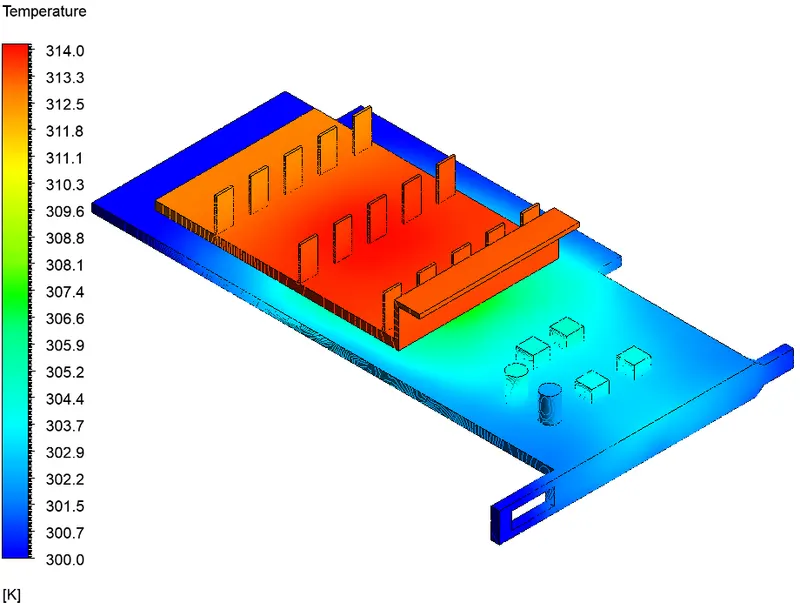
Temperature on fin:-
CASE 4:- Refined mesh (Inlet Velocity --> 5m/s)
We use same Refined mesh, material properties, setup, boundary condition as we had used in above case for further simulations, but here inlet Velocity is 5m/s.
RESULTS:-
Residuals plot:-
Post processing results:-
Temperature contour:-
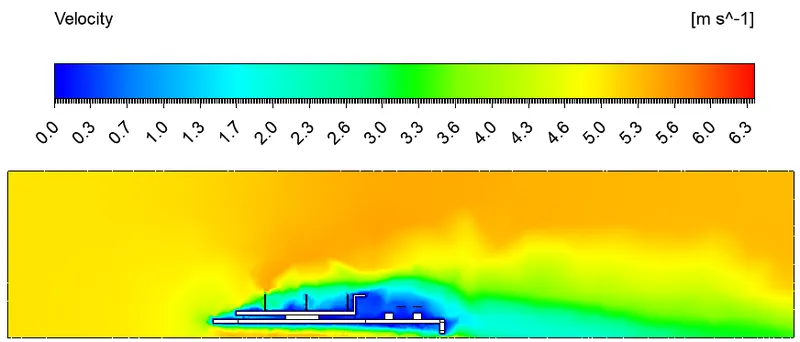
Velocity contour:-
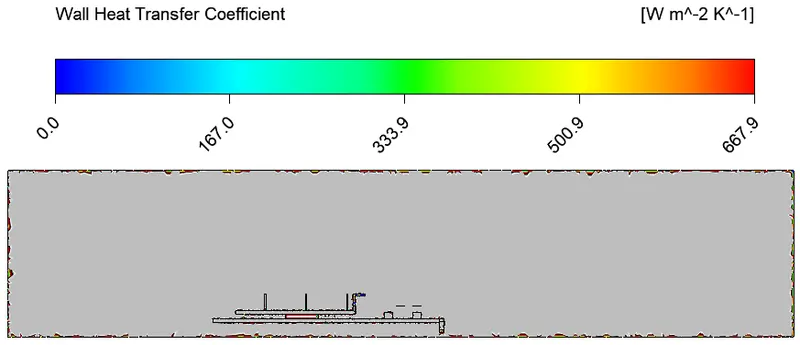
Wall heat transfer coefficient:-
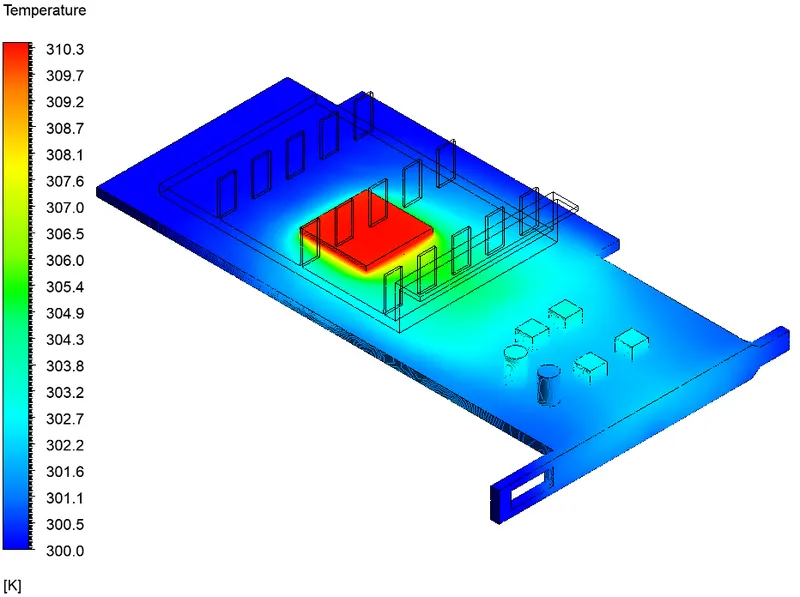
Temperature on Base and Processor:-
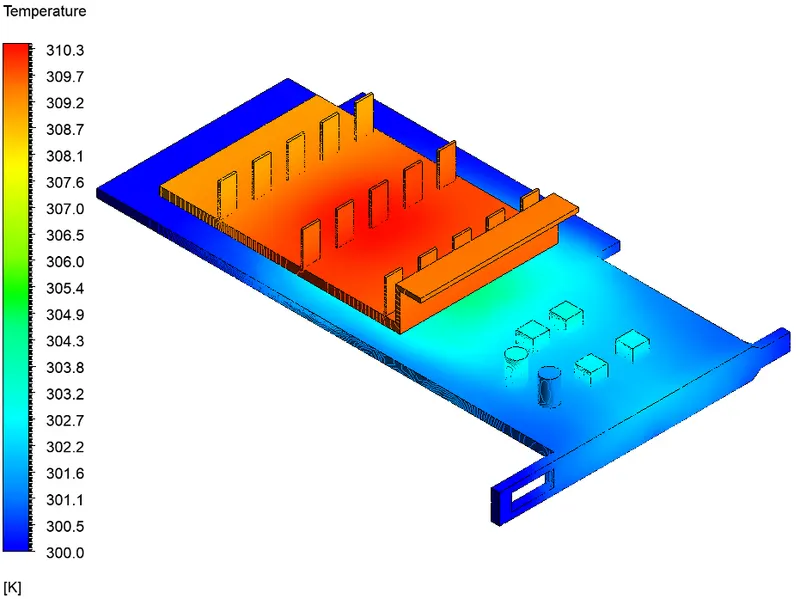
Temperature on fin:-
| PARAMETERS | CASE 2 --> (1m/s) | CASE 3 --> (3m/s) | CASE 4 --> (5m/s) |
| Max temperature (K) | 328.1 | 314 | 310.3 |
| Max velocity (m/s) | 1.2 | 3.8 | 6.3 |
| Max wall heat transfer coefficient (W/m^2-K) | 666.5 | 666.8 | 667.9 |
CONCLUSION:-
Conjugate heat transfer simulation on graphics card was run sucessfully and by observing all the above postprocessed figures, tables and datas we can clearly conclude that.
- Mesh plays important roles in capturing the heat transfer in a geometry, we get better results as the elements sie of mesh decreases. To get accurate results we need to further refine the mesh.
- Velocity directly effects the heat transfer rate and increases heat transfer coefficient.
- With the increase in the air velocity, body temperature of component decreases.
- For further fast and better cooling of components, the air velocity must be greater.
- With the increase in the air velocity, wall heat transfer coefficient also increases slightly.
- Fins also plays very important role because it is used to increase the heat transfer rate between the processor. It helps the processor to be maintained at a safe temperature by increasing surface area for heat transfer.