Ahmed Body Challenge
AIM:-
To simulate the Ahmed body and calculate the coefficient of drag and lift also perform the grid independency test.
OBJECTIVE:-
- To describe Ahmed's body and its importance.
- To explain the reason for the negative pressure in the wake region.
- To explain the significance of the point of separation.
INTRODUCTION:-
The Ahmed body is a approximate shape of automotive vehicles specfically a generic car body (a simplified vehicle model). The airflow around the Ahmed body captures the essential flow features around an automobile and was first defined and characterized in the experimental work of Ahmed. Although it has a very simple shape, Ahmed body allows us to capture characteristic features that are relevant to bodies in the automobile industry.
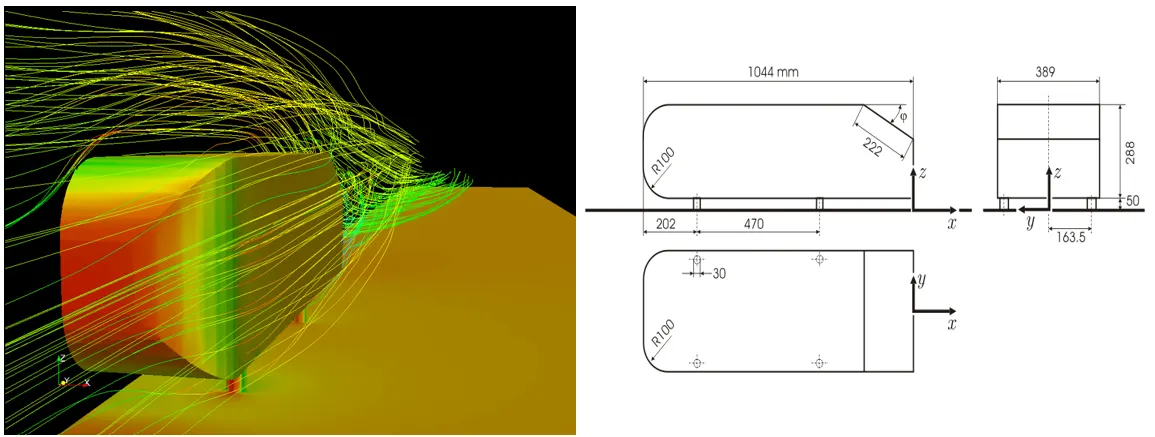
The main goal of auntomotive industries is to reduce the drag, keeping noise to the minimum,preventing lift and avoiding unwanted instabilities that occurs at high speed.
Three main features were seen in the wake:
- The A recirculation region that is formed as the flow separates at the top of the vertical back surface of the model
- The B recirculation region that is formed due to the separation at the base of the model.
- The c-pillar vortices that form as the vorticity in the side boundary layers roll up over the slant edges.
The wake was shown to be highly dependent on slant angle. For slant angles less than 12°, the flow remains attached over the the slant. The flow is essentially two-dimensional and has low drag. Between 12° and 30° the flow becomes much more three-dimensional as the c-pillar vortices form. These reach maximum strength at 30°. The drag increases significantly as the low pressure cores act on the rear surfaces. Past 30° the flow separates fully off the slant. This results in a sudden decrease in drag and weaker c-pillar vortices.
Aspect ratio of the rear slant also has a significant effect on the wake.
PART:-1
Geometry:-
- Geometry of Ahmed body is imported to Ansys spaceclaim.
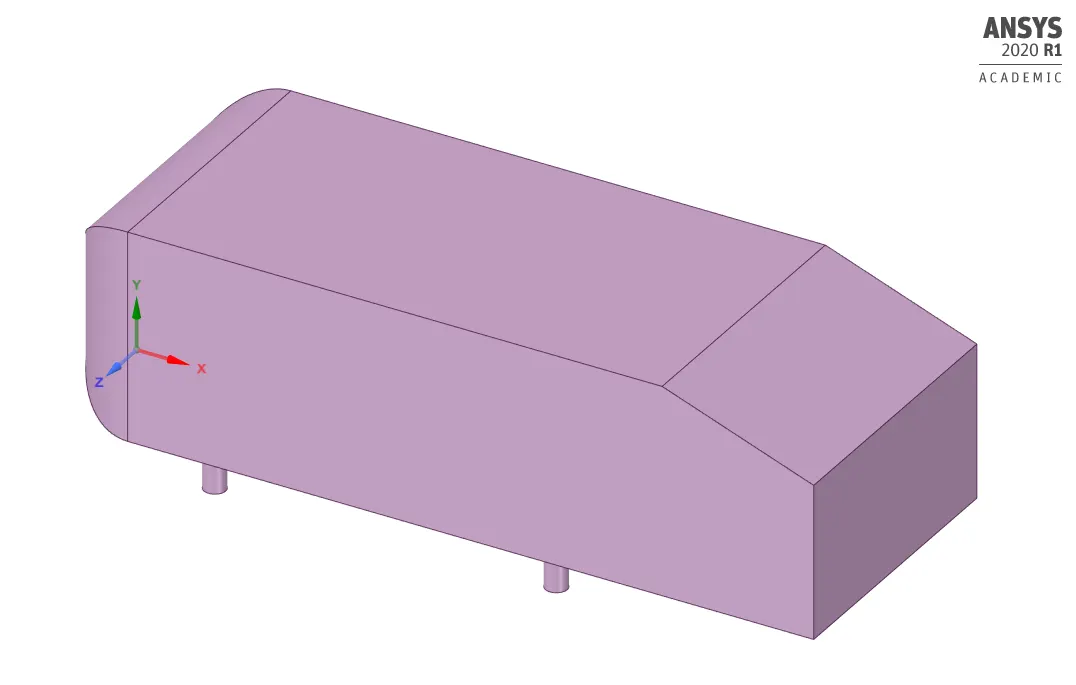
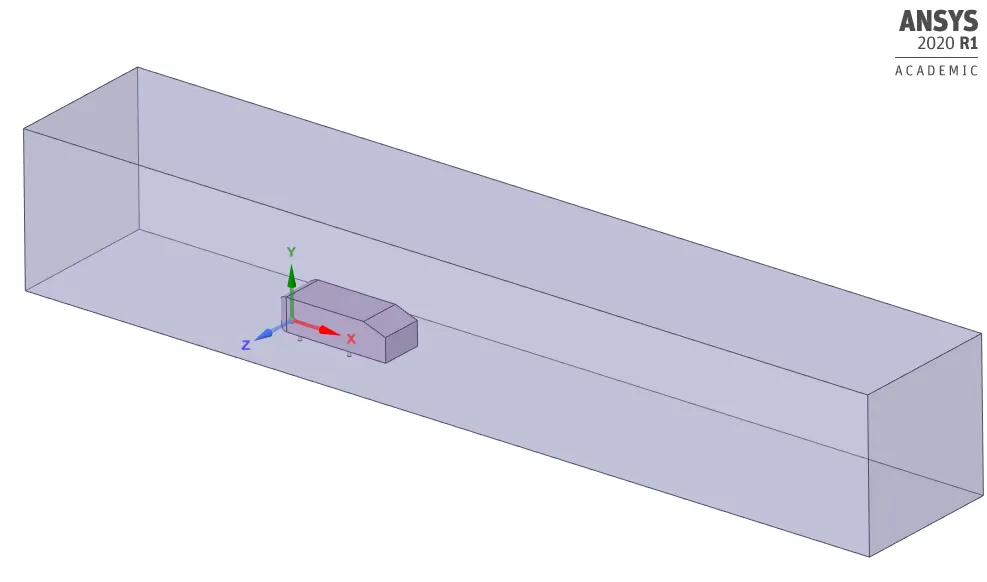
- We need to create a enclosure around the Ahmed body as shown in the below figure. It will effectively capture the flow around the Ahmed body. Here, in case 1 we create only one enclosure.
Meshing:-
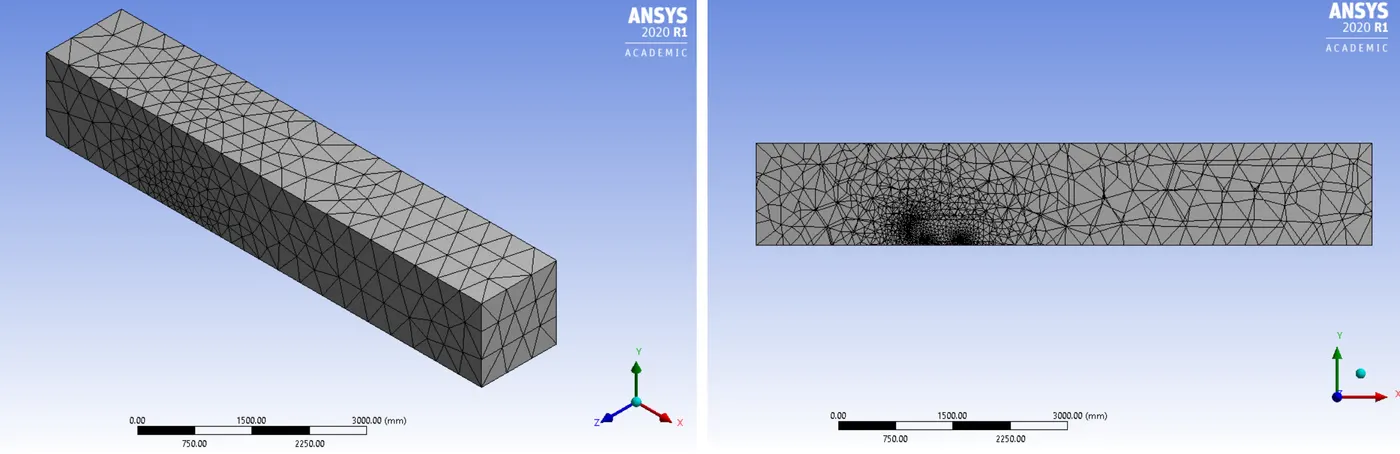
Here we need to name the boundaries using named selection option as inlet, outlet, car_wall, symmetry. Then we need to generate mesh. Here we use baseline mesh to check a setup.
| Element size | 413.6mm |
| Number of nodes | 16588 |
| Number of elements | 83952 |
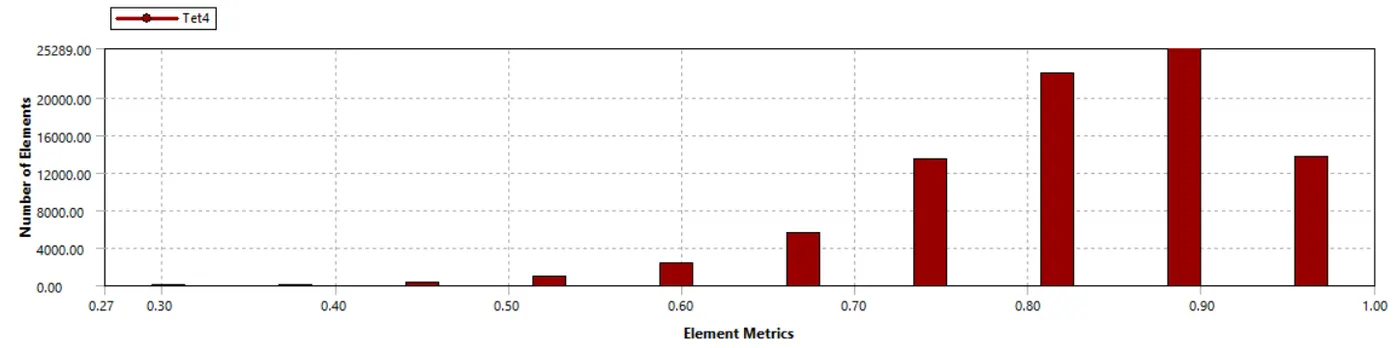
Mesh quality:-
Setup:-
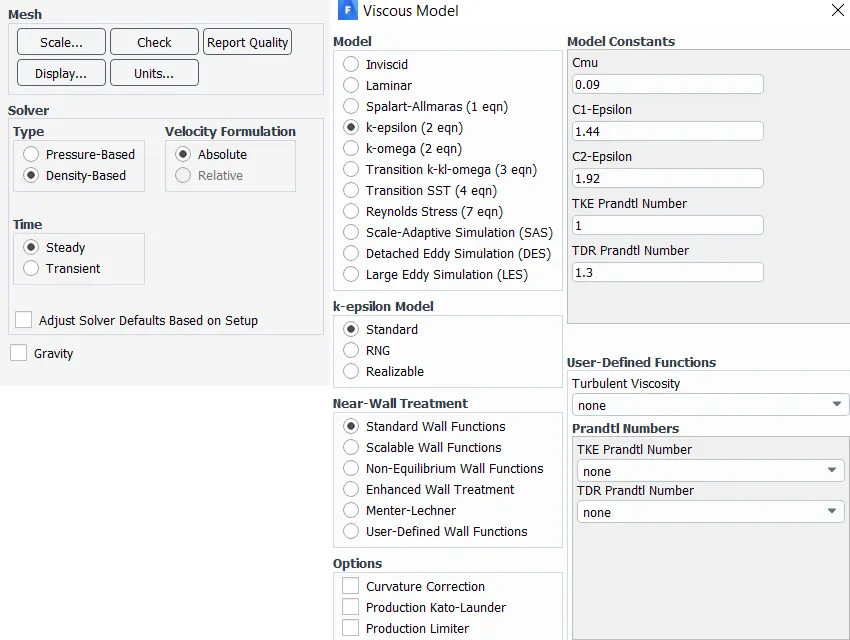
- Here we need to setup a solver. The solver type is density based steady state condition because if Mach number is greater than 0.3, density based solver gives more accurate results.
- After the solver setup in the physics, we need to select K-epsilon turbulence model with standard wall function.
Reference values:-
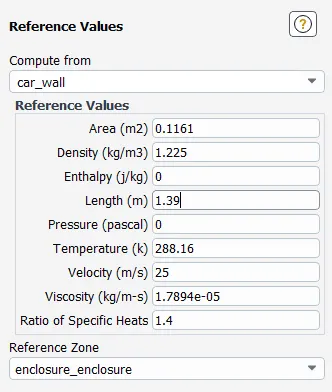
- Area of front face = (0.39*0.29)+2*(0.05*0.03) = 0.1161m^2
Boundary conditions:-
- After selecting the viscous model we need to assaign the boundary condition to different parts of the model. Since we have already assaigned the proper name for the boundaries, it automatically selects the boundary conditions.
- For inlet it should be velocity inlet with velocity magnitude of 25m/sec , for outlet it should be pressure outlet with pressure guage of 0pa and for car_wall it should be wall.
- Set up the reference values at inlet for calculation of coefficient of drag and lift.
- Then we need to initialize the solver with hybrid initialization method and setup number of iterations.
RESULTS:-
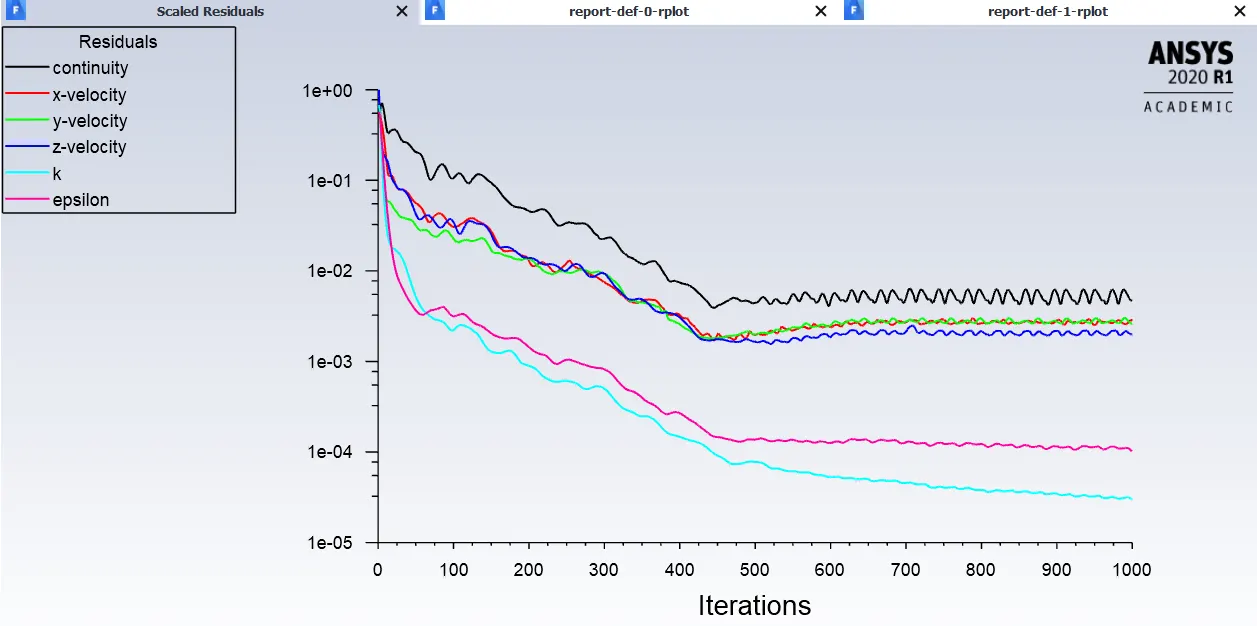
- Residuals plot:-
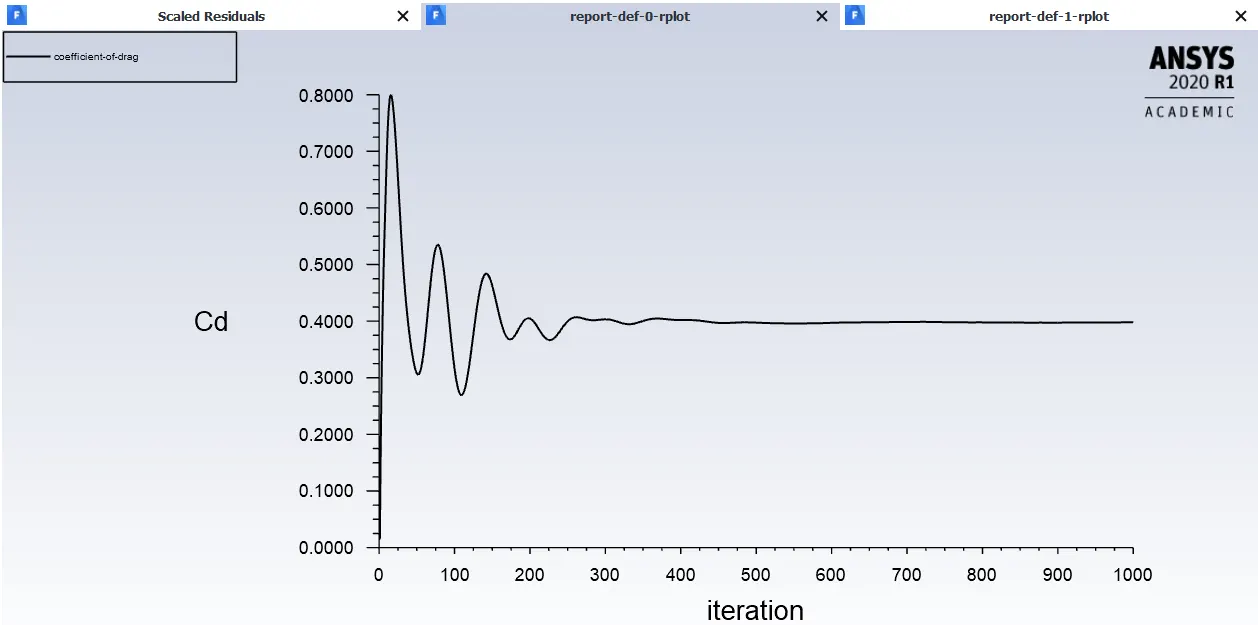
- Coefficient of drag:-
- Coefficient of lift:-
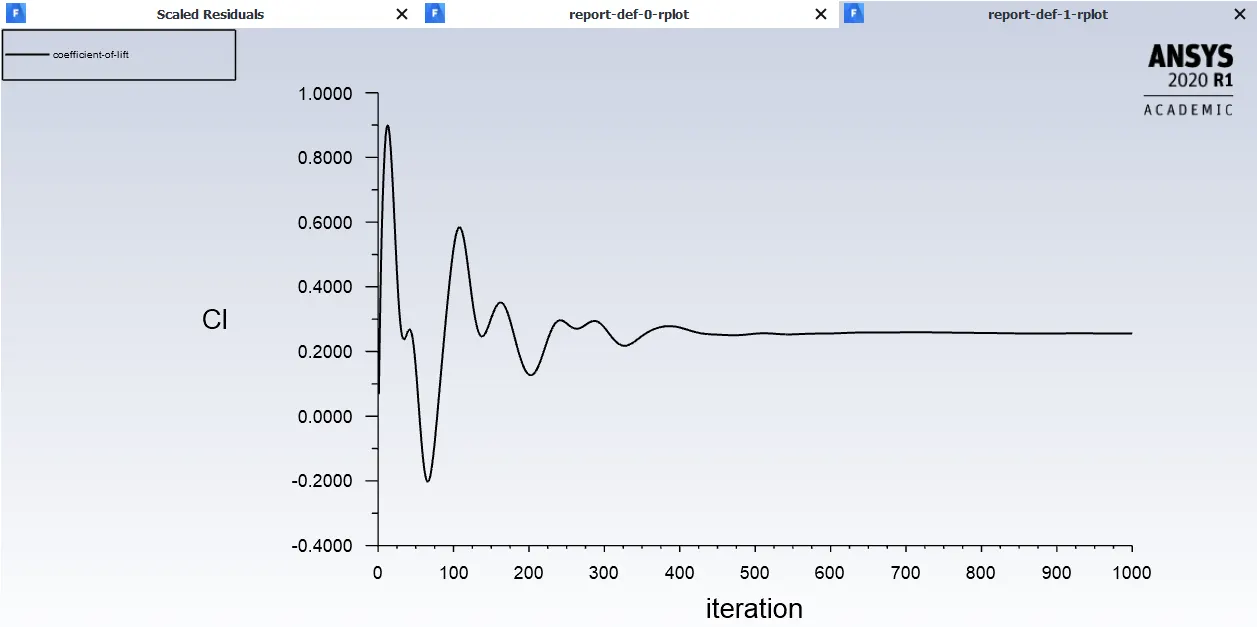
Post processing results:-
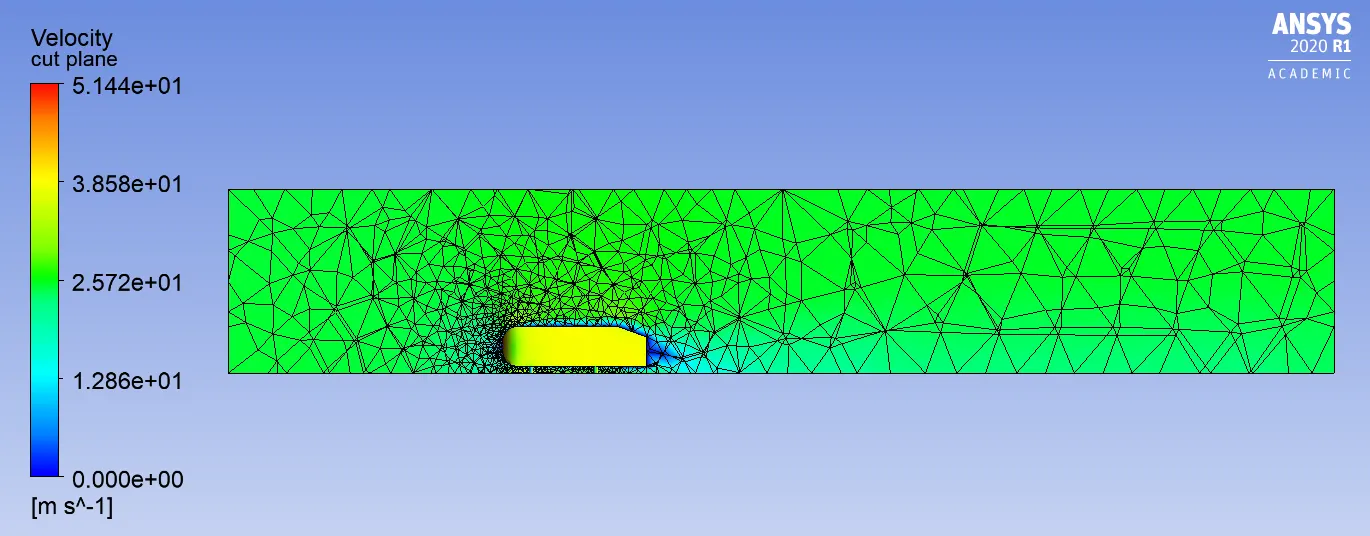
- Velocity contours
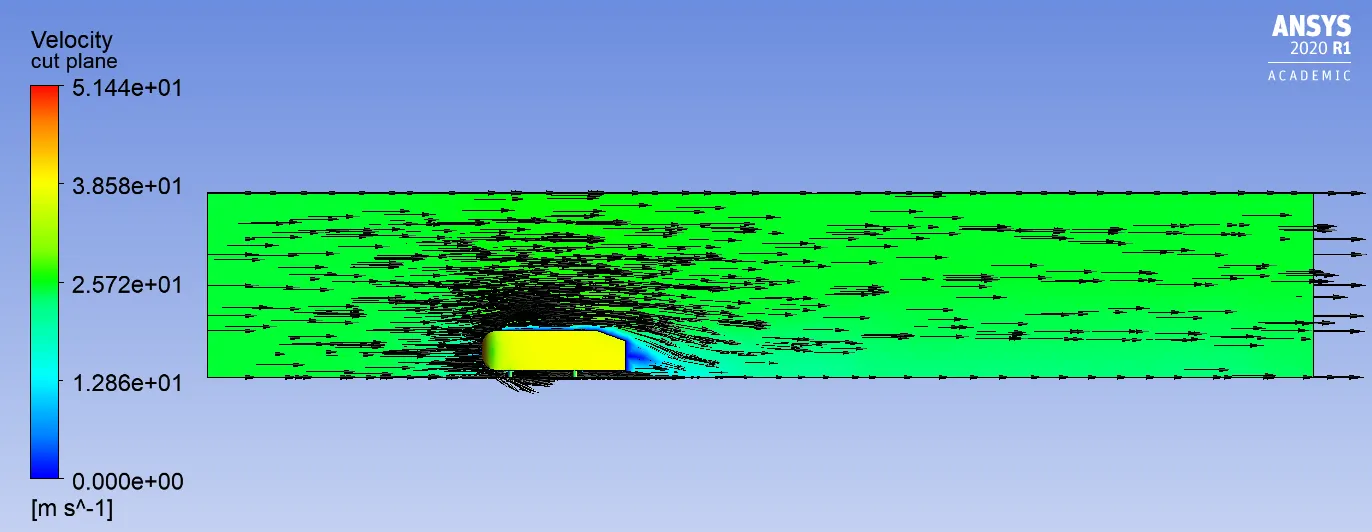
- Vector representation of velocity
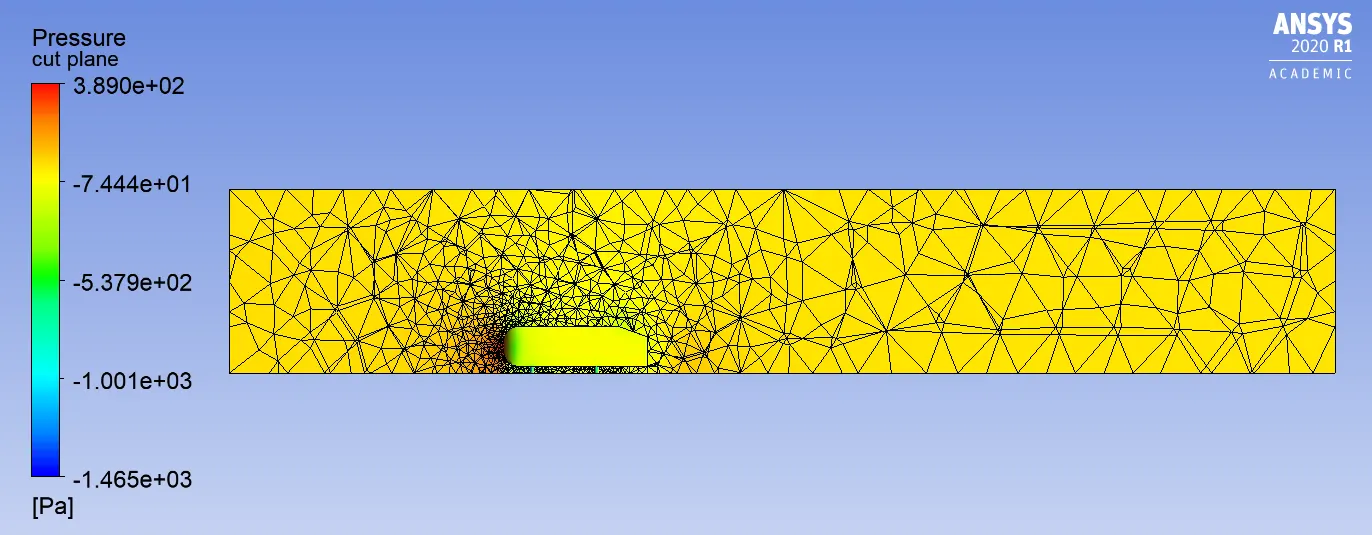
- Pressure contours
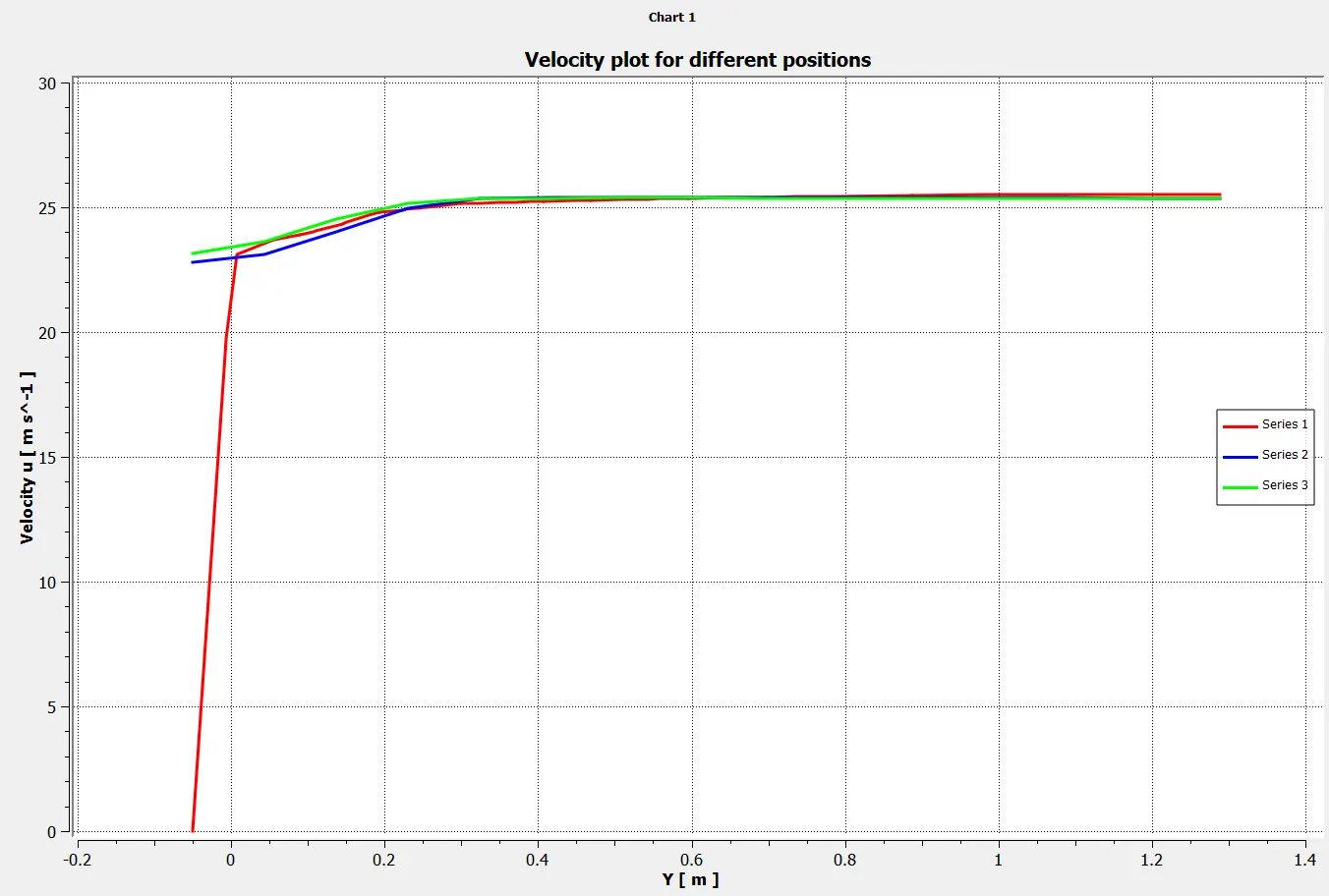
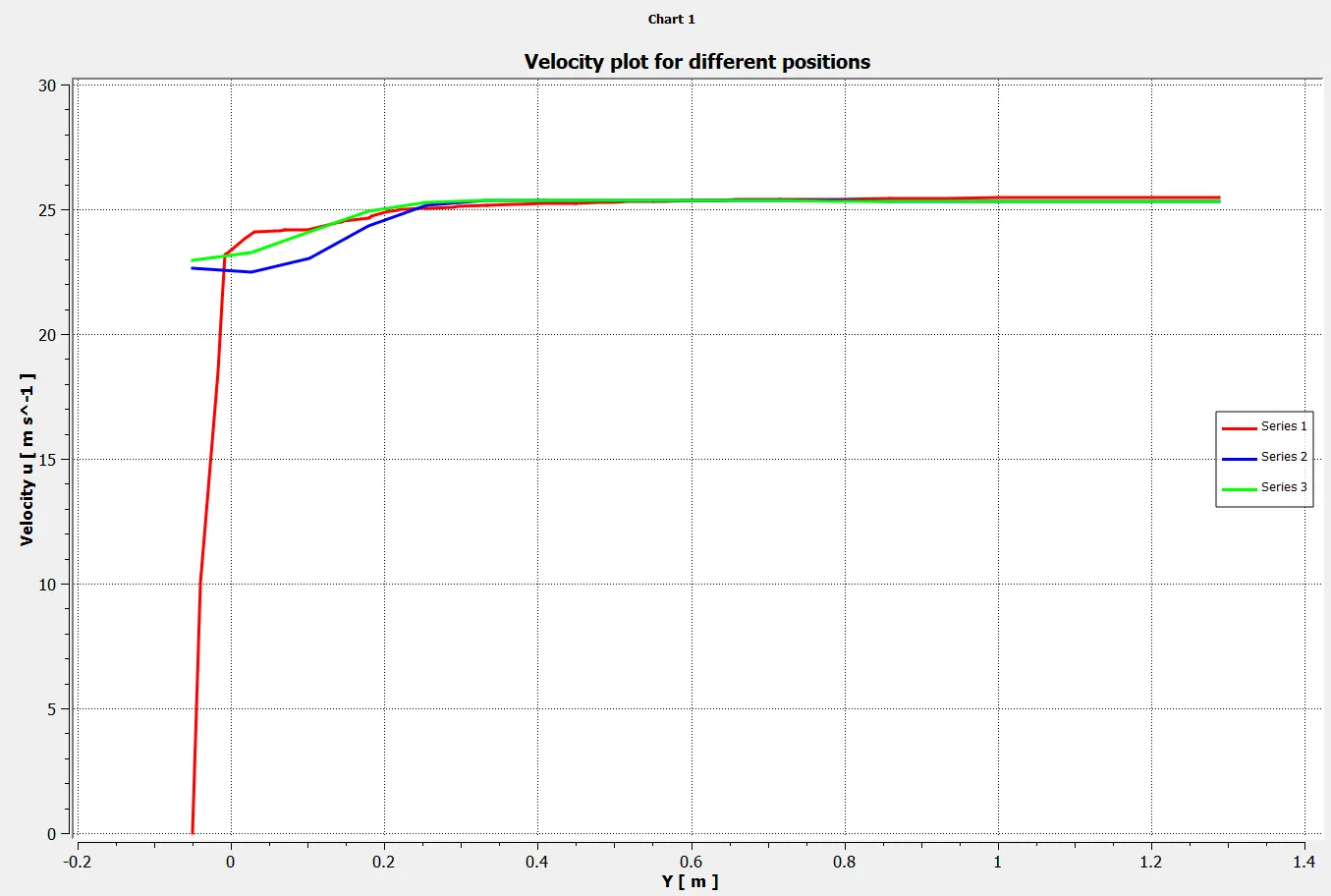
- Velocity plots for different positions
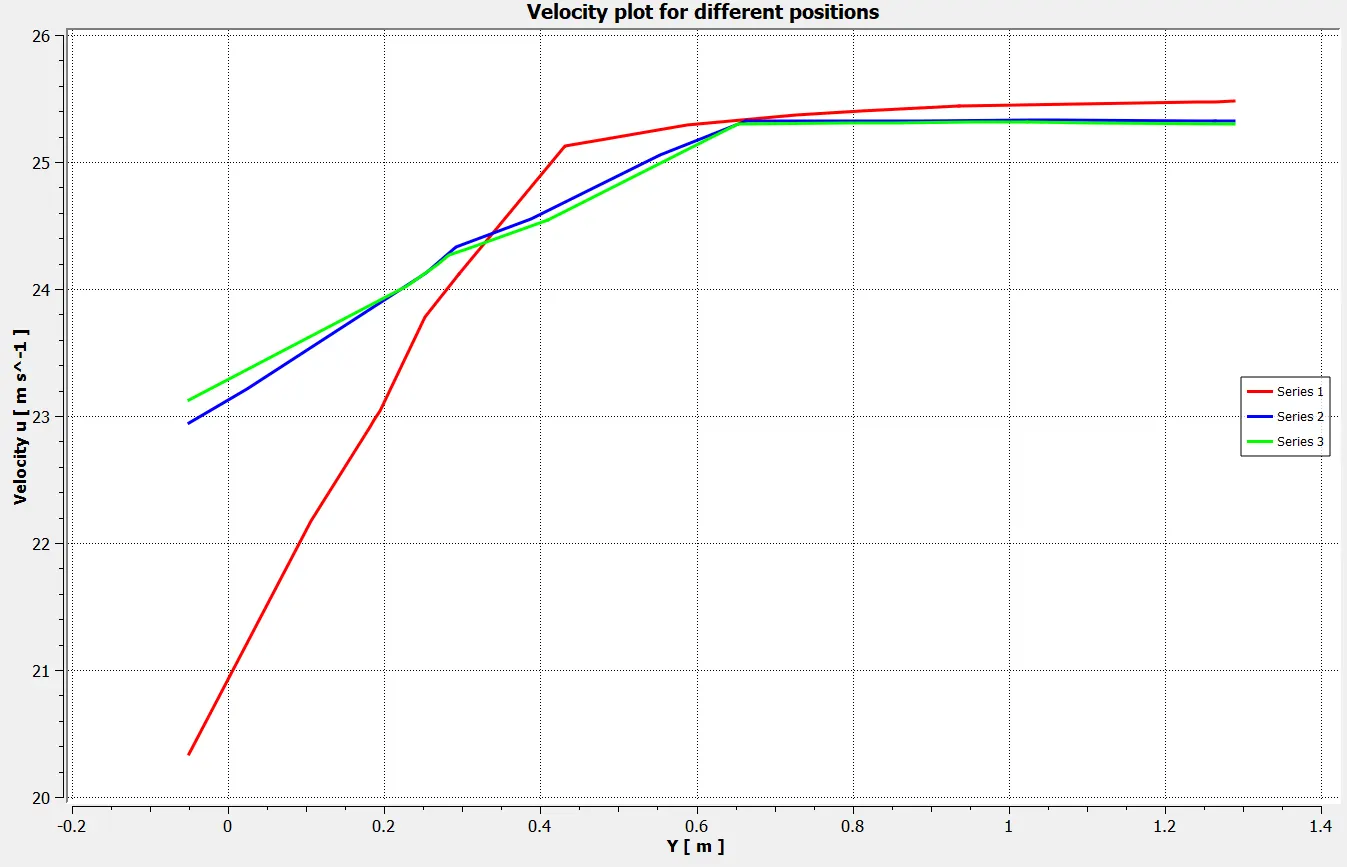
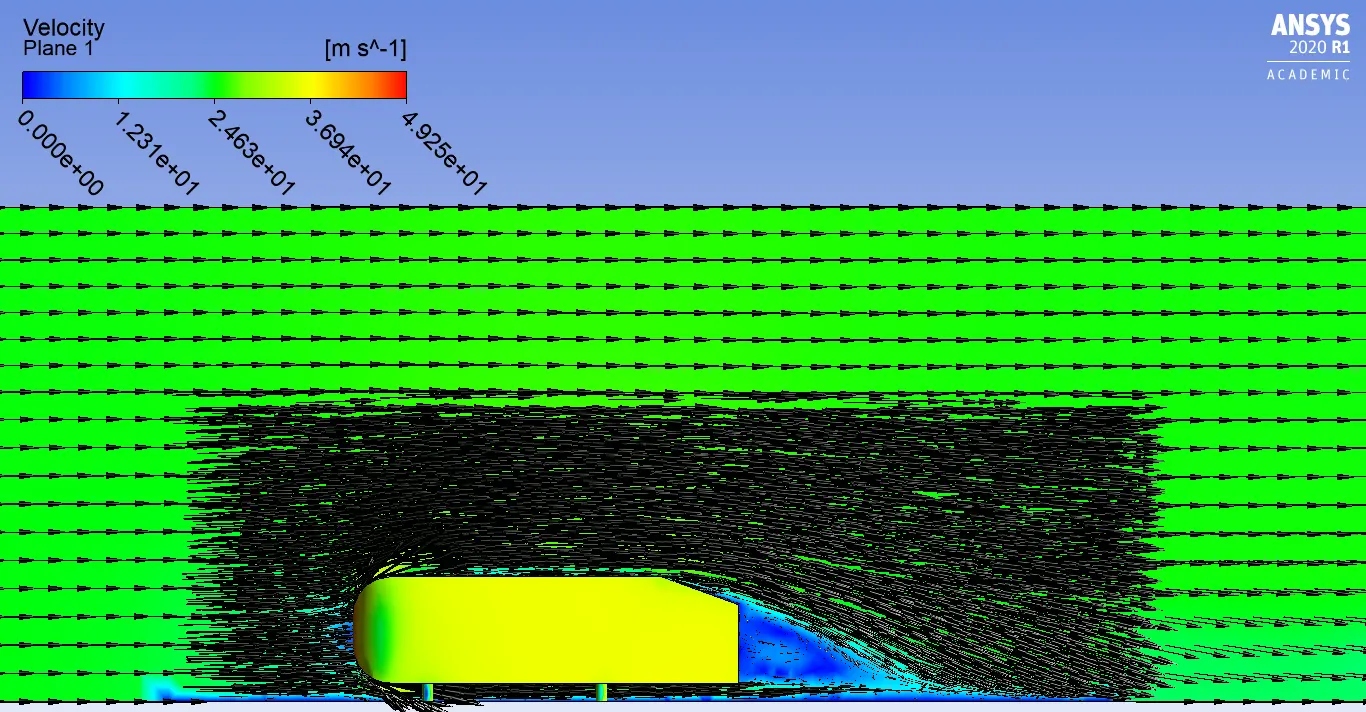
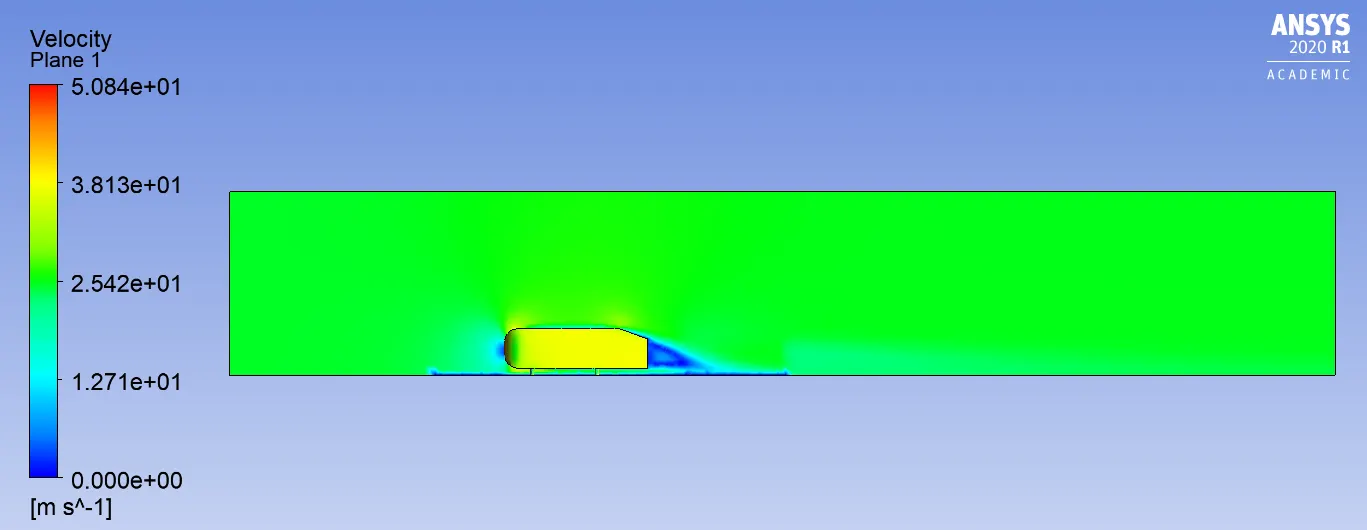
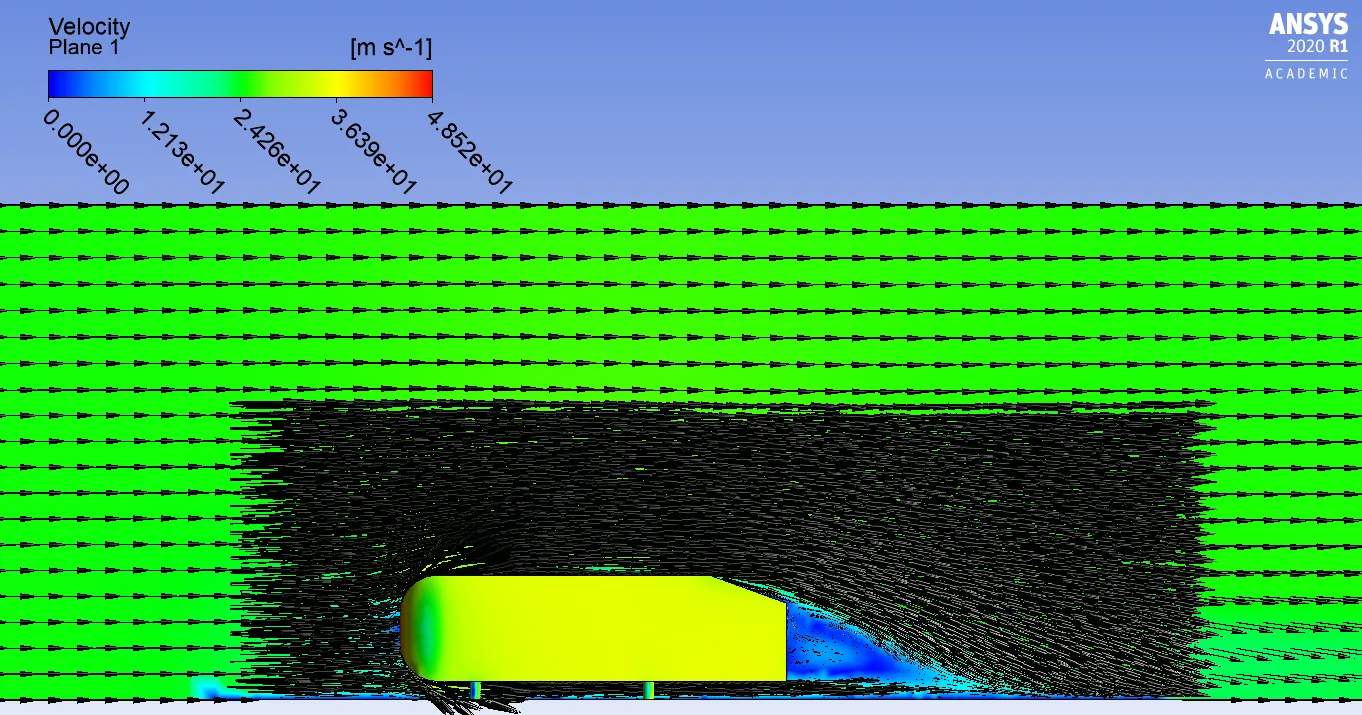
- Since we run setup for baseline mesh we got expected results which is not accurate, because of unstructured mesh we get diffused solution in the velocity and pressure contour as shown above and also we get velocity vectors in some unexpected regions. we must sensitively select the meshing mainly the element size.
- For the baseline meshing we got coefficient of drag as 0.3978737 whereas the experimental value was 0.33. so we get 17.05% error in the coefficient of drag.
- Now we need to refine the mesh and run the setup to get a appropriate results.
PART 2:-
Geometry:-
- Here, we use same Ahmed body geometry that we used in part 1.
- In this case we are going to create two enclosures arround Ahmed body so that we can get much more accurate results and we can understand the behaviour of velocity near Ahmed body as shown in the below figure.
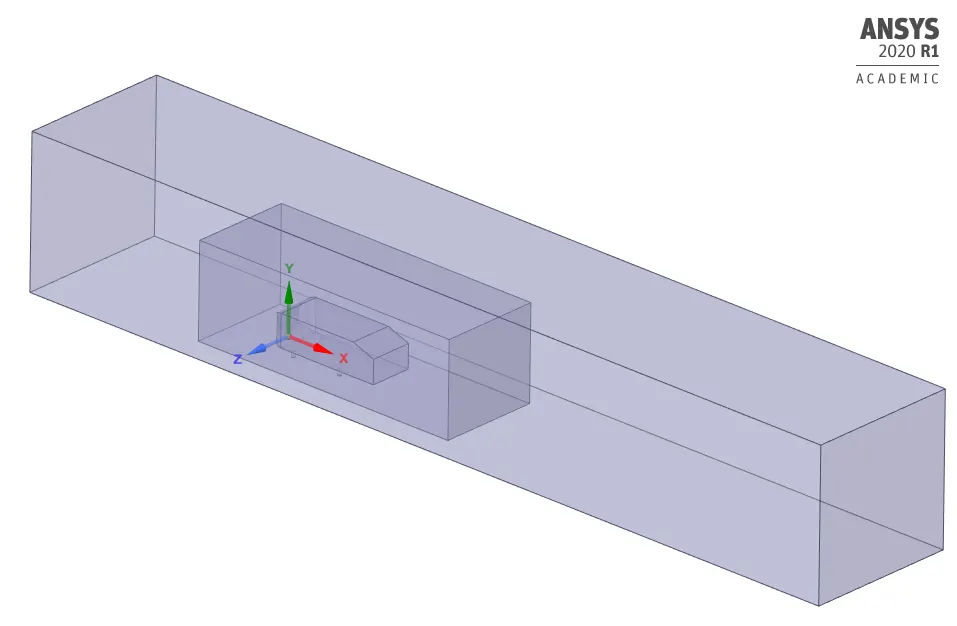
- Then we need to run a interference check to remove the overlap interference.
Meshing:-
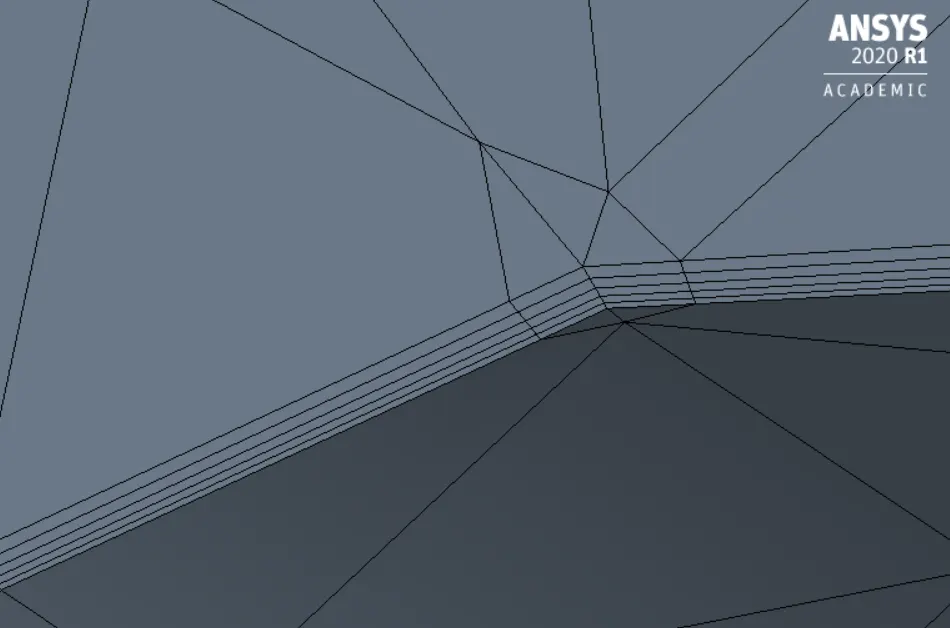
- It is very important to refine a mesh to get appropriate results and also we need to refine mesh near the wall centre of elements because sometimes it does not lie in a single line and we wont get a proper results near the wall. So we have to use boundary layer phenomenon. We can create boundary layers using appropriate boundary layer thickness.
- We can find the first layer thickness value using y+ value for a given velocity, density and viscosity.
- For K-epsilon with a standard wall function turbulence model y+ value can be between 30-300. But the error in coefficient of drag must not be more than 30%.
- If the error is less than 30% in the coefficient of drag then we can choose that dezired y+ value to find the first layer thickness.
- From the turbulence vs wall yplus graph we get more y+ values between 45 an 103 so we compare the 70, 90,100 y+ values.
| y+ | 1st layer thickness | Total thickness (5 layers) | Drag coefficient |
| 70 | 1.0280 | 2.557 | 0.465 |
| 90 | 1.3218 | 3.296 | 0.369 |
| 100 | 1.4686 | 3.654 | 0.413 |
- For 90 y+ value we got drag coefficient as 0.369 which is near to expected value and error is less than 30%.
Grid independence test:-
- After getting dezired y+ value we need to perform the grid independence test for getting the coefficient of drag values approx to the exact value.
CASE 1:-
Meshing:-
- Here we need to name the boundaries as we named in the above case using named selection option.
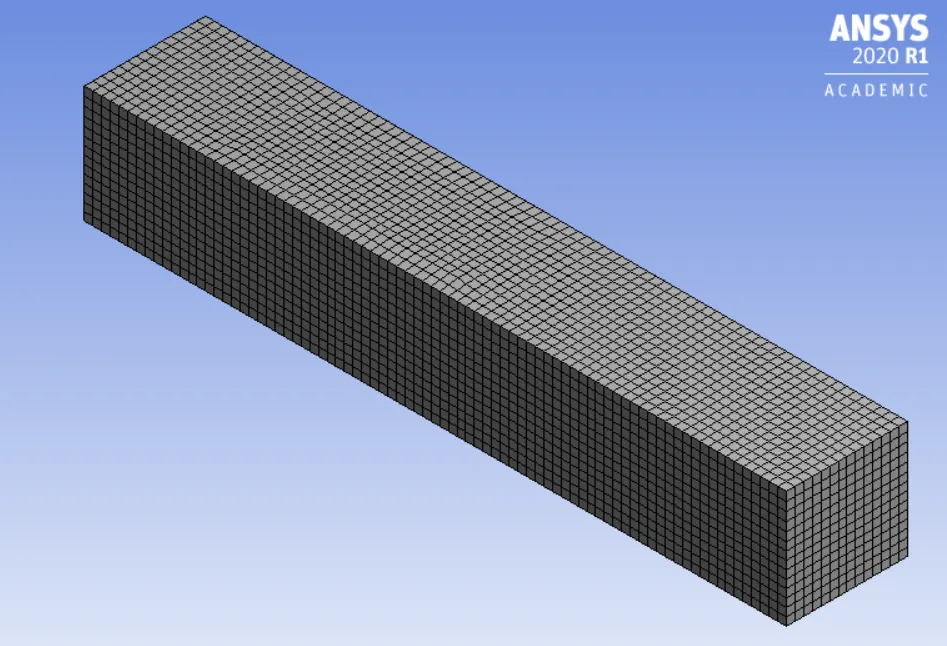
Outer enclosure
- Multizone with quad-dominant elements
- Element size 100mm
- Maximum element size 100mm
Inner enclosure
- Body sizing
- element size 50mm
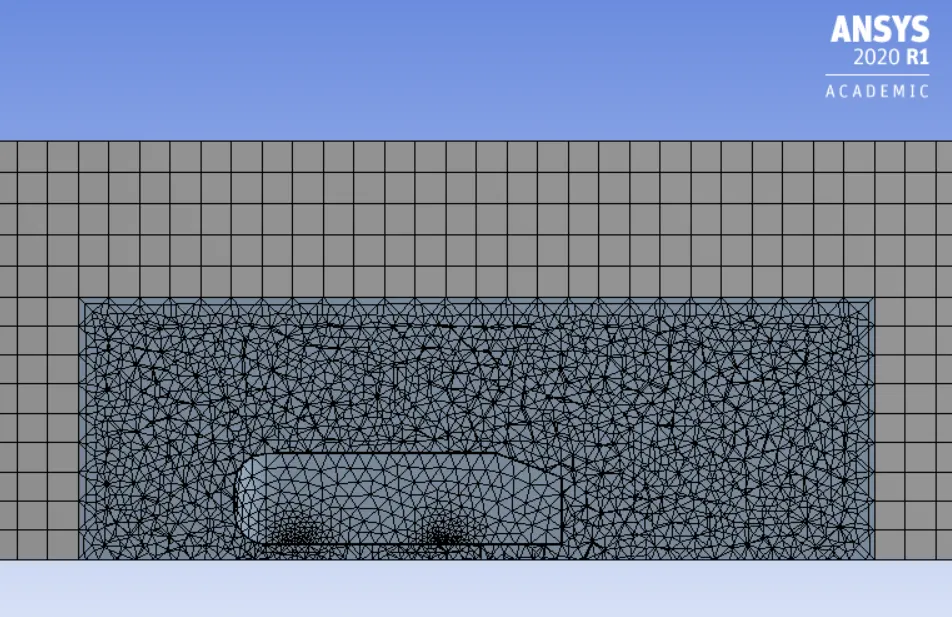
Ahmed body
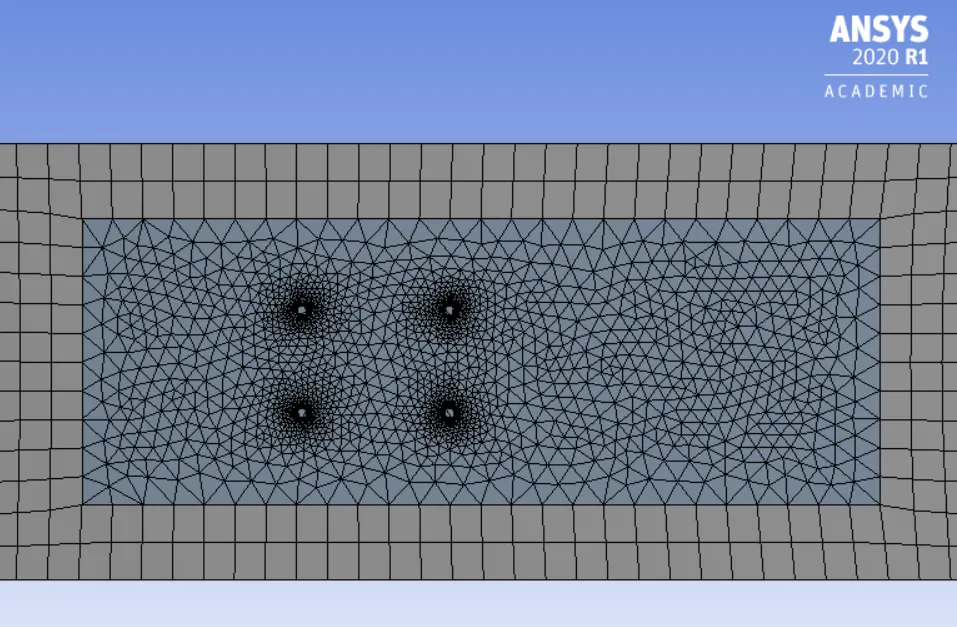
- Face sizing Here, we refine the legs of the Ahmed body
- Element size 5mm
Inflation
- 1st layer thickness 1.3218mm (y+ 90)
- Number of infllation layers 5
- Total thickness 3.296mm
Setup:-
- Here we need to setup a solver. The solver type is density based steady state condition because if Mach number is greater than 0.3, density based solver gives more accurate results.
- After the solver setup in the physics, we need to select K-epsilon turbulence model with standard wall function.
Reference values:-
- Area of front face = (0.39*0.29)+2*(0.05*0.03) = 0.1161m^2
Boundary conditions:-
- After selecting the viscous model we need to assaign the boundary condition to different parts of the model. Since we have already assaigned the proper name for the boundaries, it automatically selects the boundary conditions.
- For inlet it should be velocity inlet with velocity magnitude of 25m/sec , for outlet it should be pressure outlet with pressure guage of 0pa and for car_wall it should be wall.
- Set up the reference values at inlet for calculation of coefficient of drag and lift.
- Then we need to initialize the solver with hybrid initialization method and setup number of iterations.
RESULTS:-
- Residuals plot:-
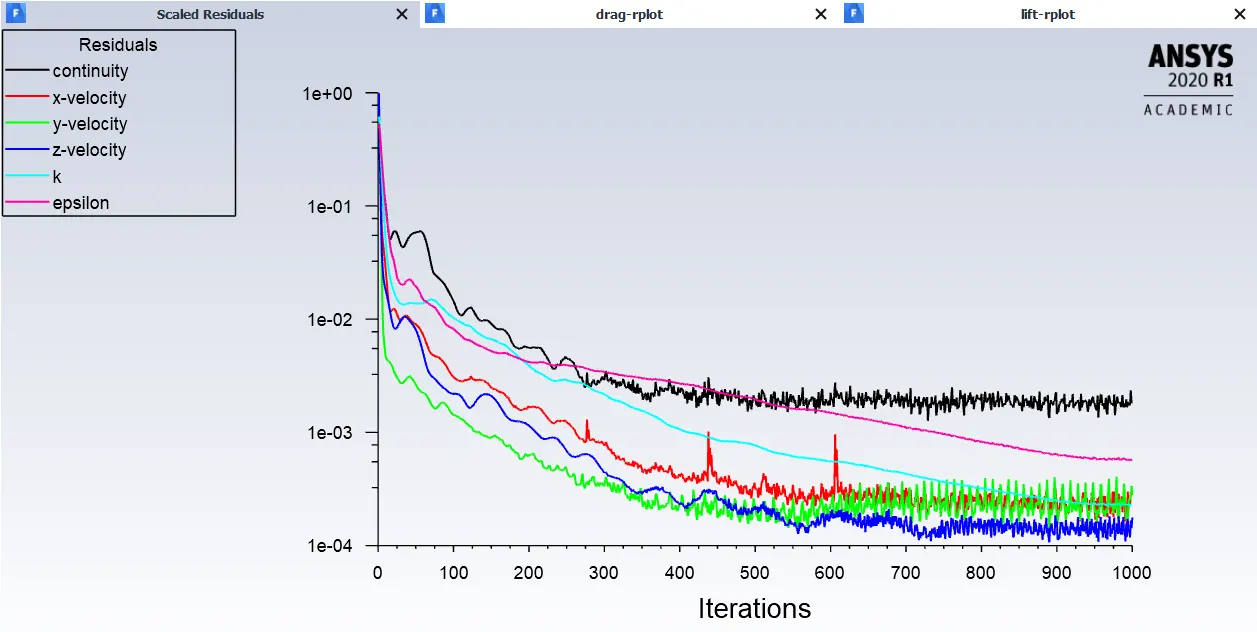
- Coefficient odf drag:-
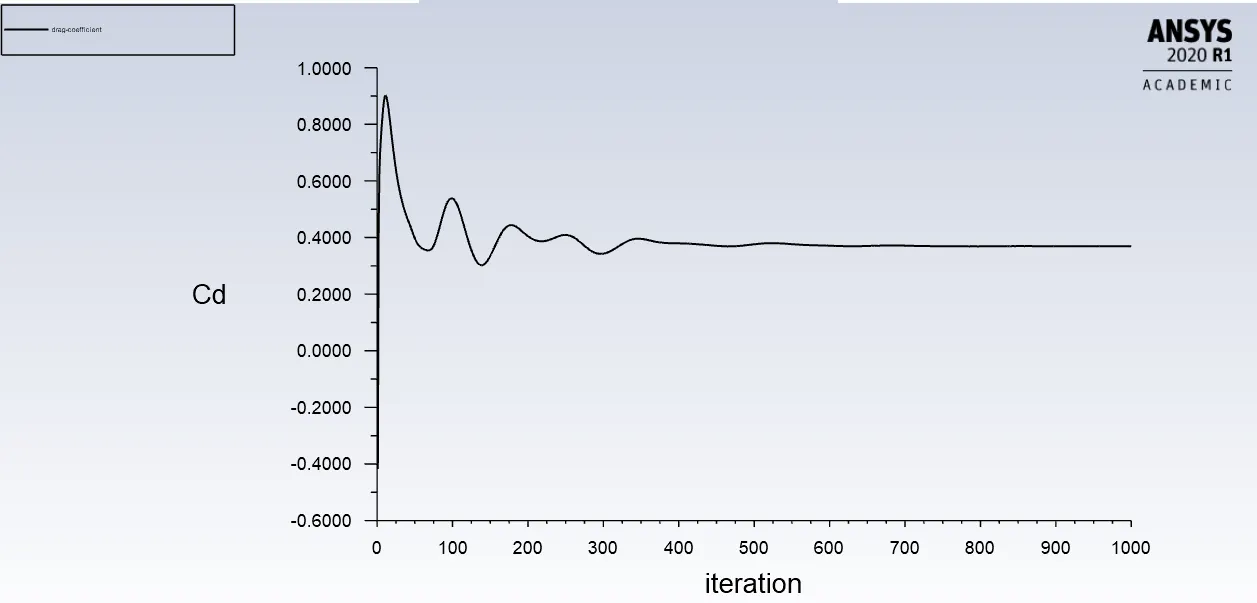 Cd= 0.369
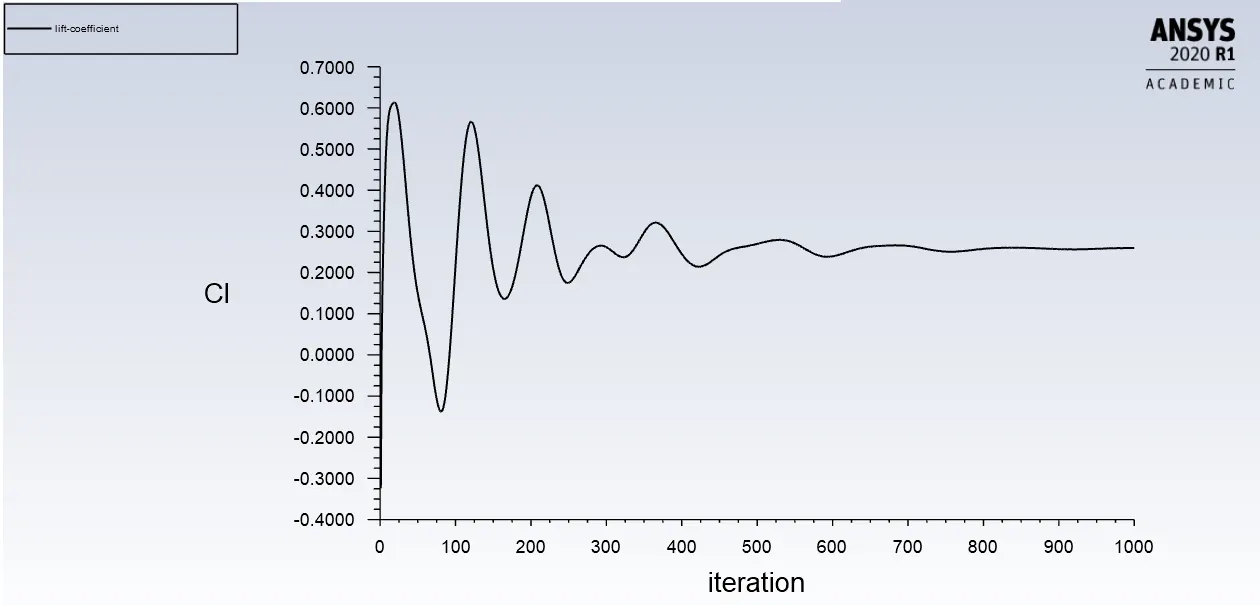
- Coefficient of lift:-
Post processing results:-
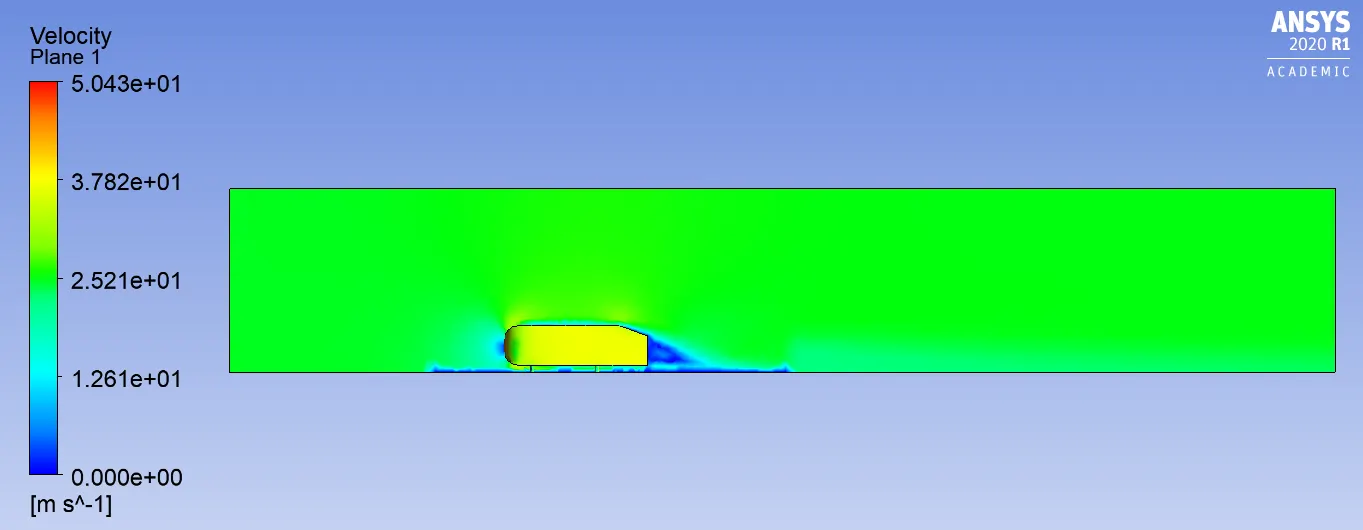
- Velocity contours
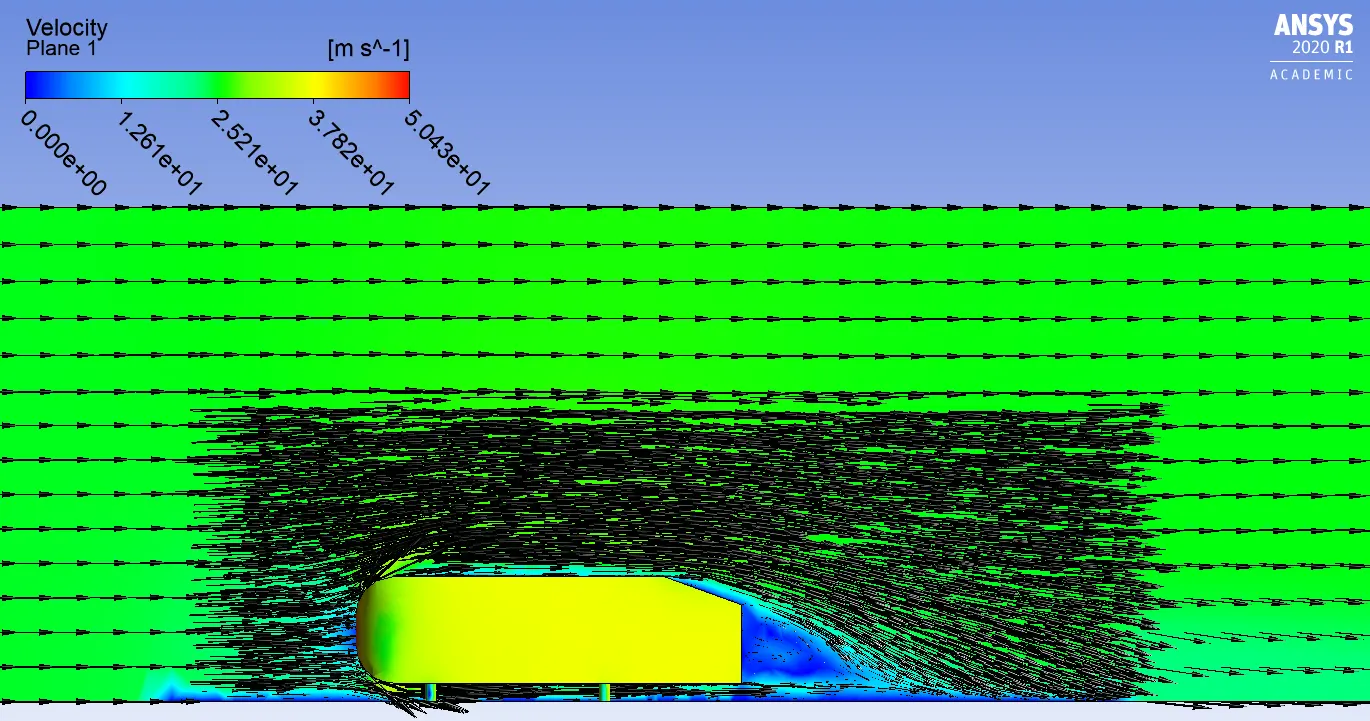
- Vector representation of velocity
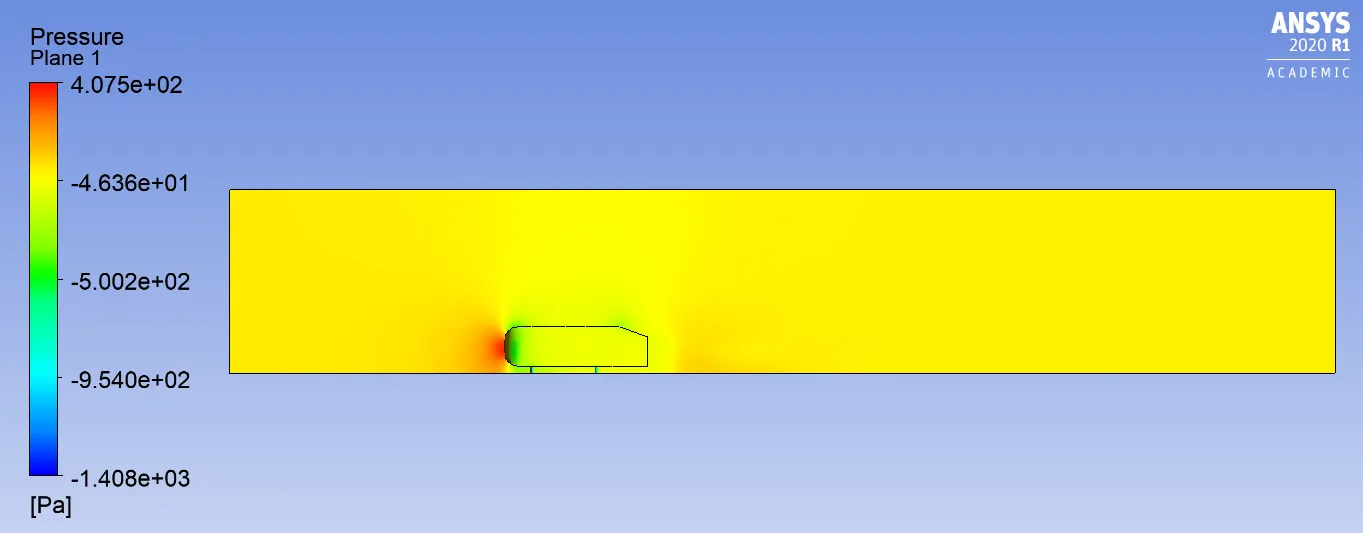
- Pressure contours
- Velocity plots for different positions
CASE 2:-
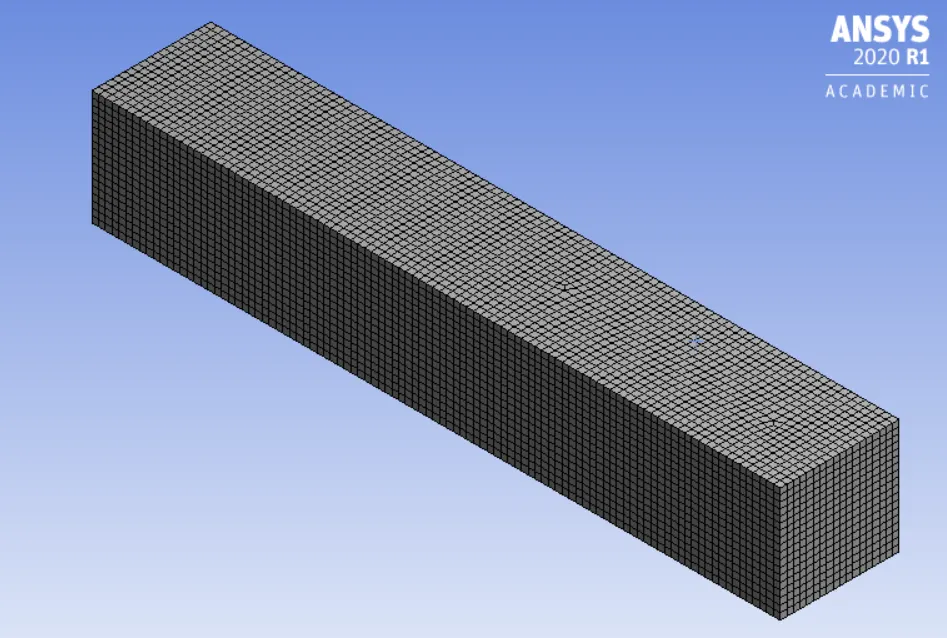
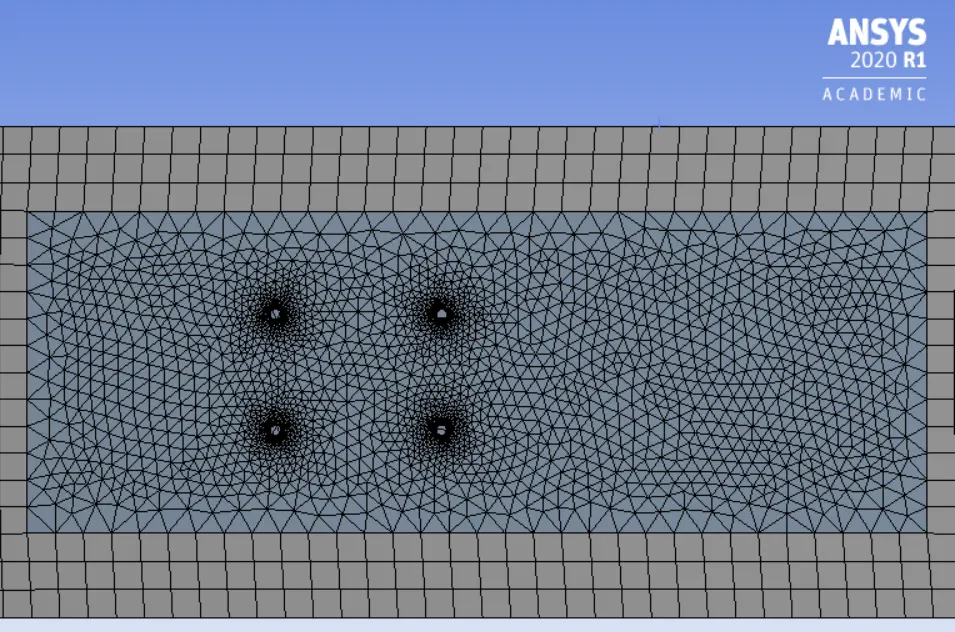
Meshing:-
- Here we need to name the boundaries as we named in the above case using named selection option.
Outer enclosure
- Multizone with quad-dominant elements
- Element size 80mm
- Maximum element size 80mm
Inner enclosure
- Body sizing
- element size 40mm
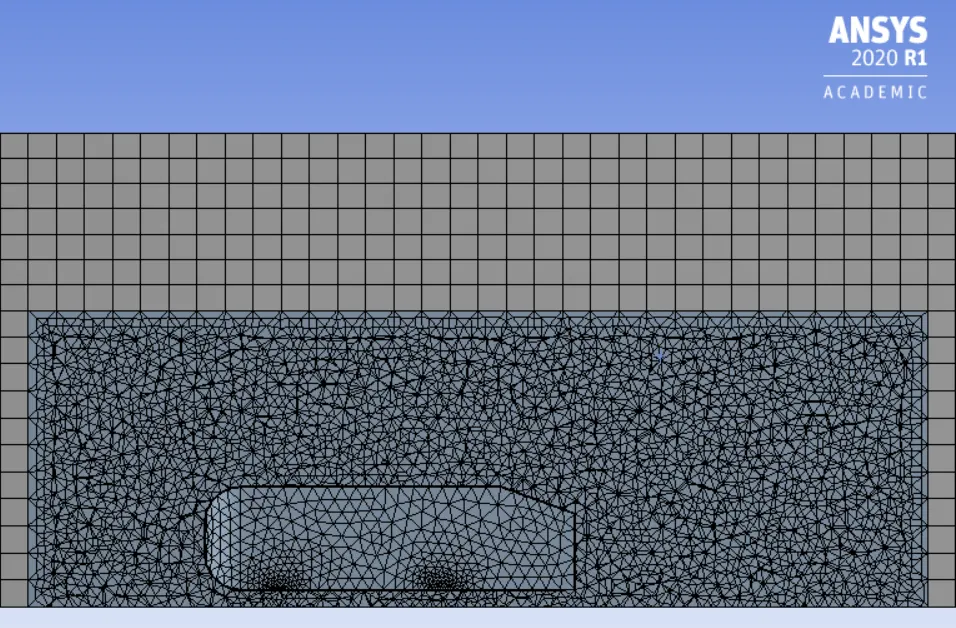
Ahmed body
- Face sizing Here, we refine the legs of the Ahmed body
- Element size 4mm
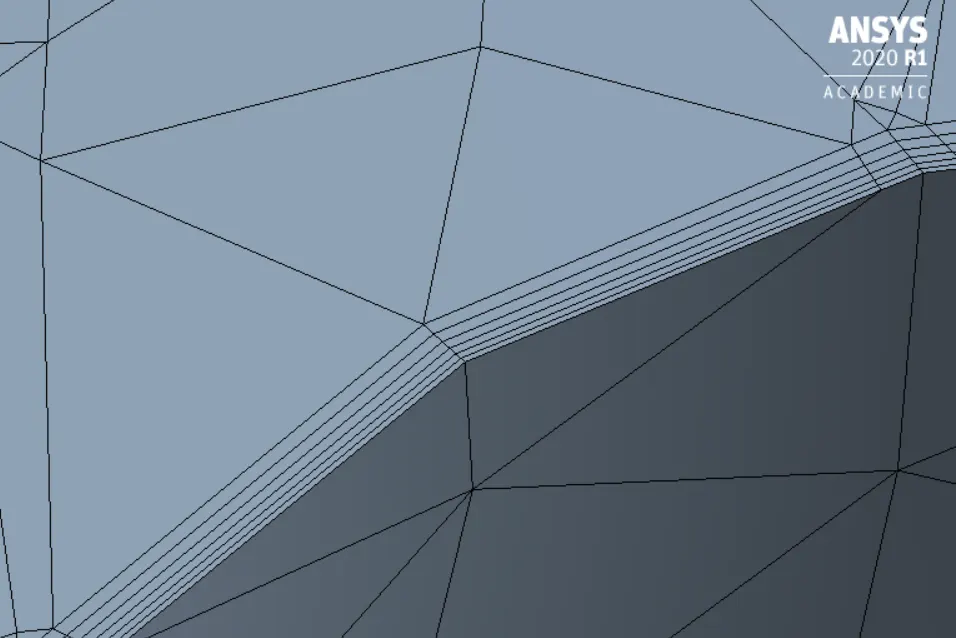
Inflation
- 1st layer thickness 1.3218mm (y+ 90)
- Number of infllation layers 6
- Total thickness 3.946mm
Setup:-
- Here we need to setup a solver. The solver type is density based steady state condition because if Mach number is greater than 0.3, density based solver gives more accurate results.
- After the solver setup in the physics, we need to select K-epsilon turbulence model with standard wall function.
Reference values:-
- Area of front face = (0.39*0.29)+2*(0.05*0.03) = 0.1161m^2
Boundary conditions:-
- After selecting the viscous model we need to assaign the boundary condition to different parts of the model. Since we have already assaigned the proper name for the boundaries, it automatically selects the boundary conditions.
- For inlet it should be velocity inlet with velocity magnitude of 25m/sec , for outlet it should be pressure outlet with pressure guage of 0pa and for car_wall it should be wall.
- Set up the reference values at inlet for calculation of coefficient of drag and lift.
- Then we need to initialize the solver with hybrid initialization method and setup number of iterations.
RESULTS:-
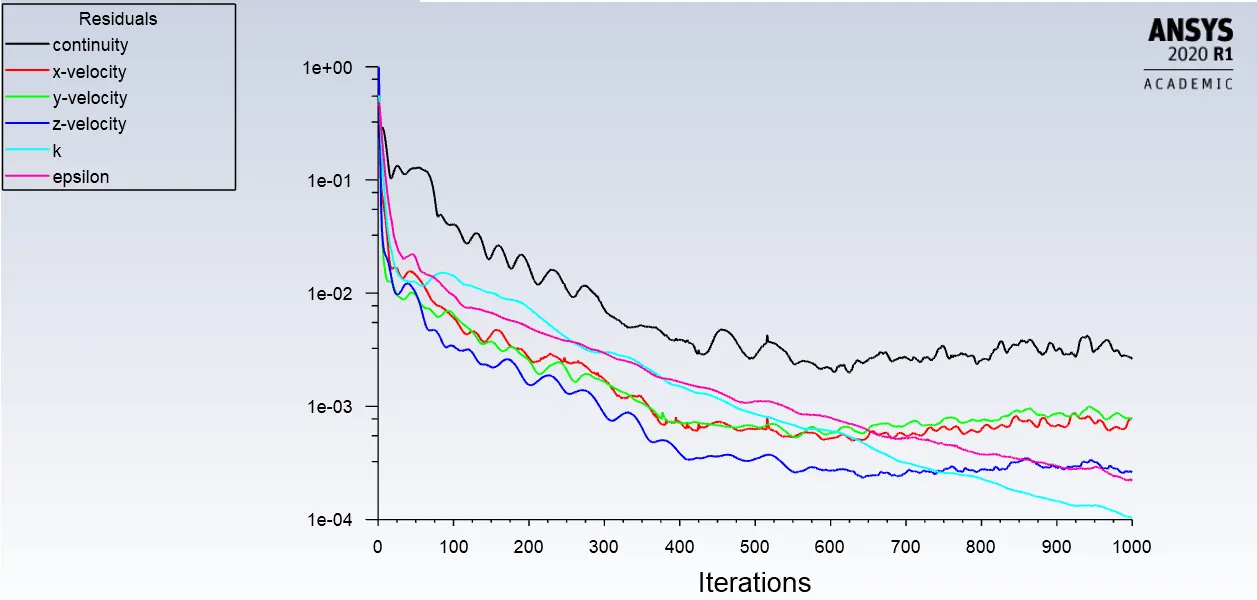
- Residuals plot:-
- Coefficient of drag:-
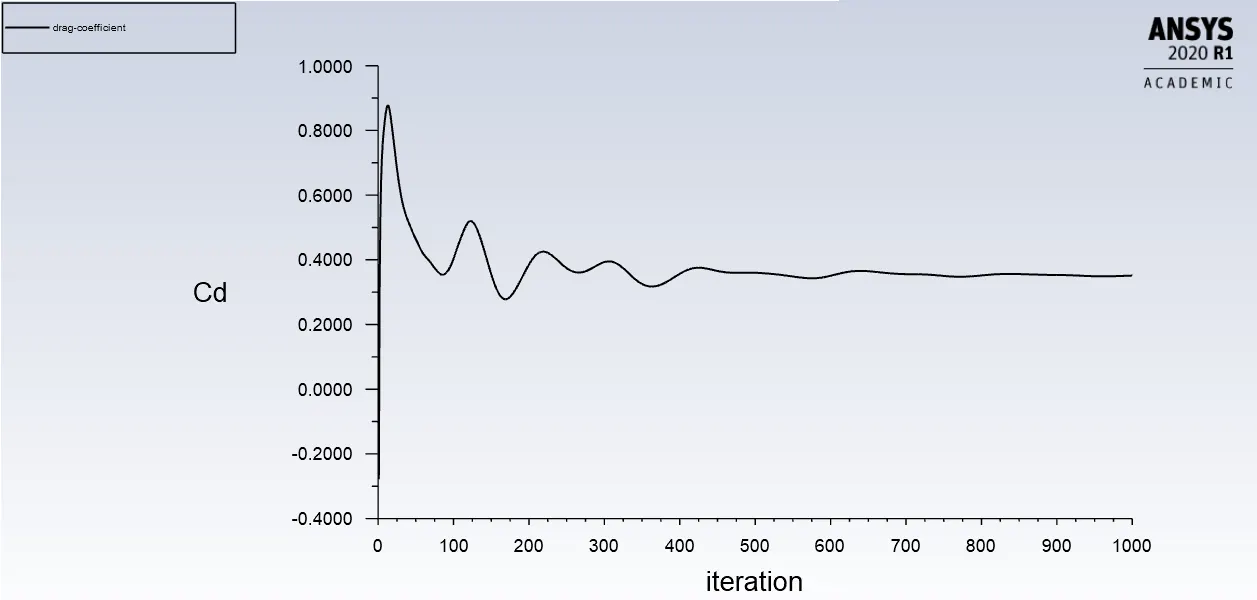 Cd= 0.3512
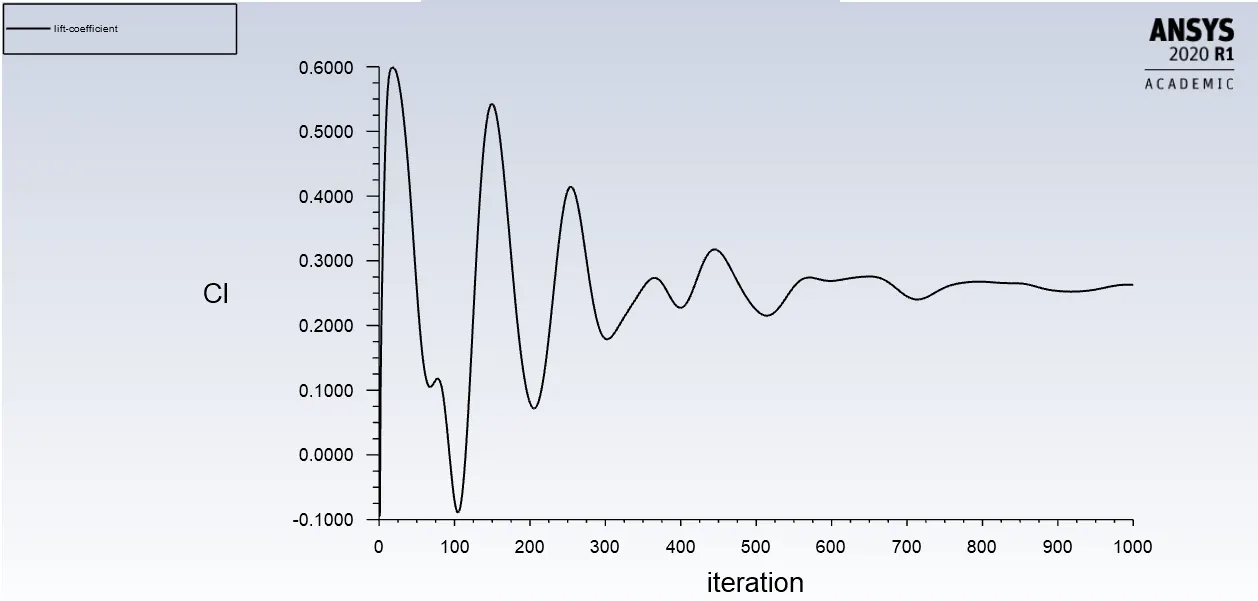
- Coefficien of lift:-
Post processing results:-
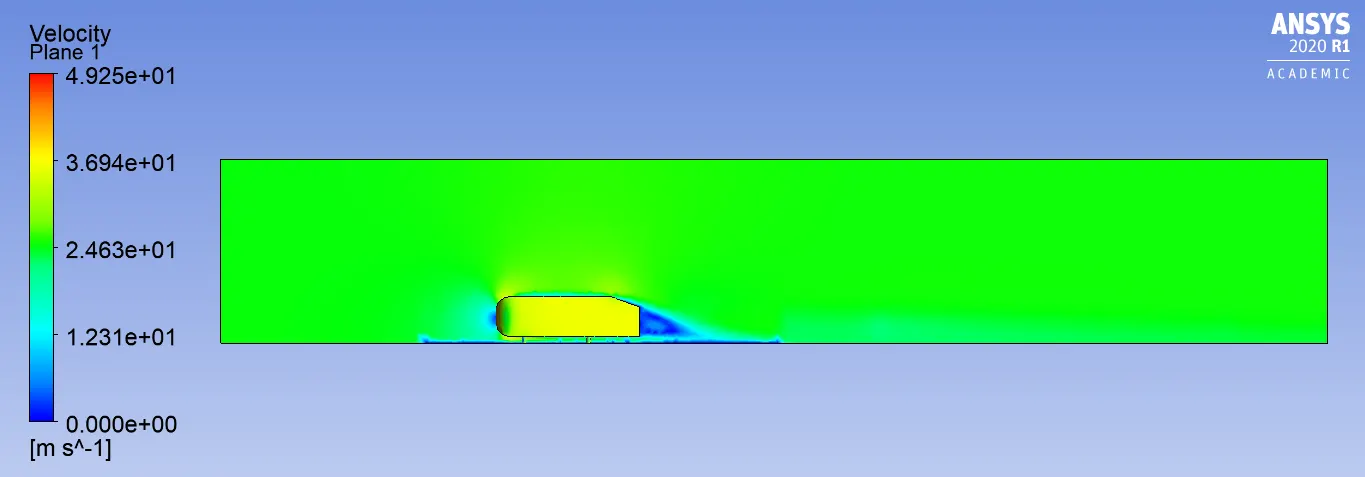
- Velocity contours:-
- Vector representation of velocity:-
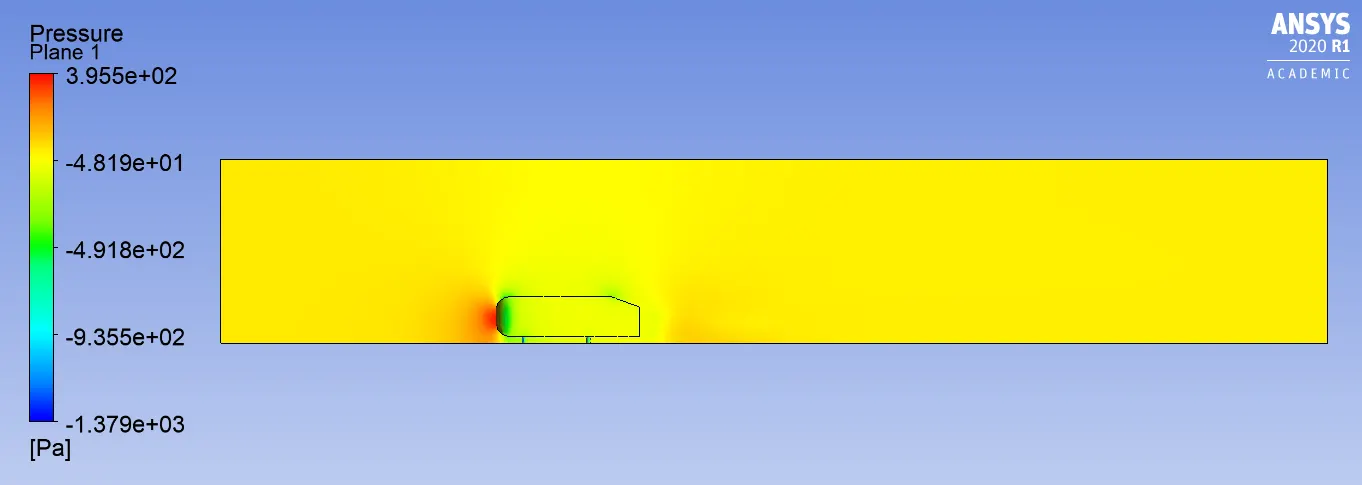
- Pressure contours:-
- Velocity plots for different positions:-
CASE 3:-
Meshing:-
- Here we need to name the boundaries as we named in the above case using named selection option.
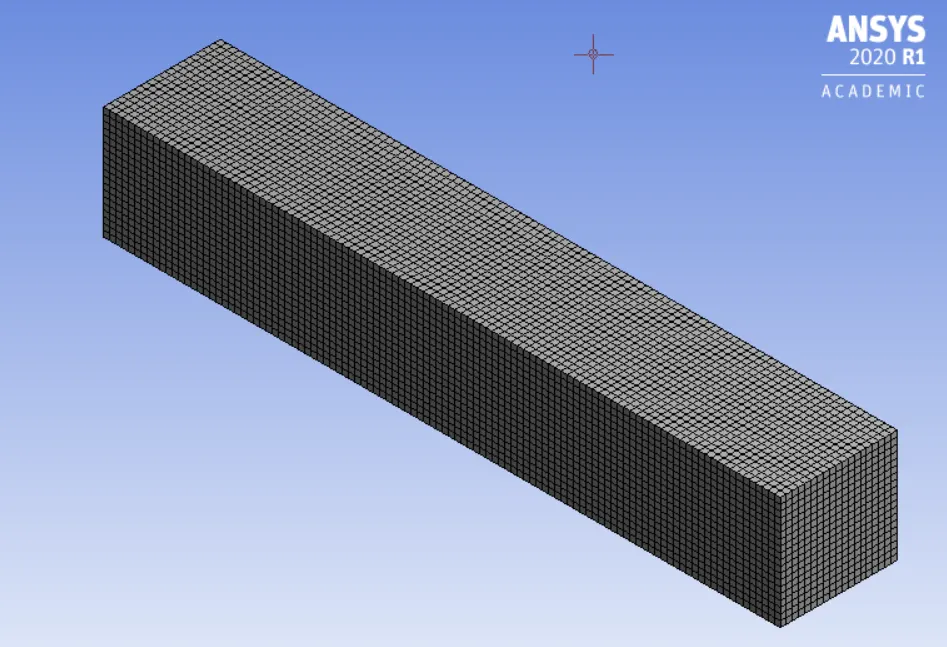
Outer enclosure
- Multizone with quad-dominant elements
- Element size 75mm
- Maximum element size 75mm
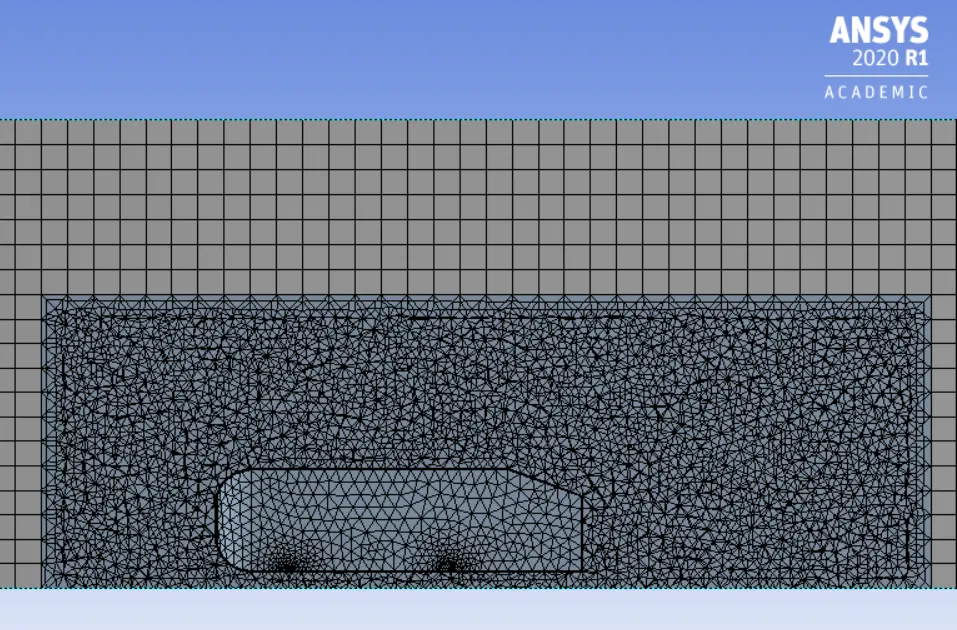
Inner enclosure
- Body sizing
- element size 35mm
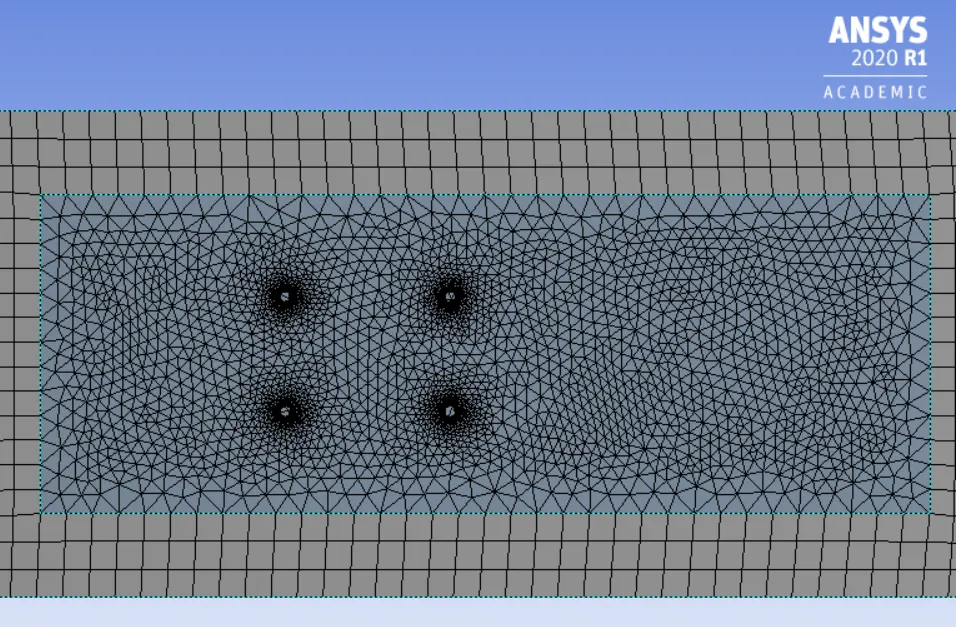
Ahmed body
- Face sizing Here, we refine the legs of the Ahmed body
- Element size 3mm
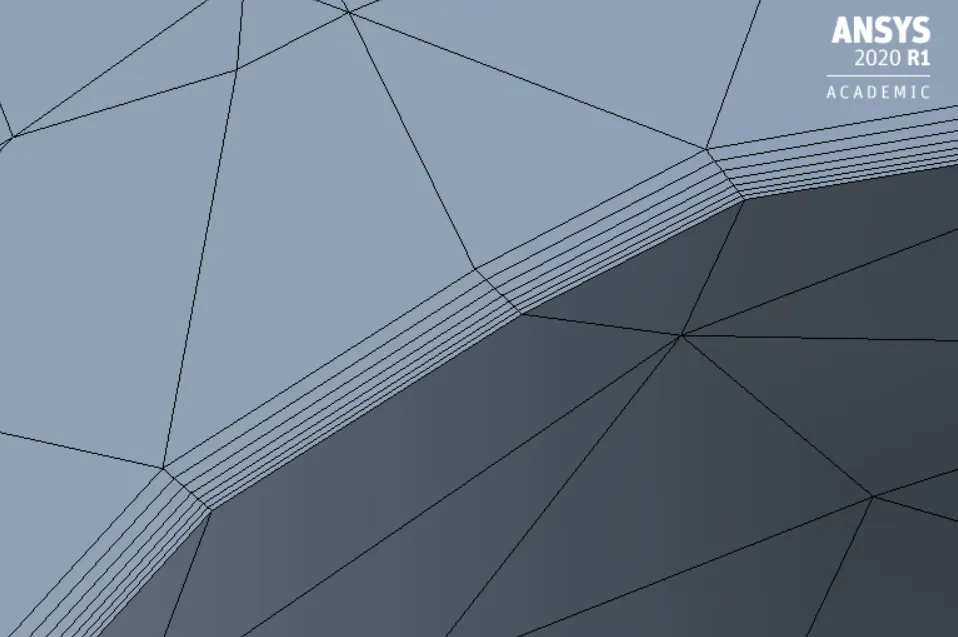
Inflation
- 1st layer thickness 1.3218mm (y+ 90)
- Number of infllation layers 7
- Total thickness 4.736mm
Setup:-
- Here we need to setup a solver. The solver type is density based steady state condition because if Mach number is greater than 0.3, density based solver gives more accurate results.
- After the solver setup in the physics, we need to select K-epsilon turbulence model with standard wall function.
Reference values:-
- Area of front face = (0.39*0.29)+2*(0.05*0.03) = 0.1161m^2
Boundary conditions:-
- After selecting the viscous model we need to assaign the boundary condition to different parts of the model. Since we have already assaigned the proper name for the boundaries, it automatically selects the boundary conditions.
- For inlet it should be velocity inlet with velocity magnitude of 25m/sec , for outlet it should be pressure outlet with pressure guage of 0pa and for car_wall it should be wall.
- Set up the reference values at inlet for calculation of coefficient of drag and lift.
- Then we need to initialize the solver with hybrid initialization method and setup number of iterations.
RESULTS:-
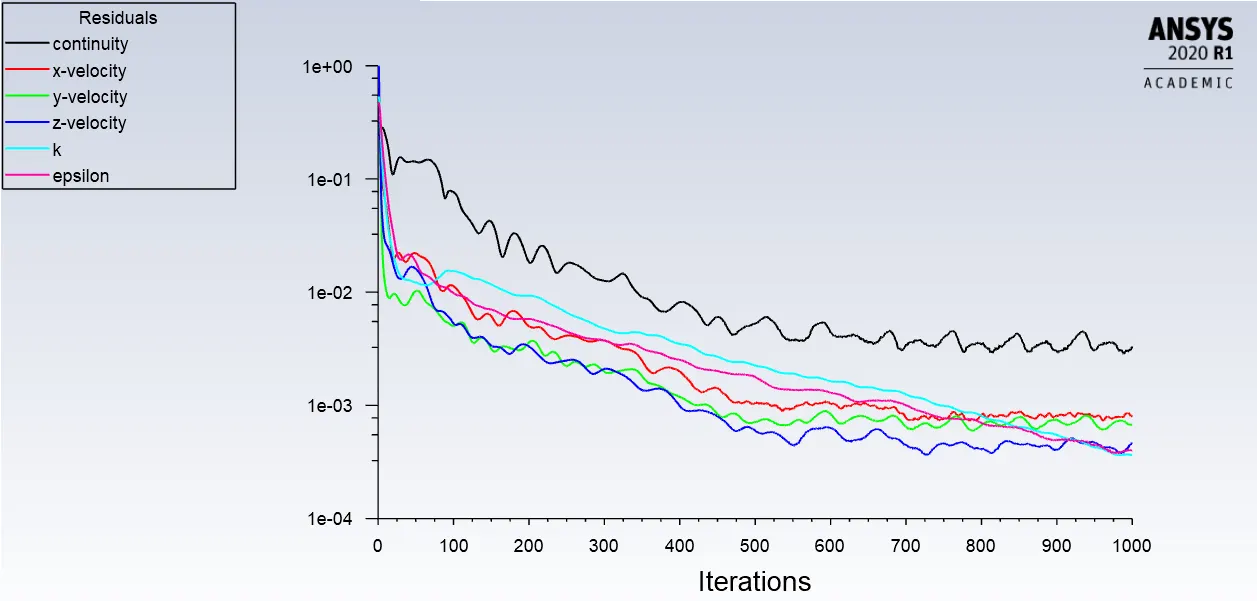
Residuals plot:-
Coefficient of drag:-
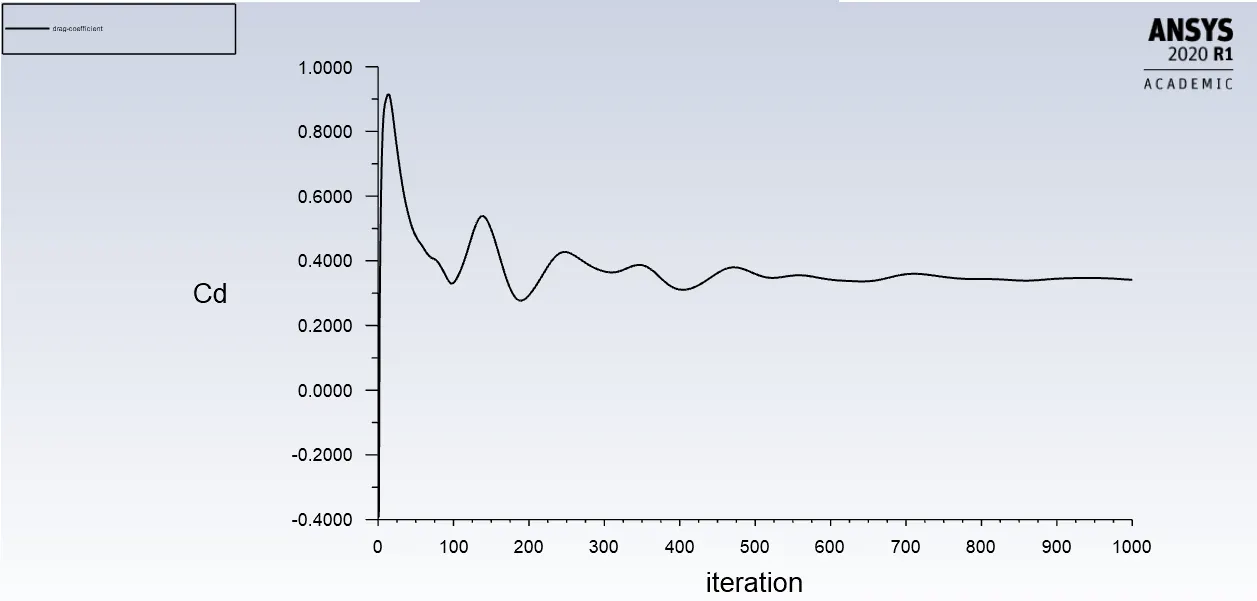 Cd= 0.339
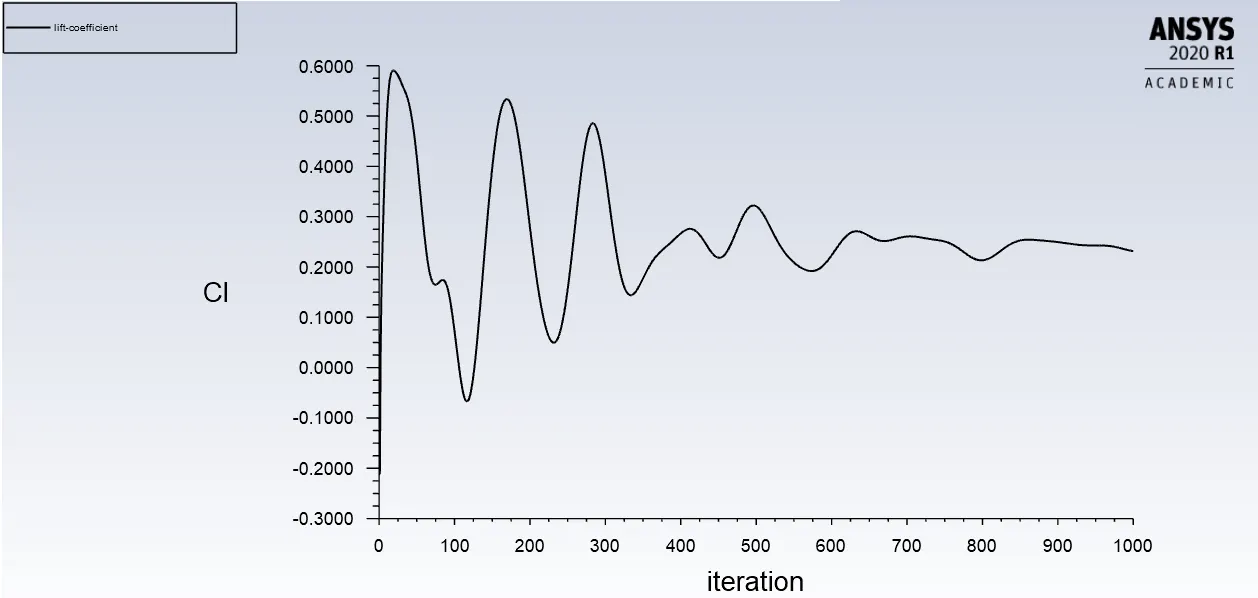
Coefficient of lift:-
Post processing results:-
Velocity contours:-
- Vector representation of velocity:-
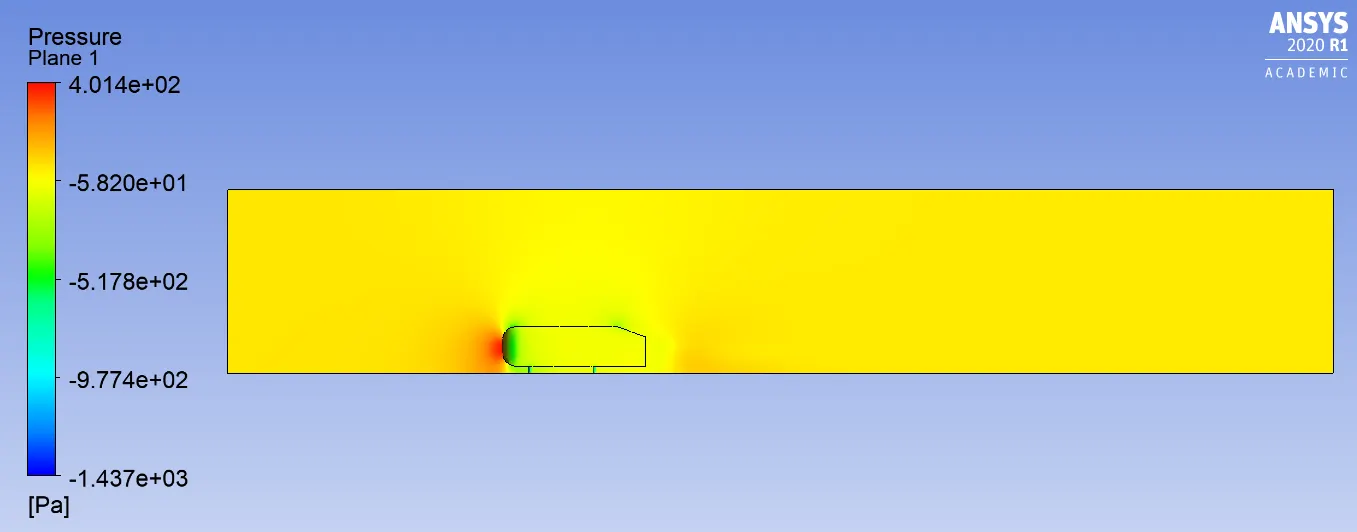
Pressure contours:-
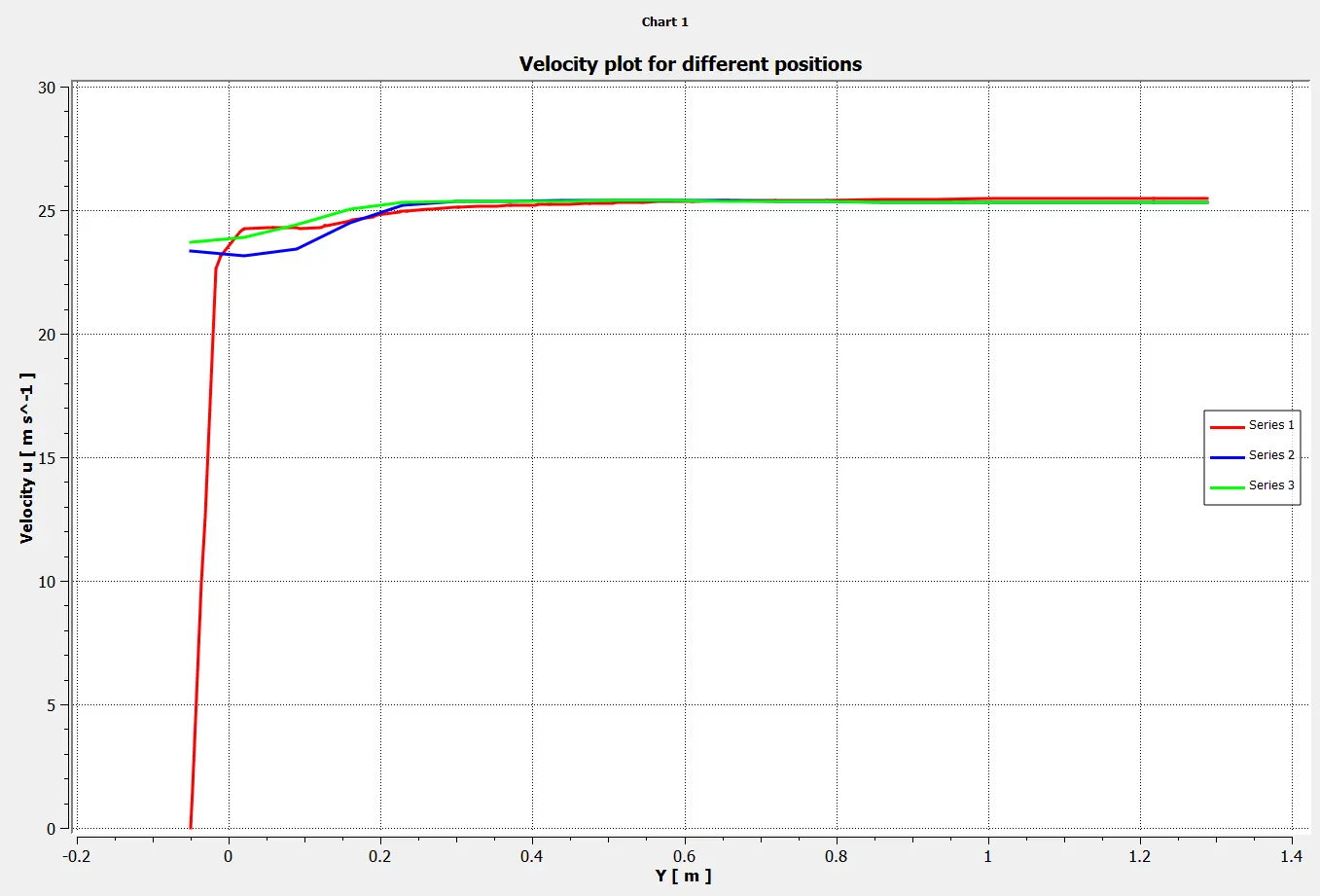
Velocity plots for different positions:-
| cases | Inner enclosure (element size) | Outer enclosure (element size) | Ahmed body (element size) | Inflation layer | Total thickness | Coefficient of drag | Coefficient of lift |
| Case 1 | 100 | 50 | 5 | 5 | 3.289 | 0.369 | 0.259 |
| Case 2 | 80 | 40 | 4 | 6 | 3.946 | 0.351 | 0.262 |
| Case 3 | 75 | 35 | 3 | 7 | 4.736 | 0.339 | 0.221 |
CONCLUSION:-
- As we refine the mesh we get more accurate results(coefficient of drag and lift).
- we must maintain the y+ value to get accurate results and the error in coefficient of drag must not be more than 30% for normal refined mesh.
- The negative pressure in the wake region and vortex sheding in rear part of Ahmed body has been shown with a help of contour plots.
- Negative pressure rises in the wake due to reversible highly turbulent flow which is responsible for drag force.
- Flow seperation occurs due to pressure difference on front and rear surface of the body.