Week- 5 - Solid meshing
AIM:--
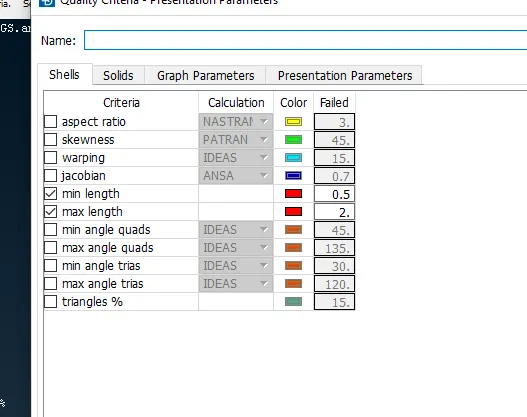
For the given Rearview mirror component, check for the geometrical errors and mesh the Surfaces with the given 2D element Quality criteria given below.
PROCEDURE:--
- First import the model in the required format
- Visualize the model properly
- Now, from the UTILITY bar, go for CHECK—GEOMETRY. It will help us find all the geometrical issues in the model.
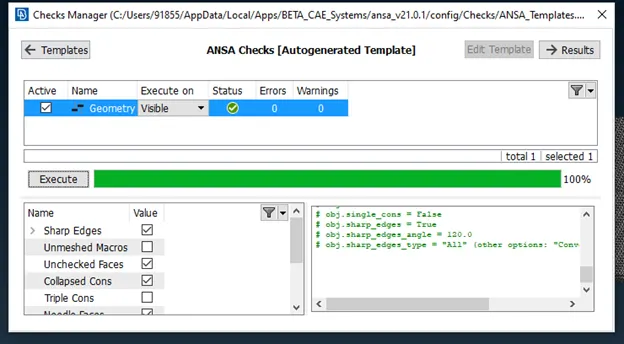
- Try to fix all of those issues by AUTO FIX or MANUAL method.
- After fixing all the geometrical issues. Check for any surface glitch by assigning the length to 1 from MESH TAB.
- Now we are good to go for meshing the component.
- In Solid meshing with TETRA elements, we have to choose TRIAS or ORTHO TRIAS as an element type.
NOTE:--What is Solid Meshing?
In solid meshing, the ability to be meshed is referred to as mappability. Mappability is directional and can be likened to putting a surface mesh on one face of the solid, then extending that mesh along a vector through the solid volume.
- In ANSA, we do volume/solid meshing by, First meshing the model with SURFACE meshing in the mesh module. Then, mapping those TRIAS elements into TETRA.
- There are 2 way of mapping TRIAS into TETRA
- RAPID TETRA
- RAPID FEM
TETRA RAPID:-- The Maximum growth rate, which is the approximate growth factor of volume element size from layer to layer while the generation moves towards the interior of the Volume.
Maximum Element Length. Specify the maximum allowable length of the tetra elements to be generated. Useful when specifying a growth rate factor while keep the length of the elements below a certain value.
Quality Criterion and Threshold Value. The user can select the quality criterion definition with respect to which the generated tetra elements will be optimized, and specify a threshold value to guide the optimization process. Furthermore, this function gives the option of identifying possible problematic regions of already defined volumes, prior to volume meshing.
TETRA FEM:-- The Maximum growth rate, which is the approximate growth factor of volume element size from layer to layer while the generation moves towards the interior of the Volume.
Maximum Element Length. Specify the maximum allowable length of the Tetra elements to be generated. Useful when specifying a growth rate factor while keep the length of the elements below a certain value.
Quality Criterion and Threshold Value. The user can select the quality criterion definition with respect to which the generated Tetra elements will be optimized, and specify a threshold value to guide the optimization process. Furthermore, this function gives the option of identifying possible problematic regions of already defined volumes, prior to volume meshing.
Create pyramids flag. The user can enable or disable the creation of pyramids.
- Now we have to do the surface meshing on the model.
- Before meshing assign the quality criteria, element type and target element size.
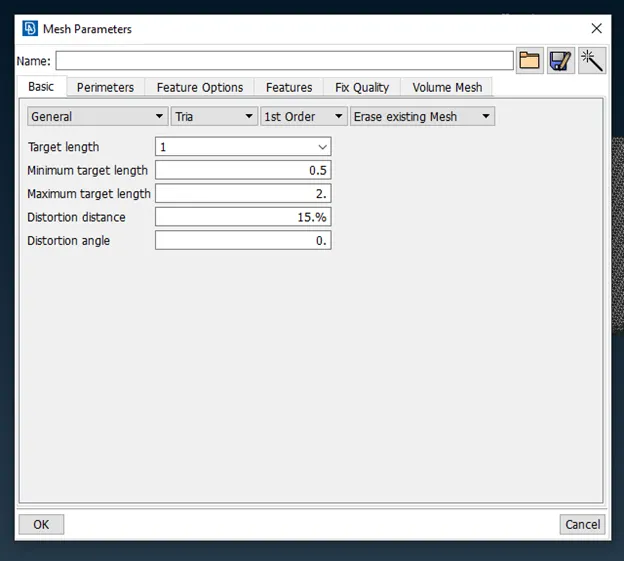
NOTE:-- CHOOSE ORTHO TRIA FOR CURVED SURFACE ONLY AND NORMAL TRIAS FOR FLAT SURFACE BECAUSE ORTHO TRIAS CAPTURE THE FEATURE MORE PROPERLY AS COMPARED TO NORMAL TRAIS
AND CALCULATION TIME FOR ORTHO IS HIGH AS COMPARED TO NORMAL TRIAS SO WE DON’T DEPLOY ORTHO TRIAS EVERYWHERE.
- After surface meshing, eliminate all the elements which are failing for minimum and maximum criteria.
- After meshing models are
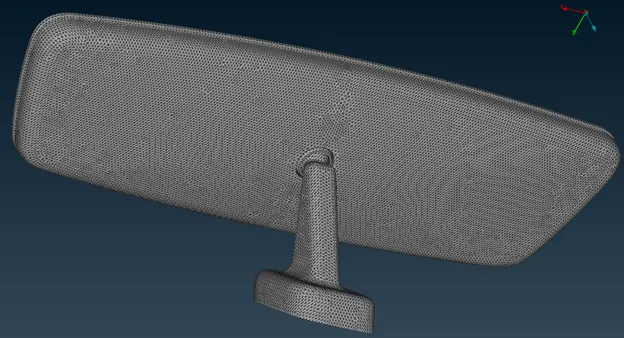
- After surface meshing Now go to MESH VOLUME DECK
- First, define the volume Manually.
- Then this error will pop up.
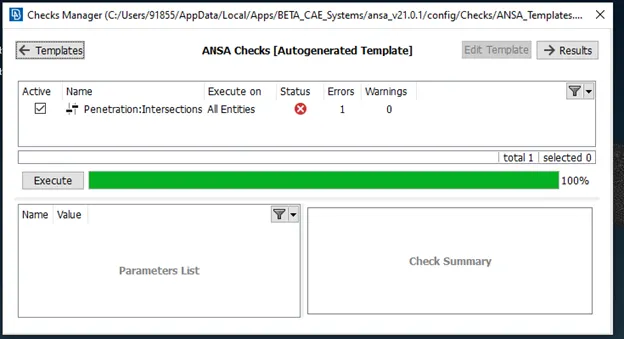
- This error may also come when there is a common surface for two different parts (i.e Triple CONS in the model) or if surfaces of two components are very close together).
- How to fix these issue
- GO TO VOLUME DECK—DEFINE VOLUME—MANUAL
- Select the PID individually. Then go to list in volume deck
- There you will see the defined PID. Right-click on that and click on REMESH
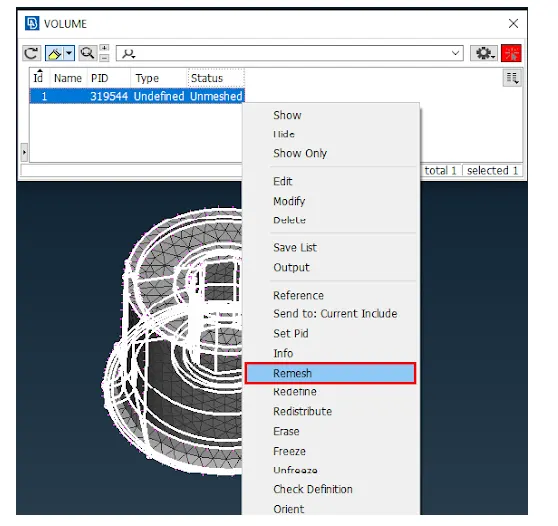
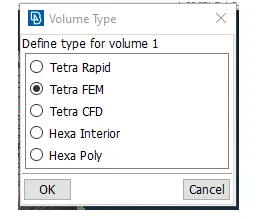
- Select anyone from the first 2 option and click OK
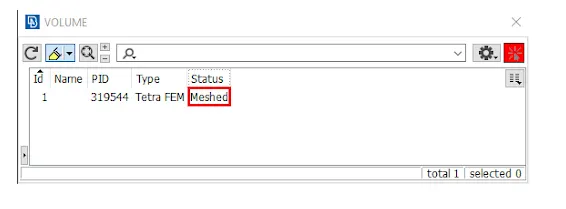
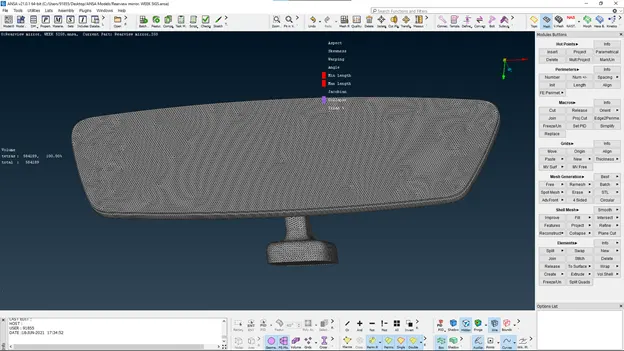
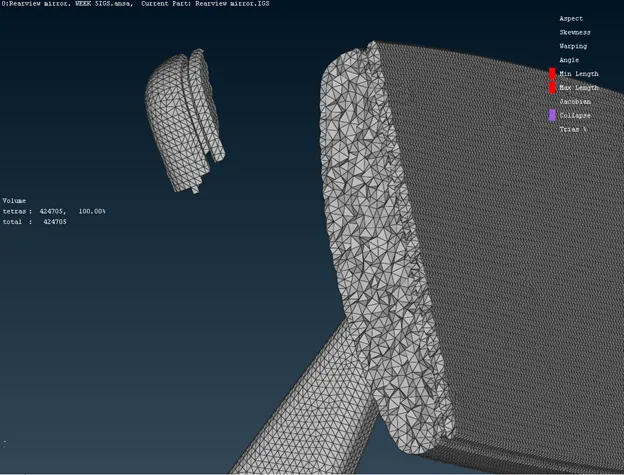
- Now the model has meshed with solid elements.
- After solid mesh check of TET COLLAPSE failing elements
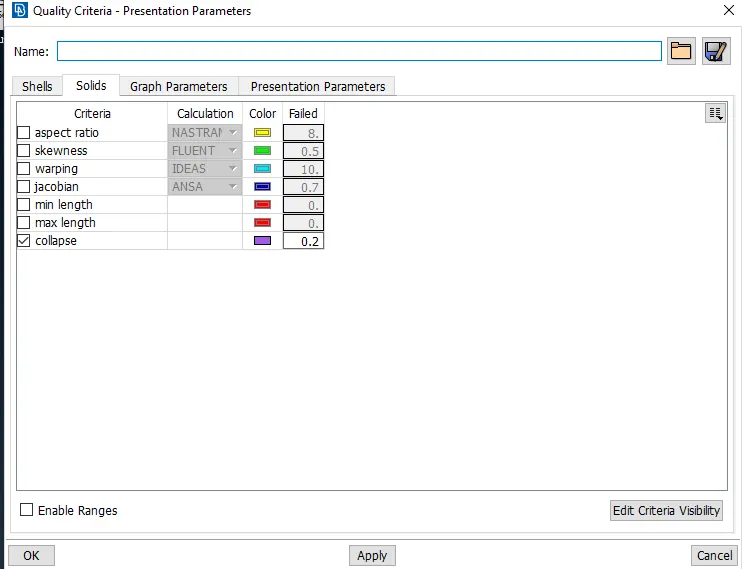
- You can fix tet collapse by
- Auto fix quality in volume deck itself
- And on by moving the surface
- If the failing elements are inside the solid then we can move the axis independently in the global axis. But if it is on the surface, we have to move it carefully as it should not cause any KINK & RAISE on the surface.
The final model AFTER completion
CONCLUSION:--
Learnt how to define the solid mesh
Learnt how to fix tet collapse
Learnt how to do solid mesh
Significance of ORTHO & NORMAL TRIAS.