Week 5:- Rest Unit & Clamp Unit Design Challenge
AIM: To design and understand the concept of Power Clamp Unit & Rest Unit.
CLAMP UNIT:
A clamp unit is a unit designed to clamp/hold the car panel with NC blocks/Mylar/Rest by using a pneumatic clamp cylinder.
The different parts of a clamp unit are:-
Clamp Mylar/Finger: Finger is a NC Block which is mounted on the clamp Arm of the cylinder and will press the car panel towards the rest, So that it holds the car panel.
Rest Mylar: A rest mylar is a NC block which is fixed to the unit to support the car panel, Also it resists the clamping force of the finger and thus clamp the car panel.
Clamp Arm: A clamp arm is a bought out part to which all the movable parts are fixed. In general a clamp arm is a part of clamp cylinder.
- Clamp arms are different for different bore of the cylinder
- Clamps arms are available in different hole pitch
- Clamp arms are available as :
- Middle Arm – A10
- Right Arm – A11
- Left Arm – A12
Clamp Cylinder: A clamp cylinder is a pneumatic device which works with pressurised air. The clamp cylinder is used to open and close the parts fixed to the clamp arm fixed to the clamp body.
- Clamp cylinders are Bought out parts. Some of the manufacturers are: Tunkers and Destaco
- Clamp cylinders are in general 40,50.63 and 80 bore capacity
- Opens up to 135 degree for horizontal clamp mounting
- Opens up to 105 degree for vertical clamp mounting
REST UNIT:
A rest unit is a unit designed to rest/support the car panel using NC blocks/mylar/rest.
The different parts of a rest unit are:
- NC Block
- Spacer
- Riser
- Blade
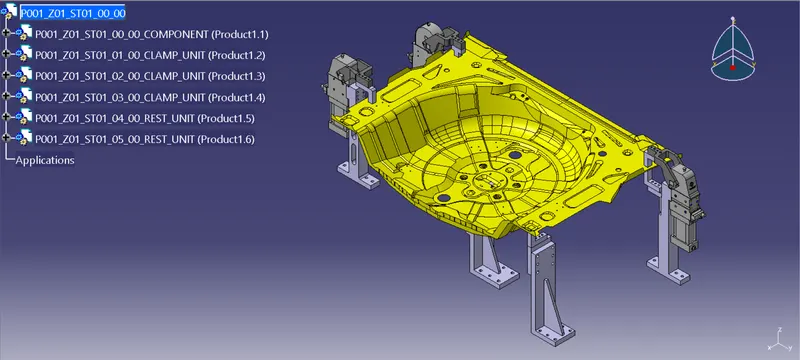
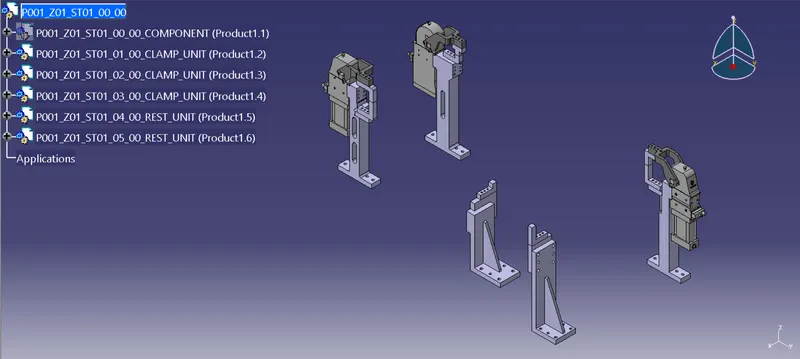
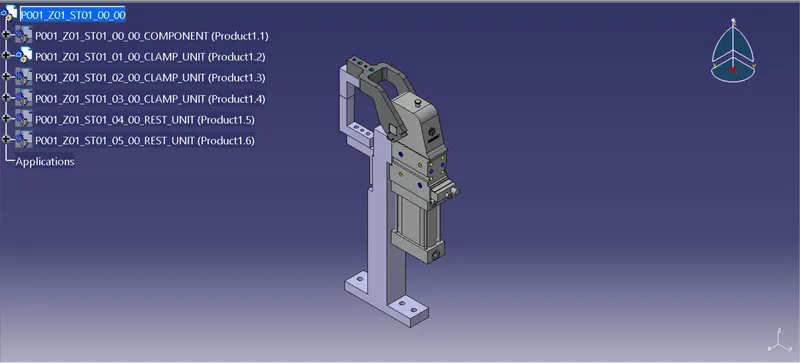
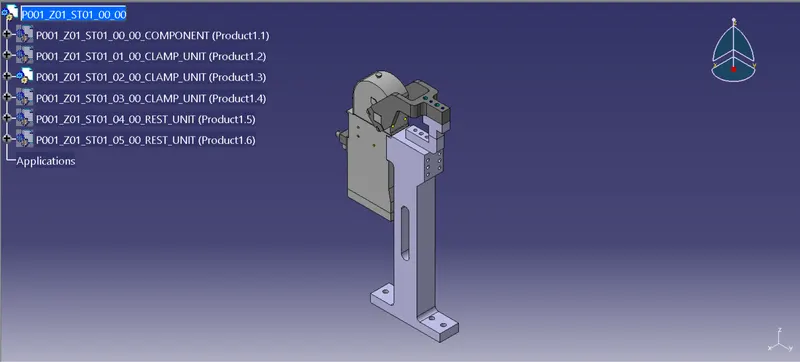
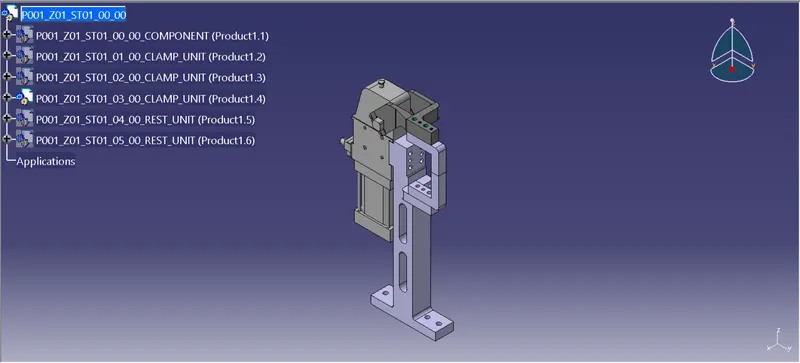
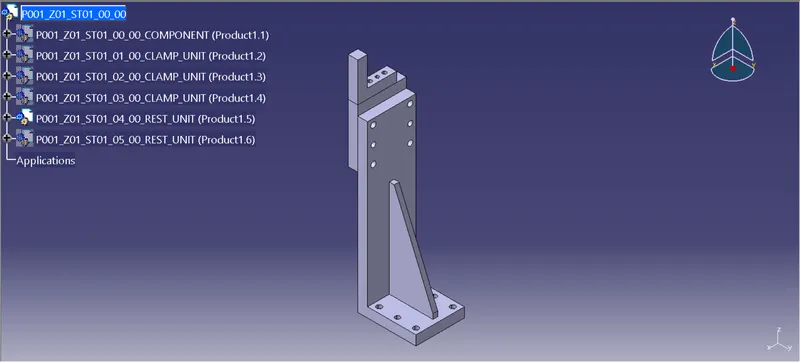
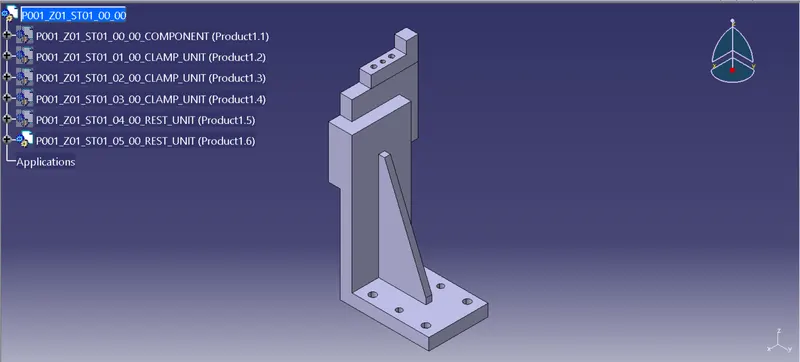
Process Followed to Design the Clamp Units:
- Launch the CATIA V5 application and create new product file as (P001_Z01_ST01_00_00)
- Create another four product files into the main product file as (P001_Z01_ST01_00_00_COMPONENT),(P001_Z01_ST01_01_00_CLAMP_UNIT),(P001_Z01_ST01_02_00_CLAMP_UNIT) & (P001_Z01_ST01_03_00_CLAMP_UNIT)
- Into the (P001_Z01_ST01_00_00_COMPONENT) file add the car panel
- And into the (P001_Z01_ST01_01_00_CLAMP_UNIT) product file create multiple part files for clamp mylar,rest mylar,clamp arm,clamp cylinder,L block & riser
- Download the clamp cylinder & clamp arm CAD data files from www.tuenkers.com
- Double click on the clamp mylar part file, select the plane and sketch the mylar profile then pad it for 20mm.Create dowel holes.
- Follow the exact same procedure to make rest mylar
- Using snap/smart move allign both the mylar with respect to the car panel
- Add the clamp cylinder which was previously downloded from www.tuenkers.com
- Allign the clamp arm on top of clamp mylar/finger using snap/smart move. Make sure the dowel holes are properly alligned
- Select the riser part file sketch the profile for riser and pad it.Also create the dowel holes
- Then select the block part file sketch the profile for L block and pad it.Also create the dowel holes
- Provide necessary fillet/chamfer to parts
- Make sure all the parts are accurately placed in their desired location
Process Followed to Design the Rest Units:
- Create two new product files into the main product file for rest unit as (P001_Z01_ST01_04_00_REST_UNIT) & (P001_Z01_ST01_05_00_REST_UNIT)
- Into the (P001_Z01_ST01_04_00_REST_UNIT) product file create multiple part files for NC Block,Blade & Riser
- Sketch the required profiles for NC Block,Blade & Riser, and pad them to required length
- Also create rib for riser
- Create dowel holes and threaded holes
- Then place these parts in their position using snap/smart move