Week - 5 - Checking and correcting the Normals
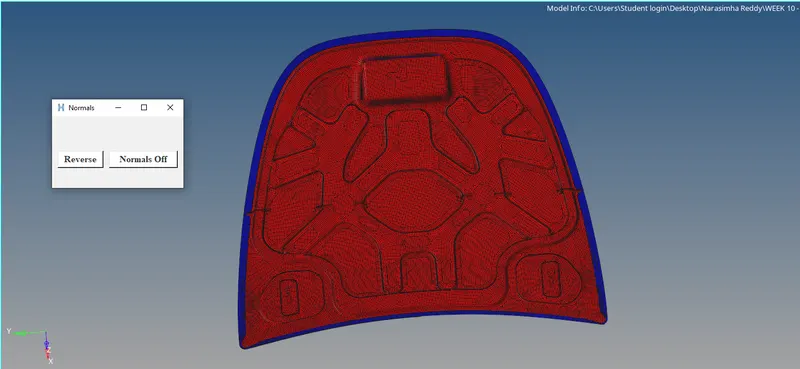
1.Writing a code to display the normals as explained in Lecture 5.
Objective:To write the code for displaying the normals
Problem statement:Showing of normals displayed in the panel.
Code:
*clearmarkall 1
*setnormalsdisplaytype 1
*createmark elements 1 "displayed"
*normalsdisplay elements 1
Explanation:
*clearmarkall 1 -- the previously saved elements will be cleared.
*setnormaldisplaytype 1 -- showing normal display as color mode.
*createmark elements 1 "displayed" -- selected elements are going to be displayed.
*normaldisplay elements 1 -- displaying normal as selected as displayed.
Conclusion:
By following the above procedure commands we can display the normals as per in the video lecture.
Full Code:
*clearmarkall 1
*setnormalsdisplaytype 1
*createmark elements 1 "displayed"
*normalsdisplay elements 1
*clearmarkall 1
*createmarkpanel elements 1 "select elements"
*normalsreverse elements 1
*createmark elements 1 "displayed"
*normalsdisplay elements 1
*normalsoff
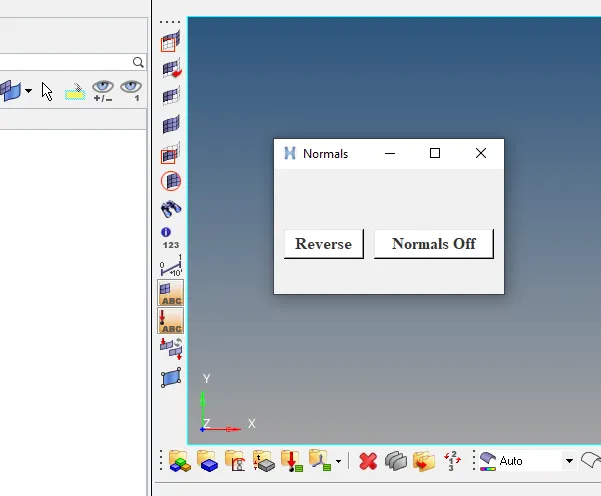
2.Creation of widget containing two buttons for “reverse normals” and “normal off”.
Objective:To create the widget for the buttons for reverse normal and normal off.
Problem statement:By using the window option we have to create the buttons and apply the commands.
Code:
set a .window
catch {destroy $a}
toplevel $a -class toplevel
wm title $a "Normals"
wm geometry $a 230x125+100+200
button $a.01 -text "Reverse" -command {*createmark elements 1 "displayed"; *normalsreverse elements 1} -bg white -font
{times 12 bold}; place $a.01 -x 10 -y 60 -width 80 -height 30
button $a.02 -text "Normals Off" -command {*createmark elements 1 "displayed" ; *normalsoff} -bg white -font {times 12
bold}; place $a.02 -x 100 -y 60 -width 120 -height 30
Explanation:
set a .window -- setting the window with a variable.
catch {destroy $a} -- closing,if it already exsists.
toplevel $a -class toplevel -- indicates the top side.
wm title $a "Normals" -- name of the window normals.
wm geomentry $a 230x125+100+200 -- size of the window.
button $a.01 -text "Reverse" -command {*createmark elements 1 "displayed"; *normalsreverse elements 1} -bg white -front {times 12 bold}:
place $a.01 -x 10 -y 60 -width 80 -height 30 -- reverse button with the command of reversing normals.
button $a.02 -text "Normals Off" -command {*createmark elements 1 "displayed" ; *normalsoff} -bg white -font {times 12 bold}; place $a.02 -x
100 -y 60 -width 120 -height 30 -- command with off normal button.
Conclusion:
Thus,we created the widget buttons for the reverse normals and normal off.
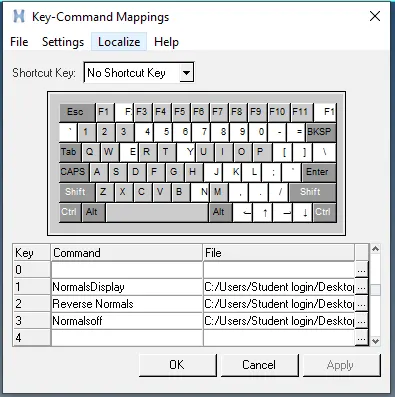
3.Assigning the above procedures to the keyboard buttons.
Objective:To assign the above procedures to the keyboard buttons of our choice.
Problem statement:Using of the shortcut keys 1 and 2 assiging the above procedures.
Code:
*createmark elements 1 "displayed"; *normalsreverse elements 1
*normalsoff
Explanation:
*createmark elements 1 "displayed"; *normalsreverse elements 1 -- going to saved in reverse.tcl and assigned to the shortcut key 1 by using the
preferences.(Go to -- keyboard settings -- using path and tcl)
*normalsoff -- going to saved in reverse.tcl and assigned to the shortcut key 2 by using the preferences.(Go to -- keyboard settings -- using path
and tcl)
Conclusion:
So,by that we have assigned the above procedures to the shortcut keys.
4.Null case
I tried it with null case, which means no components are displayed and no selection is possible.
It is displaying an error since no elements have been selected.