Week 5 Challenge : Surface wrap on Automotive Assembly
- For the given models, check for the geometrical errors and delete surfaces which are unwanted for Surface wrap as shown in the videos. After clearing geometry, Merge all 3 models and perform surface wrap.Target length for Wrap = 3 mm write a detailed report on steps followed to finish this challenge.
In this challange we have to do the surface wrap for the surface wrap we follow the steps given below.
- We have to close all the opeaning and just remove the single cones error from the outer body of the model.
- For surface wrap we do not need to remove the penetration and intersection error
- Use merge option which is present in the file tab so using merge option all three model comes together.
- After this switch the mesh mode.
- Then under element there is a option of wrap.
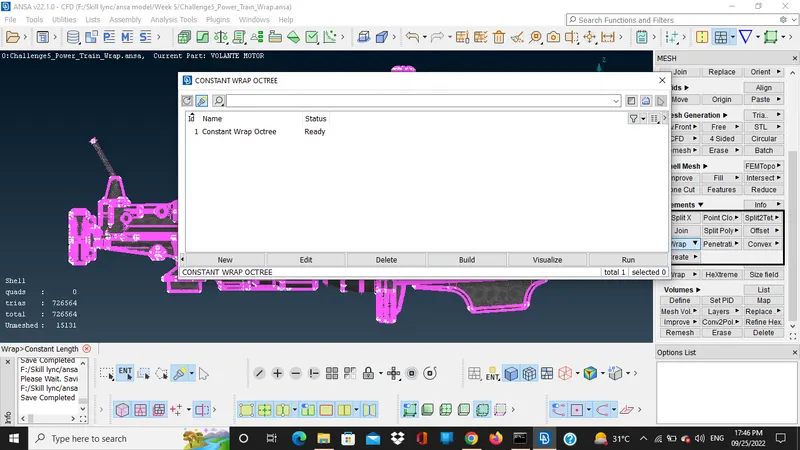
- Click on the constant length wrap.
- Then new window open there is a status of model for wraping is not ready.
- Click on the constant wrap octree there are parameters zero.
- For giving the parameters click on that box after that new window open give the target length.
- Then go to the mesh select shell type to trias.
- After this new window open where all the PID are mention from which we have to select the pid which we have to to the wrapping.
- So in this model we select all the pid and there is arrow sign press that and all the pid is ready to wrap.
- References
https://drive.google.com/file/d/1I_3kvgfg7VRIb0OqS4xYy1_YtT8j4tot/view?usp=sharing