Week 5 Challenge
- Generate manual wind loading in the design report based IS code as per the following input
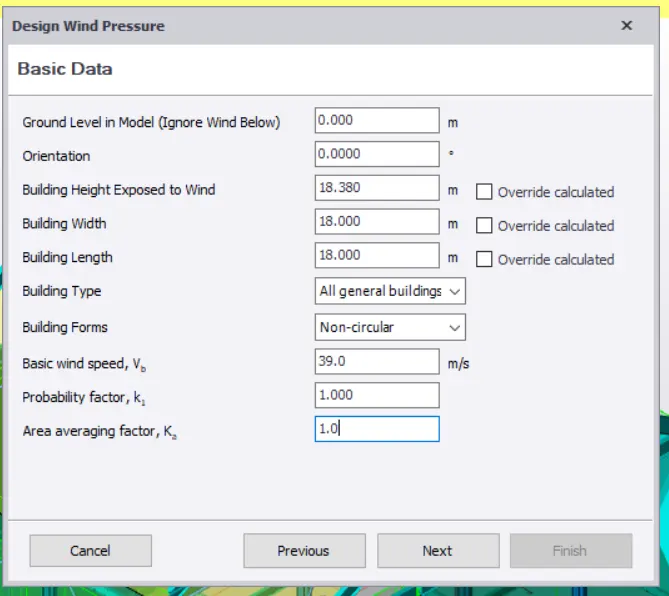
- Basic wind speed = 39m/s
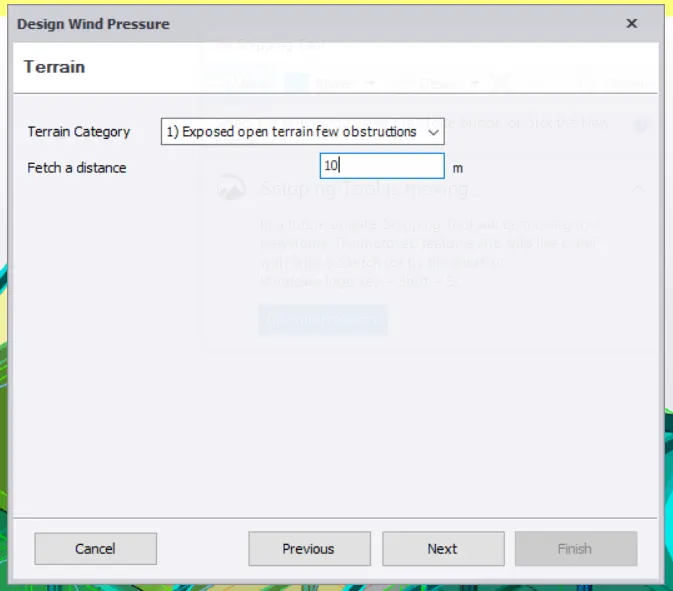
- Terrain category 2
- Based on the above calculation apply the loadings on the model
- On a separate model generate wind loading using wind wizard
soln.
Vb = 39 m/s
k1 = 1
k2 = 1.03
k3 = 1
k4 = 1
Vz = Vb*k1*k2*k3*k4
Vz = 39*1.03*1*1
Vz = 40.17 m/s
Pz = 0.6Vz^2
Pz = 0.6*40.17^2
Pz = 968.17 N/m2
Pz = 0.968 Kn/m2
height of building(H) = 13m
maximum horizontal distance(L) = 18m
maximum vertical distance (W) = 18m
L/W = 1
H/W = 0.72
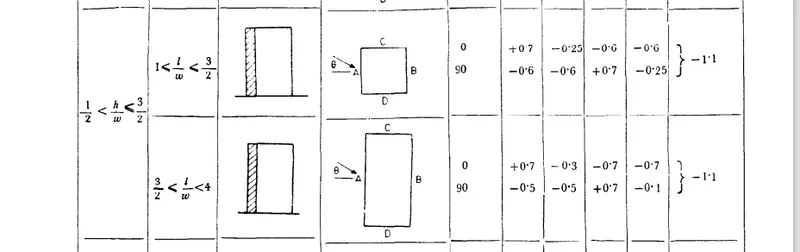
load to be applied on walls :
along face A,
external internal
H= 12m H= 12m
Cpe = 0.7 Cpe =0.7
cpi = 0.6 Cpi = -0.6
Cp = 0.1 Cp = 1.3
Pz = 0.968 Pz = 0.968
load = 0.0968KN load = 1.258Kn
along face B,
external internal
H= 12m H= 12m
Cpe = -0.25 Cpe = -0.25
cpi = 0.6 Cpi = -0.6
Cp = -0.85 Cp = 0.35
Pz = 0.968 Pz = 0.968
load = -0.822KN load = 0.338Kn
along face C,
external internal
H= 12m H= 12m
Cpe = -0.6 Cpe = -0.6
cpi = 0.7 Cpi = -0.7
Cp = -1.3 Cp = 0.1
Pz = 0.968 Pz = 0.968
load = -1.258KN load = 0.0968Kn
along face D,
external internal
H= 12m H= 12m
Cpe = -0.6 Cpe = -0.6
cpi = 0.25 Cpi = -0.25
Cp = -0.85 Cp = -0.35
Pz = 0.968 Pz = 0.968
load = -0.822KN load = -0.338Kn
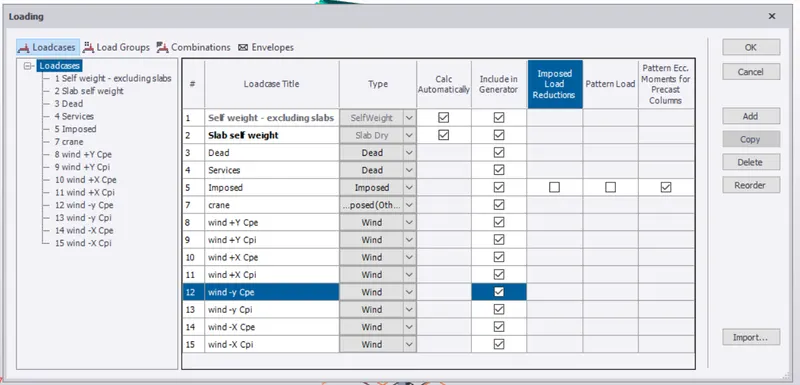
1) open the previous model in tekla and insert the load cases as shown below.
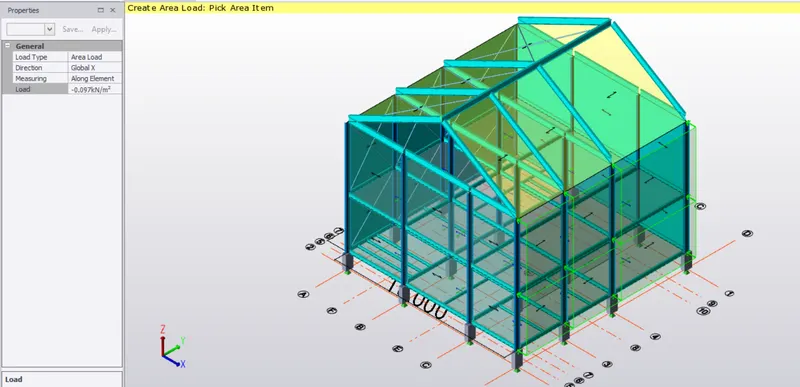
2) now go to loads ,select area load ,global axis and enter the value as -0.0968Kn along face A
and apply the load to face A.
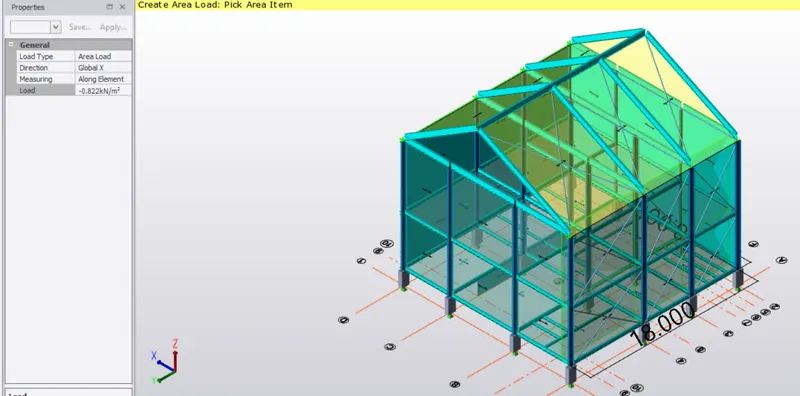
3) similar way ,select area load and global axis and enter the value as -0.822Kn and apply it to face B.
these are the values of external pressure cofficients,apply the same faces with internal pressure cofficient.
4) now apply the values of internal pressure cofficients to both the faces i.e 1.258Kn and 0.338Kn.
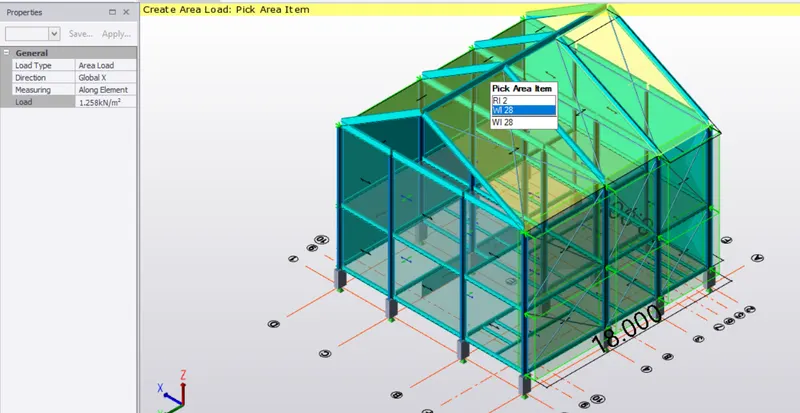
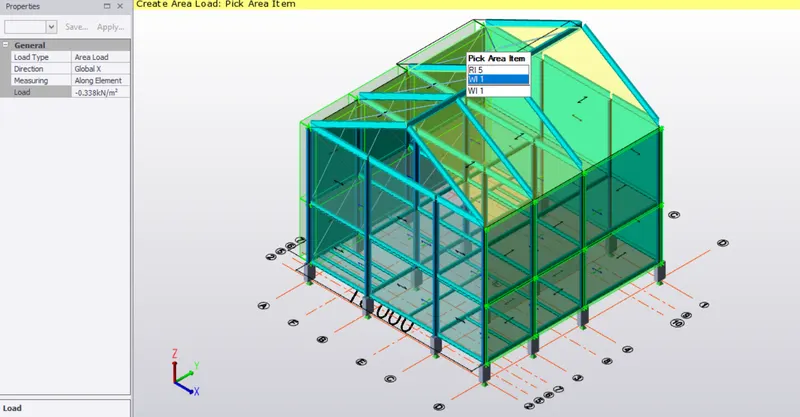
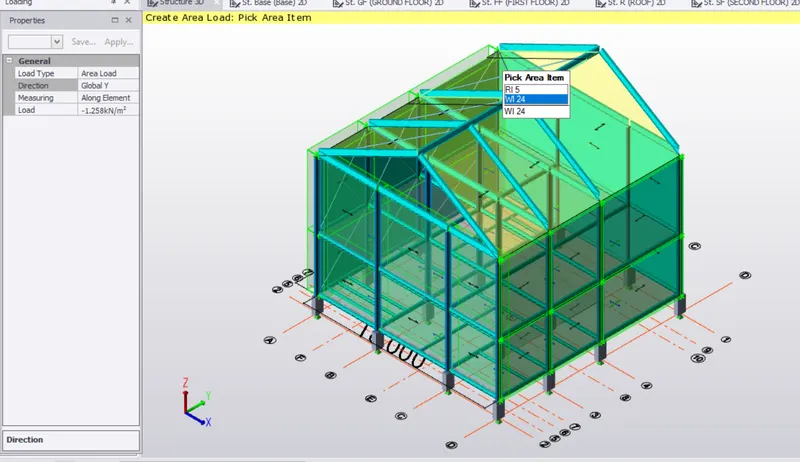
5) now let us apply the internal and external pressure cofficient at faces C and D.
load value of -1.258 has been applied at face C( external pressure cofficient).
6) load value of -0.822 has been applied at face D due to external pressure cofficient.
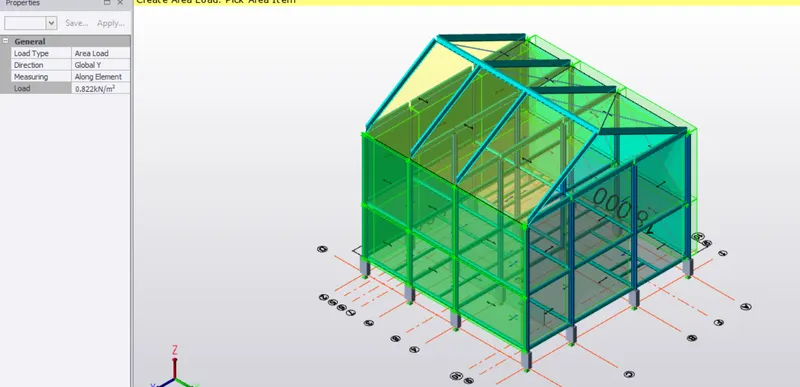
7) apply the same faces with loads due to internal pressure cofficients.
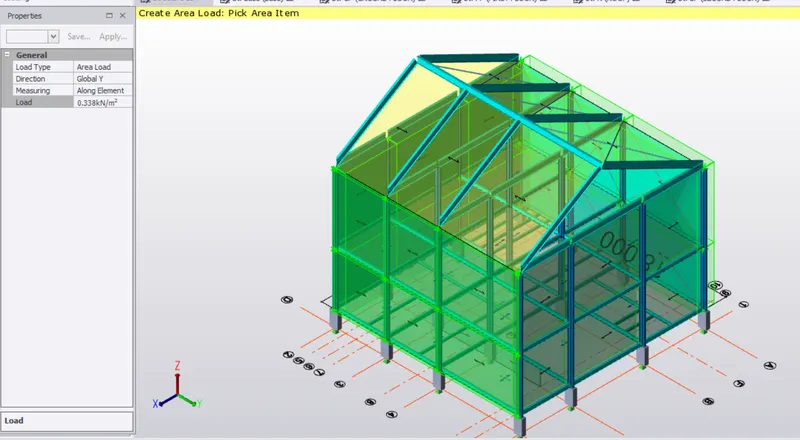
8) now let us apply loads on the roof.
height = 12m (EF) exterior height = 12m
Cpe = -0.7 Cpe = -0.7
Cpi = 0.5 Cpi = -0.5
Cp = -1.2 Cp = -0.2
Pz = 0.968Kn Pz = 0.968
load = -1.16Kn load = -0.1936Kn
height = 12m (GH) exterior height = 12m
Cpe = -0.5 Cpe = -0.5
Cpi = 0.5 Cpi = 0.5
Cp = -1 Cp = -1
Pz = 0.968Kn Pz = 0.968
load = -0.968 Kn load = -0.968 Kn
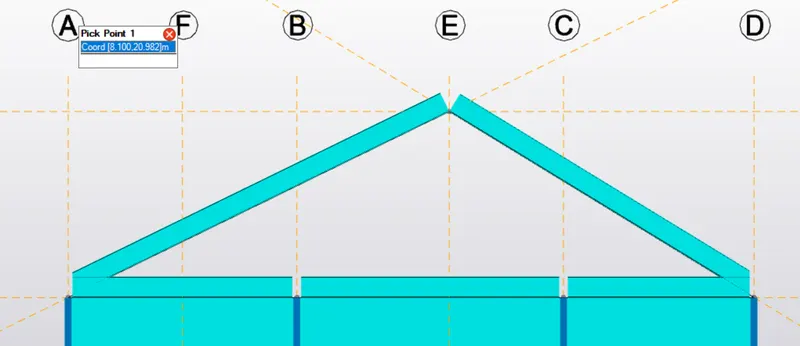

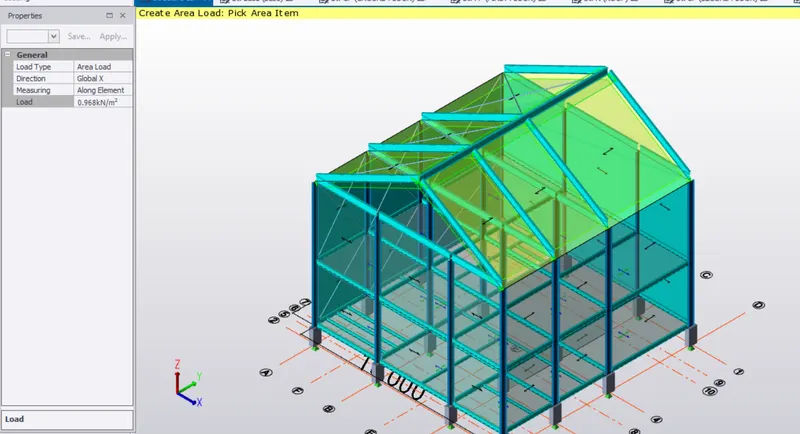
9) after the calculations are complete , select the load combination, select load and enter the value 1.16KN on face EF.
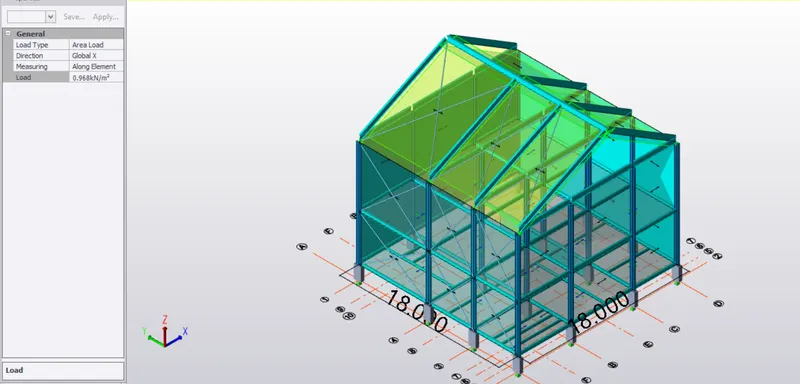
10) similar way select the other side GH, and apply the load 0.968Kn as shown below.
11) and apply the loads due to internal pressure cofficients after this.
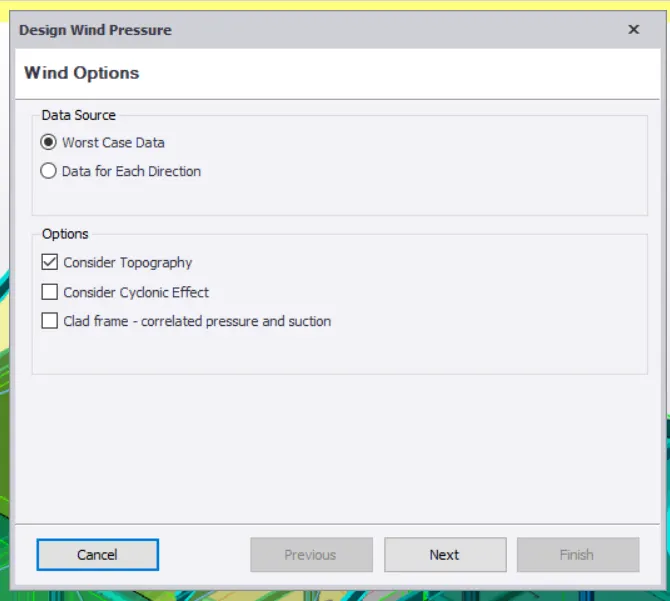
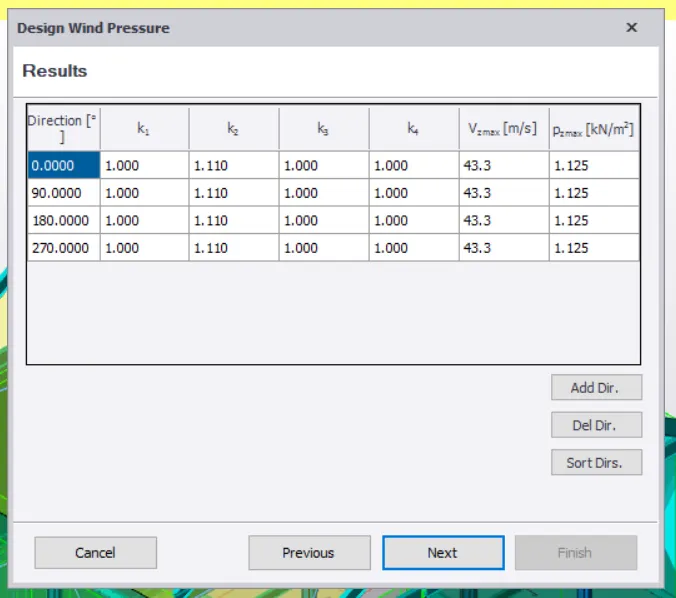
To make a windwizard of any model, we need to follow these steps.