Week 5- Challenge
OBJECTIVE
Clean up the Geometry of the following component
PROCEDURE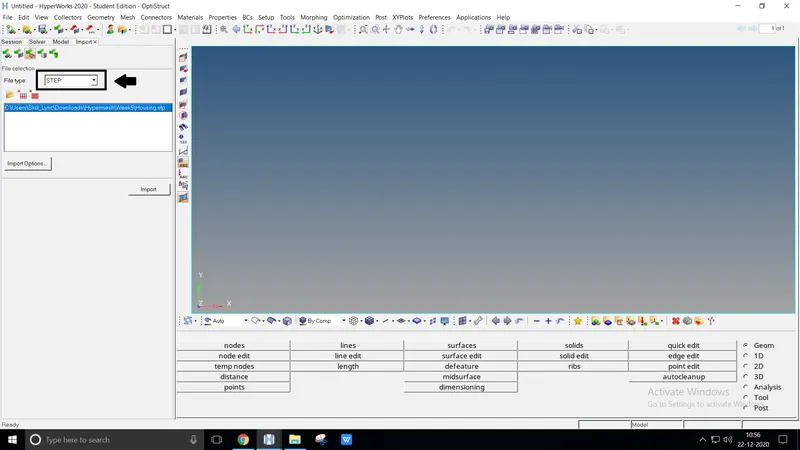
Import the geometry as it remains .STEP format
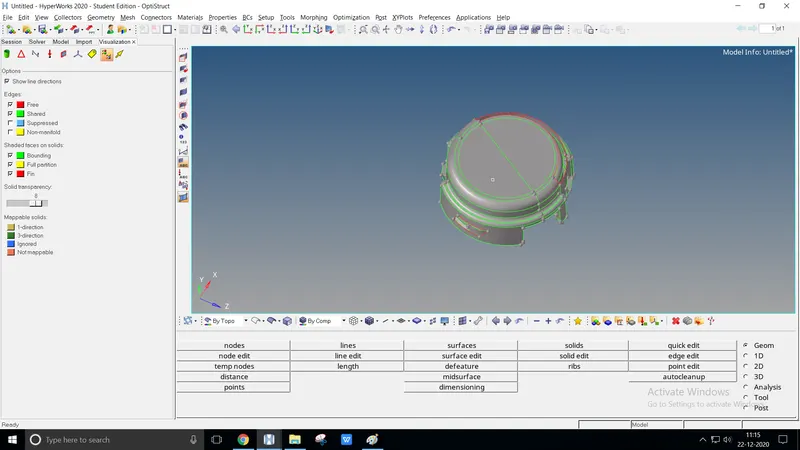
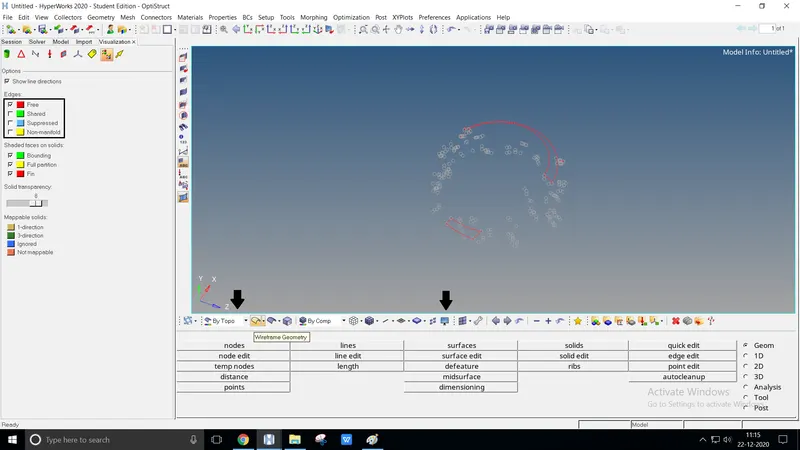
To clean the geometry by removing free edges, separate the free edges by visualization toolbar
Select view as Free edge, change geometry color mode By Topo, and as Wireframe geometry
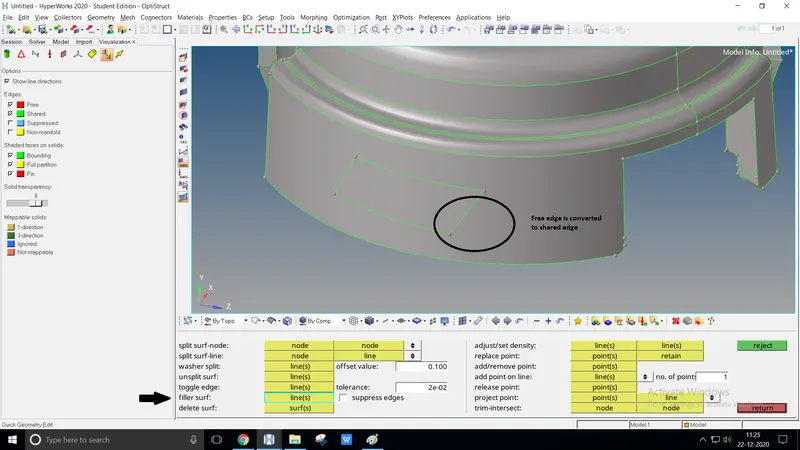
From Quick edit > Fiiler surf Option is done to cover the surface of the geometry
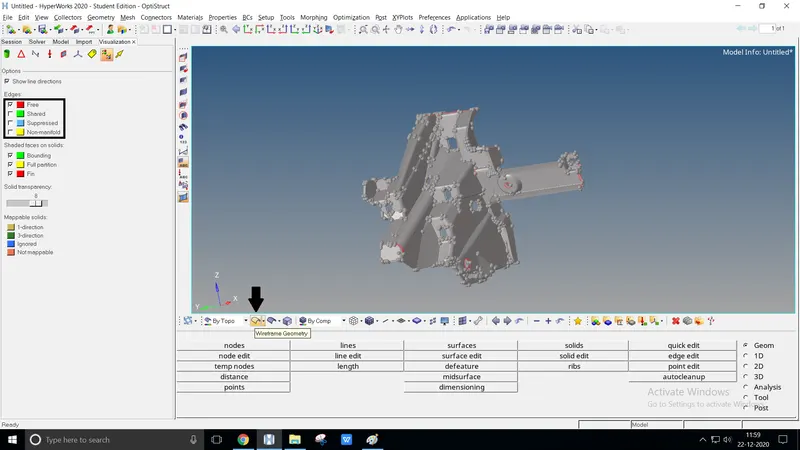
Usually, import as .STEP and select the view by Topo with Free edge
Clean the geometry using toggle edge, filler surf, replace point from quick edit
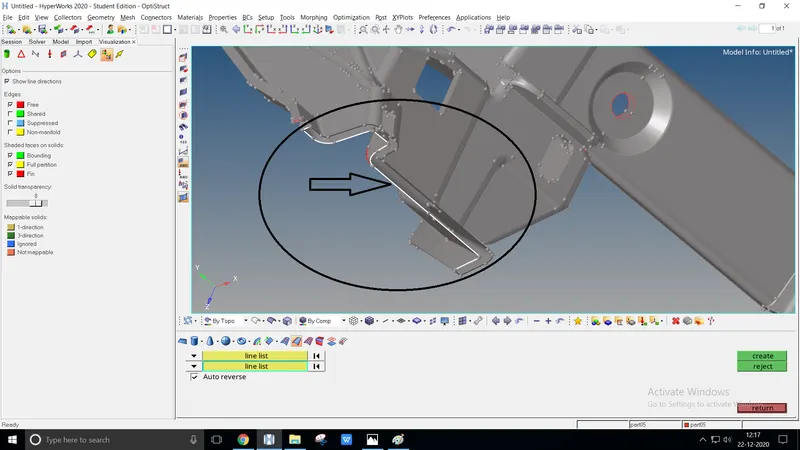
Using Surfaces > Ruled option also clear the free edges
At once clear the free edges totally, create an offset regarding the model
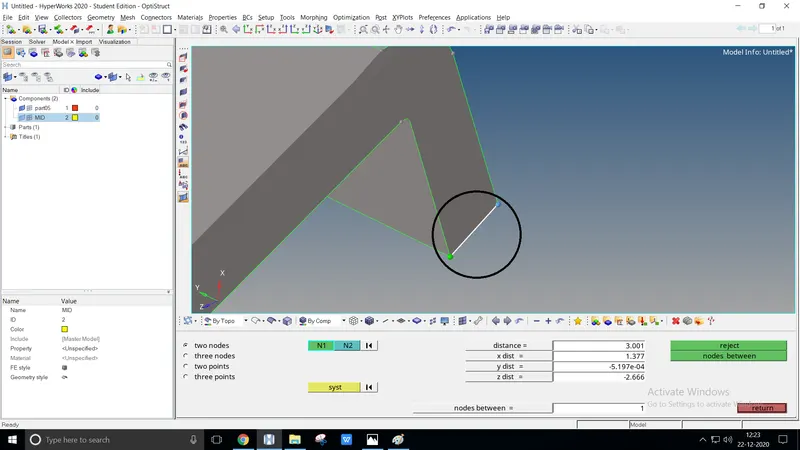
To create midsurface, we've used the direct offset method instead of a surface option
To proceed offset method calculate a surface distance b/w using two nodes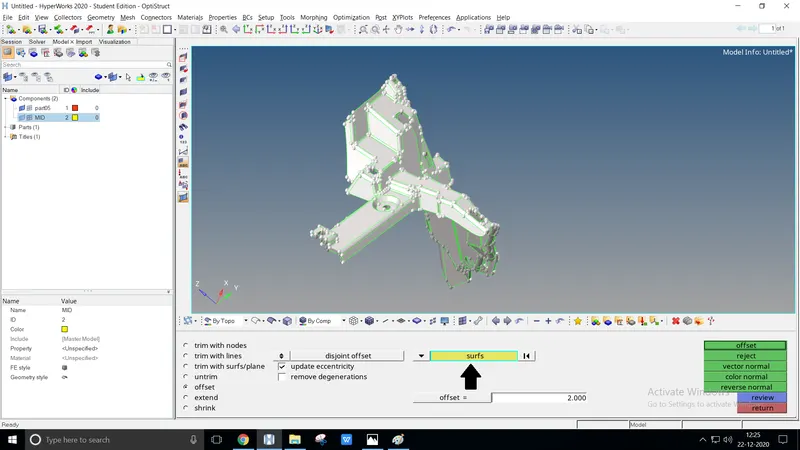
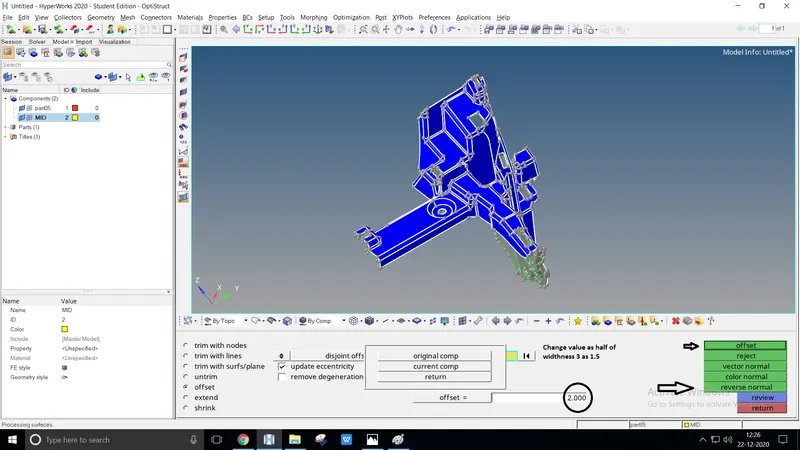
Create a new component naming mid surface, Using the offset option from surfaces edit
Select the face of the entire model, duplicate with the current component and change the offset as 1.5
Select the reverse normal option. The blue display pops at the selective face of the model, offset it to get the midsurface
CONCLUSION
The following component is cleaned using geom tools