3D MESHINH ON THE REAR VIEW MIRROR USING ANSA
3D MESHING ON THE REAR-VIEW MIRROR USING - ANSA
AIM: To check for the geometrical errors and mesh with the given element Quality criteria. Use tetra elements to model the component and there should not and kinks and dips on the surface of the component.
PROCEDURE:
- IMPORT THE GIVEN MODEL
- CHECK FOR GEOMETRICAL ERRORS
- MESH USING ORTHO AND TRIA ELEMENTS
- DEFINE THE VOLUME FOR THE SHELL ELEMENTS
- GENERATE THE VOLUME MESH
- CHECK FOR QUALITY
QUALITY CRITERIA GIVEN:
|
S.No |
Quality Criteria |
Value |
|
1 |
Target/Average length |
1 |
|
2 |
Minimum Length |
0.5 |
|
3 |
Maximum Length |
2 |
|
4 |
Tetcolapse |
0.2 |
TABLE:1 QUALITY CRITERIA
STEP1: IMPORT THE GIVEN GEOMETRY
COMMAND: FILE-OPEN-CHOOSE FILE
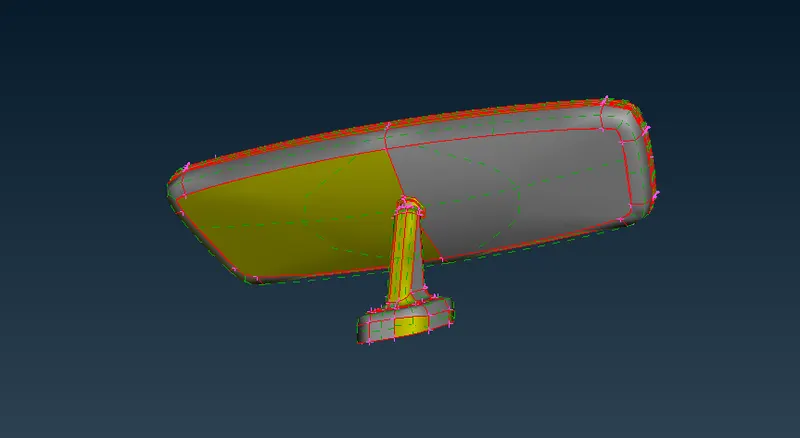
Fig1.1 imported the Given model
STEP2: CHECK FOR GEOMETRICAL ERRORS:
After importing the model we should check for the geometrical issues,
COMMAND-CHECKS-GEOMETRY-EXECUTE
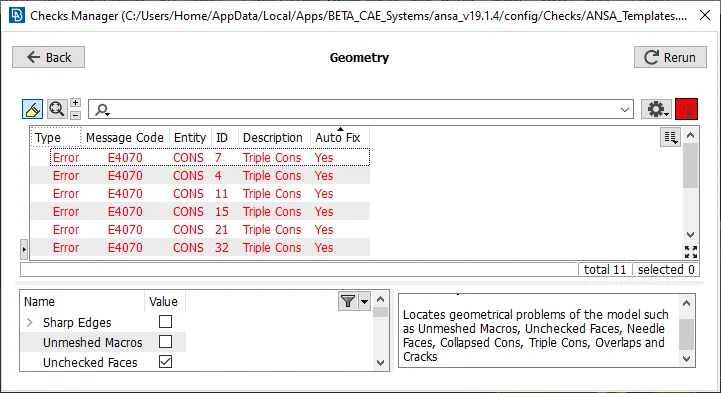
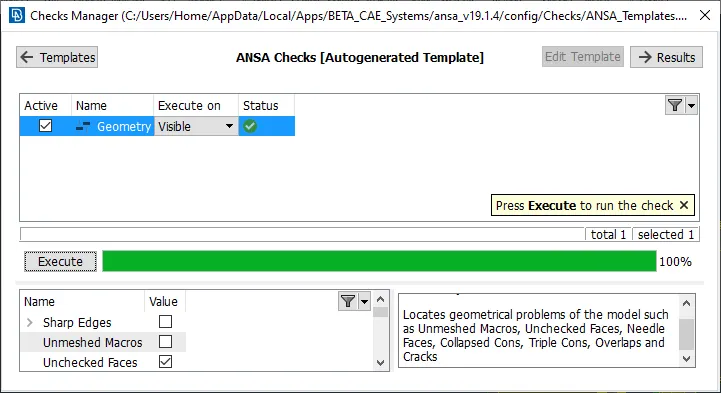
Fig2.1 Before and After fixing geometry errors
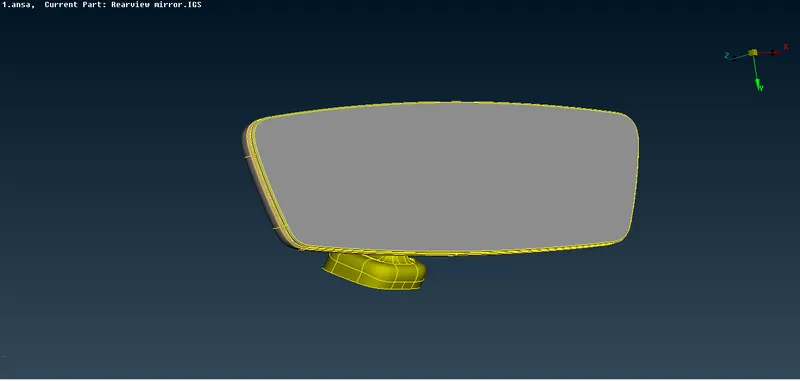
Fig2.2 Cleaned Geometry
STEP3: MESHING USING TRIA & ORTHO TRIA:
Before start meshing we need to set the quality parameters and quality criterias given and set the geometry lengths as given target length for better mesh flow.
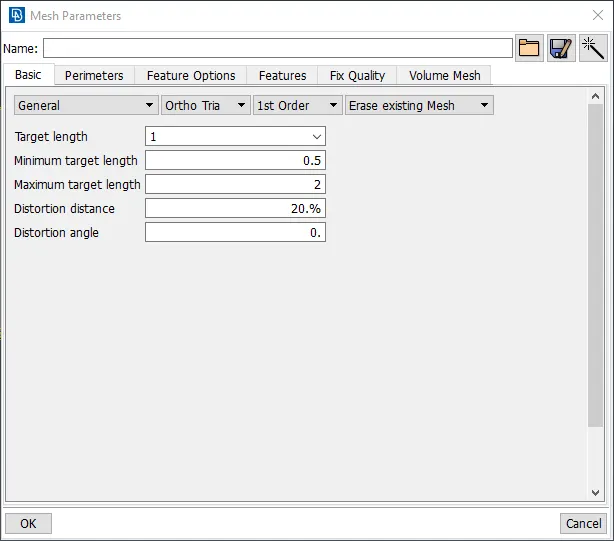
Fig3.1 Mesh parameters
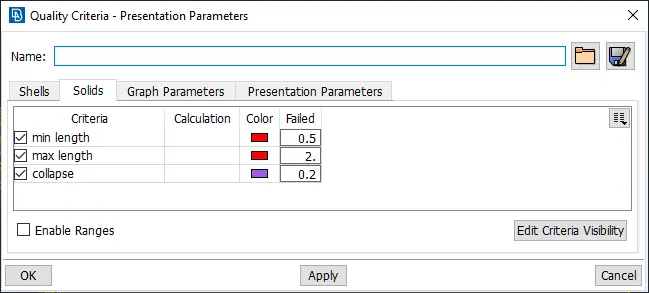
Fig3.2 Quality Criteria
COMMAND: MESH-MESH GENERATIONS-SPOT MESH
- Use ortho mesh in the fillet regions and curved surfaces for better results
- Use tria mesh for flat surfaces.
- Re-construct mesh will give better results.
- keep elements failing almost zero for.
here we have four different PID's hence we can mesh it one by one
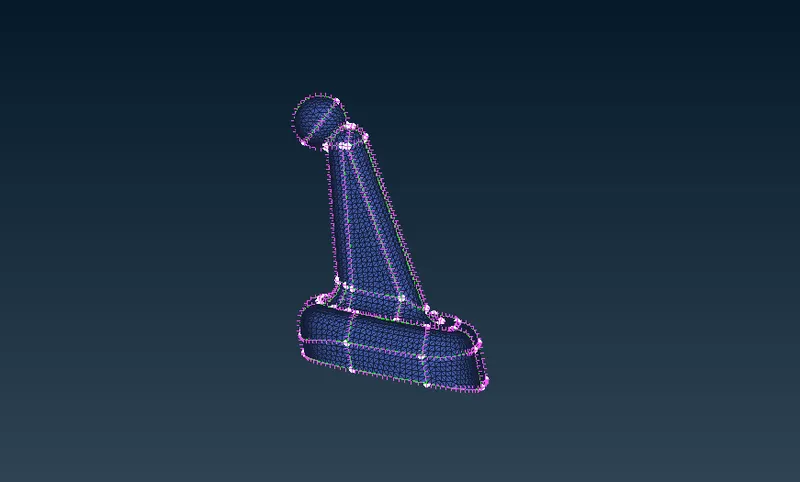
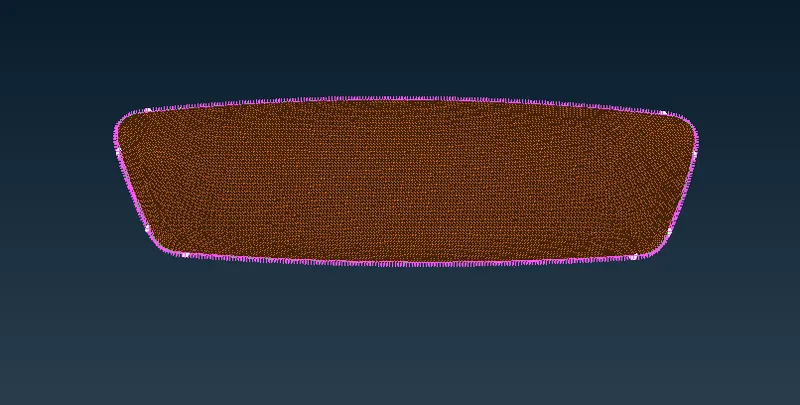
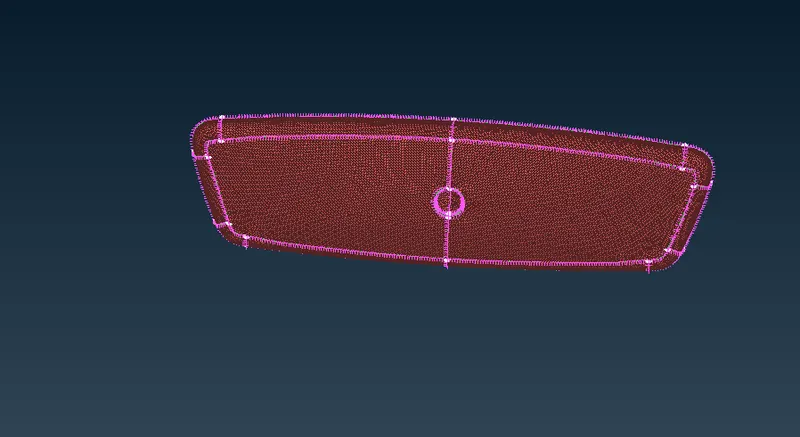
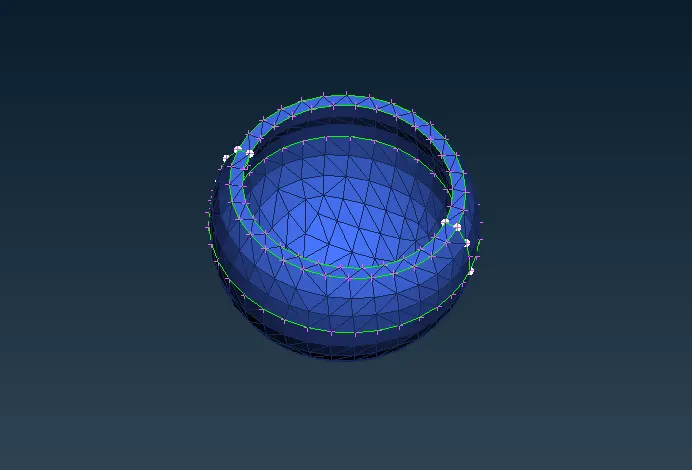
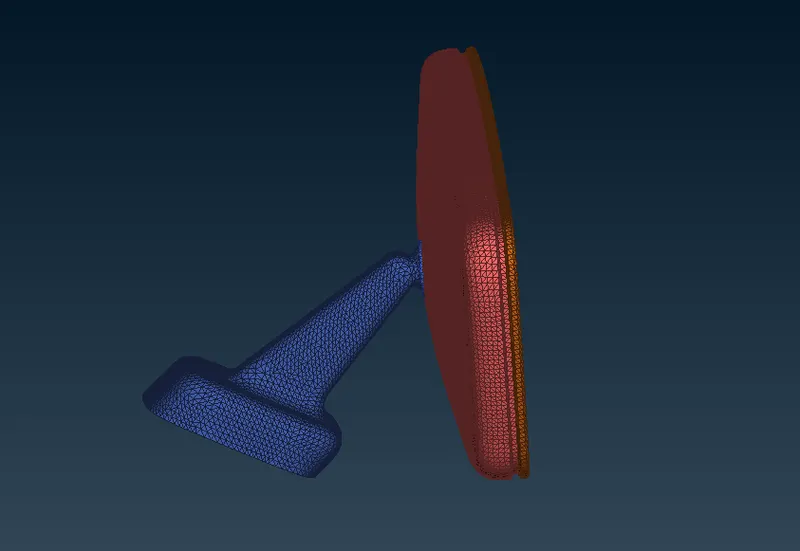
Fig3.3 The above figures are meshed using Ortho tria and Tria elements
STEP4:DEFINE THE VOLUME FOR THE SHELL ELEMENTS
after completing tetra mesh we should define the volume for the each shell mesh
COMMAND: V.MESH-VOLUMES-DEFINE-MANUAL
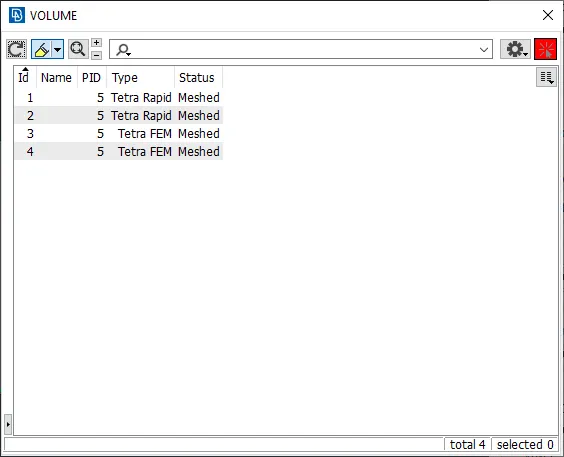
Fig4.1 Defined volumes for shell elements
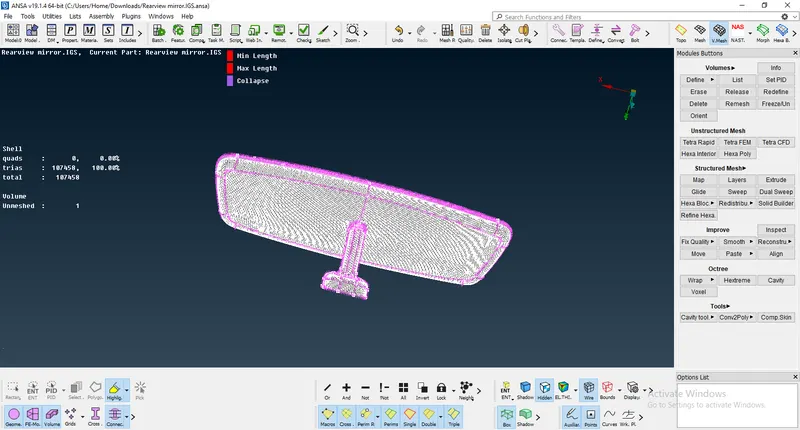
Fig4.2 Before Meshing Volume Mesh
STEP5:GENERATE THE VOLUME MESH
After defining the volumes we can use TERTA RAPID OR TETRA FEM for volume mesh.
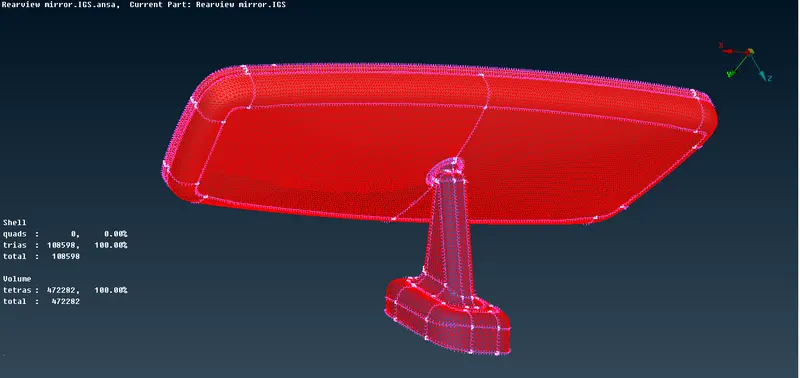
Fig5.1 volume mesh Red Bound View
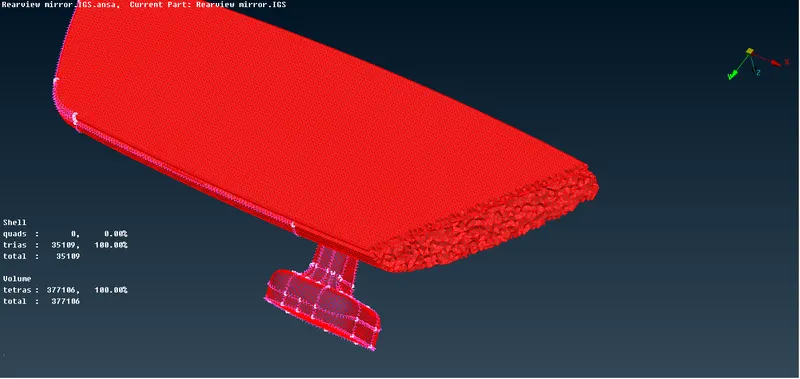
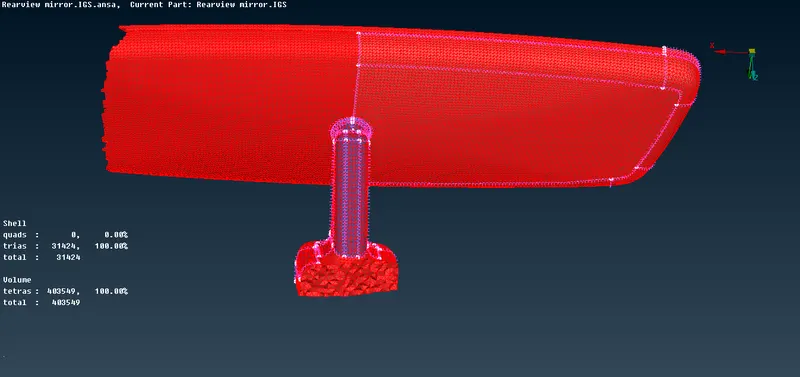
Fig5.2 Inside Views of Volume Mesh
STEP6: QUALITY CLEANUP
Cleanup the quality like, tet collapse if any in the mesh for good results.
LEARNING OUTCOMES
- In this challenge learned to do solid meshing
- And learned how to convert dhell to solid mesh
- And learned to fix Tet-collapse
CONCLUSION
The Rear-view Mirrorr was Meshed and quality was cleaned using ANSA by following steps
- The model was imported and errors are fixed.
- The component was meshed using TRIA & ORTHO TRIA elements.
- The volume of the component is defined and meshed using Tetra Rapid elements.
- The quality was fixed and the kinks and RAISED EDGES are also eliminated.
DRIVE LINK
https://drive.google.com/file/d/1OP_rE-HNzATwbpiBAFwFn19ooG_2q0Uq/view?usp=sharing