Week - 5 - 2D meshing for Plastic components
Aim:- To ensure that the geometry is free of any errors, and to create mid surfaces using suitable mid surfacing techniques and to mesh the given model with the given element quality criteria.
Objectives :-
- To identify and correct any geometrical errors present in the Plastic Bottle Cap model, ensuring that the final geometry is accurate and suitable for simulation.
- To create mid surfaces using appropriate mid surfacing techniques, and to assign PIDs and thicknesses to all mid surfaces to ensure accurate simulation results.
- To generate a mesh for the model using the given element quality criteria, producing a high-quality mesh that will enable reliable simulation results to be obtained.
Introduction :-
The bottle cap is a small but essential component of many types of packaging, particularly for beverages and pharmaceuticals. In addition to providing a seal to prevent leakage and contamination, bottle caps must also be designed to be easy to open and close, yet secure enough to prevent accidental opening during transport or storage. As such, the design and simulation of bottle caps is an important area of research in the field of engineering, with the ultimate goal of creating caps that are both effective and user-friendly. In this context, the creation of a bottle cap model, which involves checking for geometrical errors, creating mid surfaces, assigning PIDs and thicknesses, and meshing the model with the given element quality criteria, is a crucial step in the development of an accurate and reliable simulation model.
Steps carried out
The following are the steps that would typically be carried out in ANSA for the Plastic Bottle Cap model:
- Import the geometry: Start by importing the geometry of the bottle cap into ANSA from the appropriate file format.
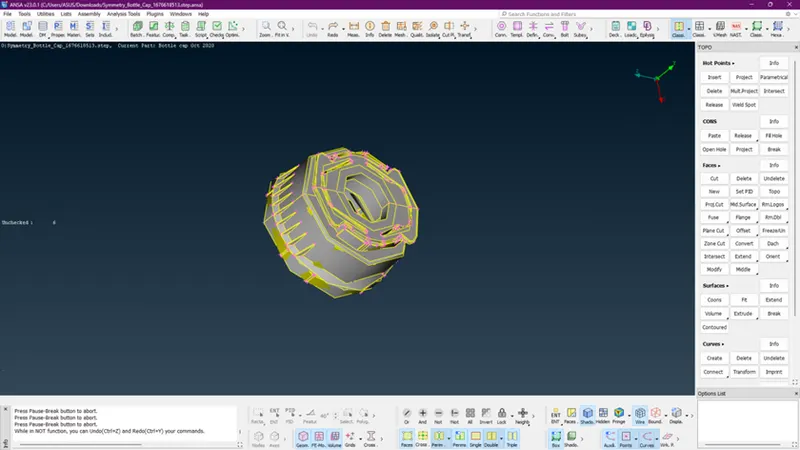
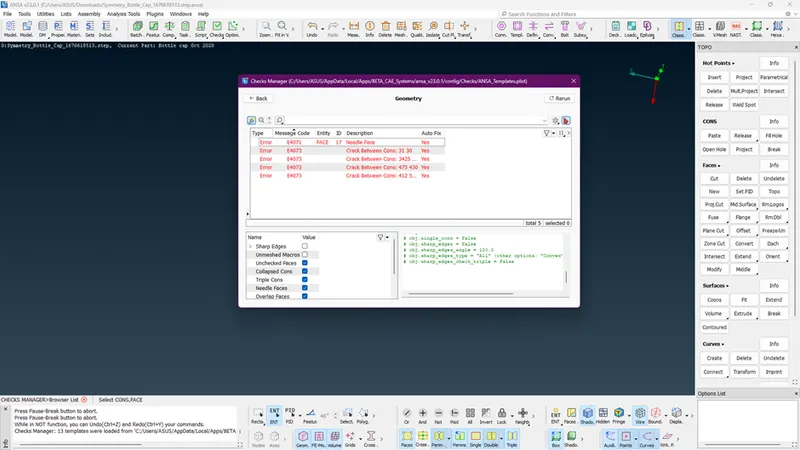
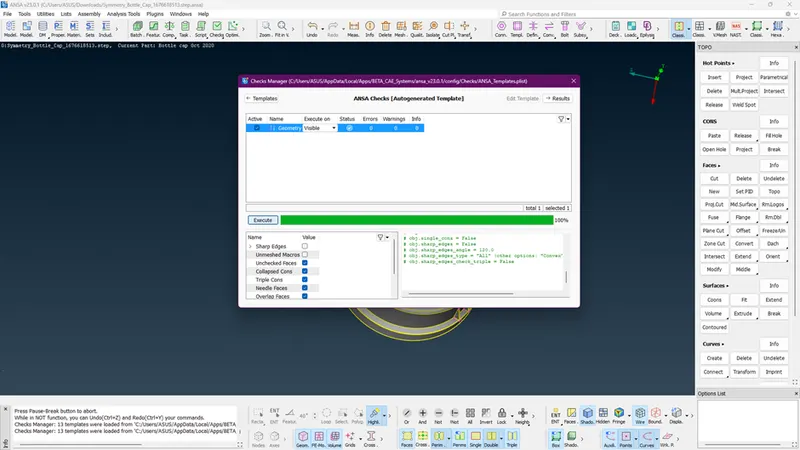
- Check for geometrical errors: Once the geometry has been imported, use ANSA's geometry checking tools to identify any potential errors or inconsistencies in the model. Correct any identified errors as needed to ensure that the geometry is free of errors and ready for simulation.
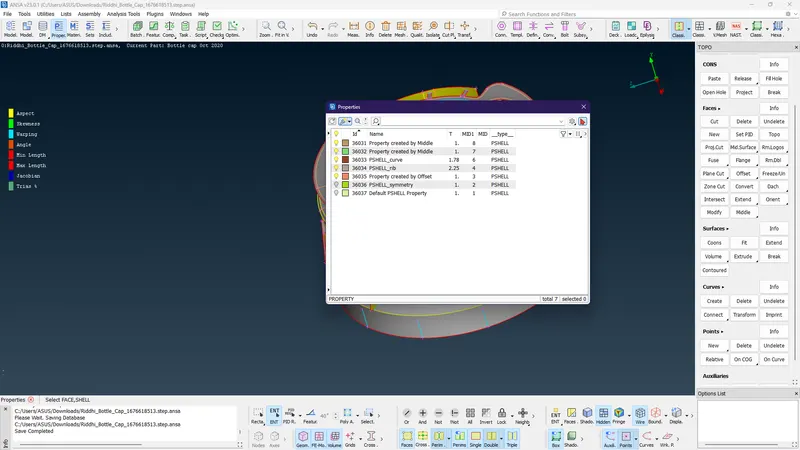
- Assign PIDs and thickness: Once the mid surfaces have been created, assign PIDs (Property IDs) to each mid surface. This allows for the specification of material properties and other properties specific to each surface. Additionally, assign a thickness value to each mid surface, which is necessary for FEA.
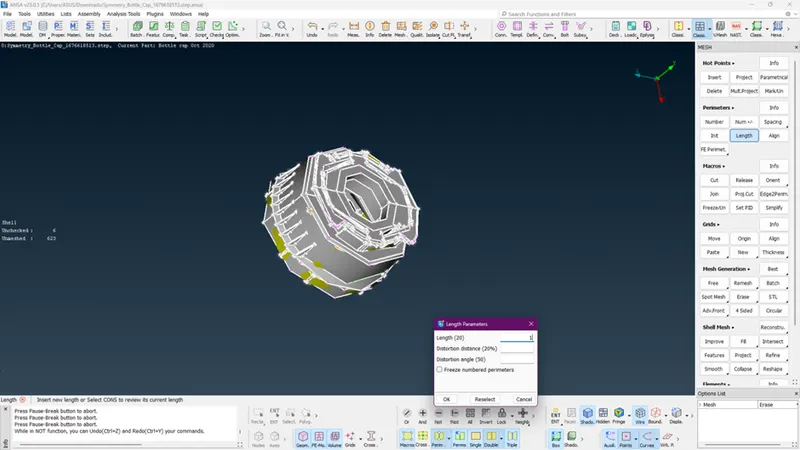
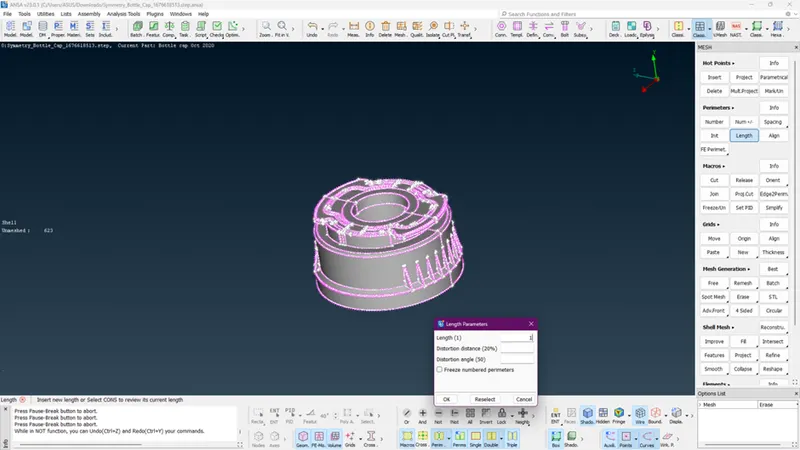
- Create mid surfaces: Use ANSA's mid-surfacing tools to create mid surfaces for the bottle cap. Mid surfaces are created by taking the average of the upper and lower surfaces of a solid body, producing a surface that can be used for finite element analysis (FEA).
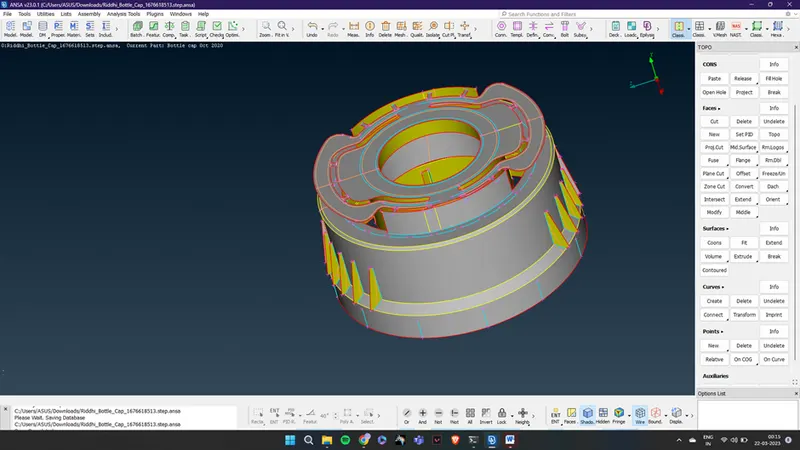
- Meshing: Use ANSA's meshing tools to generate a mesh for the bottle cap model. This involves dividing the surfaces of the model into small elements, which can be used for FEA. To ensure the quality of the mesh, set the element quality criteria to the given values.
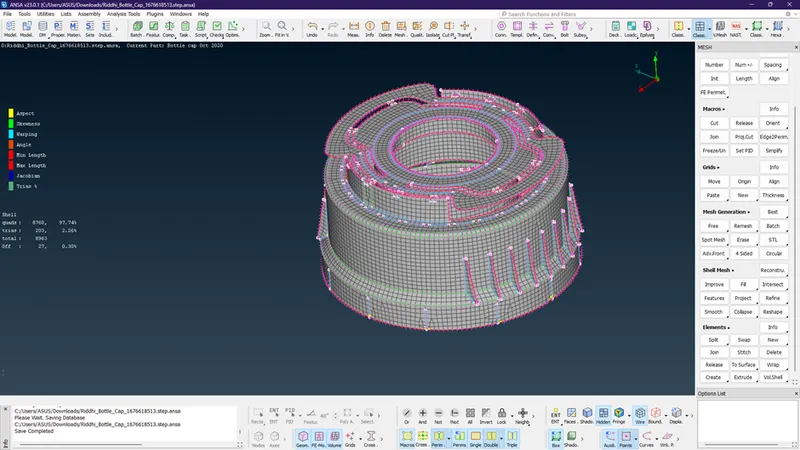
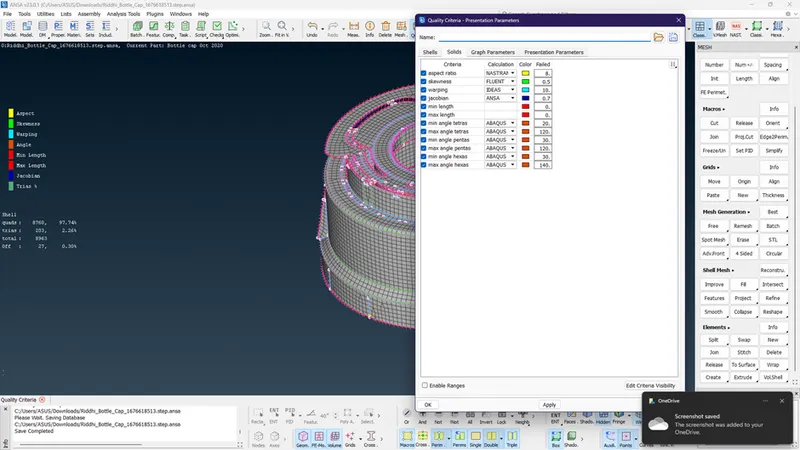
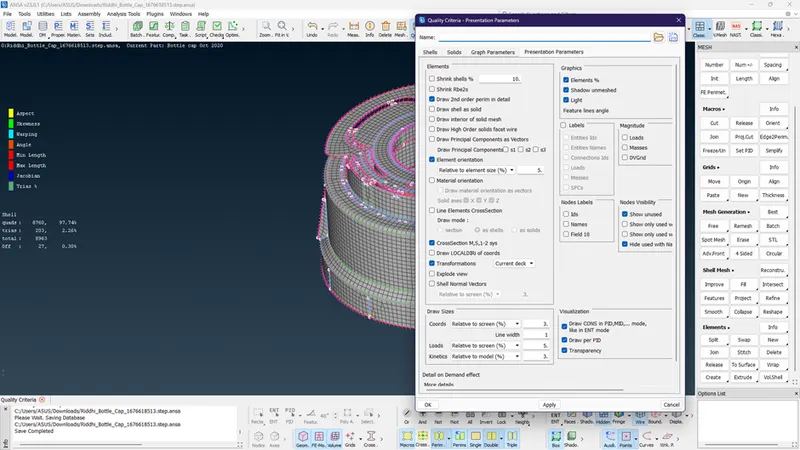
- Review and validate the mesh: Once the mesh has been generated, use ANSA's visualization tools to review the mesh and ensure that it meets the required specifications. Validate the mesh by performing a mesh convergence study, which involves refining the mesh and comparing the results to the previous mesh. Adjust the mesh as needed until the desired level of accuracy is achieved.
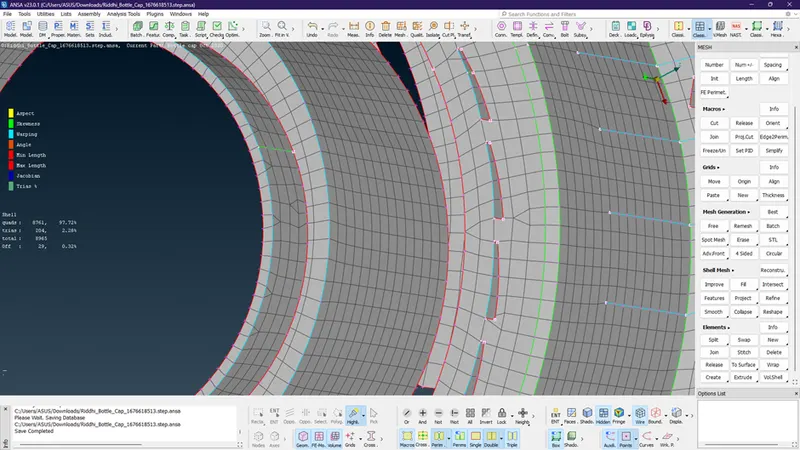
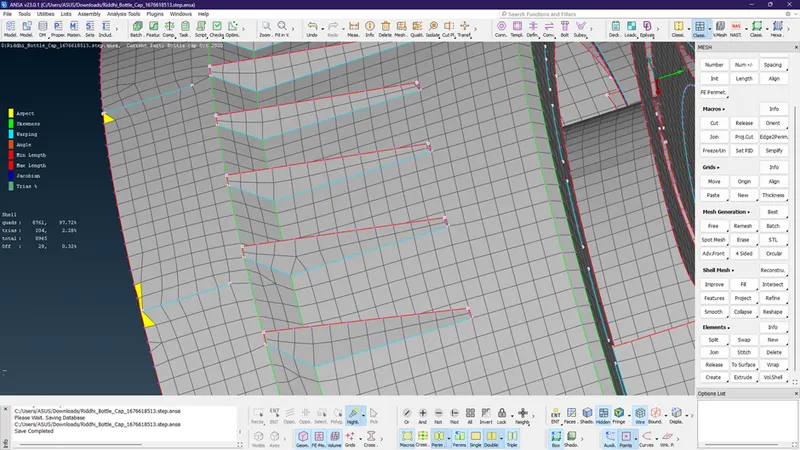
- Export the mesh: Once the mesh is validated and approved, export the mesh in the appropriate format for use in FEA.
Results:
- Off elements : 0.32 %
- Quads : 97.72 %
- Trias : 2.28 %