Week 4- Rolling operation
Procedure:
- Open the static Structural
- Add copper as Material under Engineering Data.
- Import the model from library
- Open the model in Space Claim through Edit geometry
- Increase the length of the workpiece by 60mm and decrease its size on both sides by 8mm
- Close the window
- Update the Model
- Now open the Mechanical module in Model Tab
- Rename as Wheel 1, Wheel 2 and Workpiece
- For the Workpiece allign Copper NL
- Open the contacts - Select both the contacts.
- Flip the contacts and select Rename based on the definition
- Select type as Frictional and coeeficient be 0.2
- Formulation be Augmented Lagrange
- Normal stiffness be controlled by Factor of 0.1
- Update the stiffness by Each Iteration
- Interface Treatment should be add offset, Ramped Effects
Joints:
- Click connections and add two cylinderical Joints
- Click on the inner surface as Scope
- Change the coordinate system for Z axis
Meshing:
- Insert the body sizing for workpiece
- Size should be 4mm
- Generate the mesh
Analysis settings:
- Input 14 steps
- Select all the 14 steps
- Change the large deflection to ON
- Change stablization to constant with Energy Dissipation ratio as 0.1
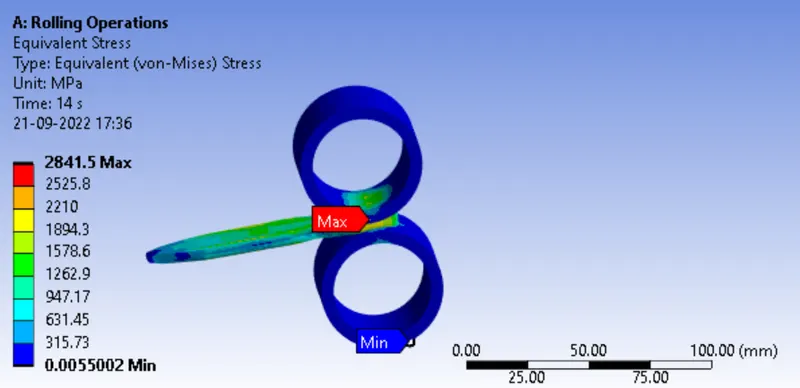
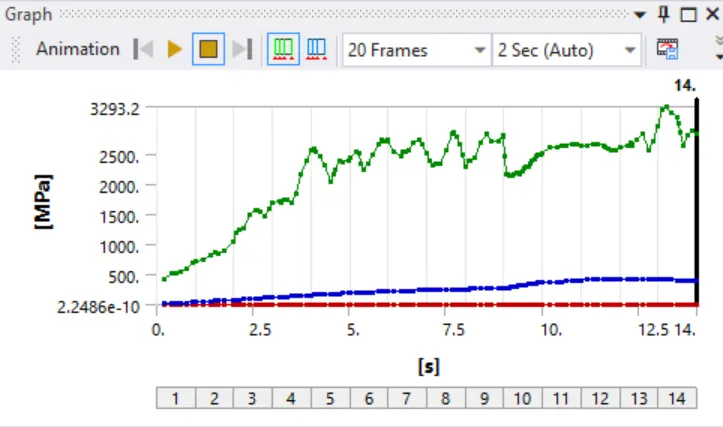
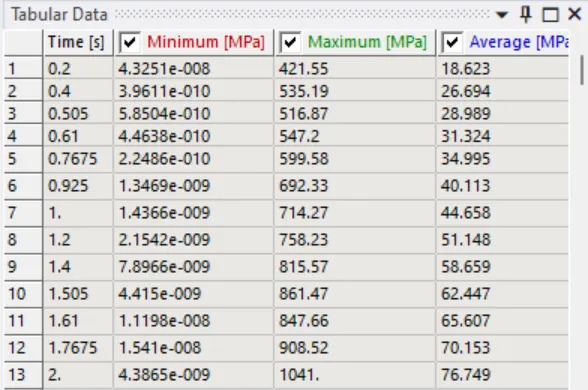
CASE 1 - Equivalent stress for the whole setup
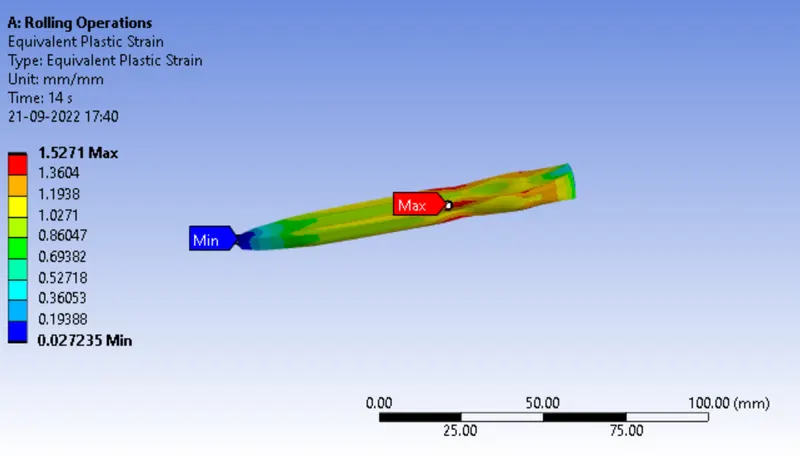
CASE 2 - Equivalent Plastic strain for the workpiece
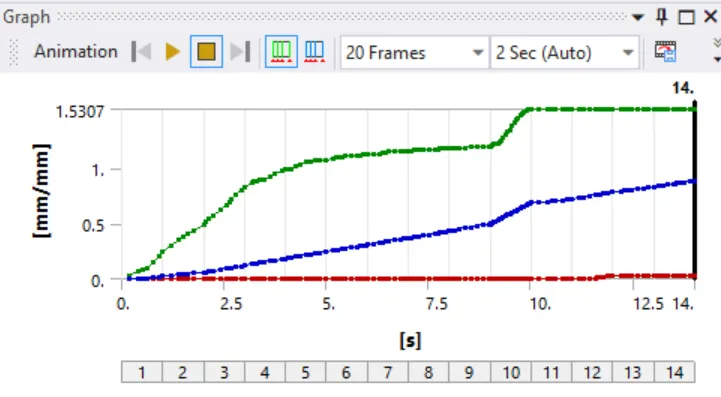
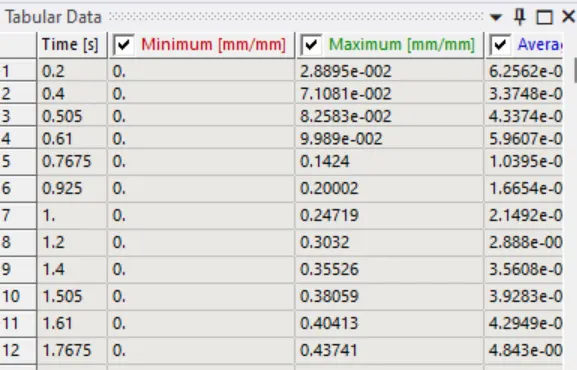
CASE 3 - Directional Deformation in the Z axis for the workpiece
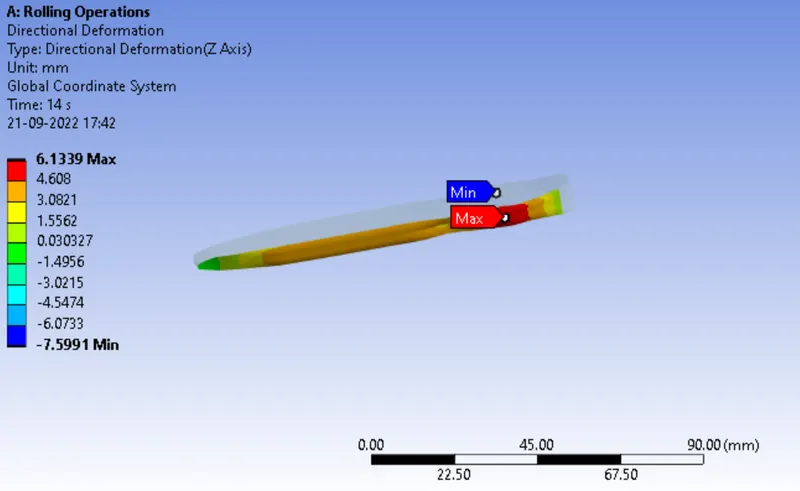
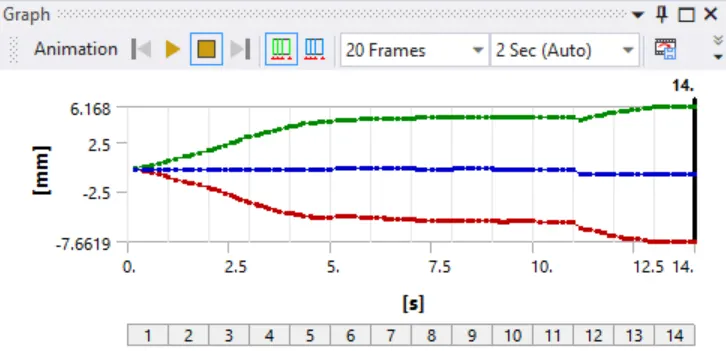
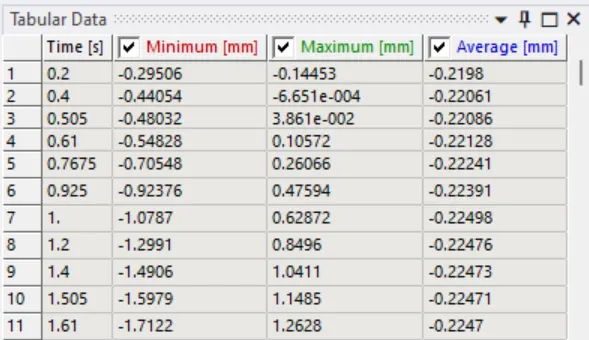
CASE 4 - Prove that the workpiece has displaced by 90mm
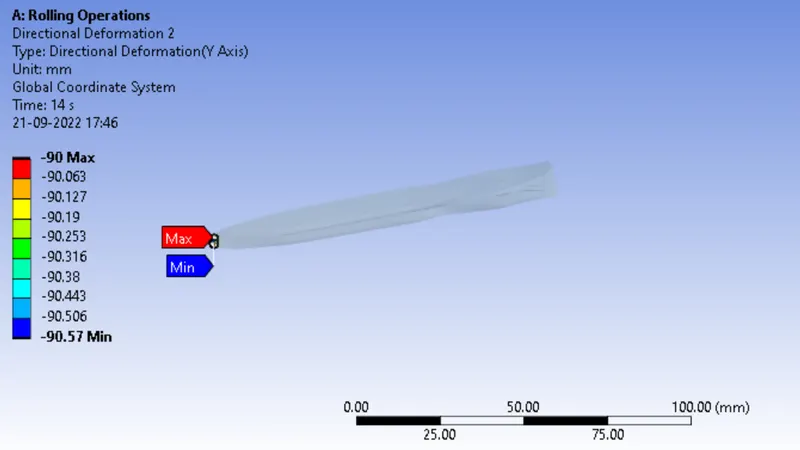
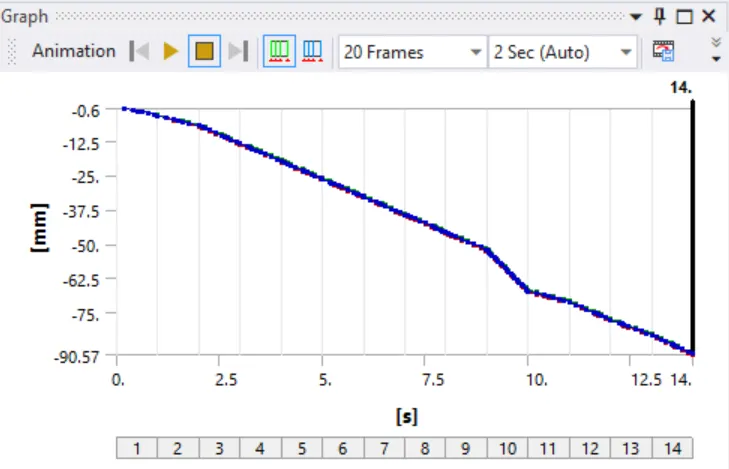
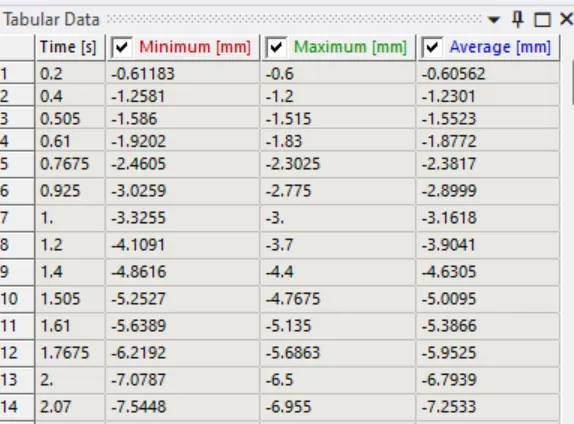
RESULT:
| S. no | Stress (MPa) | Plasticity Strain (mm/mm) | Directional Deformation on Z axis (mm) |
| 1 | 2841.5 | 1.5271 | 6.1339 |