Week 4- Rolling operation
Rolling Operation:
Aim:
To simulate the rolling operation on a work piece made of copper with mentioned dimensions and steps for knowing Equiavalent stress,Equivalent plastic strain and Directional deformation.
Objective:
For this challenge, you will have to simulate the rolling operation on a workpiece made of copper. The model will be provided to you. Increase the length of the workpiece by 60mm and decrease its size on both sides by 8mm. Run the simulation for 14 steps and you can give small but random values( similar to the ones mentioned in the video) for the displacement. Ensure that the edge of the workpiece is displaced by 90mm.
Find out the
- Equivalent stress for the whole setup
- Equivalent Plastic strain for the workpiece
- Directional Deformation in the Z axis for the workpiece
- Prove that the workpiece has displaced by 90mm
Procedure:
- Firstly open the ANSYS workbench software.
- select static structural from analysis system in the application.
- In the engineering data copper alloy Nl is selcted from the materials.
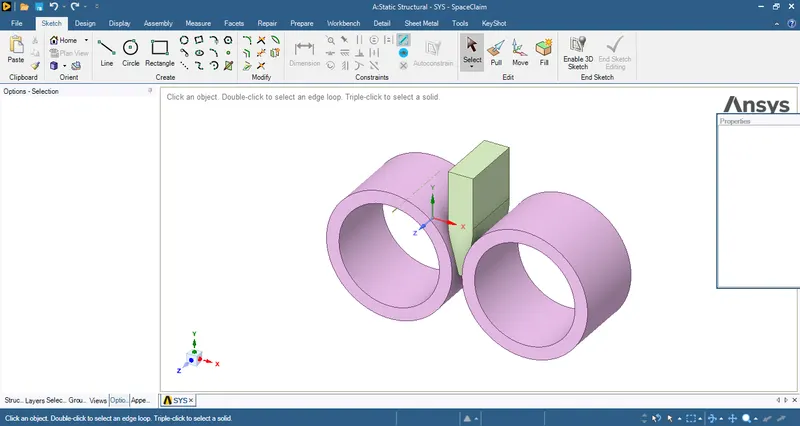
- And then import the model from then system files into spaceclaim.
- The imported model in space claim is as follows.
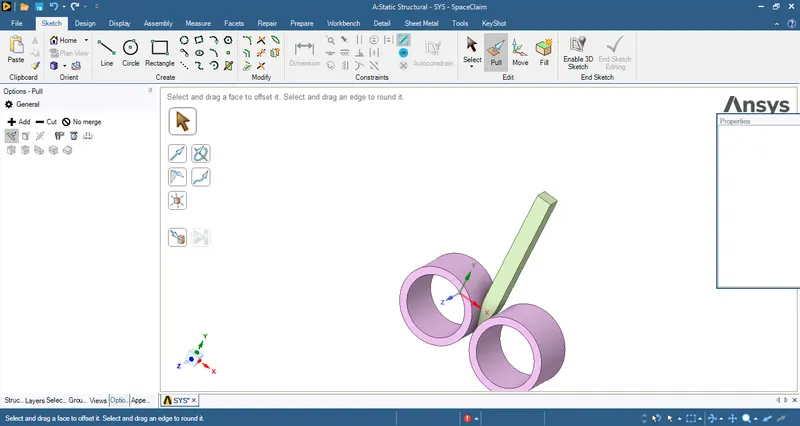
- And then after increase the length of the workpiece by 60mm and decrease its size on both sides by 8mm.
- By using pull option in the spaceclaim we do the changes as follows.
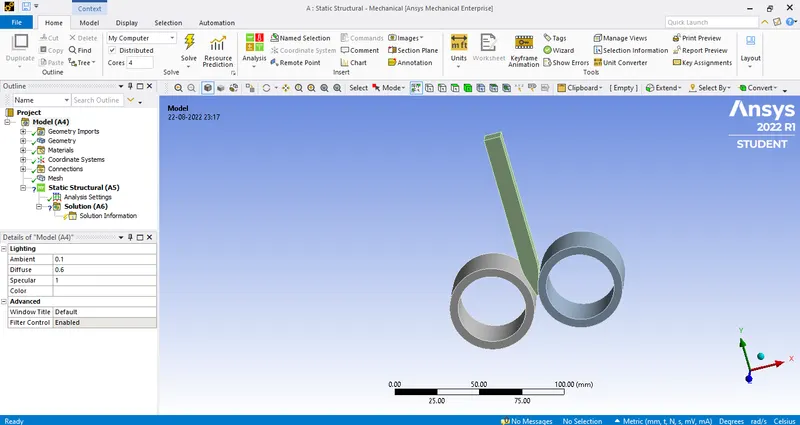
- Then close the spaceclaim and open the model in the mechanicel tab as follows.
- After that assign the material to the workpiece.
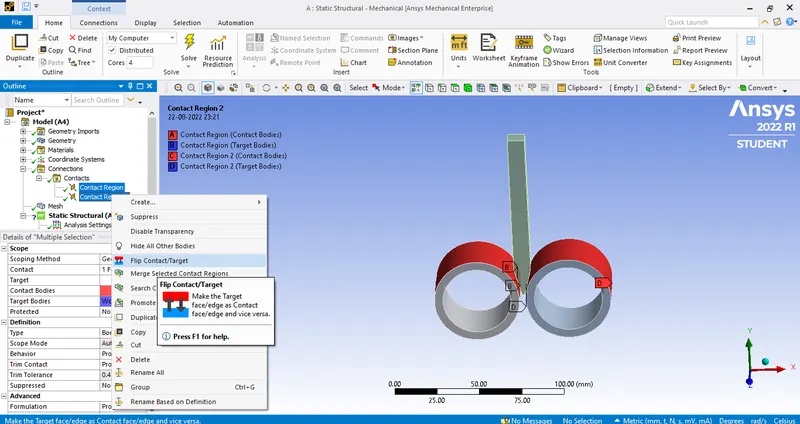
- And in contacts tab flip the targets and contacts as shown below.
- Then create frictional contact in the contact tab for the wheels and workpiece.
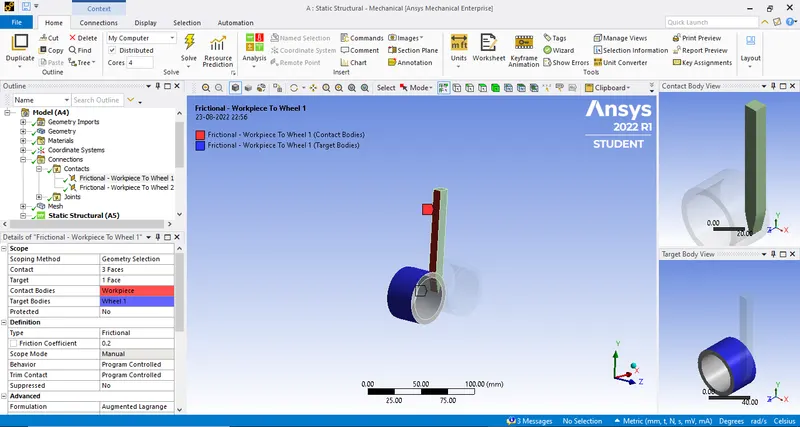
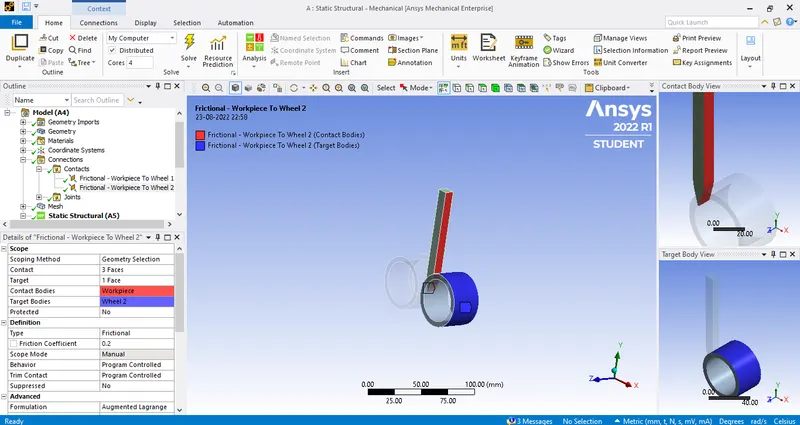
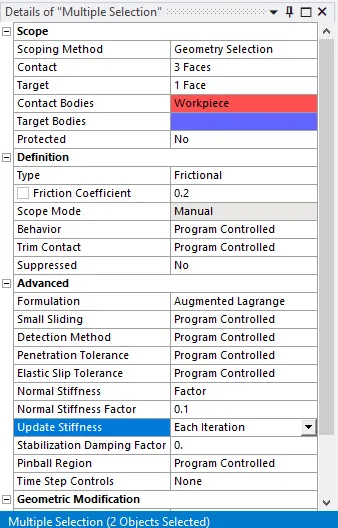
- And then assign the values as mentioned in below image for the model.
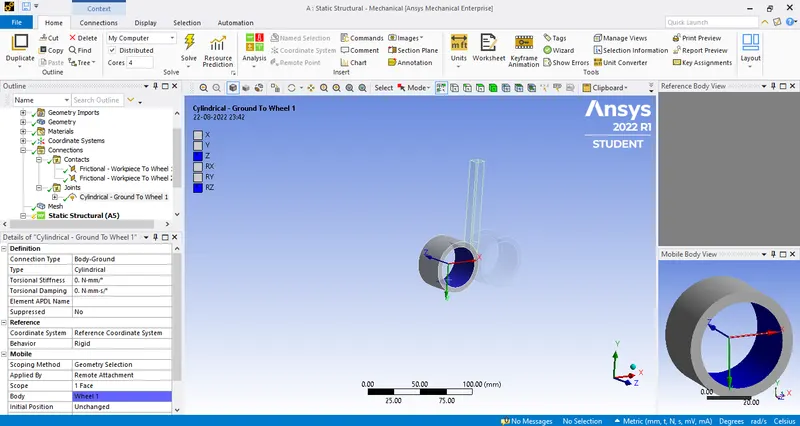
- And then create cylindrical joints to the model as follows.
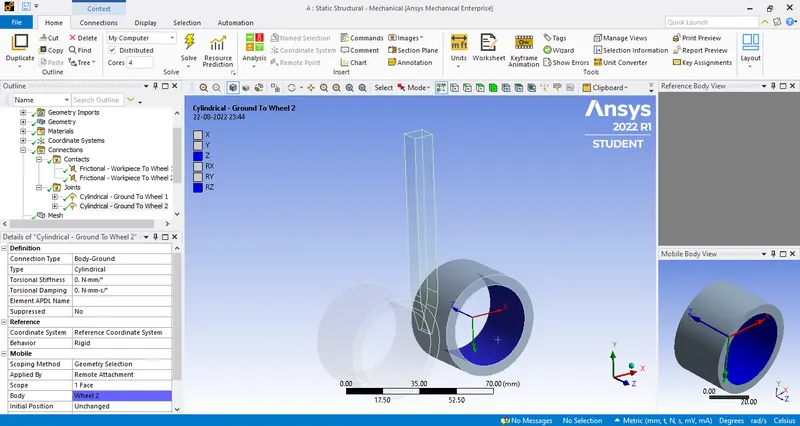
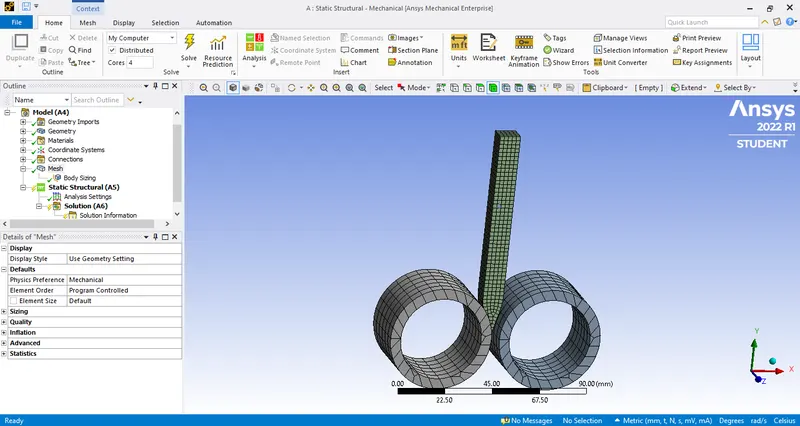
- And then we proceed for meshing for that create a body sizing and assign the element size of 3mm to the workpiece.
- And for the wheel assign it to default then the mesh generated is as follows.
- Then we assign the boundary conditions for the model.
- For that go to analysis system and assign the value as per our requirement.
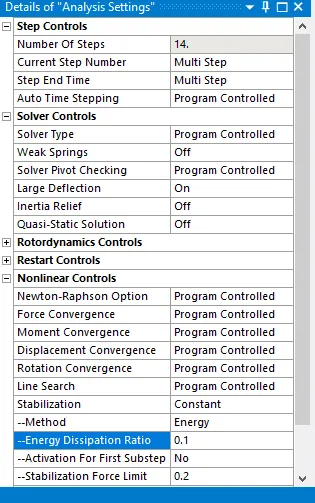
- Assign the number of steps as 14 for the model to simulate.
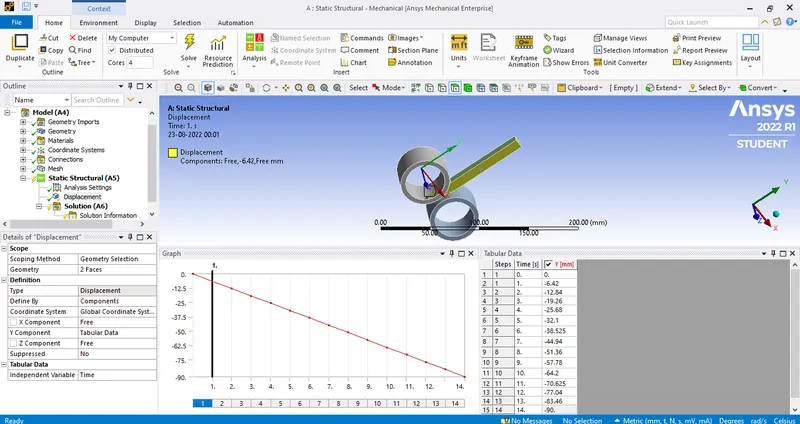
- And then we create displacement for workpiece by 90mm.
- Select the two faces on the workpiece as mentioned and Y-component is defined as to take values from the tabuler data.
- The values which are assigned in tabulrr data for 14 steps are 0,-6.42,-12.84,-19.26,-25.68,-32.1,-38.525,-44.94,-51.36,-57.78,-64.2,-70.625,-77.04,-83.46,-90.
- And then create joint rotation for the wheels, for wheel 1 the rotation will be in clock-wise direction.
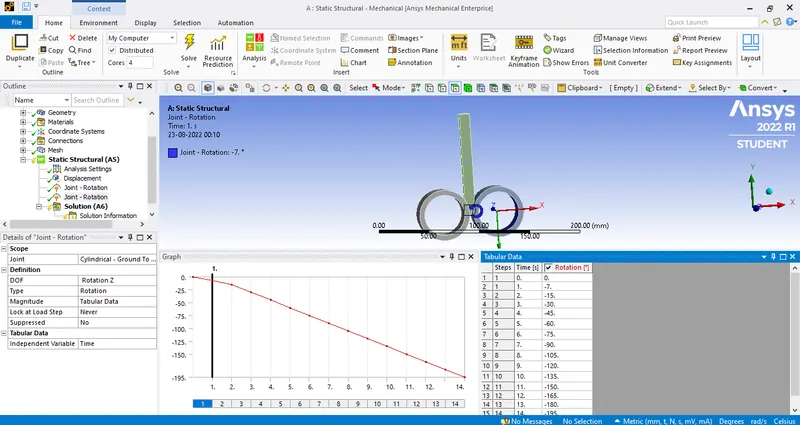
- Assign DOF along rotation Z and assign the vlaues from tabular data.
- Assig the rotation angles upto 195* as follows.
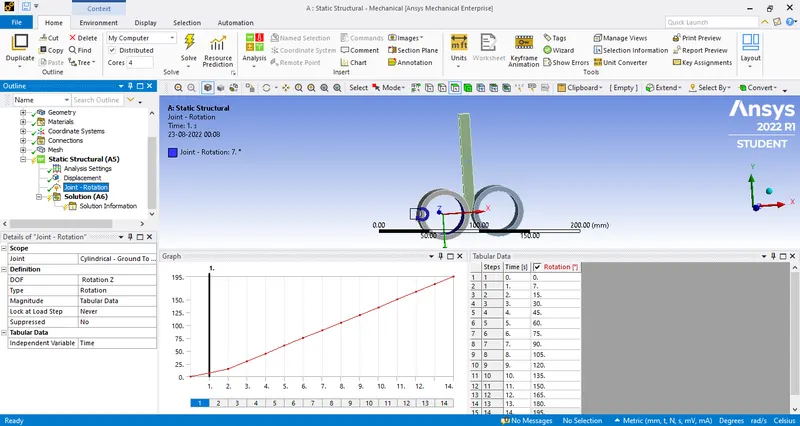
- For the wheel 2 whic rotates in anti-clock wise direction assign the DOF along rotation Z and assign rotation angles as mentioned.
- And we have to find the
- Equivalent stress for the whole setup
- Equivalent Plastic strain for the workpiece
- Directional Deformation in the Z axis for the workpiece
Result:
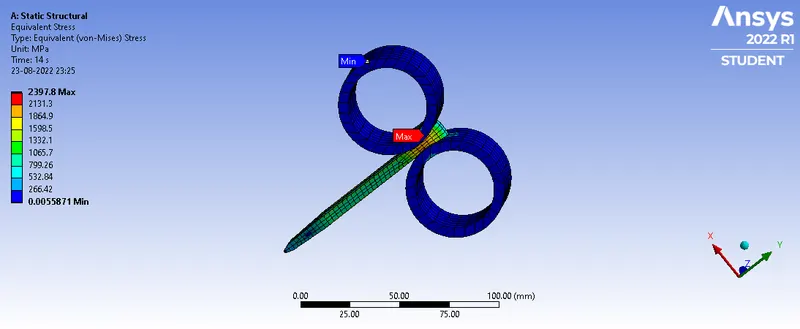
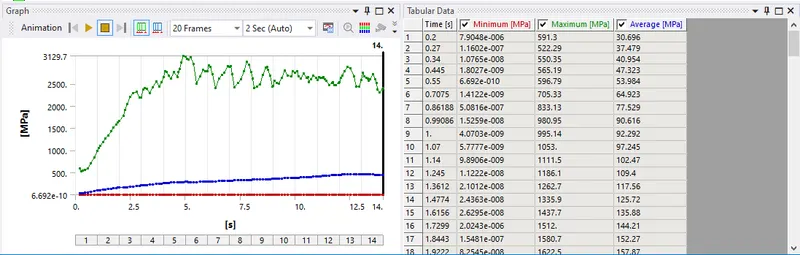
Equivalent stress(Whole setup):
Maximum- 2.397.8 mpa
Minimum-0.0055871 mpa
Graph:
GIF:
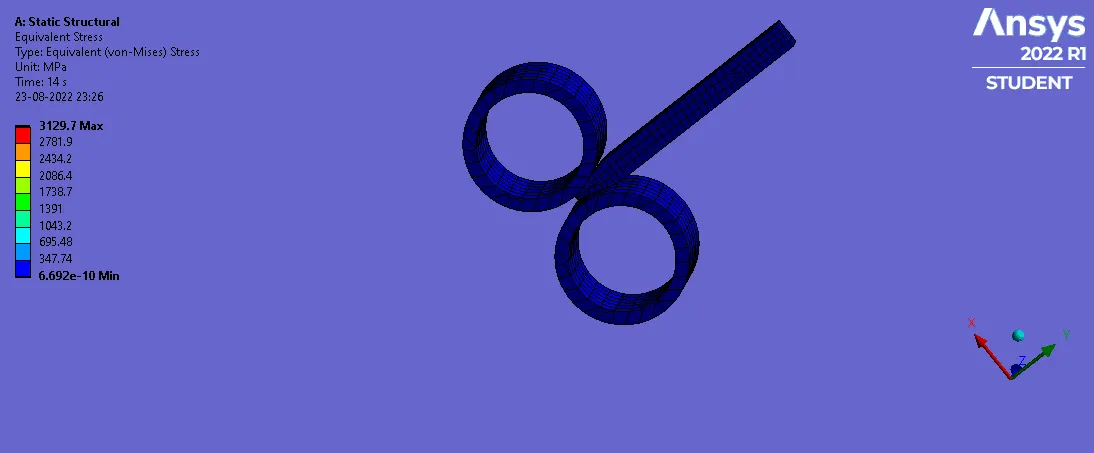
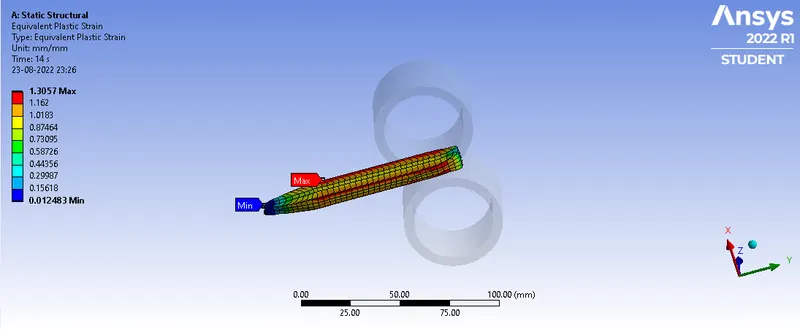
Equivalent Plastic strain(work piece):
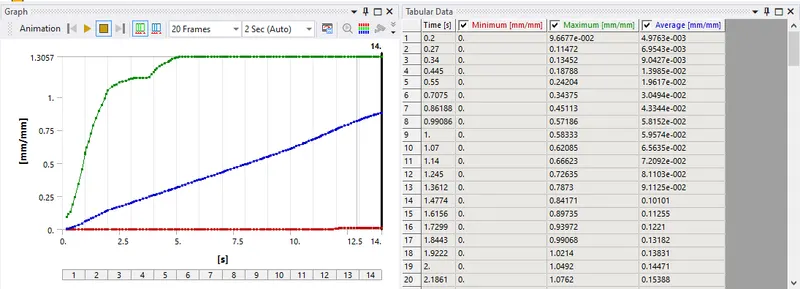
Maximum-1.3057 mm/mm
Minimum-0.012483 mm/mm
Graph:
GIF: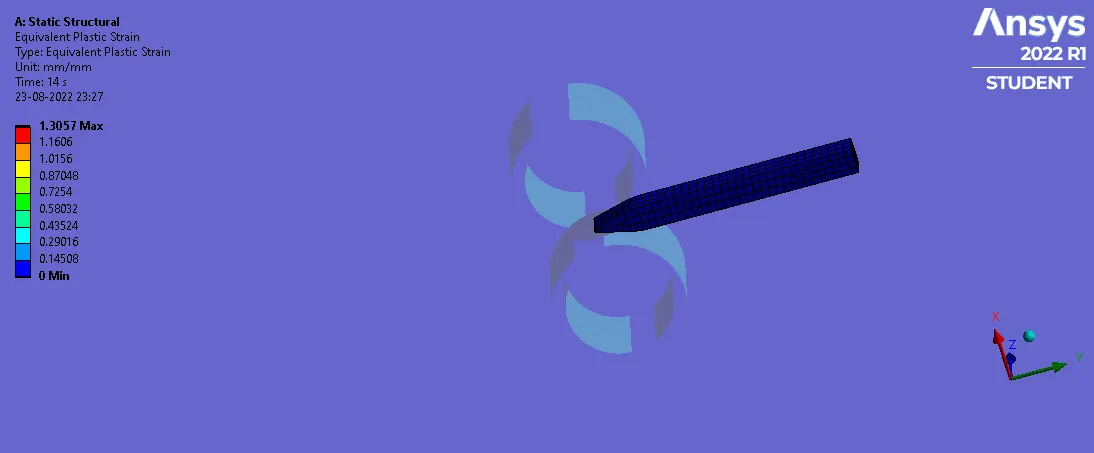
Directional Deformation(Z-axis):
Maximum- 6.0373 mm
Minimum- -5.8645 mm
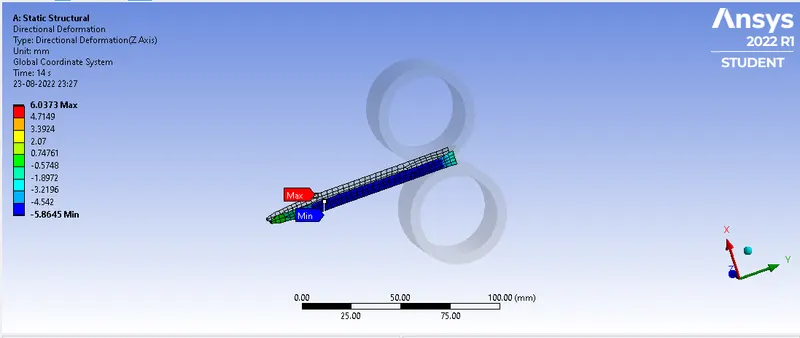
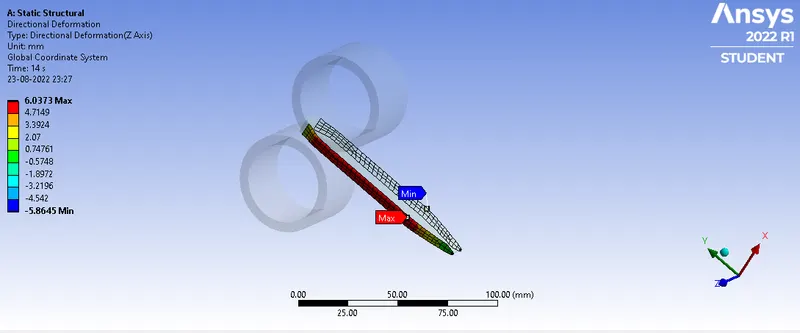
Graph:
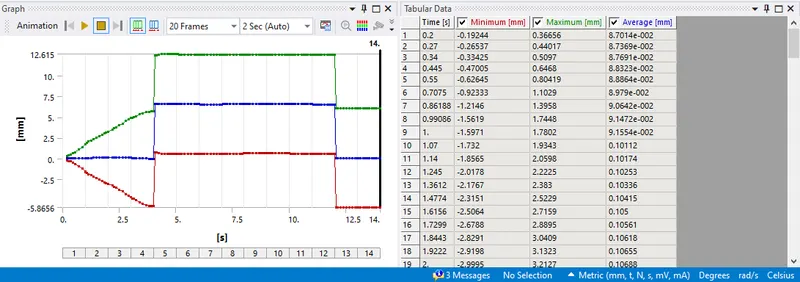
Gif:
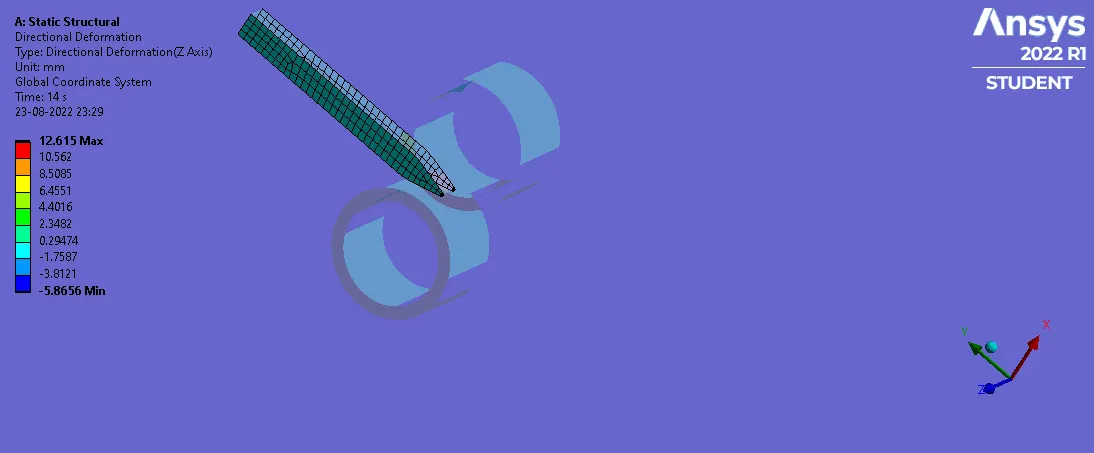
Tabular Data:
Material-Copper alloy NL
Maximum Minimum
Equivalent stress(Whole setup)-mpa 2397.8 0.0055871
Equivalent Plastic strain(work piece)-mm/mm 1.3057 0.012483
Directional Deformation(Z-axis)-mm 6.0373 -5.8645
Conclusion:
From the above tabular data we conclude that equivalent stress of the copper is 2397.8 mpa which is maximum and 0.0055871 mpa which is minimum.
The equivalent plastic strain of the workpiece is 1.3057 mm/mm.
The directional deformation of workpiece along Z-axis is 6.0373 mm.