CRASH BOX SIMULATION USING LS DYNA
OBJECTIVE
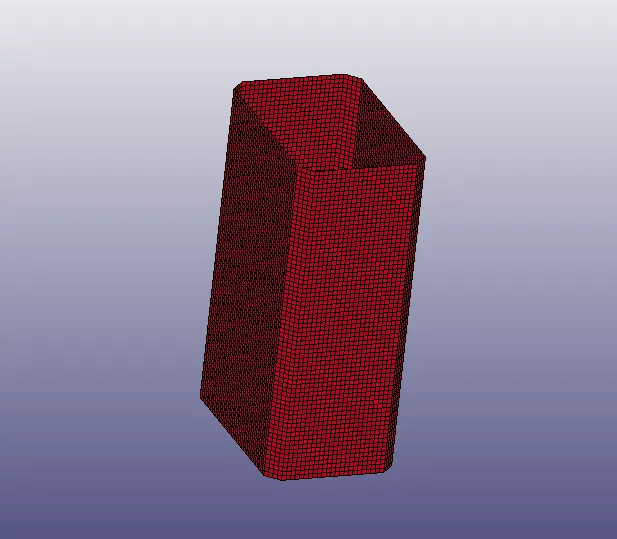
In this challenge we have to perform a simulation of crash box it similar to car carsh. but, here instead of car and their element there is box like structure.
- Import the given model in LS Prepost.
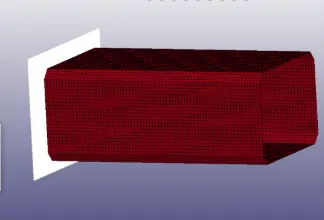
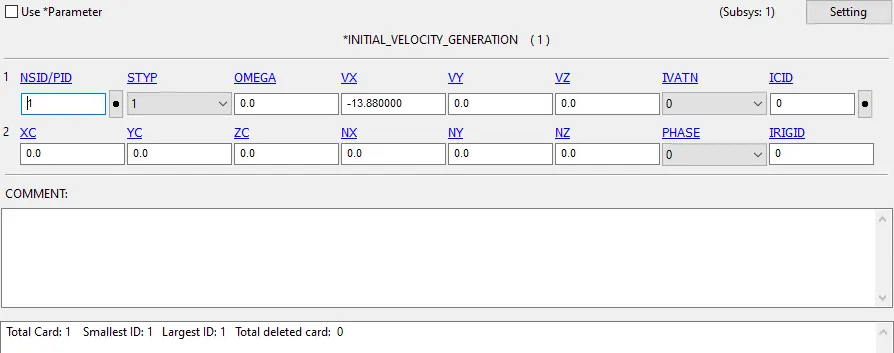
- create a rigidwall using rigidwall command and I created rigidwall planar by N1-N2 method.so the rigidwall is fixed and crash box going to hit the wall with velocityof 50kmph(13.88m/ms)
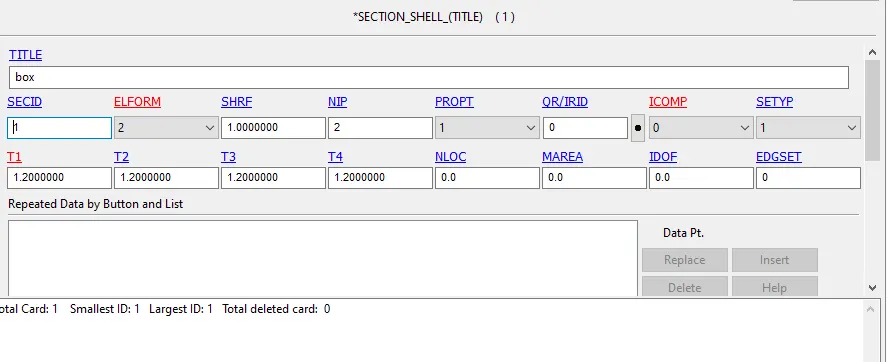
- now we have to define section for box using section_ shell keyword.
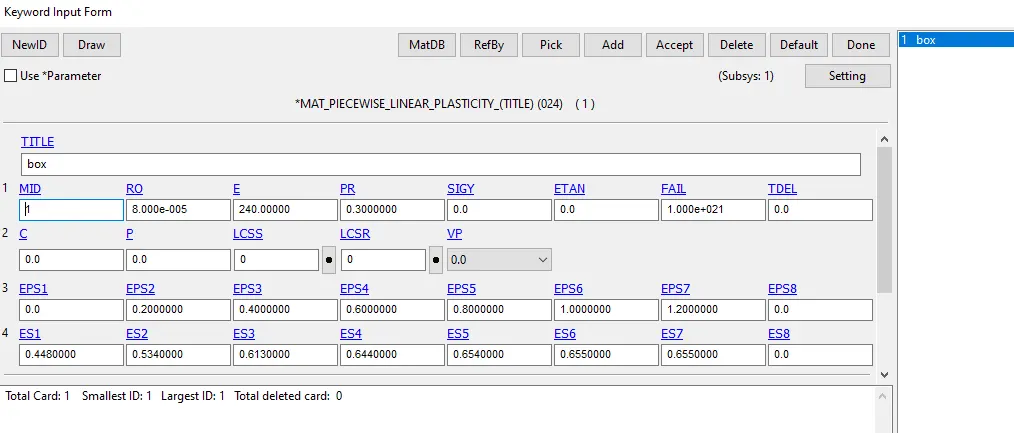
- To define material for box I selected (MAT24) _PIECEWISE _LINEAR _ELASTICITY material.
-
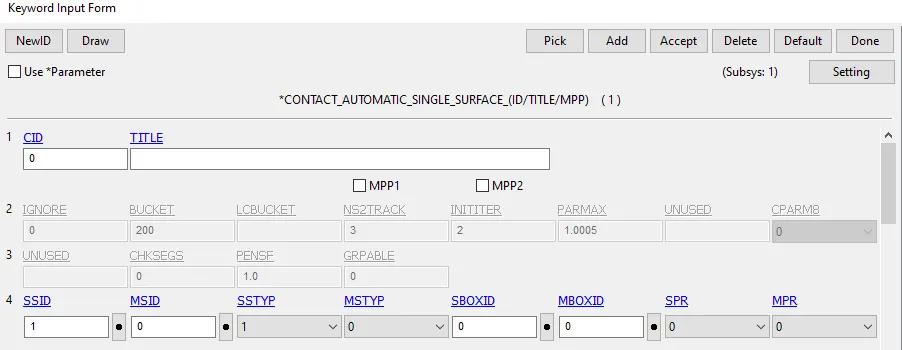
create the contact for the model by choosing automatic single surface in keyword manager and also give master and slave set ID for the contact.
- Create intial velocity for box in negative X direction by velocity generation keyword.
- create output files by using database keyword for ASCII and BINARY D3PLOT entities,we need to enable the control energy to calculate Hourglass energy.To calculate the strain we need to enable database binary extent, Nodoout for acceleration and velocity. after defining all entities save the keyword file.
For thickness 1.5 mm we have to follow same procedure to run simulation.
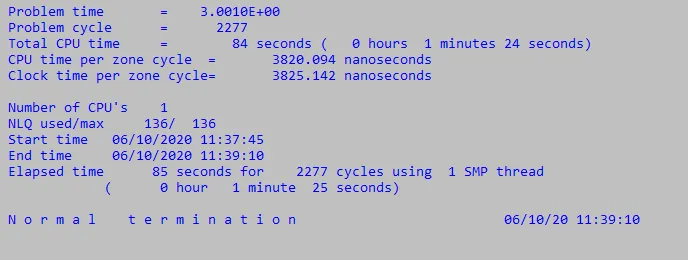
RUNNING A SIMULATION IN LS Dyna
RESULT
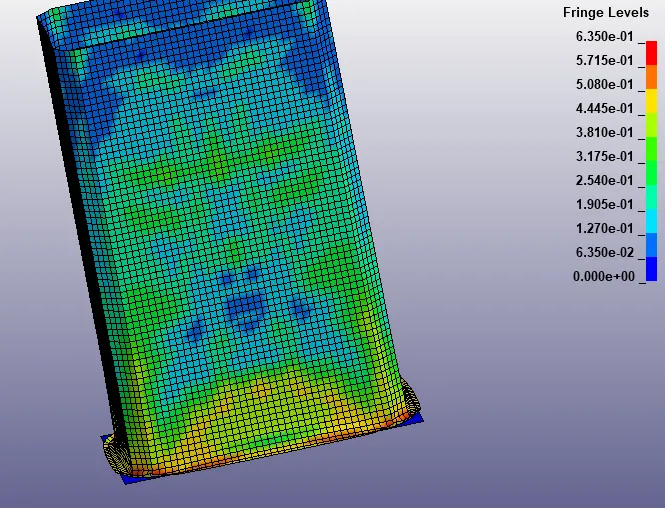
When box crashes a rigidwall the box get deformation and it buckles and folds in axial direction.
GRAPH
Acceleration plot of a node in the middle of the crashbox, the acceleration graph for thickness 1.2mm.
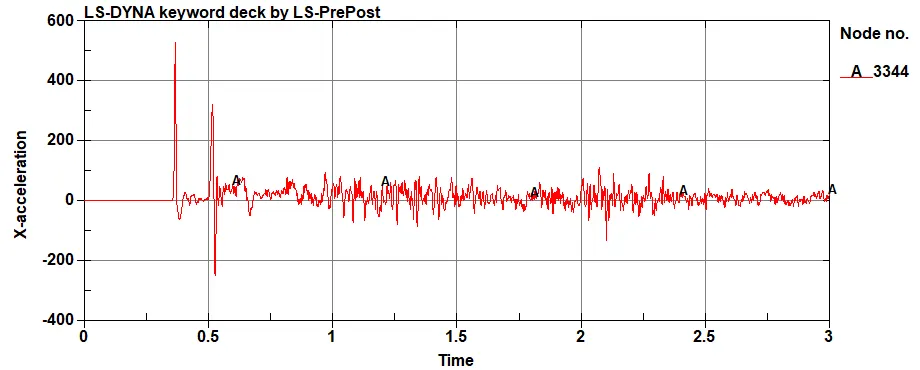
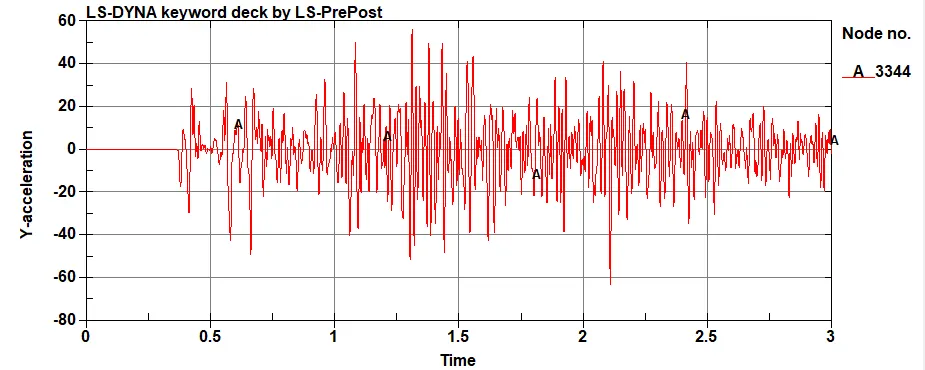
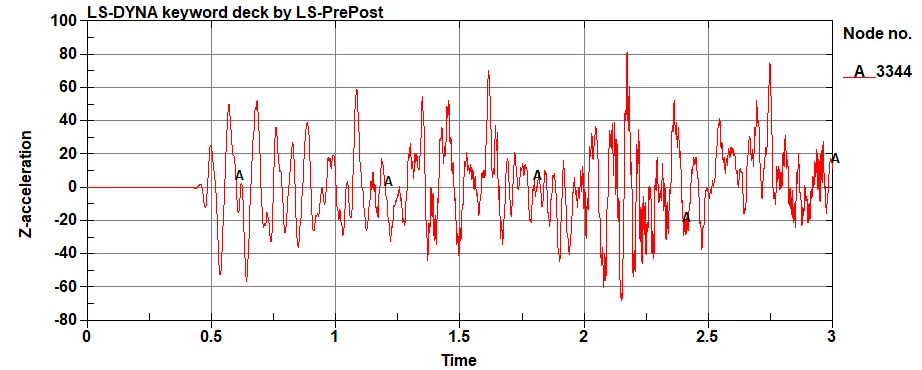
The acceleration graph for thickness 1.5mm.
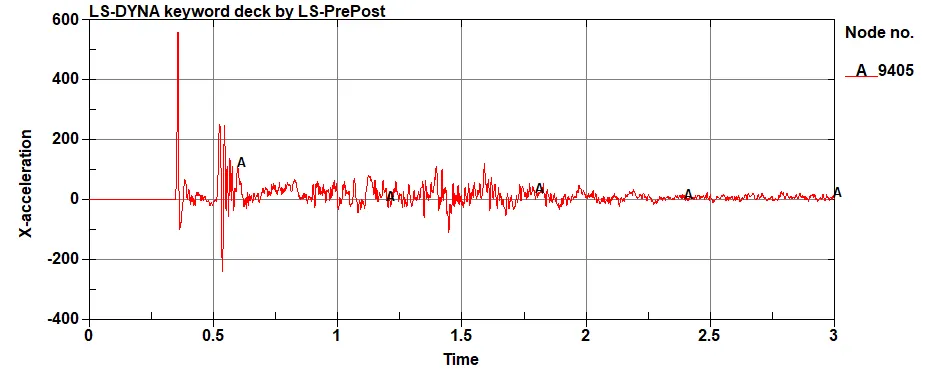
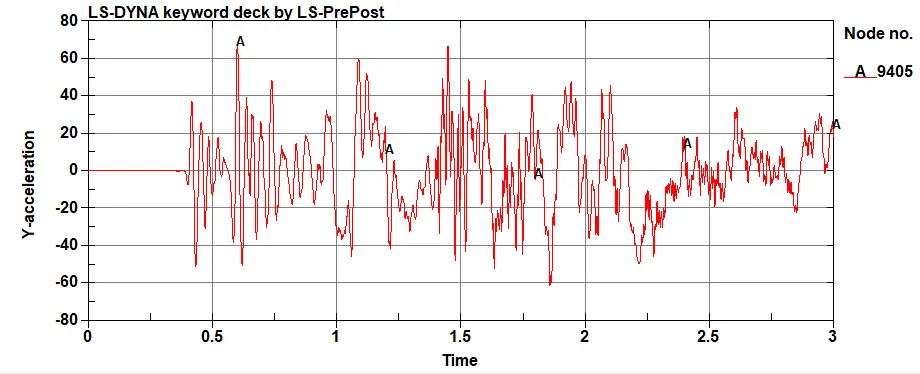
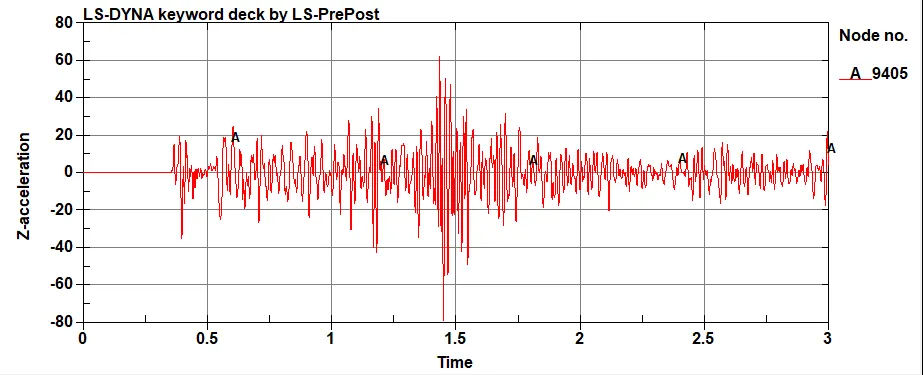
The above figure shows the acceleration of object ,we know that if the velocity increases acceleration also increases, upto 0.327 second there is constant velocity and there is no change in acceleration.
After the impact the velocity is changed and acceleration value changes.
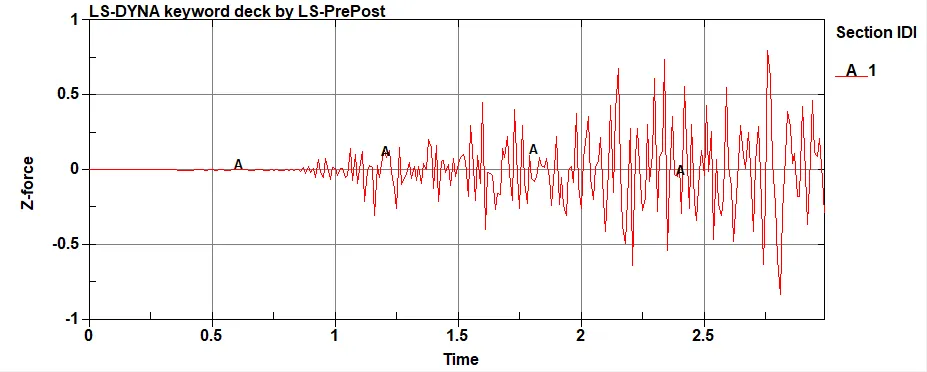
Cross-sectional force generated in the middle of the crashbox
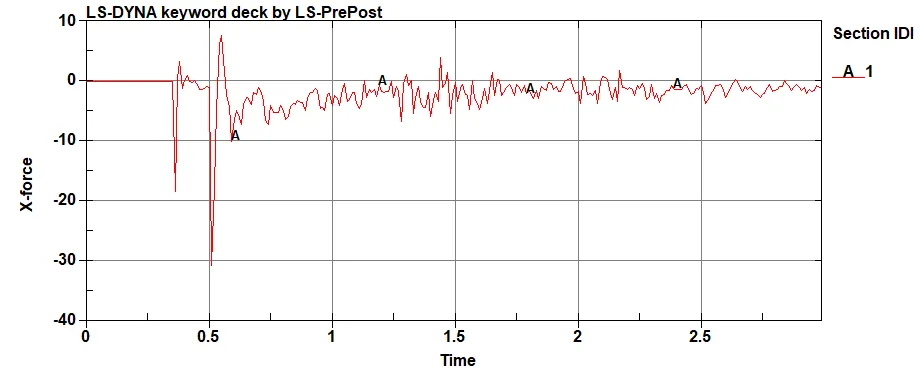
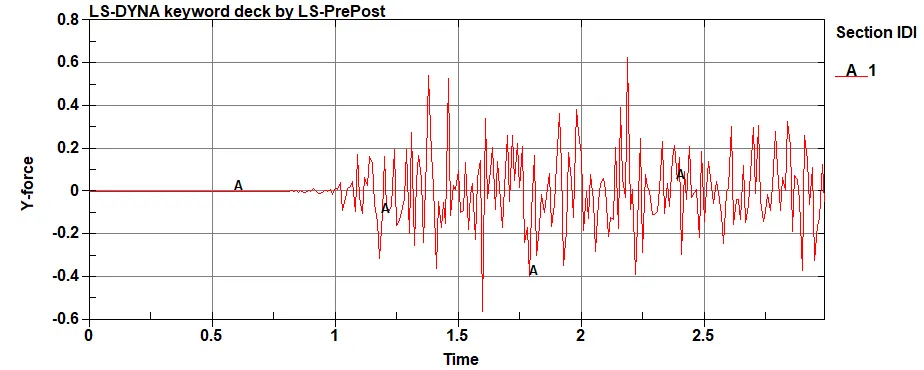
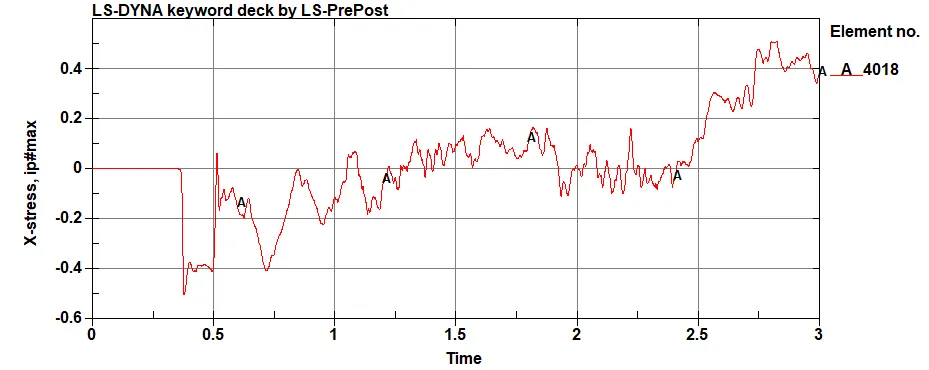
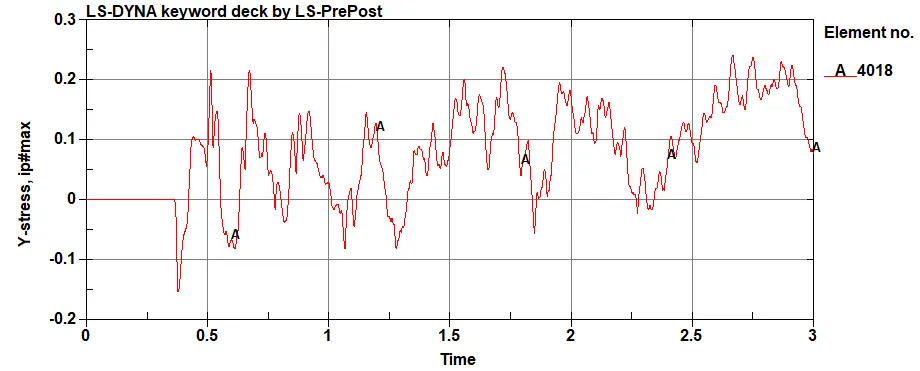
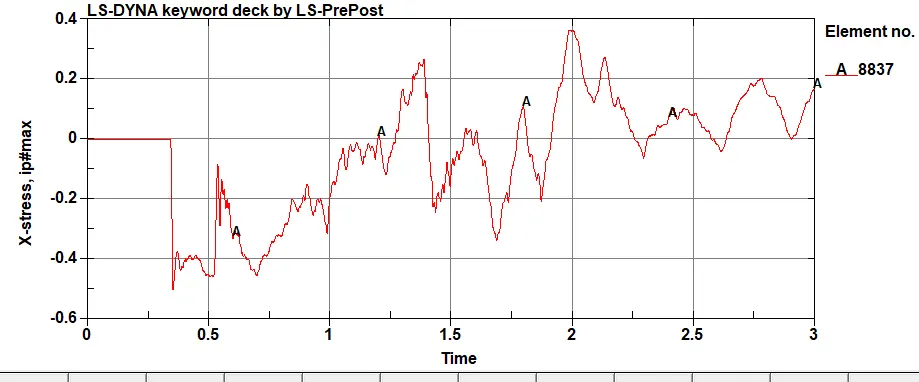
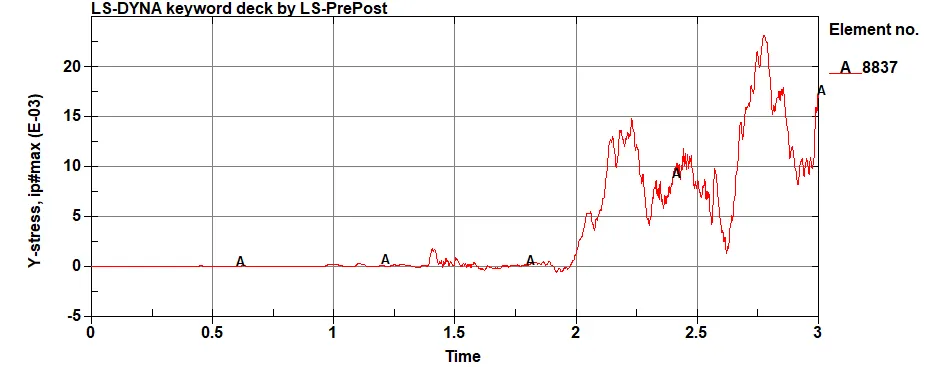
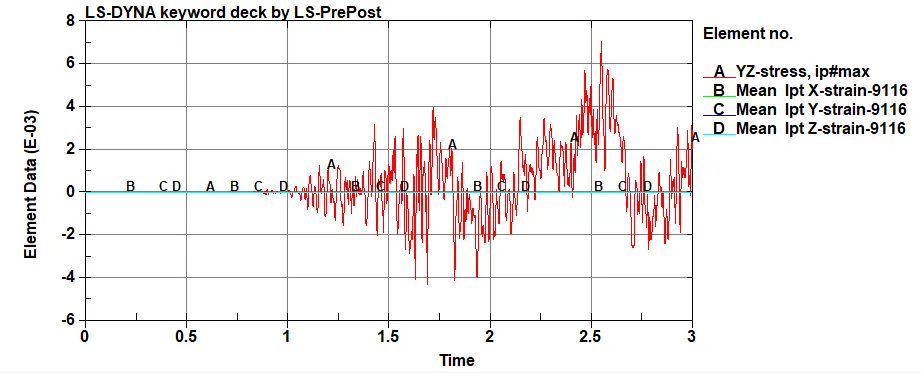
Maximum directional stress and strain along the length of the crashbox
For 1.2mm thickness
For 1.5mm thickness
Plotting Energy Graph
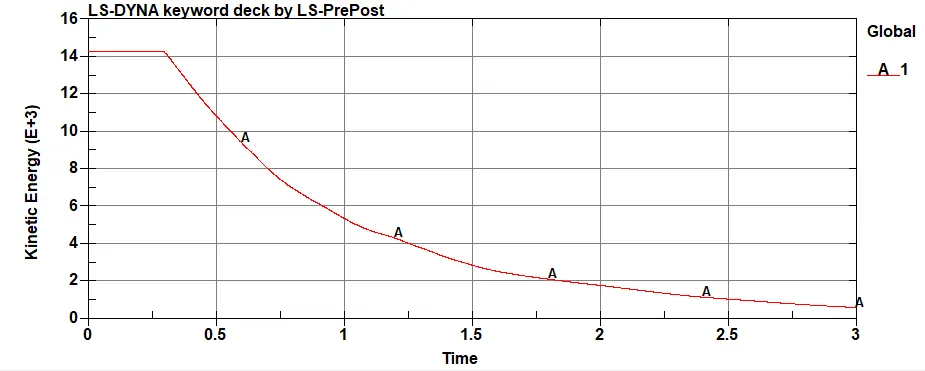
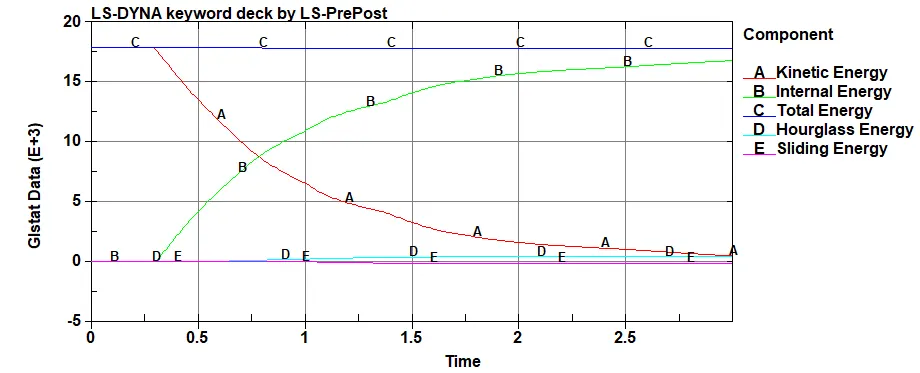
The kinetic energy (KE) of an object is the energy that it possesses due to its motion. It is defined as the work needed to accelerate a body of a given mass from rest to its stated velocity. Having gained this energy during its acceleration, the body maintains this kinetic energy unless its speed changes.The above plot shows the kinetic energy of shell thickness 1.2mm, at 0.327 seconds the crash happening and kinetic energy reduced.
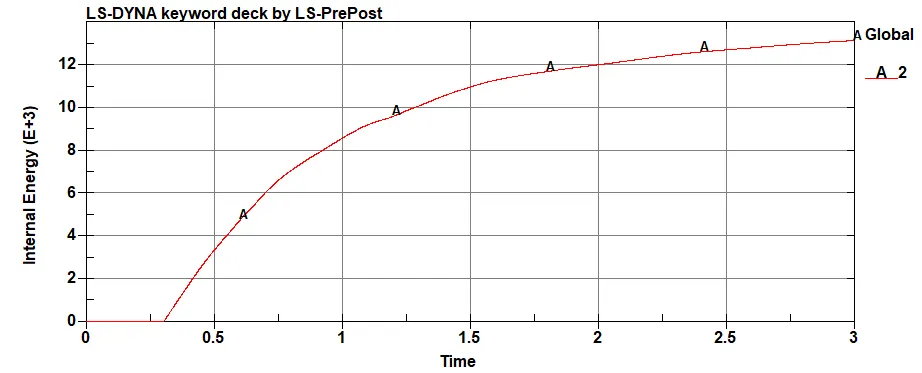
The internal energy in a system arising from the relative positions and interactions of its parts.when kinetic energy is more the internal energy increases.
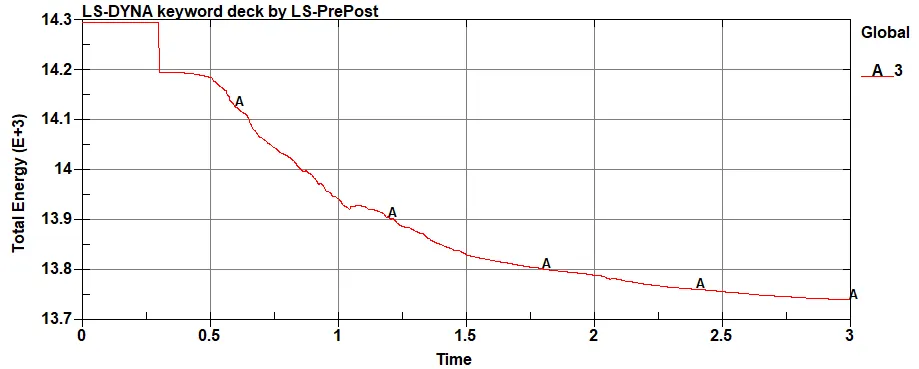
Total energy is a combination of the kinetic energy and Internal energy.
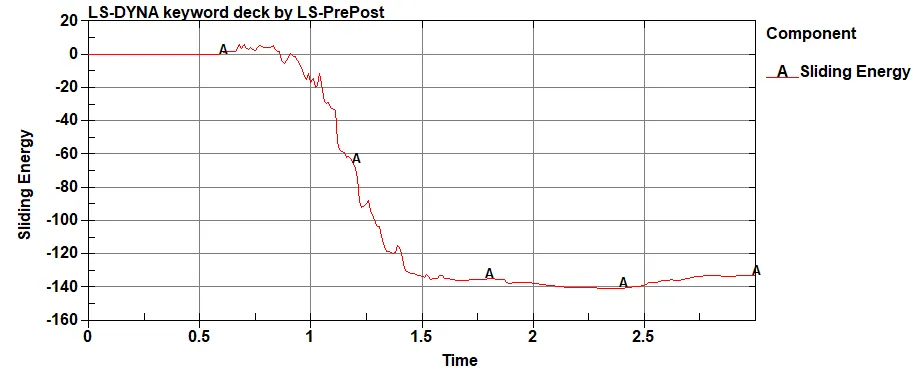
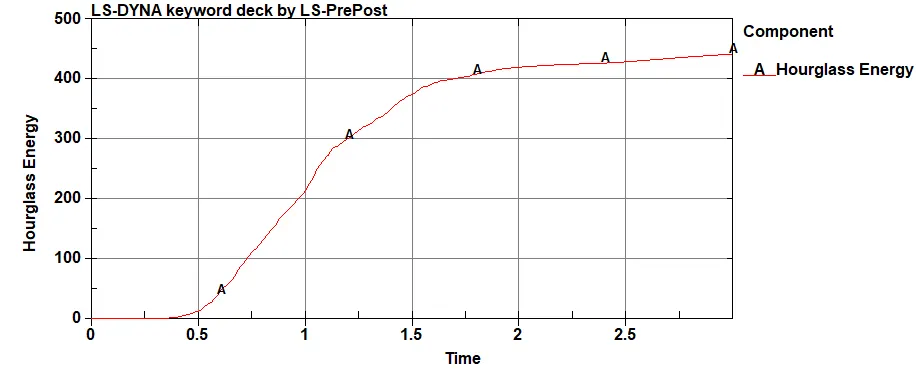
- There is slight change in acceleration and stress/strain graph when thickness of material is increased 0.3mm.
- As we goes on increasing thickness of shell the stress and strain generation will become less.
- comparison of Acceleration and stress / strain for 1.2mm and 1.5mm thick crashbox material, the acceleration and stress / strain generation will be less for 1.5mm crashbox material.
ANIMATION FILE LINK--https://drive.google.com/file/d/18m97m1B1Kc9Jzwk1pvXROKVr6IJEEsQz/view?usp=sharing