Week - 4 - Crash Box Simulation
AIM:
To simulate the crash test for crash box under two different cases. First case with 1.2mm thickness and the second case with 1.5mm thickness and compare the results of both the cases.
GIVEN FEA MODEL:
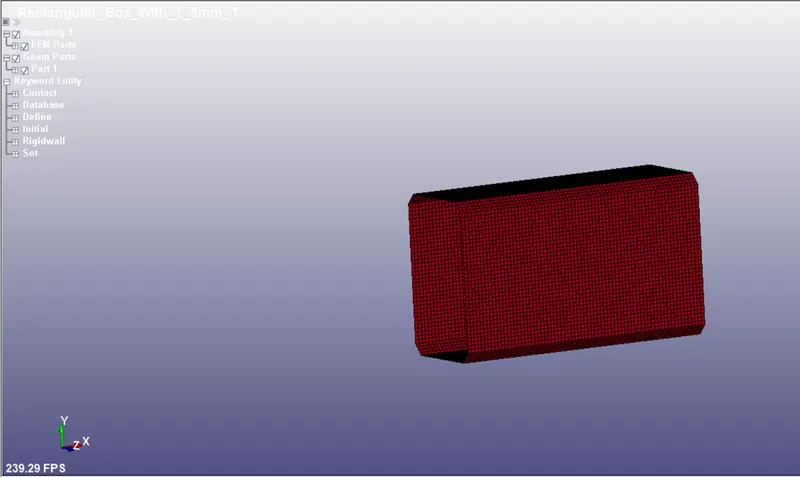
PROCEDURE:
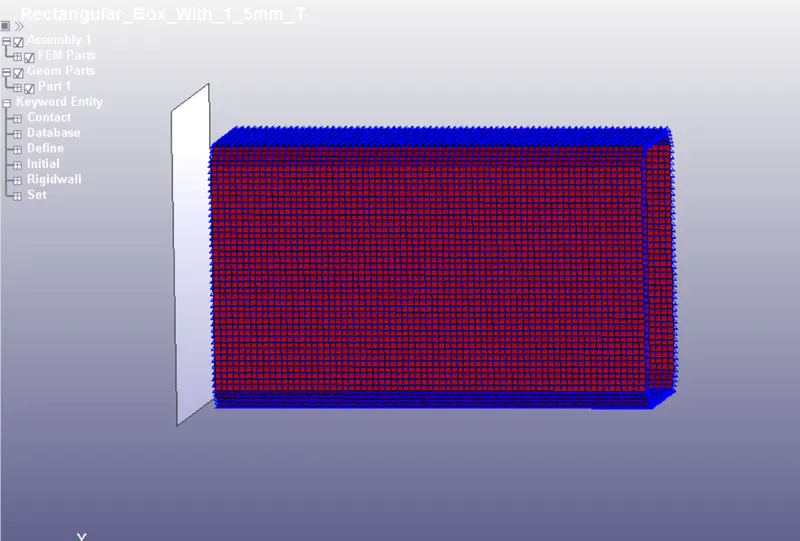
- Open the given keyword file, fea model of crash box will be there. First we need to create the rigid wall for that go to Model>create entity>rigidwall>create>choose planar and click on the node at the edge of the crashbox>translate the rigid wall to 20mm distance>Click apply and click ok.
-
- MATERIAL:
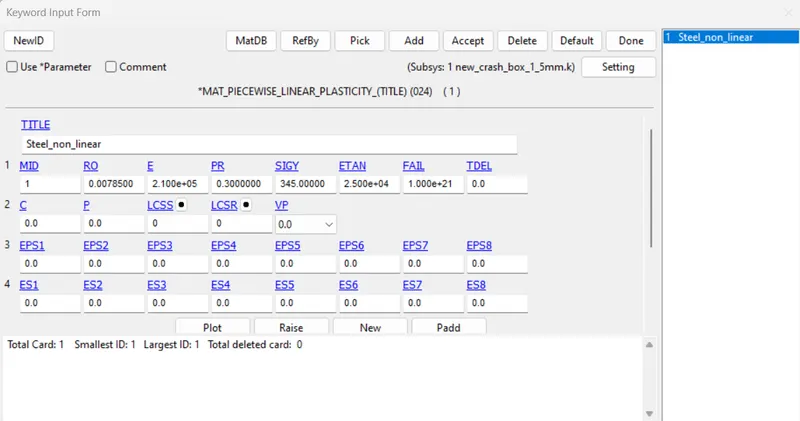
- For rectangular crash box non linear material should be assigned for that 024-piecewise linear plasticity is used and steel material is selected. The unit system selected is gm/mm/ms. The properties of steel are taken as follows,
- Density - 7.85e-03 gm/mm3
- Youngs modulus - 2.1e+05 gm/mm.ms2
- poisson's ratio - 0.3
- Yield stress - 345 gm/mm.ms2
- Tangent modulus - 2.5e+04 gm/mm.ms2
- Section:
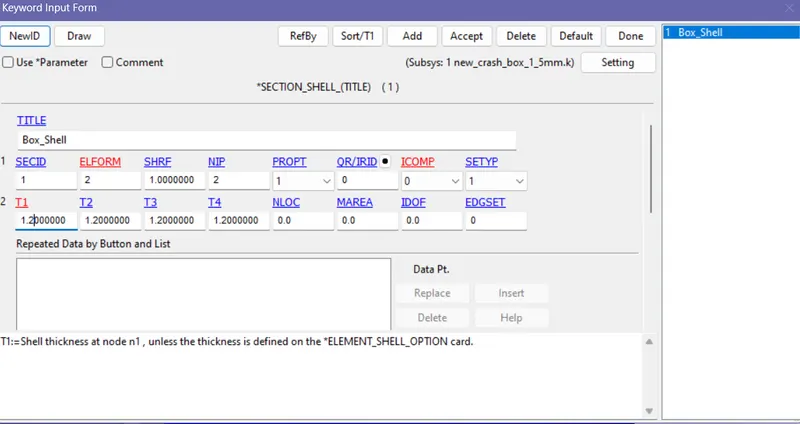
- The given fea model is a shell component so the section is selected as shell and default element formulation 2 is selected and thickness of 1.2mm is assigned.
- Velocity:
- Now the initial velocity of the crash box should be defined for that we have to create a node set of crash box. For that go to create entity>set_data>set_node>select the entire crash box using area>by element option and click apply and ok.
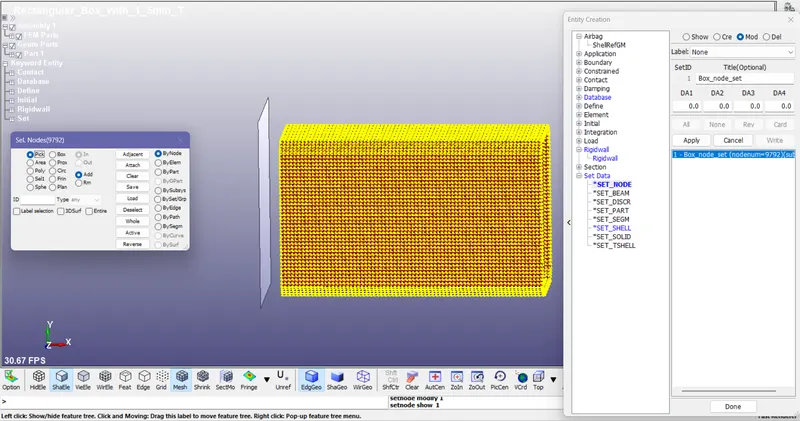
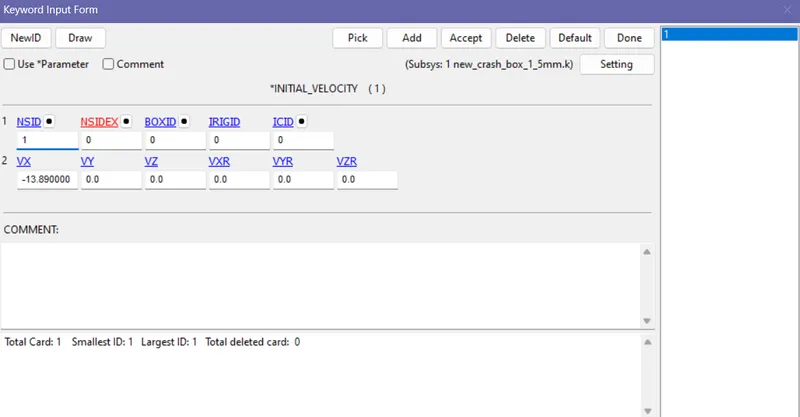
- Now go to keyword>initial>velocity>select the nodeset and enter magnitude of velocity with(positive or negative sign) direction. The velocity given is 50kmph, in gm/mm/ms system it is 13.89mm/ms
- For reading out the changes in the properties at the middle of the crash box, cross sectional set in the database need to be defined. For that the middle nodes along the cross section need to be selected as node set.
- Now keyword>database>Cross_section_set>select the node set and click ok.
- CONTACT:
- While the crash box create an impact with the rigid wall either it folds and create a contact with its adjacent surfaces or it bounce back rigidly. For that AUTOMATIC_SINGLE_SURFACE is used.
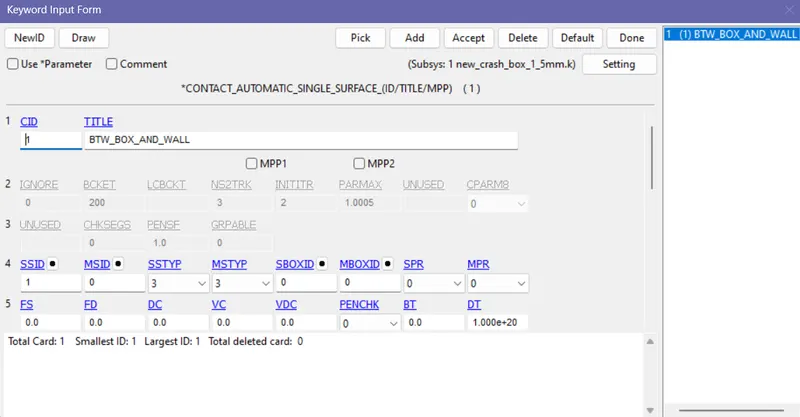
- DATABASE:
- Binary_d3plot is selected to get the animation of the simulation
- cross section set is selected to analyze the dispacement, velocity and accleration along the cross section of the crash box
- ASCII_option - GLSTAT, MATSUM, NODOUT, SECFORC, SLEOUT.
OUTPUT:
Velocity in x_direction:
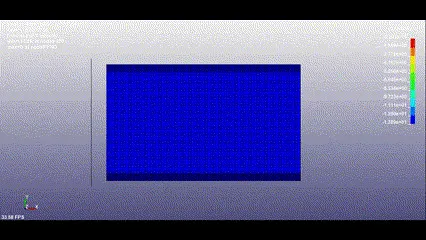
The above attached gif represents the velocity of the crash box. Initially the crash box is moving with -13.89 mm/ms. The negative sign indicates the box motion in negative x direction. Once it hits the rigid wall the velocity becomes +12.7mm/ms which represents that the crash box starts moving in +ve xdirection after hitting the rigid wall.
STRAIN in X_direction:
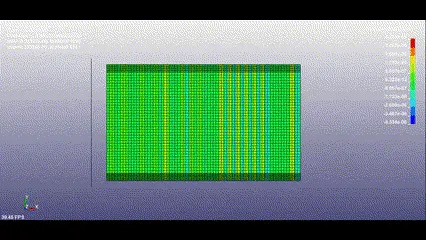
Before hitting the wall, the strain of the crash box is constant. Once it hits the wall the x_displacement changes and the strain is varying throughout.
KINETIC ENERGY:
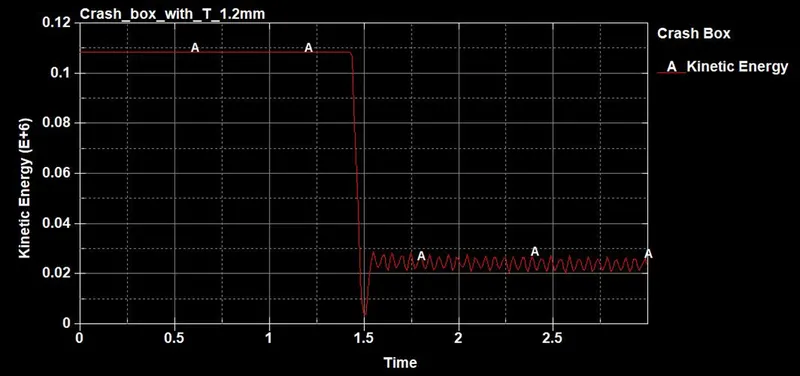
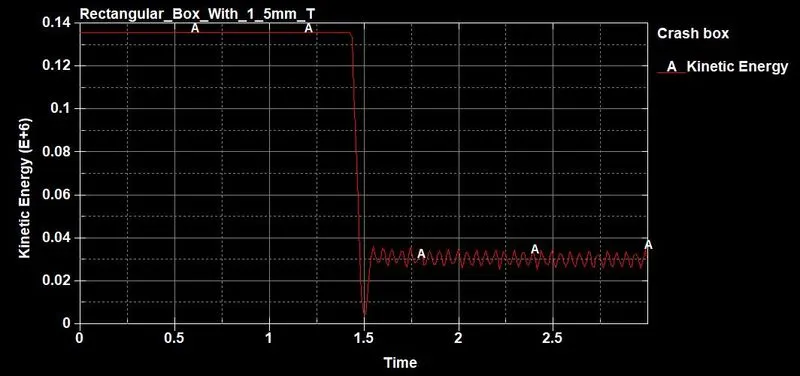
The impact time of the crash box with rigid wall is 1.45ms, at that time the kinetic energy of crash box falls rapidly.
INTERNAL ENERGY:
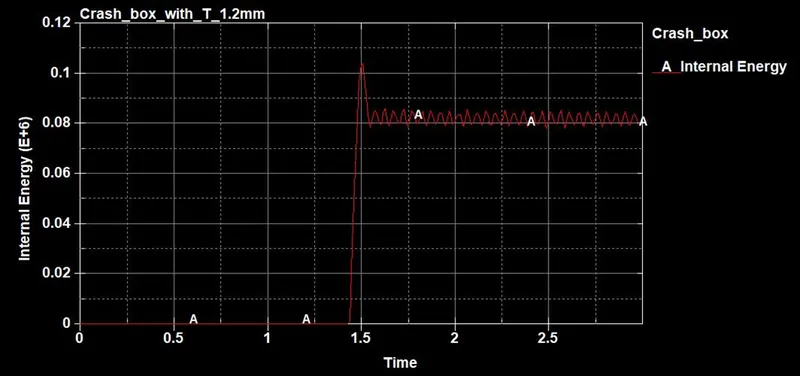
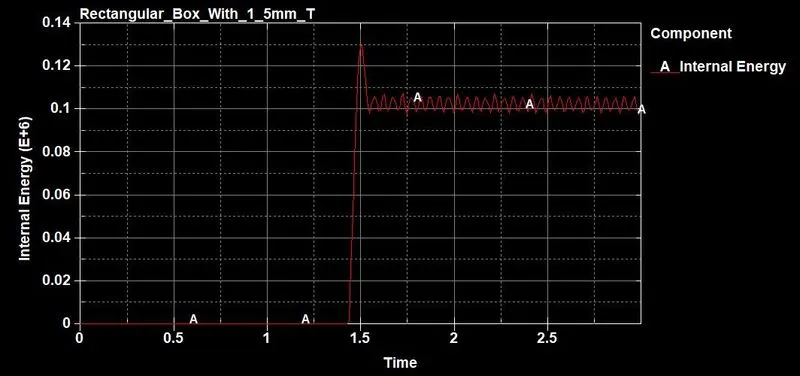
The internal energy of the crash box increases at 1.45ms which represents that the kinetic erergy is stored as an internal energy what helps the crash box to bounce back after an impact.
SECTIONAL FORCE:
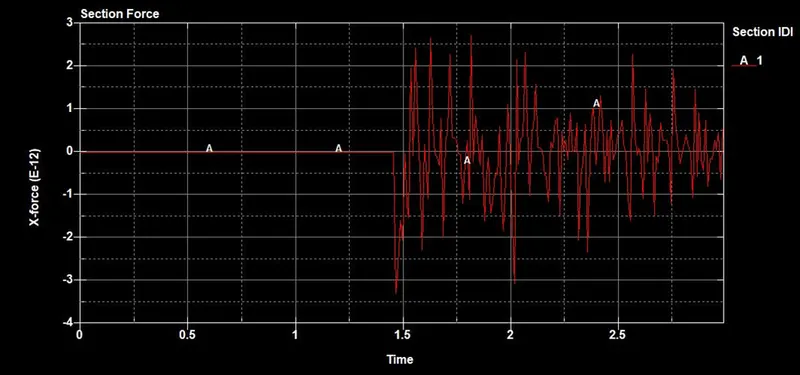
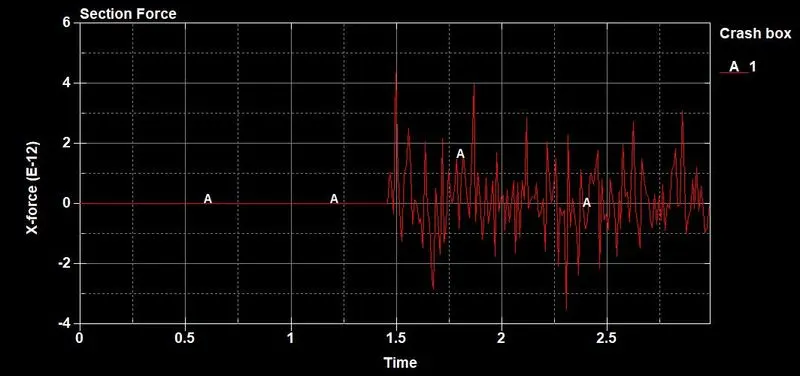
At the middle of the crash box along its length on the cross section, the force in x_direction changes rapidly which represents the vibration after an impact.
ACCLERATION:
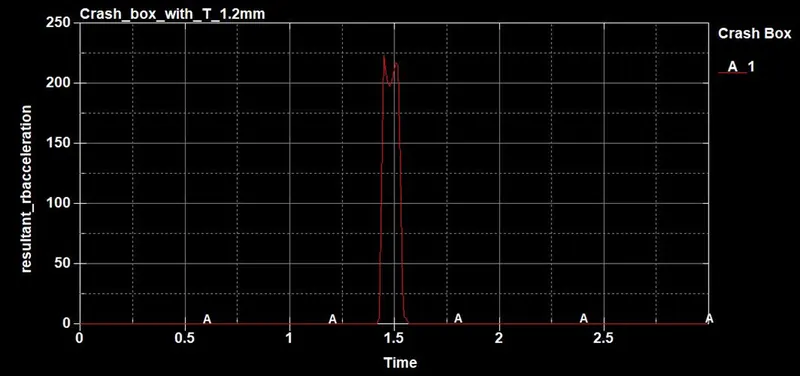
Before an impact the crash box moves with constant velocity so there is no accleration. Up to 1.45ms the accleration is zero. At 1.45ms the accleration of the crash box rapidly increases as it collides with the rigid wall and then it again comes to zero.
CASE 2: CRASH BOX WITH 1.5mm THICKNESS
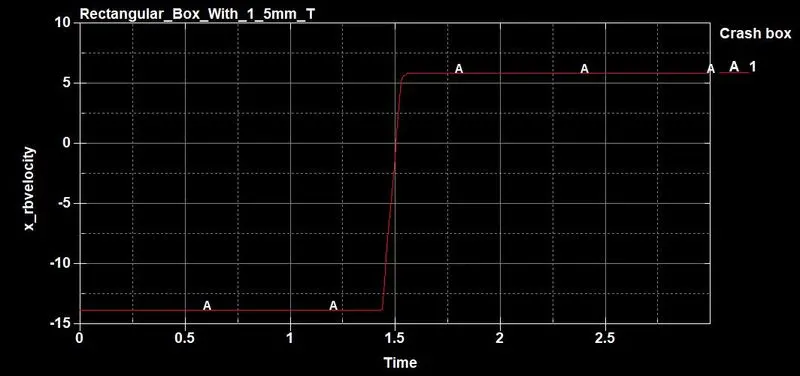
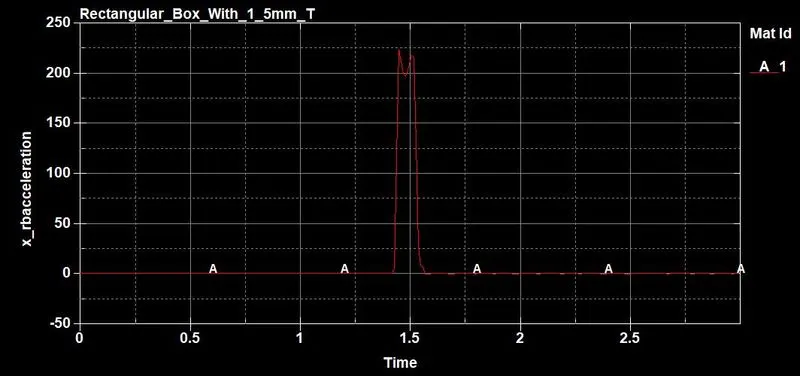
RESULT:
| BOX WITH 1.2mm THICKNESS | BOX WITH 1.5mm THICKNESS | |
| Kinetic energy | 0.11e+06 | 0.135e+06 |
| Internal energy | 0.11e+06 | 0.135e+06 |
| x_velocity | 6.1 | 6.1 |
| x_accleration | 225 | 225 |
| x_force | -3e-12 | 1e-12 |
| x_strain | 0.00481 | 0.00457 |
The box with 1.5mm thickness has greater kinetic energy than the box with 1.2mm thickness. Remaining all the components results similar.