Week 3 - 2D meshing for sheet metal
AIM :
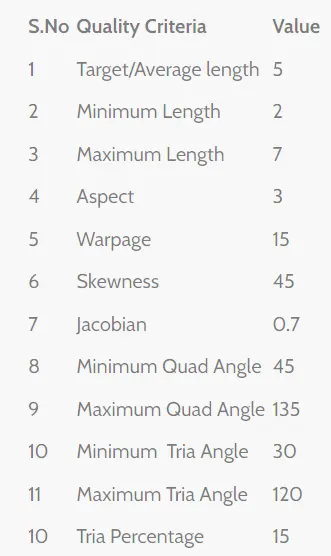
To generate the mid surface for the give model and then generate the mesh for the mid surface which we have generated from the parent geometry. The mesh which is generated should meet the quality criteria given below,
PROCEDURE :
- Import the given model.
- Open the property manager and highlight the part which we are goint to generate the mid suface and hide the remaining part.
- check the geometry and then fix the part with zero errors.
- enter the quality criteria as given in the quesiton and also enter the mesh parameters
- In classic mesh module under perimeters, click on length and select the part and enter the perimeter value as 5 and similarly for macros.
- Generate the mid surface using skin option for parts having uniform thickness and use offset option for parts with varying thickness.
- Divide the parts as required to generate the good mesh flow as shown below
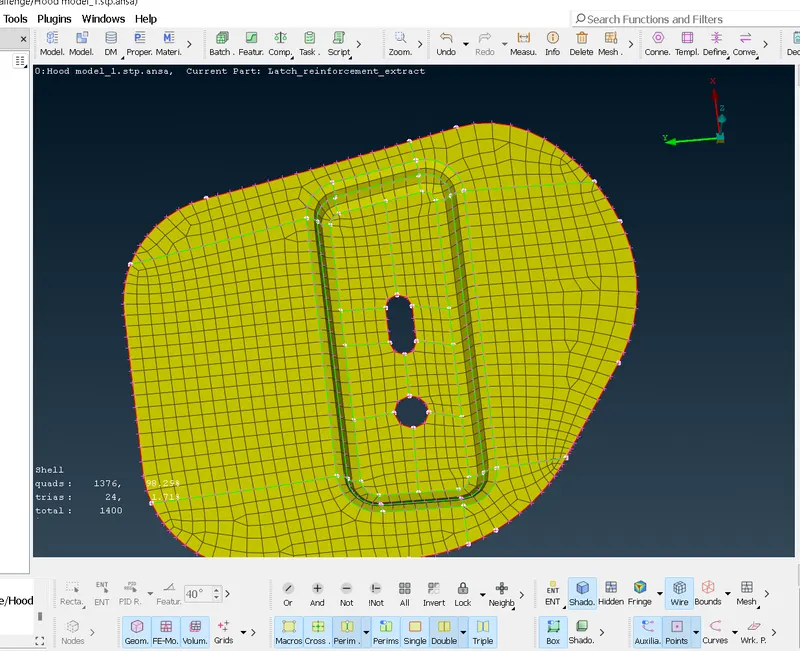
- use best mesh option and reconstruct it if the mesh generation doesn't met the quality criteria.
- Use split, paste and join options to adjust the mesh element and click smooth.
- Then the cycle 2 to 8 similar for each part in the model
- for the two parts whcih are symmetric in geometry and material, first delete the symmetrical part once the meshing is done for one part and we use transform-copy-symmetry option to replace the part with meshed part.
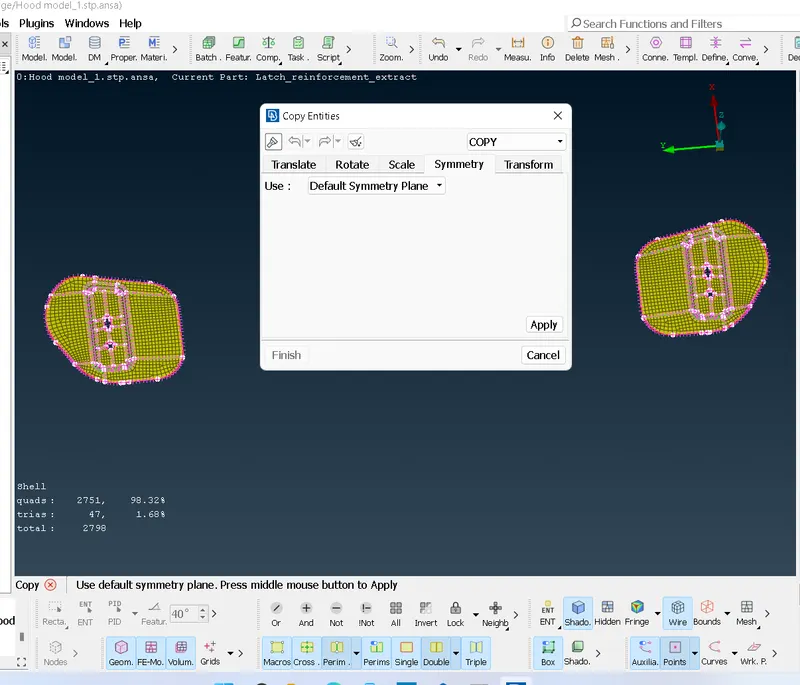
- similarly for the parts which is symmetry about any axis, just delete the any one side and then follow the steps 2 to 8 to perform mesh and once you completed the mesh just do transform-copy-symmetry to complete the whole part
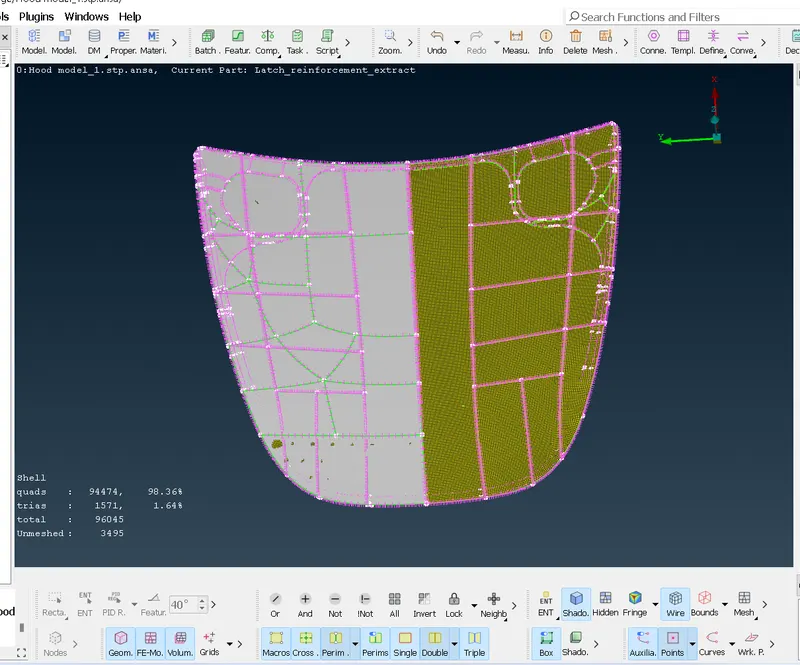
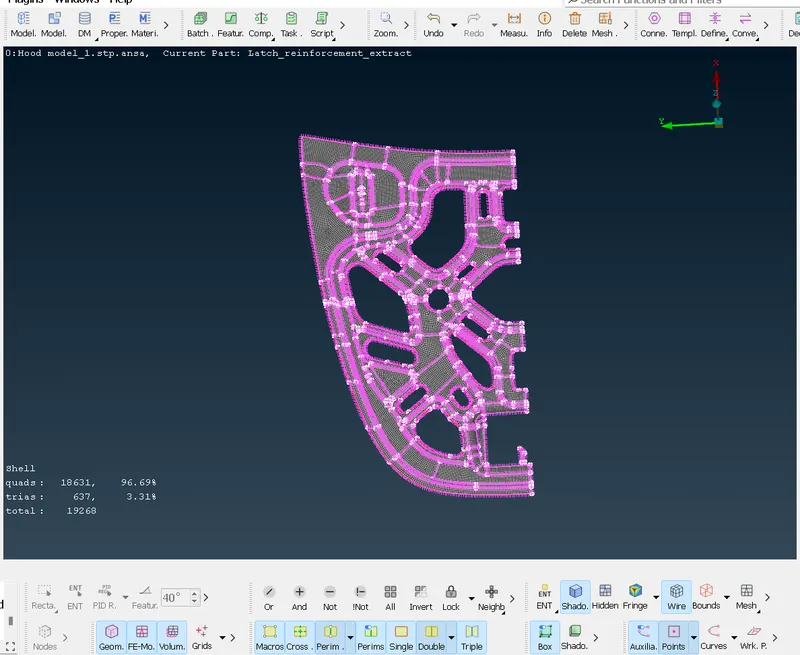
- So once you have done meshing the parts just click save and exit the ANSA application