Week - 4 - 2D meshing for Plastic components
AIM:
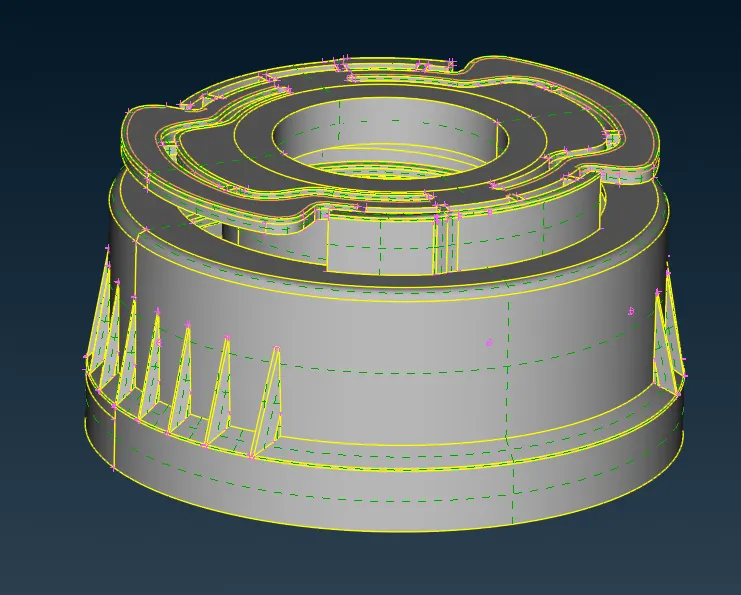
To generate the manual mid surface for the given bottle cap model and assign PID and thickness for the mid surface and mesh the entire mid surface with given mesh quality criteria.
GIVEN CAD MODEL:
PROCEDURE:
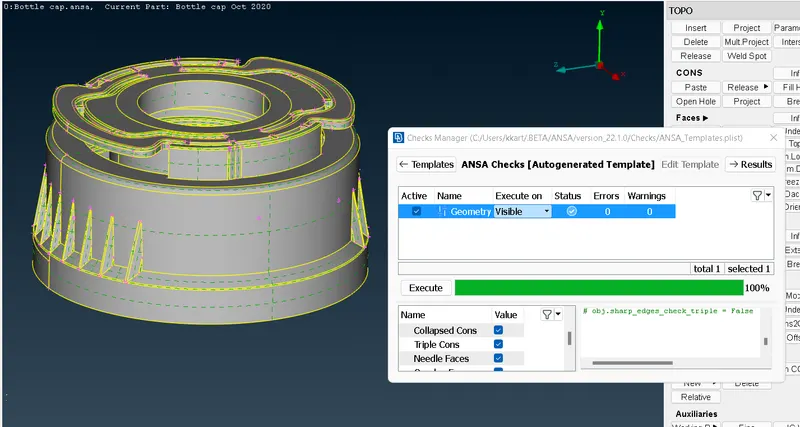
- After opening the cad model, we have to check the model geometry, for that go to check -->geometry-->execute. After execution it shows the result, if there is any error just hold ctrl and select the errors and right click and select fix. Once you fix all the error it shows green tick in status tab.
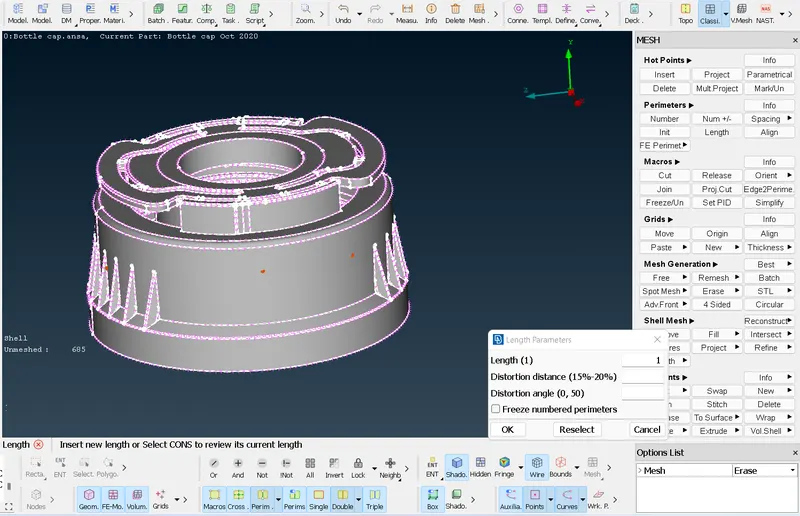
- Once the geometry is checked, go to mesh module and select the 'length' in the perimeter section and then enter the length as '1mm' to set the cons resolution. By changing the cons resolution to 1mm, it will improve the model's resolution and set target mesh element size for the model, that we will see while meshing.
- Using the store lock option we can store the mid surface of each part. For complex geometry we take mid surface for parts which are having same thickness and with not --> 'PID region' option we can hide the parent geometry and then lock the extracted mid surface.
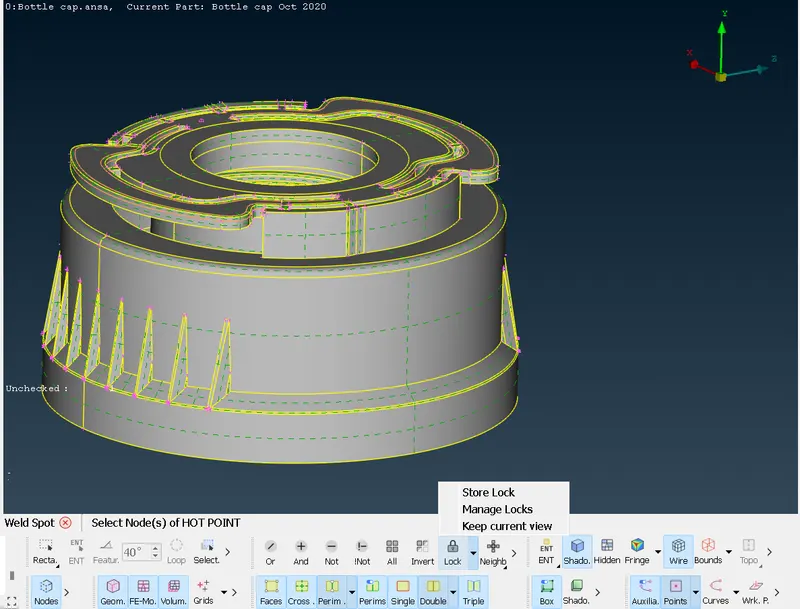
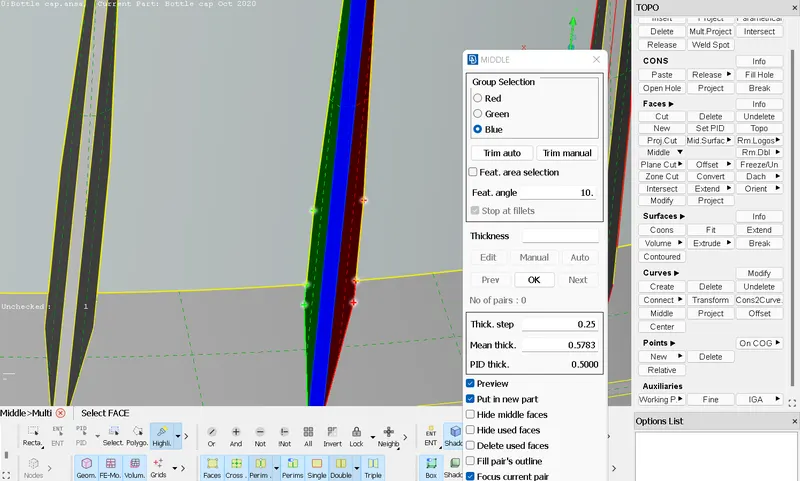
- For varying thickness like outer rib, it is not possible to offset so rather than offset option we use 'middle' option under 'faces'. For using middle option go to Faces-->middle-->multi and then select the top and bottom layer and then select the middle layer which connects top and bottom layers and then click ok.
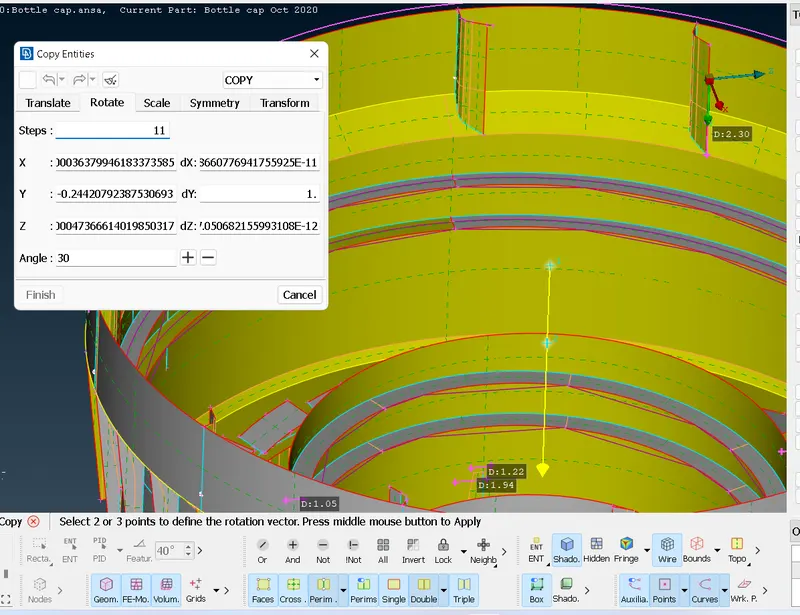
- Similarly for the inner ribs you can use middle --> multi and the important thing is there are 12 inner ribs so we just extract mid surface for one rib and we use transform --> rotate and select the COG points and enter angle as 30 degree as we have 12 ribs and click ok
- For threads we cannot take mid surface because its cross section is trapezoidal so we can use curves middle option to capture the middle curve and project it to the ring surface. After that we can use coons option to create a new surface between the cons. Use fine option after creating a curves to get a better resolution.
- so after extracting the mid surface and set PID for all varying thickness, the model is ready for meshing and the mid surface model is shown below.
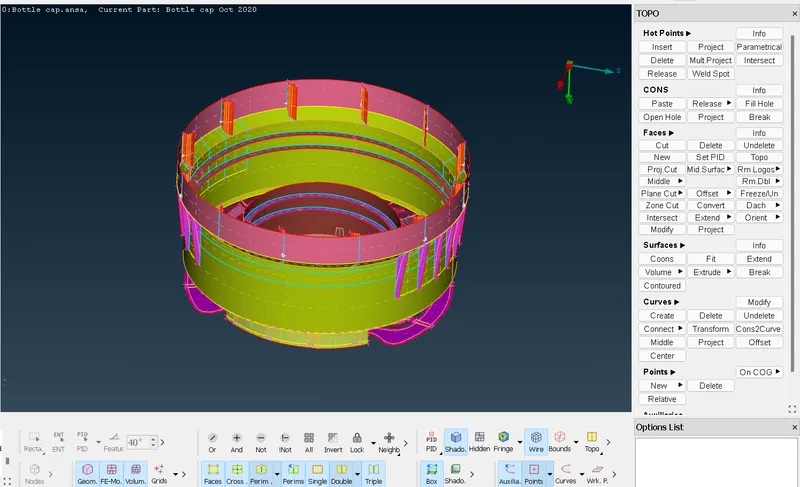
- Then go to mesh module and then under perimeter select the entire mid surface and give perimeter value as '1' and similar for entities.
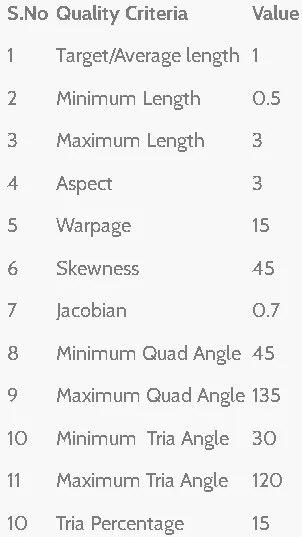
- Then go to mesh parameters and set average element size as '1' and the minimum element size as '0.5' based on the given quality criteria and in the quality criteria enter the given criteria and click apply and ok.
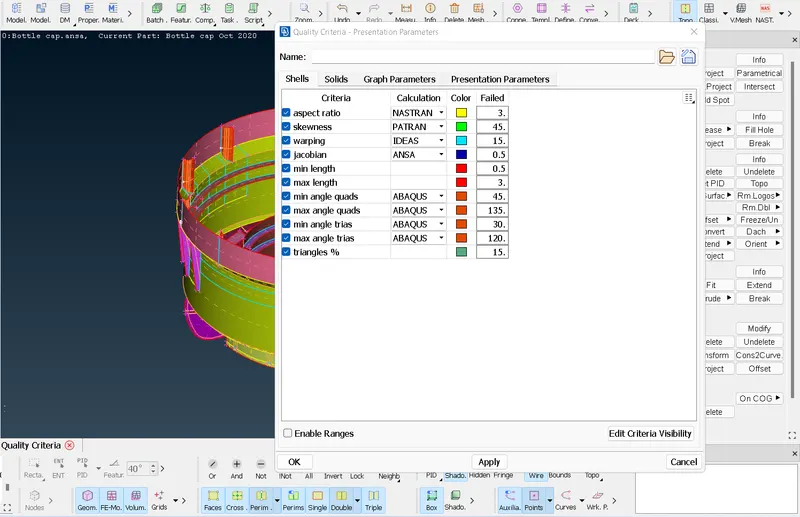
- Then under mesh module go to mesh generation and click on best and select the entity to do mesh. Once the mesh is generated if it does not meet the quality criteria go to reconstruct under mesh generation and then select the entity that does not meet the quality criteria and click ok.
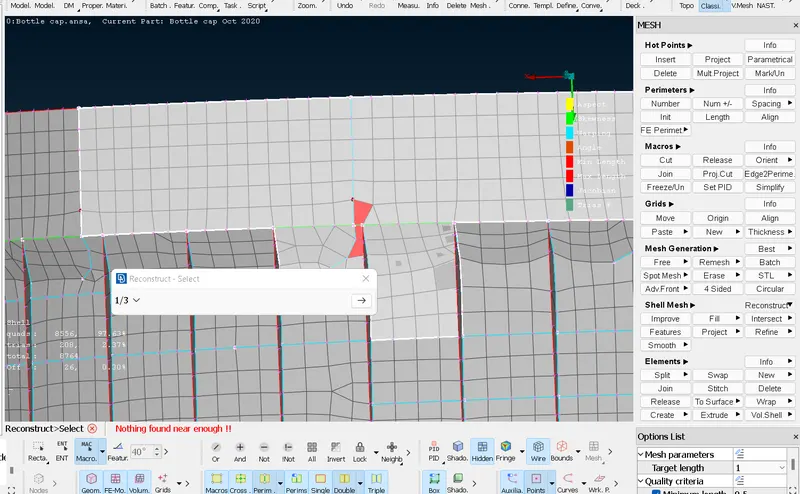
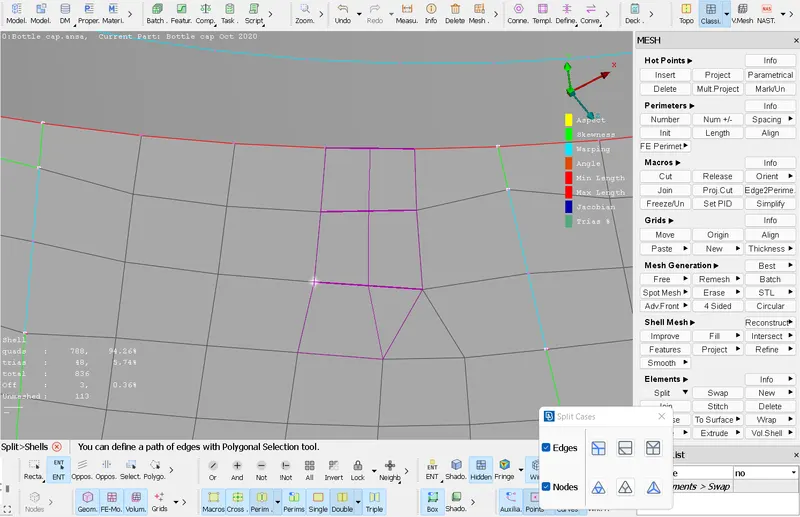
- During meshing there are some opposite Trias or adjacent Trias or Trias facing towards each other. To avoid those trias use split/paste/swap option to correct the Trias and regain the mesh flow.
- At last clear all the quality criteria and there should be no off elements and in this challenge there are triple which are very close to each other because inner and outer ribs coincides and so it cannot be cleared.
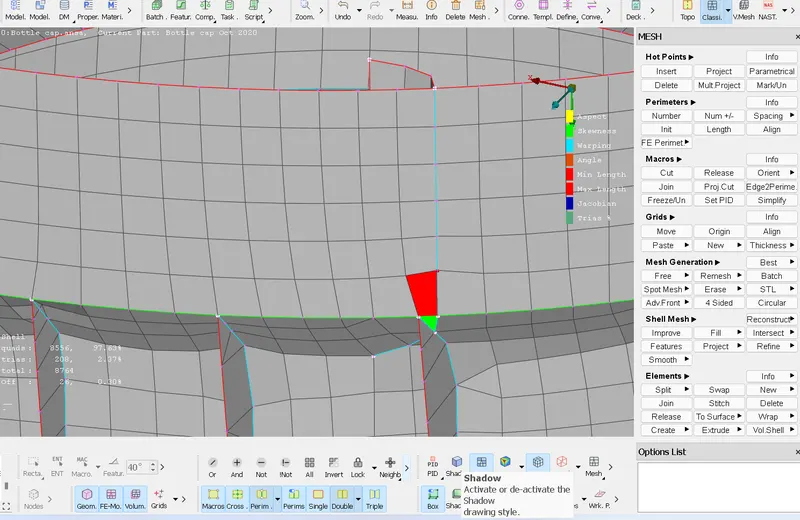
- Thus the meshing is done and PID is set for each surface with thickness.
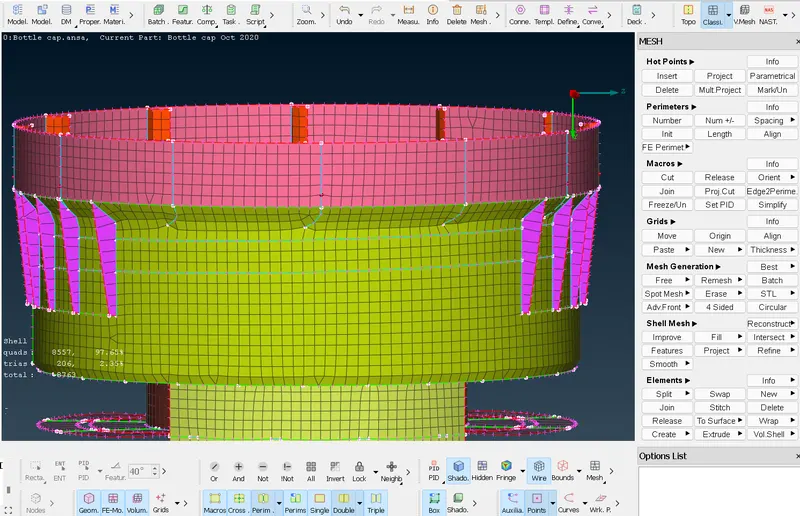
Result :
Thus for the given model the mid surface is extracted and the PID is set with thickness and then the mesh is done for the mid surface under the given quality criteria.