Week 4 Challenge : CFD Meshing for BMW car
For the given model, check and solve all geometrical errors on half portion and Assign appropriate PIDs. Perform meshing with the given Target length and element Quality criteria. After meshing the half model, Do symmetry to the other side.
- Target lengths for the different parts of a model are as follow:
- Body - 3 mm
- Lights - 4 mm
- Grills - 1 mm
- Rims and Tyres - 2 mm
- Optical Rear view mirror - 2 mm
- Window - 2 mm
- Silencer - 3 mm
- Logo - 1 mm
- We have to delete half car but the logo should not been deleted. It make our work easier so we remove the error from the half car then after removing all th error we can make deleted part by transform option.
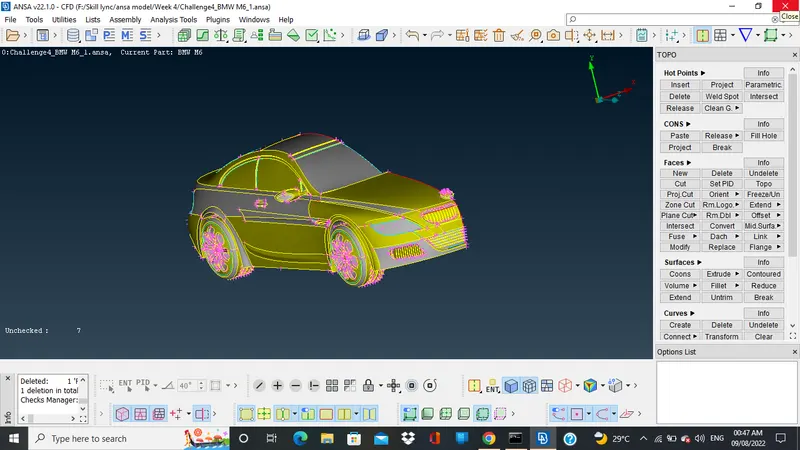
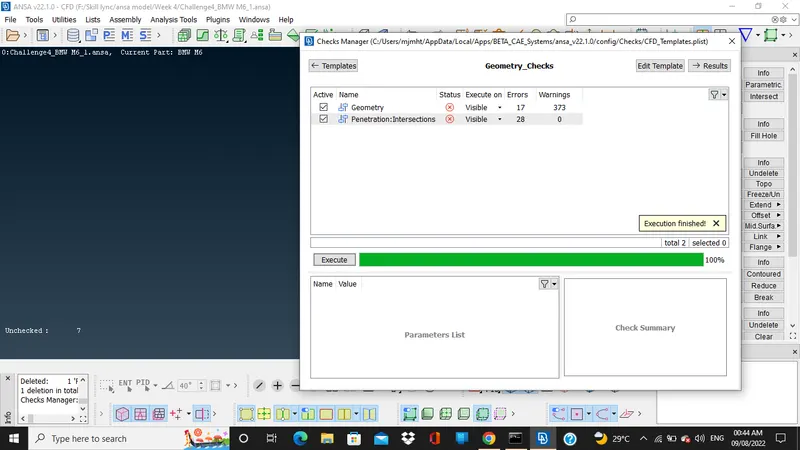
- After this we do the geometry check so we can find the geometric error in the model.
- We have to switch to pid mode to delete the overlapping surfaces.
- After that we can isolate the logo and front grill part and then remove the triple cones and and fill the open holes using and deletation of extra surface present there.
- For filling the hole we can use new faces and fill hole option.
- After resolving the grill we an move towards to the side mirror there also we can do the same procees deletation of triple cones and overlapping surface anf also delete the surface which are not required from the inner body also.
- For tyres we repeate the above processes and after that in the tyre there is a very thin wall present out side so we have to delete that suface and make complete one new big surface.
- In the body we repete the same processes after that we can see lot of intersecting surface in the tyre and floor. So, we delete all the intersecting surface and then create one new surface.
- Then we check geometry once.
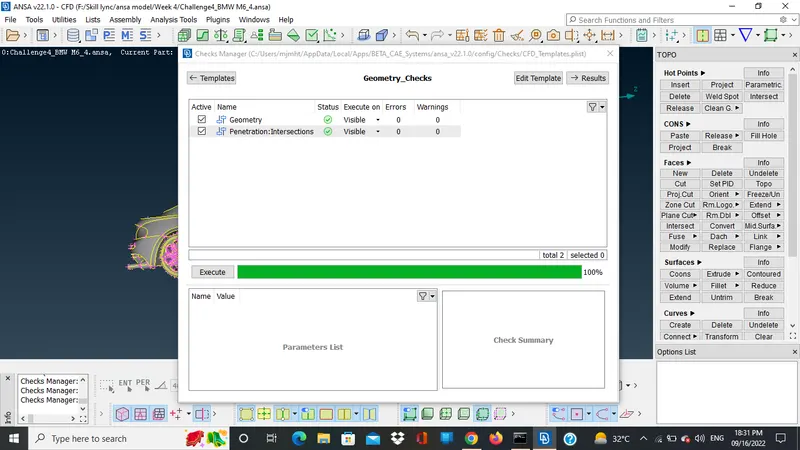
- After doing all these steps we removed the geometric and penetration error.
- Assign the pid using set pid option under faces.
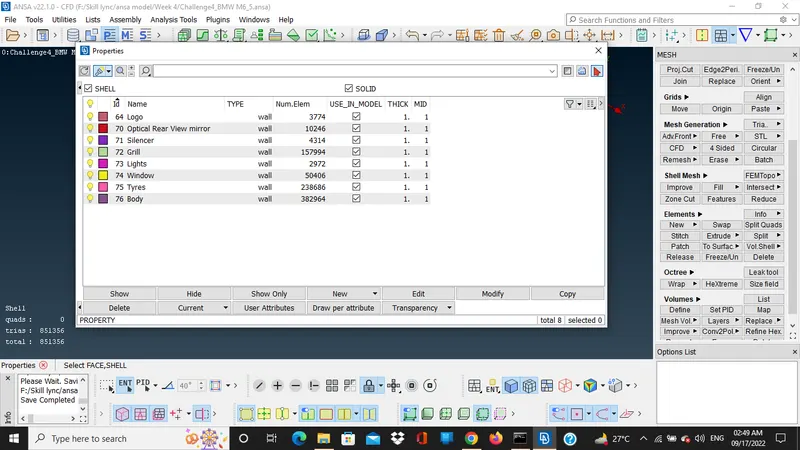
- Before using transform option need to hide the logo and silencer.
- Use the transform option to copy the rest of the portion of the model which we deleted in starting.
- In transform option we chose copy the select the model go to symmetry chose mirror 3 point plane. Then select and three hot points to transform.
- After this we do a CFD meshing according to the given criteria. So just mesh one part then freez it so the mesh of other part can not get disturbed. After meshing we can make a surface.
- To make a surafce we have to measure a model using measure tool.
- Now we project the points to make a surface using existing points in the model using relative under a points sections then under curve section go to create and then just select the poltted points to make a outer boundry after that use new surface to make a surfaces, so we have to make a six surface and need to enclose a model in it.
- Also meshing of the box is not done.
- Model Link
https://drive.google.com/drive/folders/1FKbZ8ChMu-XMp3tomFRaIm1zyJWflfCe?usp=sharing