Week - 4
TASK-1
AIM: To implement control logic of a washing machine using Stateflow in Simulink.
OBJECTIVE:
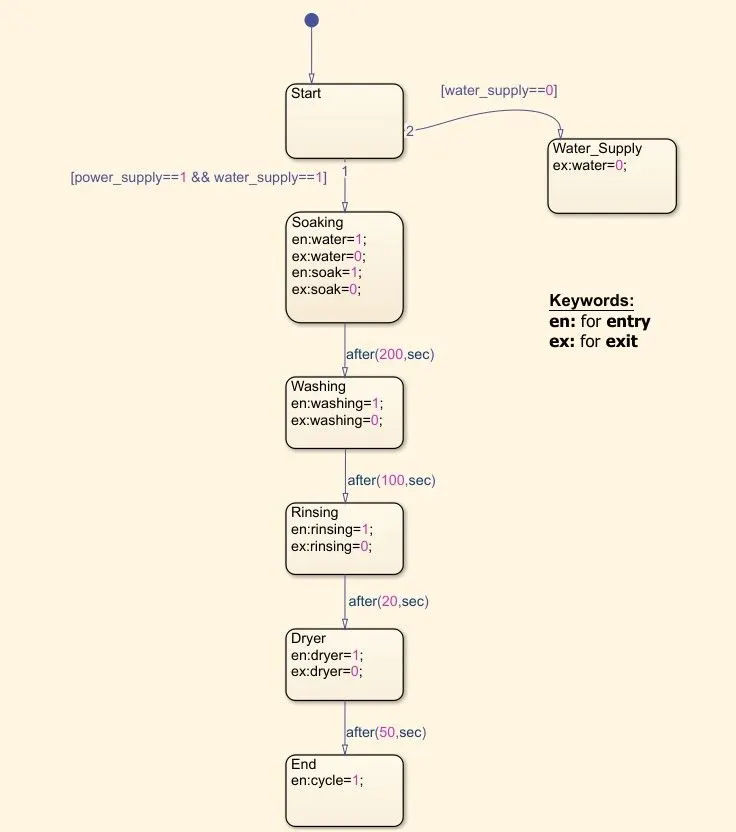
1.To implement the control logic of a washing machine using stateflow as per given sequence:
a) If the power supply is available, the system gets activated.
b) If the Water supply is not available, stop the process & indicate through LED.
c) Soaking time should be 200s followed by Washing time of 100s.
d) Then rinsing happens for next 20s & dryer runs for 50s.
After all the processes have completed turn on the finished LED.
MODEL:
The file which contains the model is attached with this report.
Pictorial Representation of Block Diagram:
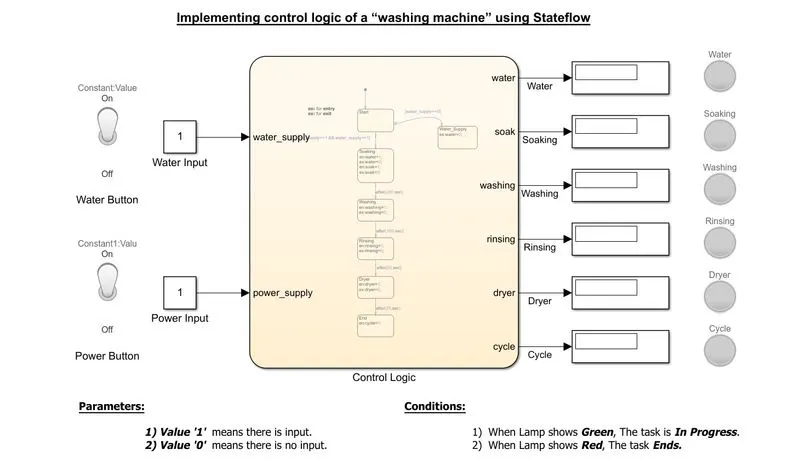
Chart Diagram:
Parameters:
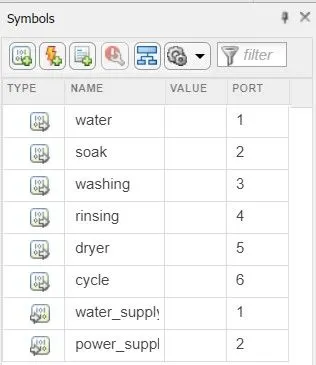
We have given water, soak, washing, rinsing, dryer, cycle as Outputs of the chart.
We have given our water_supply & power_supply as inputs of the chart.
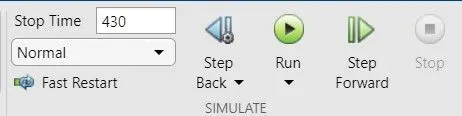
Simulation Time parameters:
We used 430 sec so that it can cover the whole cycle and sufficient time to store and solve the parameters.
OUTPUT:
There are two conditions asked to solve in the question.
Condition-1: when Water Supply is OFF.
We should not provide water supply and check for output.
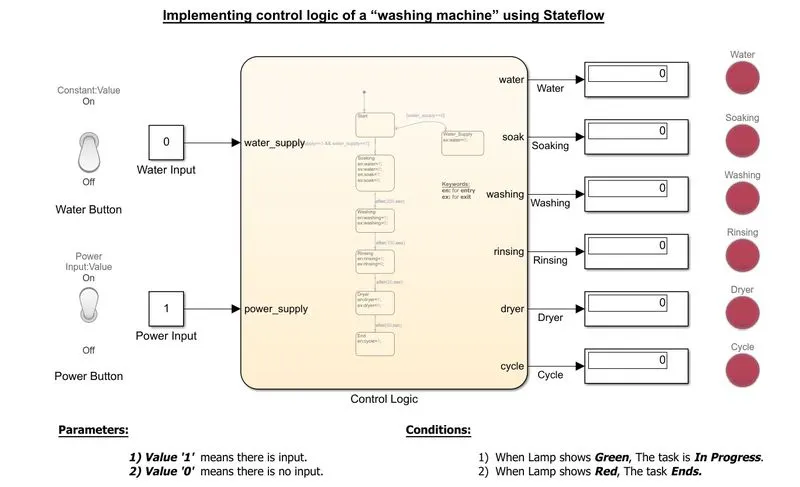
From the above diagram, We can see that indicator of water is showing Red i.e., When there is no water supply the process is terminated and LED indicator is used to indicate that state.
Condition-2: when Water Supply is ON.
Now we are providing the water supply and check the output.
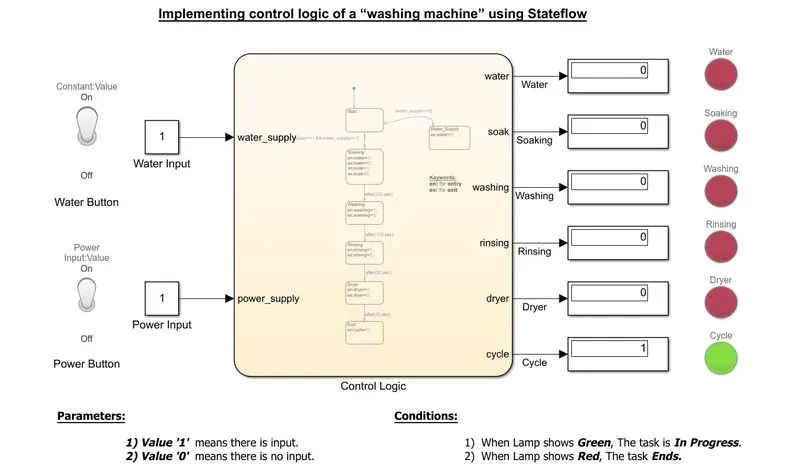
As we can observe from teh above figure, All the states have been executed and indicating the Process completion indicator (named as cycle) showing Green.
CONCLUSION:
- The simulation of the Washing machine using State flow is done and the result is satisfactory.
TASK-2:
AIM:
'To make a Simulink chart for the “Gear shift” logic'.
OBJECTIVE:
Making a simulink chart for the Gear Shift for the below mentioned paramters:
Speed Range(kmph) Gear
0 to 15 1
16 to 25 2
26 to 40 3
41 to 60 4
Above 61 5
MODEL:
The file which contatins the model of Gear Shift is attached with this report.
block diagram of model:
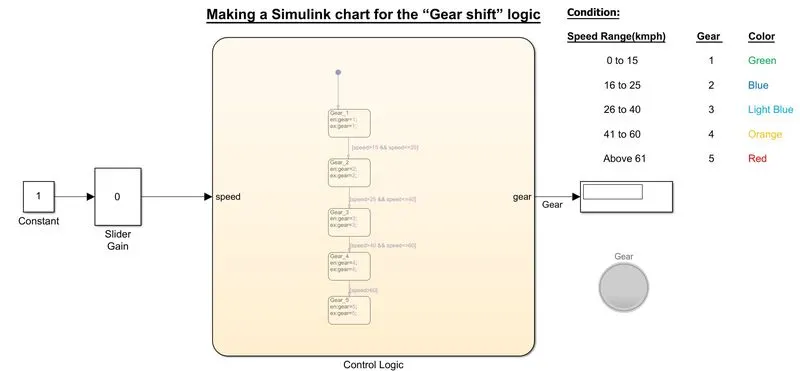
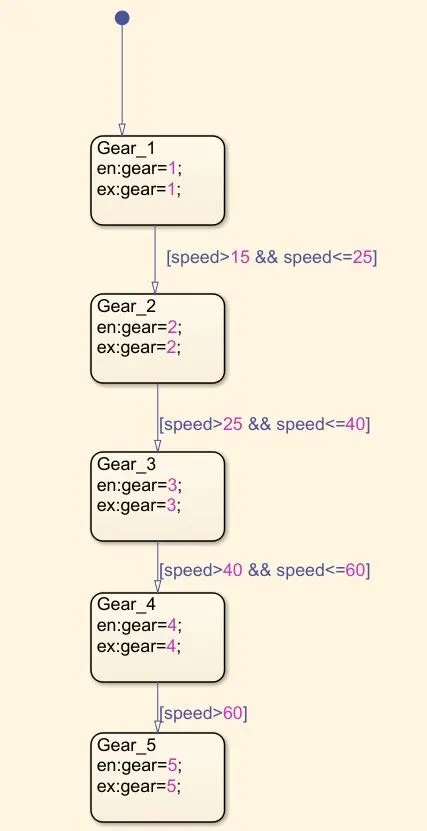
chart diagram:
parameters:
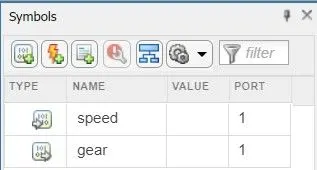
Here we give Speed as an Input for the chart.
Here we give Speed as an Output for the chart.
Simulation Time parameters:
Here we gave time as 'Inf' for our simulation should run until we stop it.
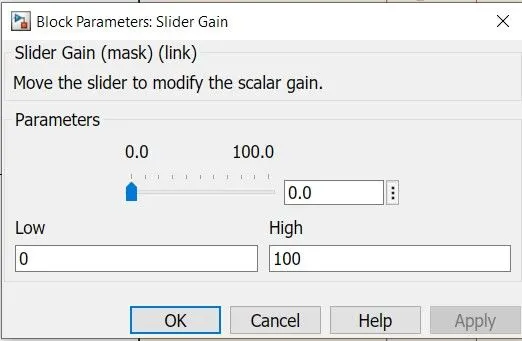
I'm changing my speed values from 0 to 100 using slider gain during the simulation.
OUTPUT:
The Output produced is recorded when it's displaying the each gear.
Gear-1:
Speed range: 0 to 15kmph.
Input speed: 10kmph.
Color:Green.
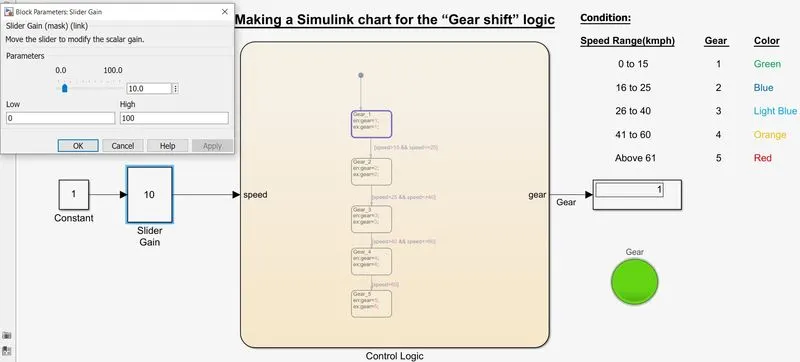
Gear-2:
Speed range:16 to 25kmph
20kmph
Color: Blue
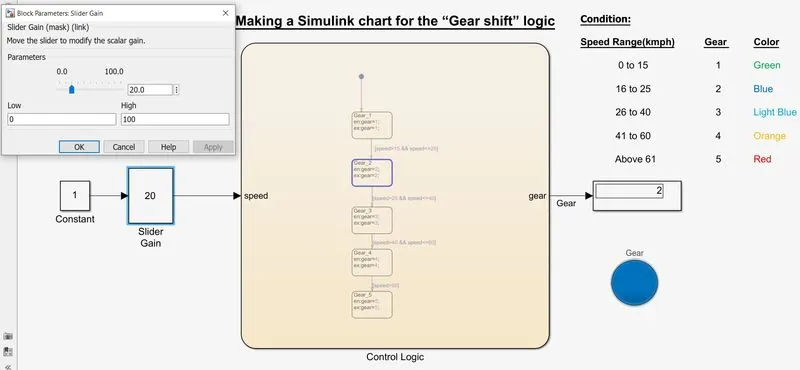
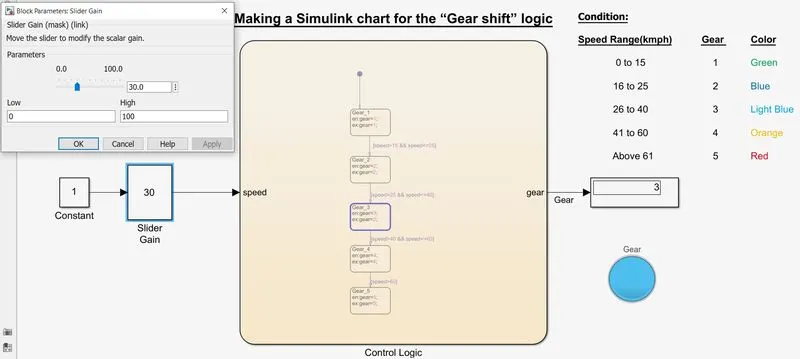
Gear-3:
Speed range: 26 to 40 kmph
Input speed: 30kmph.
Color: Light Blue
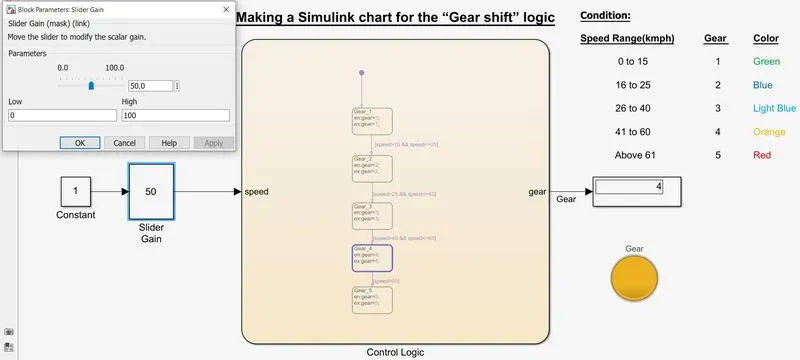
Gear-4:
speed range: 41 to 60 kmph
input speed: 50 kmph
Color: Orange
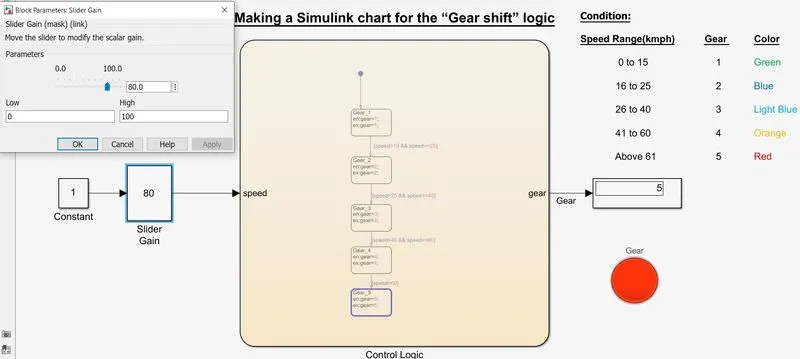
Gear-5:
Speed range: above 60 kmph
Input speed: 80kmph
Color: Red.
CONCLUSION:
- State Flow State Flow for Gear Shift using Simulink and the results are satisfactory.