Week 3 - Solving second order ODEs
AIM:To write a program for simulating the transient behaviour of a simple pendulum.
OBJECTIVES:
- Simulate the transient behaviour of a simple pendulum
- Create an animation of its motion.
GOVERNING FORMULA:
Ordinary diffrential equation for oscillating motion of non-linear pendulum.
`frac{d^2theta}{dt^2}+frac{b}{m}*frac{d theta}{dt}+frac{g}{l}*sin theta`
Where,
g=gravity in m/s
l= length of the pemdulum in m
m=mass of the ball in kg
b=damping coeficiant
INPUTS:
L= 1m
m= 1kg
b=0.05
g=9.81m/s^2
time span= 0-20 secs
angular displacement= 0
angular velocity=3 rad/sec
STEPS WITH CODES:
First we have to defina a diffrential equation for pedulum
Function code
function [dtheta_dt] = ode_func(t,theta,b,g,l,m)
          theta1 = theta(1)
          theta2 = theta(2)
          dtheta1_dt = theta2;
          dtheta2_dt = -(b/m)*theta2 - (g/l)*sin(theta1);
          dtheta_dt = [dtheta1_dt; dtheta2_dt];
end
After defining the function we write the main program.
In main program the value of each is assigned.The ode45 solver in MATLAB is used to solve the ode foe pendulum with damping.The ode45 solver in MATLAB reduce the second order diffrential equation and gives the result which are then used to plot a angular displacement vs time graph and simulating of the pedulum.
MAIN PROGRAM
clear all
close all
clc

b=0.05;
g=9.81;
l=1;
m=0.1;

%initial condition
theta_0 = [0;3];

%time points
t_span = linspace(0,20,500);

%solve ode
[t, results] = ode45(@(t,theta) ode_func(t, theta, b,g,l,m),t_span,theta_0);

%plot
plot(t,results(:,1),'color','r')
hold on
plot(t,results(:,2),'color','b')
xlabel('plot')
ylabel('time')
grid on

%for animation
x0=0
y0=0
for i=1:length(t)
    angle=results(:,1)
    ANGLE=angle(i)
    x1=sin(ANGLE)
    y1=-cos(ANGLE)
    figure(2)
    plot(x1,y1,'.','markersize',60)
    hold on
    plot([x0 x1],[y0 y1],'linewidth',4)
    axis([-2 2 -1.5 1.5])
    hold off
    M(i)=getframe(gcf);
end

%creating the simulation
movie(M)
videofile = VideoWriter('pedulum_motion')
open(videofile)
writeVideo(videofile,M)
close(videofile)
RESULT:
The simulation was successs.
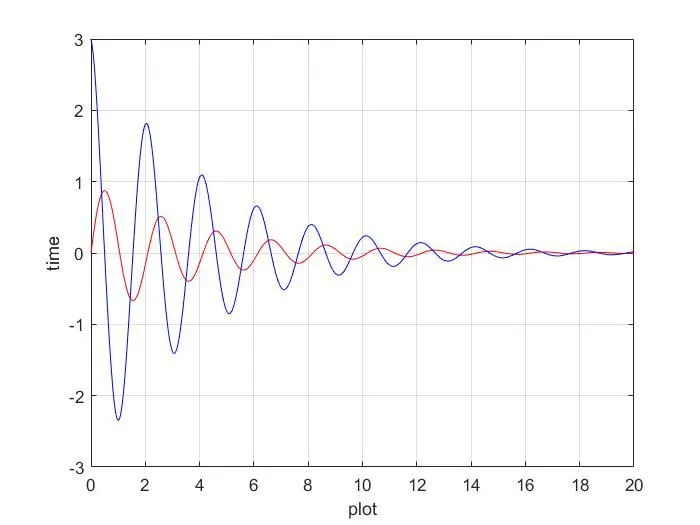
The animation is upploaded in drive link of it is given below.
https://drive.google.com/file/d/1gbMh9l7kJ5atxCKN7I8AL7Fla7G-12sE/view?usp=sharing
Errors while programming
Many sily mistakes were done during the program.
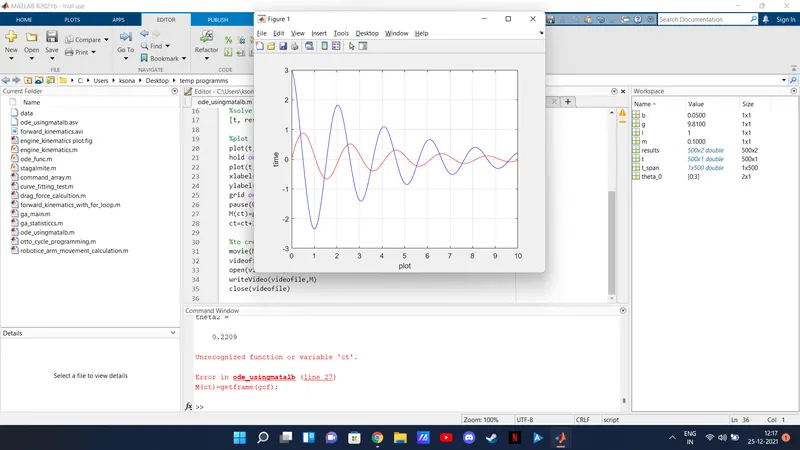
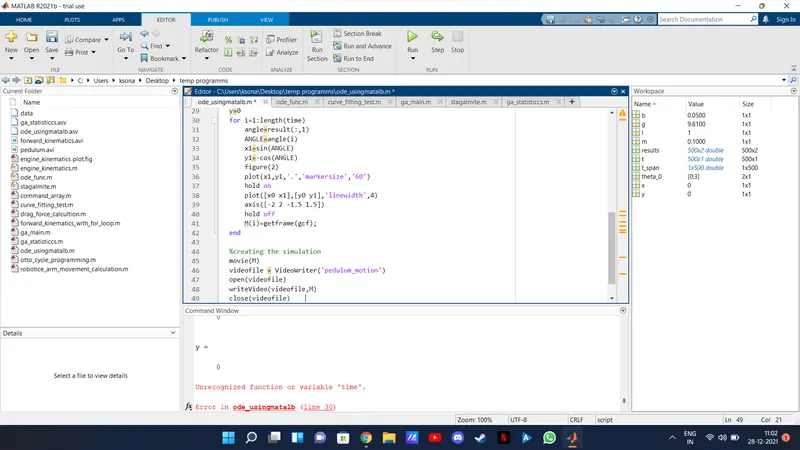
These were the mistakes which I had done during the program.