Week 4.2: Project - Transient simulation of flow over a throttle body
ransient simulation of flow over a throttle body using CONVERGE CFD
Aim:
Simulating the transient flow over a throttle body using CONVERGE CFD.
Objectives:
- Able to simulate the over a throttle body using CONVERGE CFD.
- Post-process the results and show pressure and velocity contours.
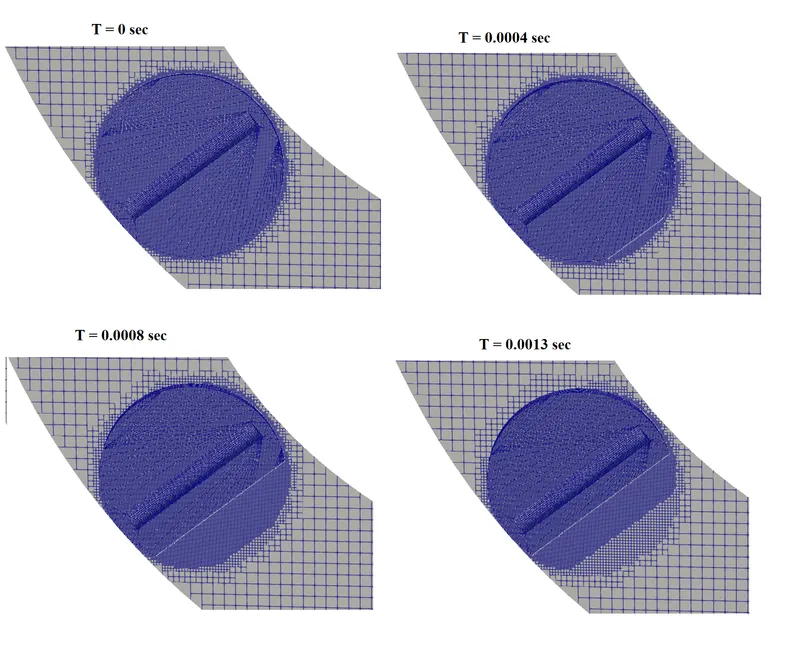
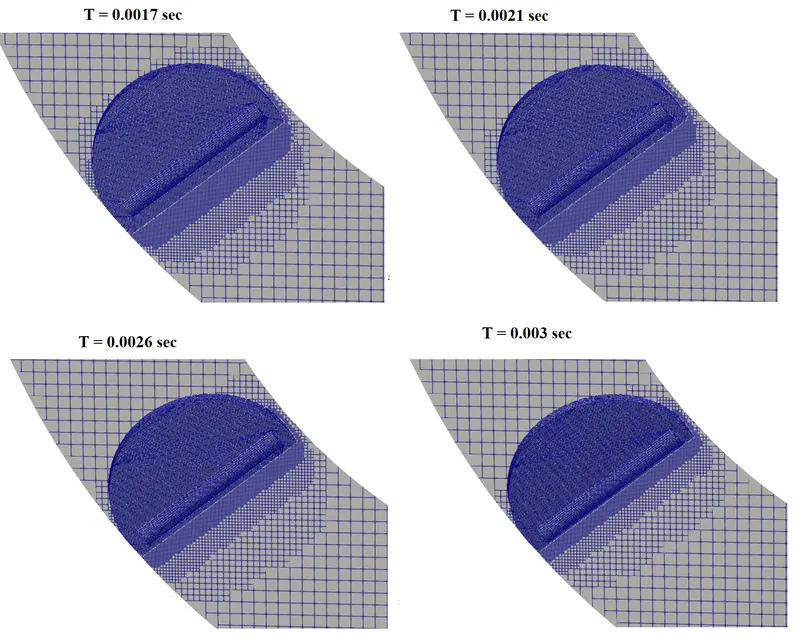
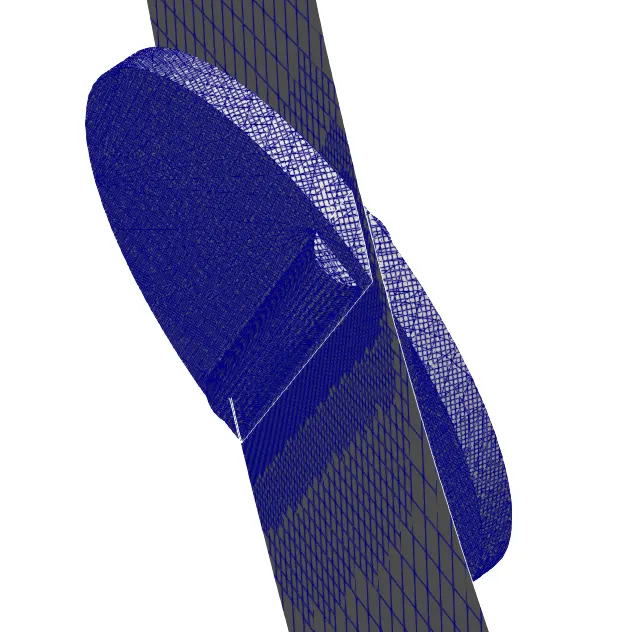
- Show the mesh (i.e surface with edges)
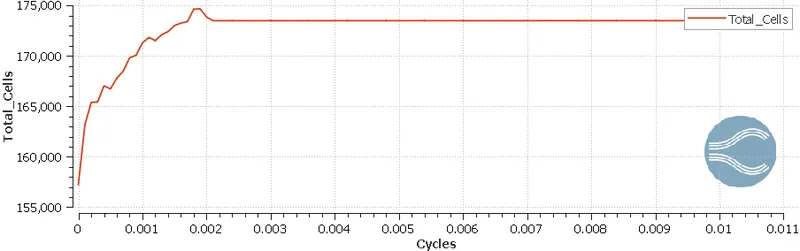
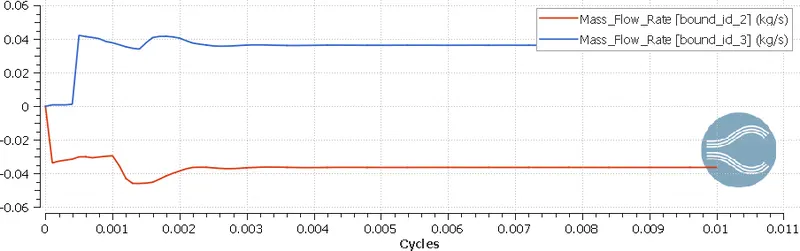
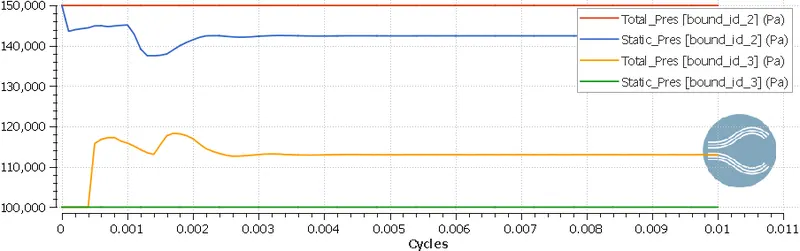
- Show the plots for pressure, velocity, mass flow rate, and total cell count.
- Create an animation in which its throttle movement should be visible.
Flow simulation in CONVERGE done in 3 steps:
- Geometry preparation and Case setup :
- We use Converge GUI(Graphical User Interface) to set up the case and export input files.
- Solving the problem using input files:
- These input files are solved by Converge in the Terminal (Command-line interface). We USed Cygwin for the command line terminal.
- Post-processing results:
- We convert our solution into Paraview binary format to post-process the results in Paraview
Throttle:
A throttle is a mechanism by which fluid flow is managed by constriction or obstruction.
Engine power can be increased or decreased by the restriction of inlet gases (by the use of a throttle), but usually decreased. The term throttle has come to refer, informally, to any mechanism by which the power or speed of an engine is regulated, such as a car's accelerator pedal. What has often been termed a throttle (in an aviation context) is also called a thrust lever particularly for jet engine-powered aircraft. For a steam locomotive, the valve which controls the steam is known as the regulator.
Steady-state:
Steady-state means we don't account for time, so in simple terms, it's the result when time reaches infinity.
- Steady-state simulation computes the fully developed solution that does not change in time.
- When steady-state is used the mean values are computed.
- The steady-state simulation is way faster than transient.
Transient:
The transient solver solves each time step, so your result will have reached a finite time:
- Transient simulation computes the instantaneous values at each time for each quantity.
- Transient simulation has much higher requirements compared to steady-state. The CPU time, disk storage, evaluating results, ...
- The results of transient simulation may be more comprehensive.
Geometry preparation in CONVERGE CFD:
- Geometry preparation:
- Import the ".STL" for the throttle body.
- For this kind of flow analysis, we need a closed surface that can act as a fluid domain.
- CAD Cleanup:
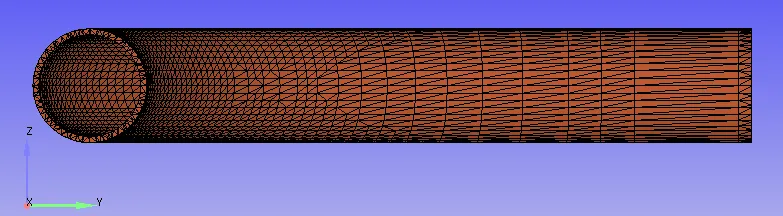
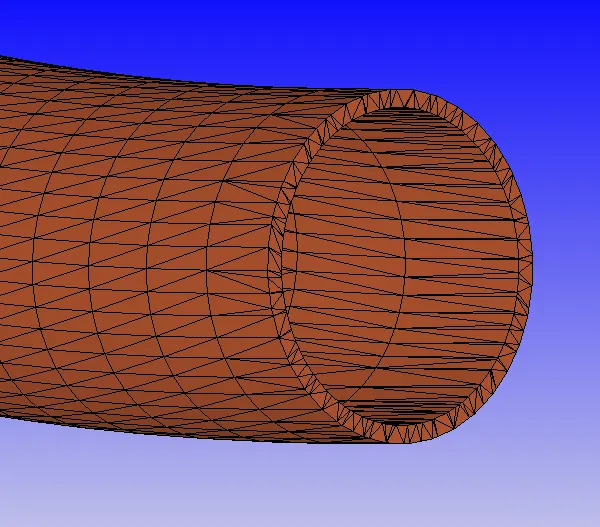
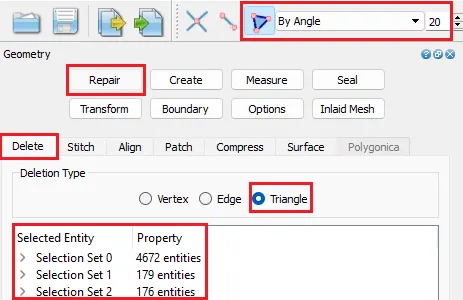
- We don't need a thick pipe wall because it is nowhere useful to participate in the simulation. So, we can delete outer surfaces which are acting as thick surfaces.
- Deleting Outer surfaces:
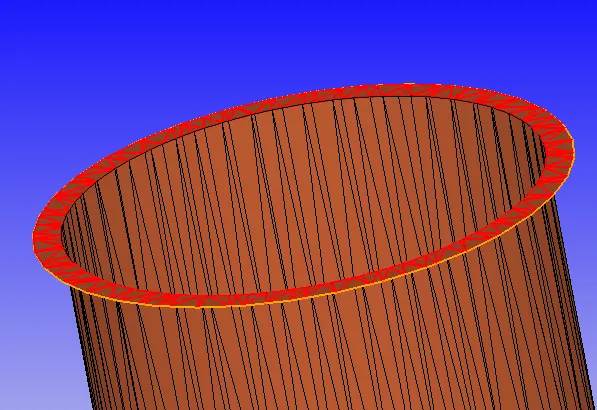
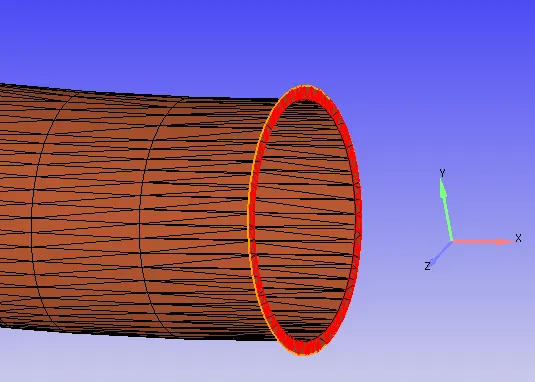
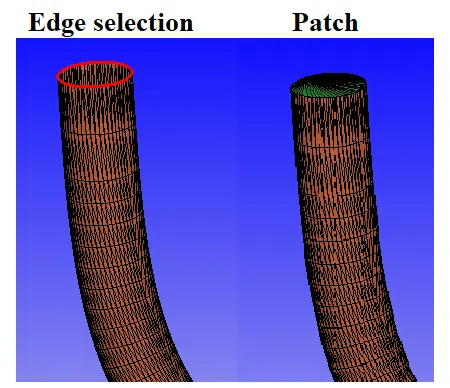
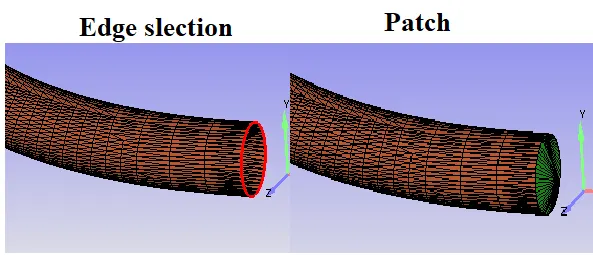
- By deleting the outer faces we end up with Open edges. we have to close the open edges to make it a closed body.
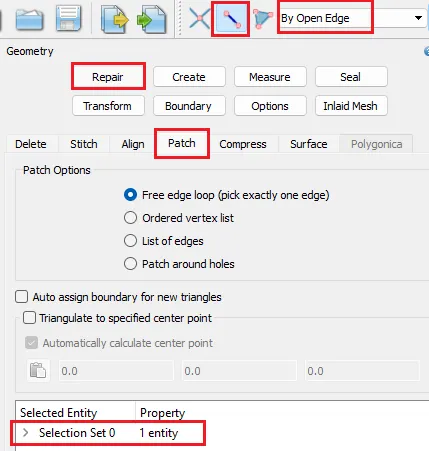
- use Patch commend to close the Open edges.
- Inlet Patch:
- Outlet Patch:
- use Patch commend to close the Open edges.
- We don't need a thick pipe wall because it is nowhere useful to participate in the simulation. So, we can delete outer surfaces which are acting as thick surfaces.
- Import the ".STL" for the throttle body.
- Boundary setting:
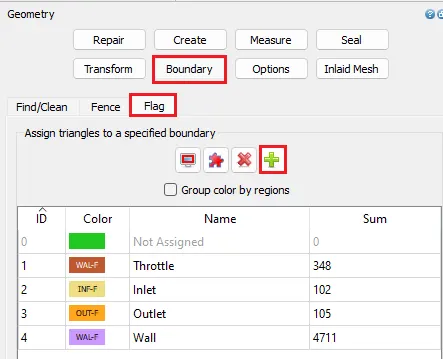
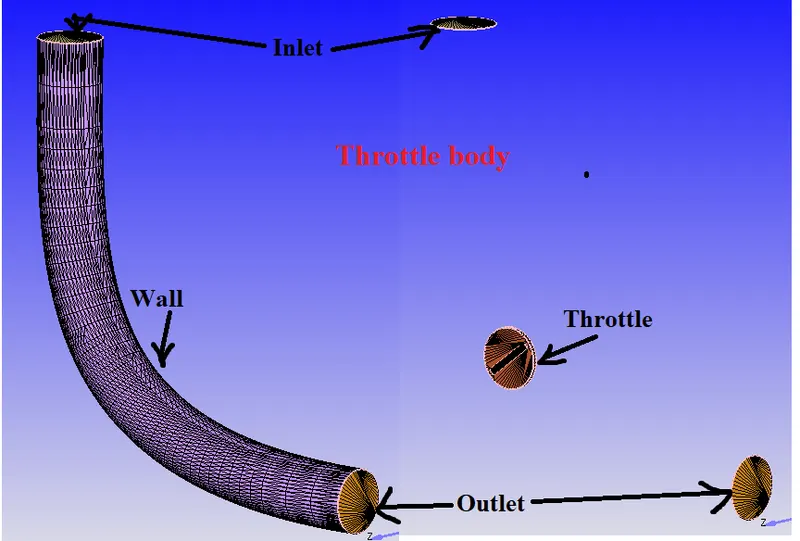
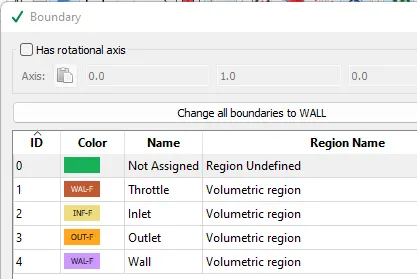
- We have to set Inlet, Outlet, Throttle & Walls boundaries for the above-created geometry.
- By default In CONVERGE, all the surfaces are made up of triangles we have to select respective triangle faces for the boundary.
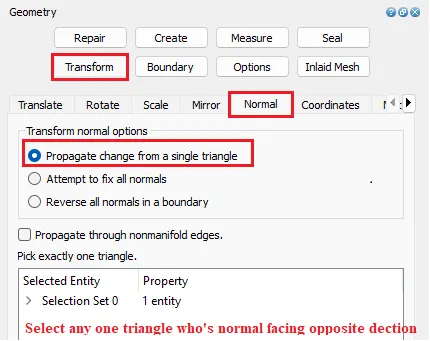
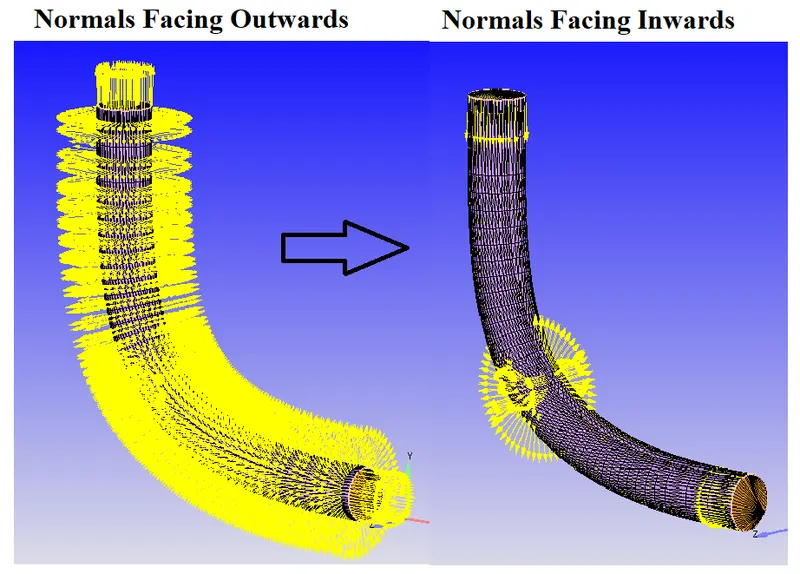
- Normal Transformation:
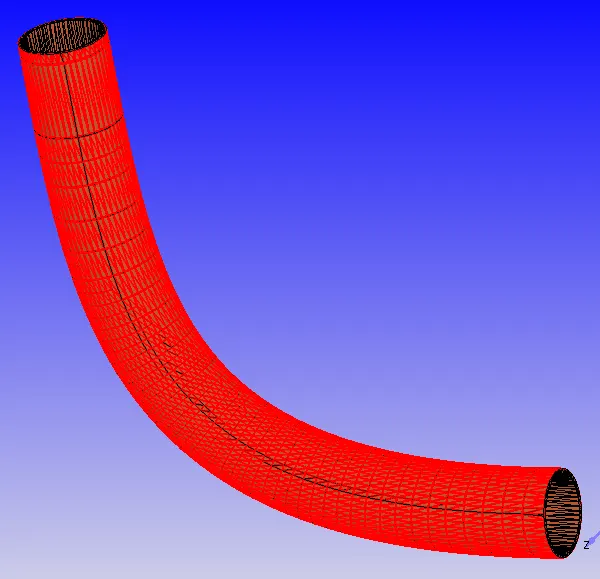
- All the face normal directions should be facing towards the flow region.
- In this fluid is flowing through the channel but normals are facing outwards. We have to transform the normal's direction.
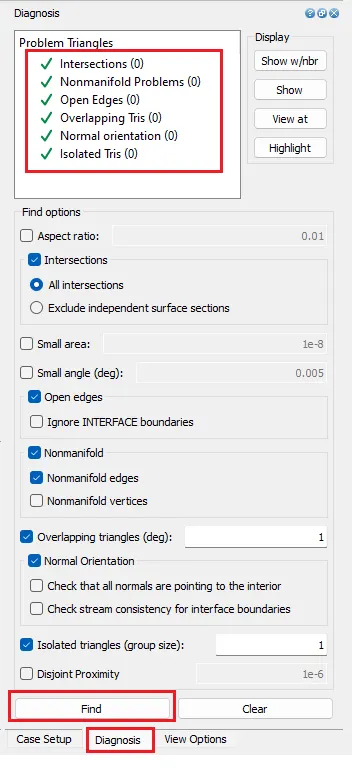
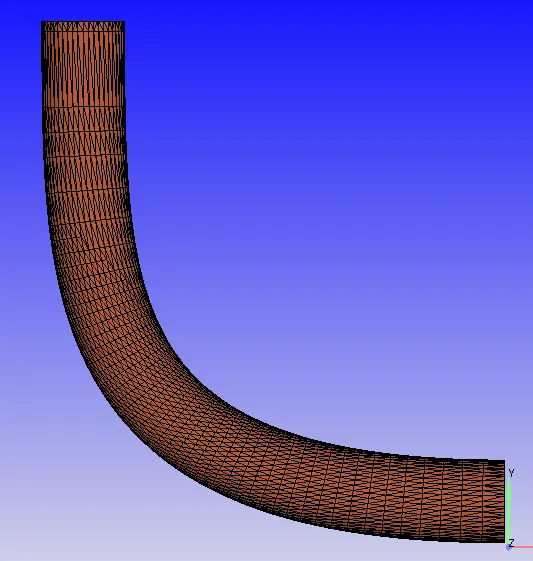
- Diagnosis:
- Checking for any interactions, open edges, etc.
Case Setup in CONVERGE CFD:
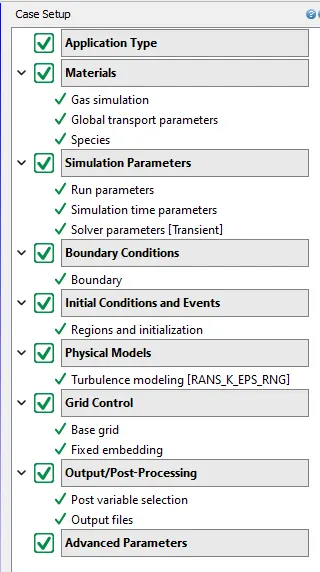
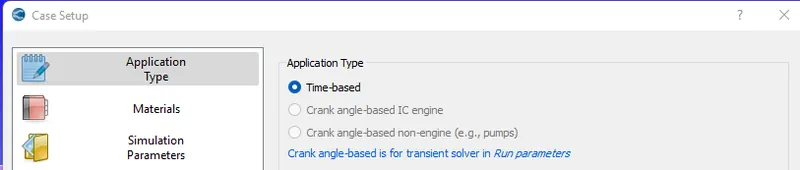
- Application Type :
- Materials:
- Set default values in Gas Simulation & Global transport parameters.
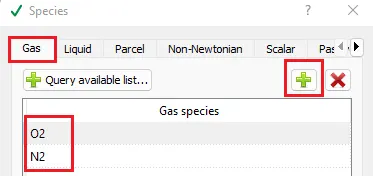
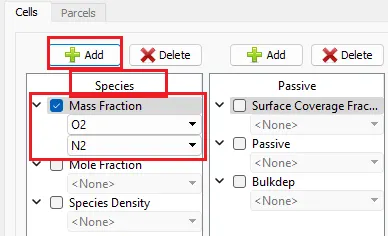
- Species: Add Gas species O2 & N2.
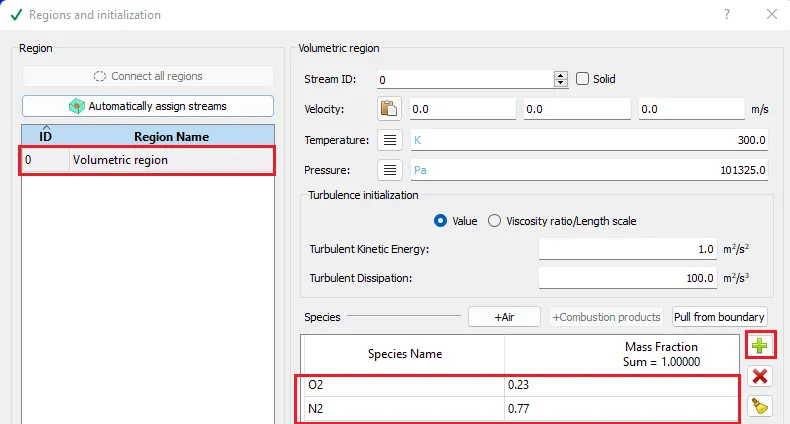
- Initial Conditions and Events:
- Add Volumetric region in regions
- Add species by modifying their concentrations so that we can clearly observe the difference in post-processing.
- Boundary conditions:
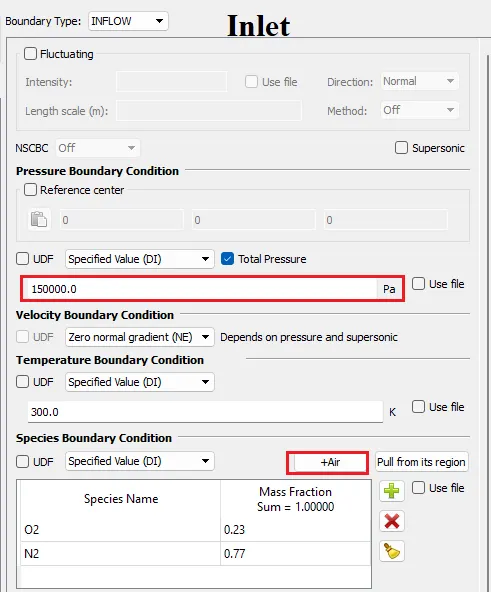
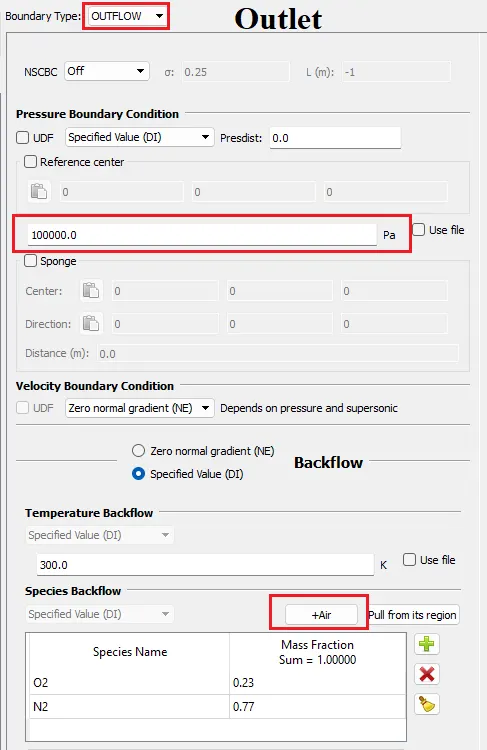
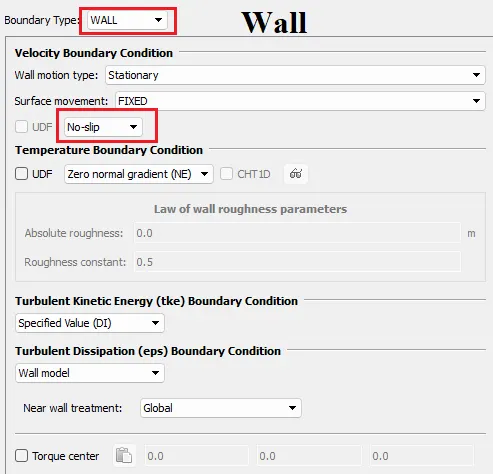
- Defining boundary type and conditions:
-
Boundary Name Type Boundary Condition Value Species Inlet INFLOW Total Pressure 1.5e5 Pa O2 : 0.23 & N2 : 0.77 Outlet OUTFLOW Pressure 1.0e5 Pa O2 : 0.23 & N2 : 0.77 Throttle WALL No-Slip Wall WALL No-Slip - INLET:
- OUTLET:
- Wall:
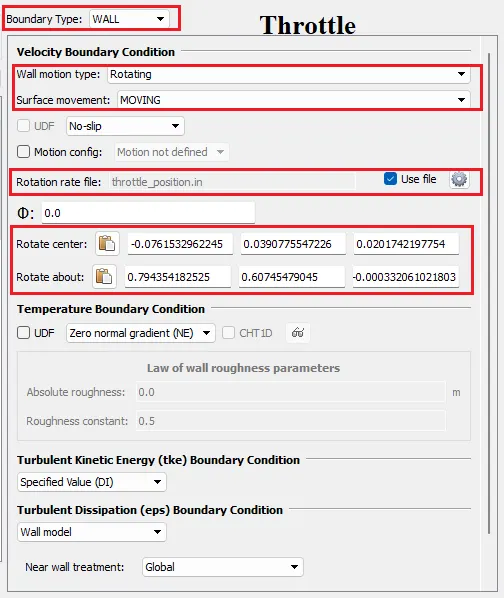
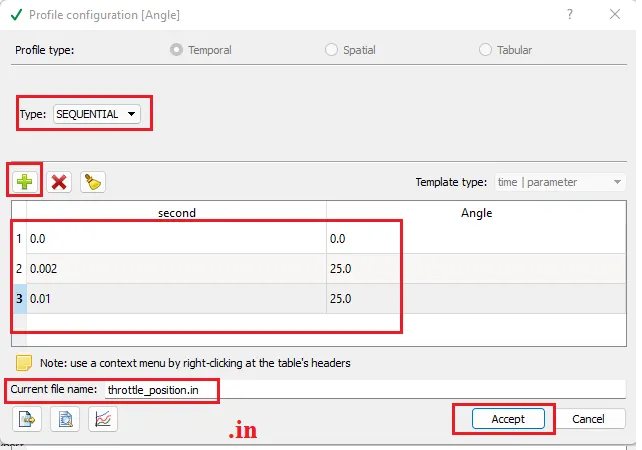
- Throttle:
- In this problem throttle is a rotating body
- First of all, we have to find the center of rotation and axis of rotation.
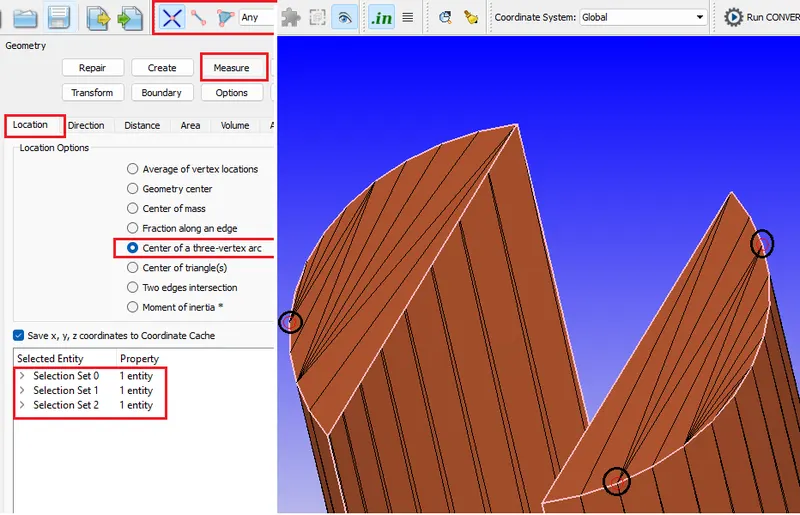
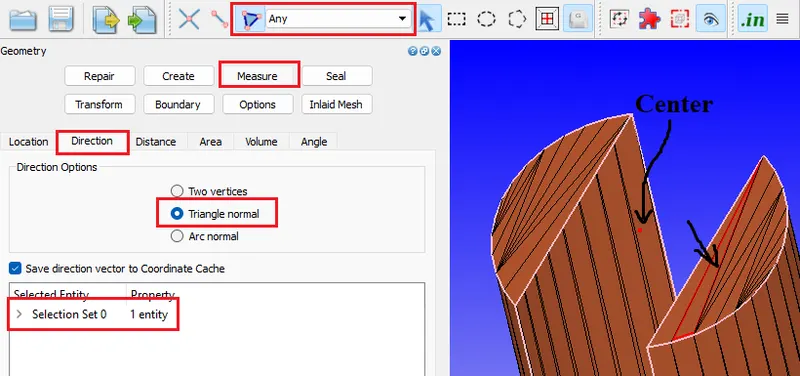
- Co-ordinates

- In this problem throttle is a rotating body
- INLET:
- Defining boundary type and conditions:
- Simulation Parameters:
- Run Parameters:
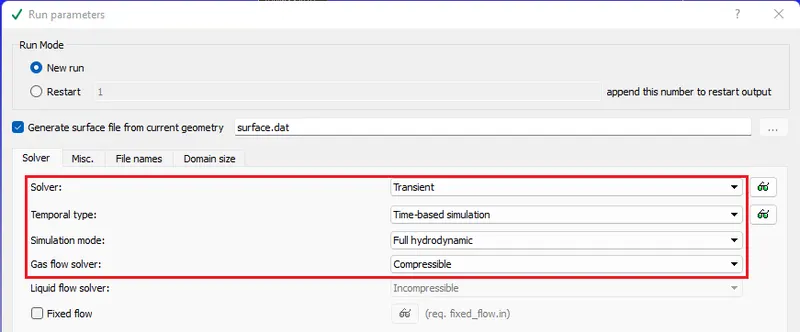
- Selecting the Solver & solver type. informing additional things to solve (Energy & Momentum equations).
- Simulation Parameter:
- defining star, end time, Minimum & Maximum Timestep sizes.
- Simulation Time calculation.
- From steady state analysis we got inlet velocity as 120 m/s
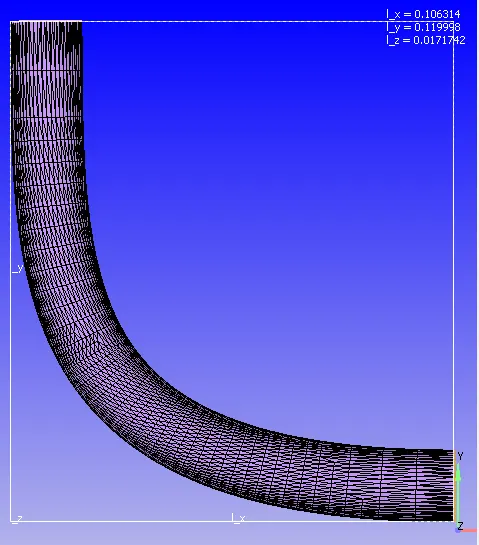
- length of the domain L is < L_x + L_y
- L < 0.106314 + 0.119998 = 0.226312
- Time = Distance / Velocity
- T = 0.226312 / 120
- T = 0.0018 sec
- So simulation time should be greater than 0.0018 sec
- For this analysis we taken simulation time as 0.01 seconds.
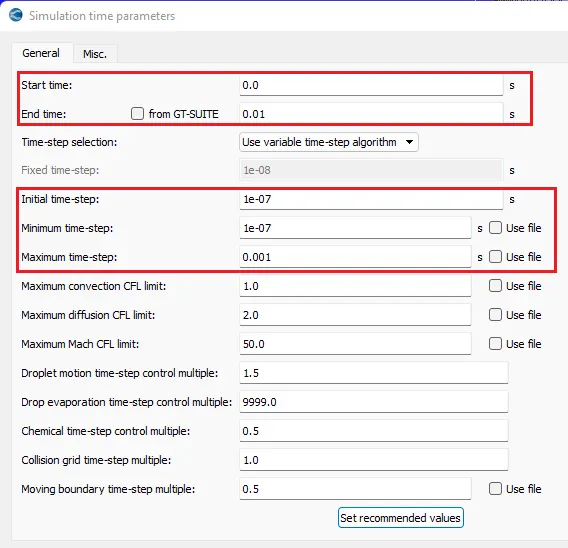
- Solver Parameters:
- Solver Scheme to PISO and Density-based solver.
- under Equations window set precondition to None for all the variables.
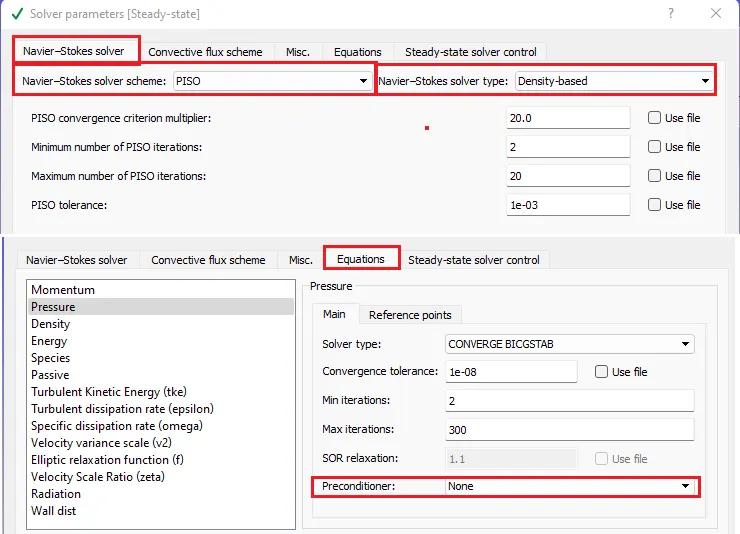
- Run Parameters:
- Physical Models:
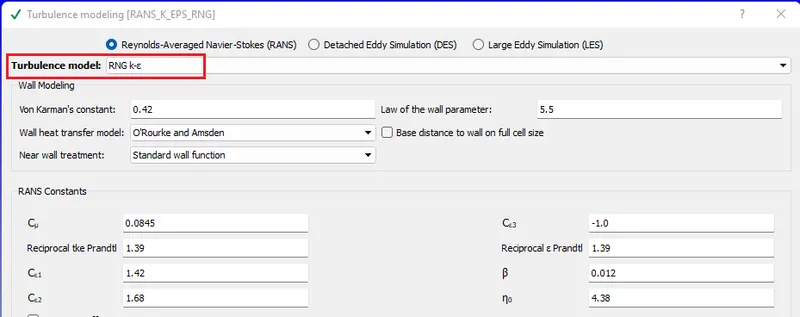
- usingRenoulds Average Navier stroke equation
- usingRenoulds Average Navier stroke equation
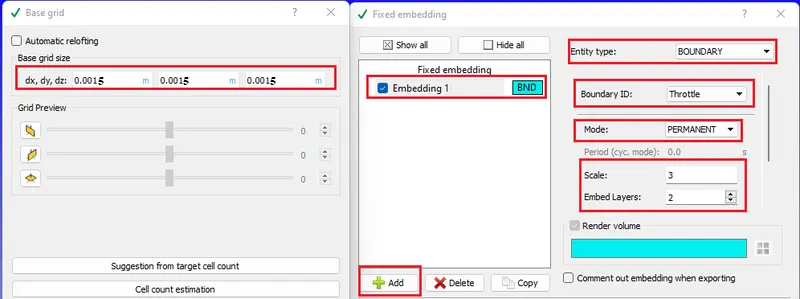
- Grid Control:
- This is the section where we define meshing size(Grid size).
- Enable the Fixed embedding to refine the mesh at walls.
- Output/Post-Processing
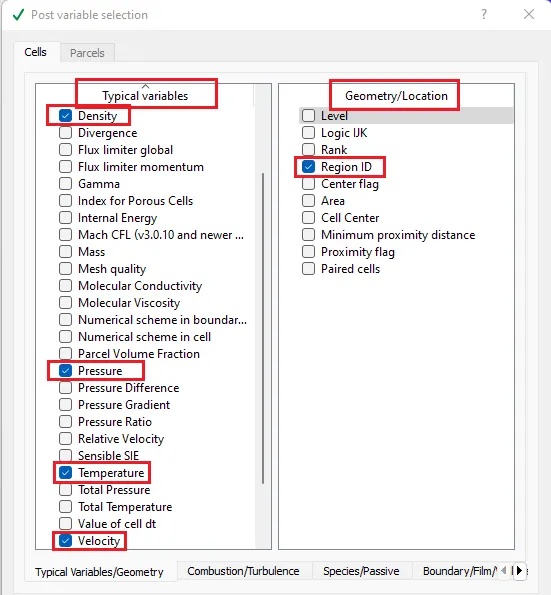
- Post Variable selection: select the variables to be monitored for post-processing.
- Post Variable selection: select the variables to be monitored for post-processing.
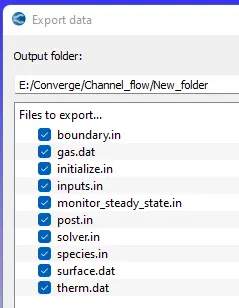
- Exporting Input files:
- Export the input files
- Export the input files
Solving Channel Flow in Cygwin:
- Go to the directory where input files are exported
- Make mpiexec.exe & converge.exe files globally available.
- "mpiexec.exe -n 4 converge.exe restricted </dev/null> logfile &"
- Use above mentioned line to start calculation in the background
- mpiexec.exe & converge.exe are executable applications to solve the problem
- -n 4:- number of processors
- restricted:- my license is a restricted one.
- </dev/null> logfile:- creates temporary memory to save data with name as logfile at a particular iteration
- & :- To run Calculation in Background
- "tail -10 logfile" command is used to view the last 10 lines of the logfile.
- "mpiexec.exe -n 1 post_convert_30_serial_64" command used to convert output files to paraview binary format, so that they can be processed in the paraview.
Post Processing and Results from Paraview:-
- open "..vtm" group file in paraview. This group contains all the solution files.
- use the slice tool to create a contour section plane and plot the contours
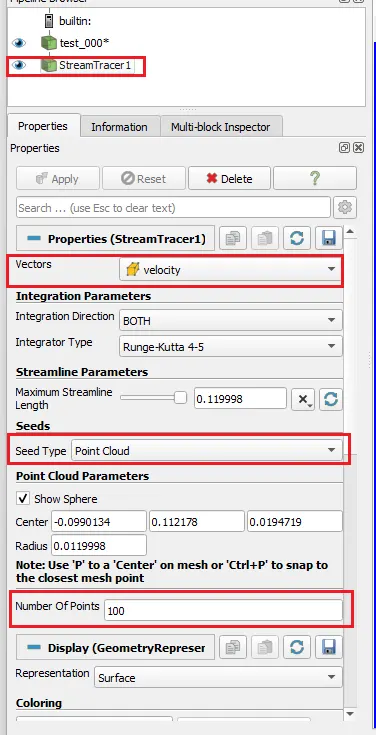
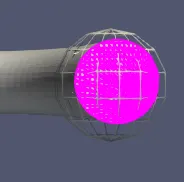
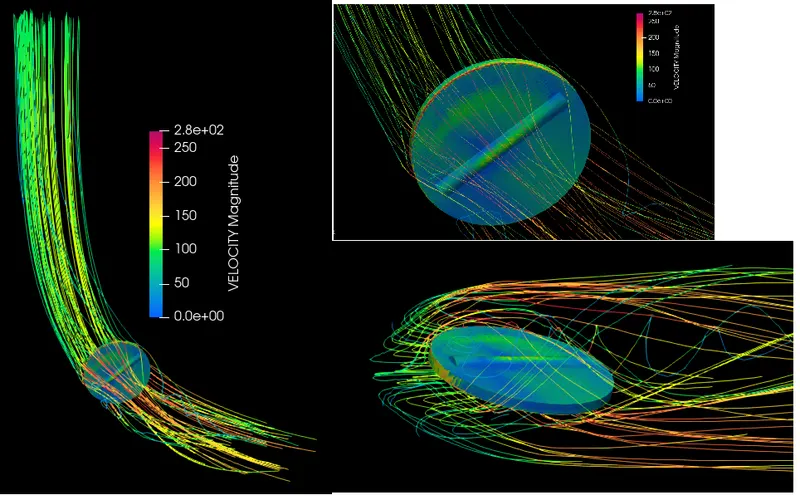
- Stream tracer is used to trace the particles.
Plots:
- Mesh
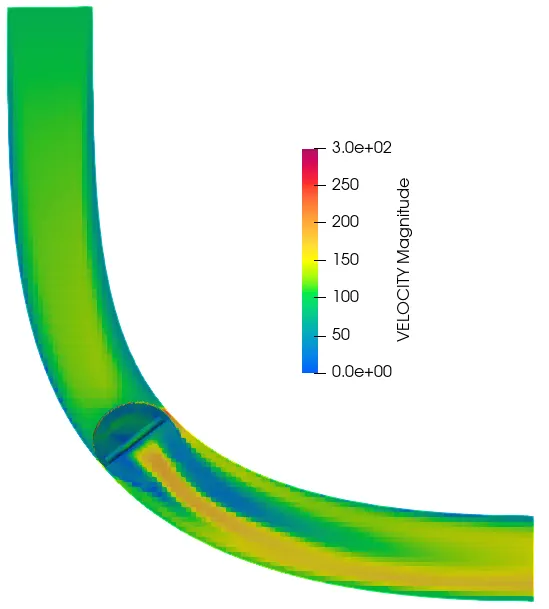
- Velocity Contour
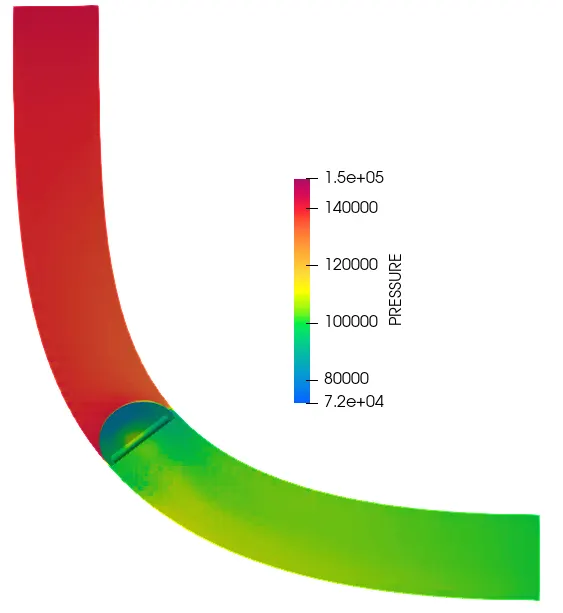
- Pressure Contour
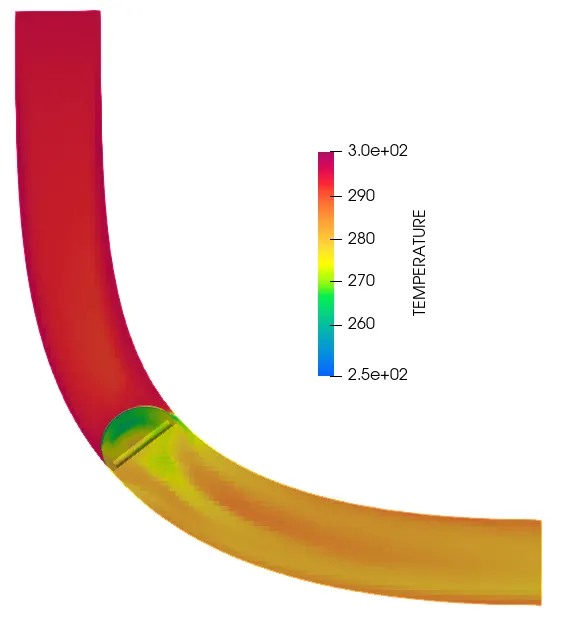
- Temperature Coutour
- Stream tracer :
- Graphs:
- bound_id_2 = inlet
- bound_id_3 = outlet
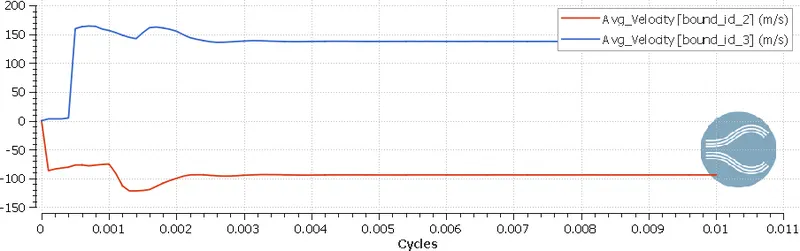
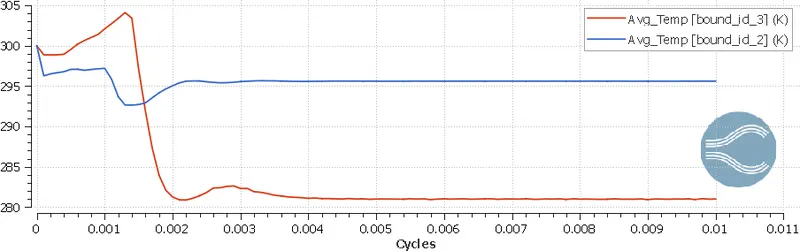
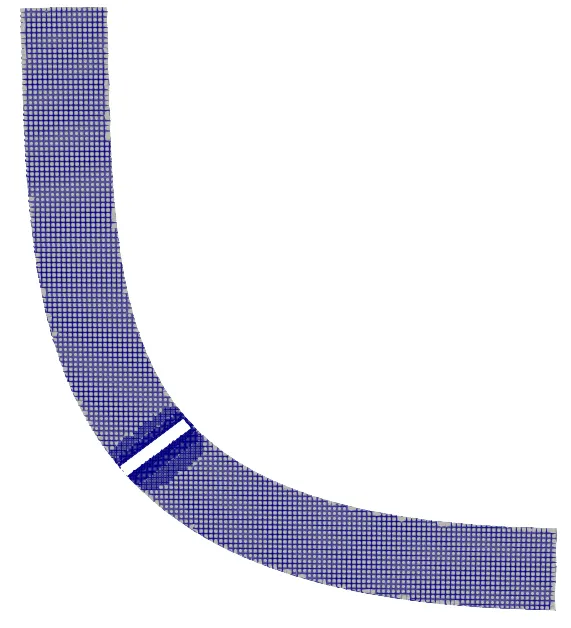
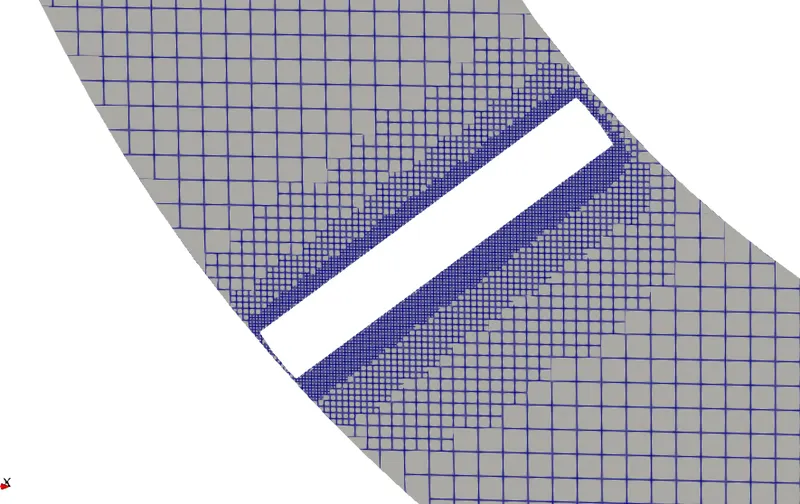
Result Table:
| mesh size dx=dy=dz= | Total cells | Mass flow rate(Kg/s) | Velocity(m/s) | Pressure (Pa) | |||
| (m) | Inlet | Outlet | Inlet | Outlet | Inlet(Static) | Outlet(Total) | |
| 0.0015 | 173493 | 0.03635 | 0.03633 | 94.024 | 137.57 | 150000 | 112988 |
Conclusion:
- Successfully Simulated the transient flow over a throttle body using CONVERGE CFD & extracted various Plots and contours.
- By this transient analysis, we can observe the valve motion during the simulation.
- As the vale is fully opened at the zero timesteps and closing slowly and stoped at 25 degrees at 0.002 seconds and maintained same position through the simulation.
- s the valve is getting closed it is acting as an obstacle i.e, we can observe more pressure red zone at inlet side.