Week 3 Simulink
Aim:
- To create a Simulink model to calculate the work done by the cutting tool of shaping machine.
- To create a Simulink model to solve the given equation
- Solve the given problems using ‘Mass-Spring-Damper in Simulink and Simscape’ example.
To find the work done by the cutting tool of shaping machine:
Following is the data given for distance and force acting on the cutting tool of the shaping machine.
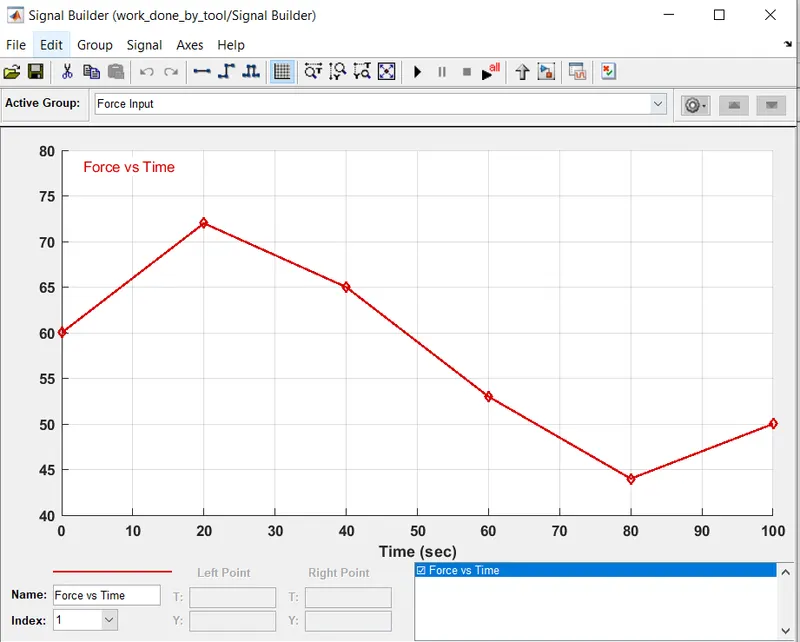
Distance (mm)- 0 20 40 60 80 100
Force (kN)- 60 72 65 53 44 50
Work done = Area under the force-time curve
The work done by action of force is calculated as the product of magnitude of the force acting and the distance through which the body moves under the action of the force. Since we have different values of force at different points in the distance, the work done can be calculated by area under the curve of the force-time graph. The area under the curve can be calculated using the integration operator. The Simulink model is as shown below:
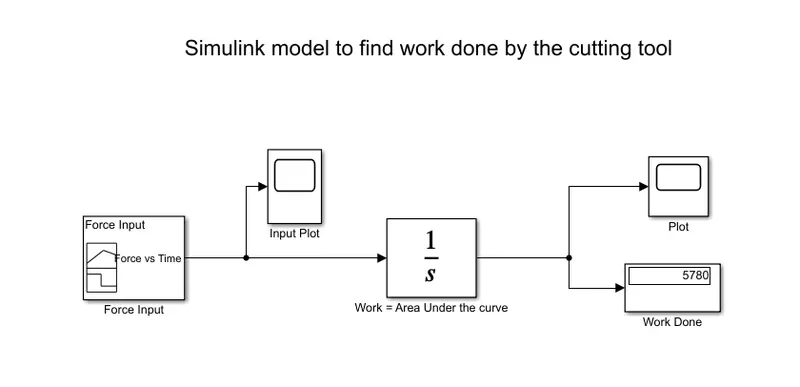
The input force- time curve is as follows:
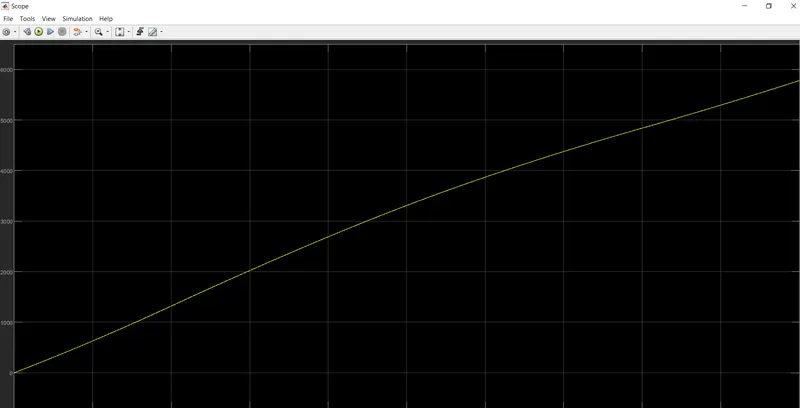
The scope output was observed as shown below:
Click here to get the Simulink model
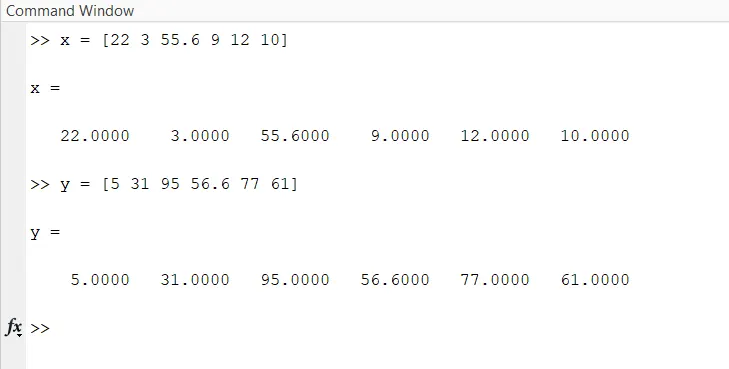
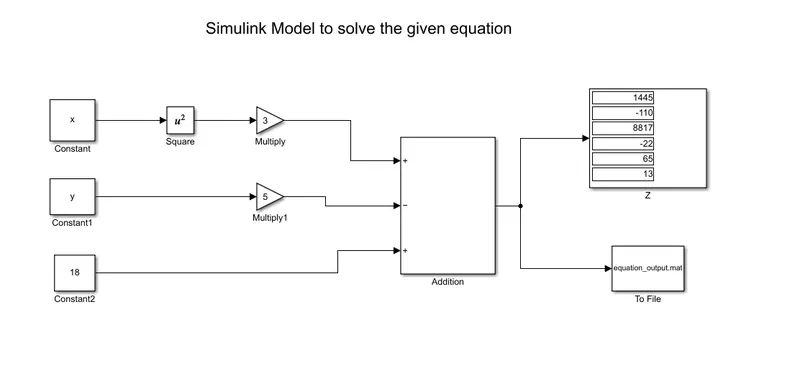
To create an array data sets x = [22 3 55.6 9 12 10] and y = [5 31 95 56.3 77 61] from the command window. Create a Simulink model to implement the equation `z=3x^2-5y+18`. Store the result using ‘To file’ block.
- Initially, create two arrays sets x = [22 3 55.6 9 12 10] and y = [5 31 95 56.3 77 61] in the command window.
- Use simple blocks in Simulink to create the given equation. Use ‘Constant’ block to give the variables as shown in figure below. Let the inputs be ‘x’ and ‘y’. This will automatically take values from the array.
- Use basic blocks to form the equation and take the output in ‘Display’ block.
- Use a ‘To file’ block to store the result data into a new file that will be saved in the current directory.
The images below show the process followed:
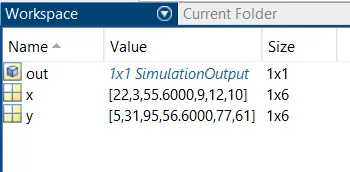
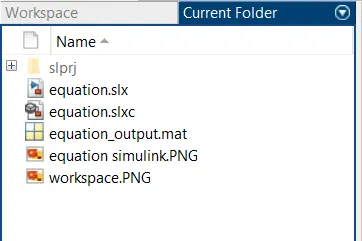
Note that ‘equation_output.mat’ is the file in which the result data is stored.
Click here to get the Simulink model.
To study the example ‘Mass-Spring-Damper in Simulink and Simscape’ and answer the following:
- Derive the governing equation:
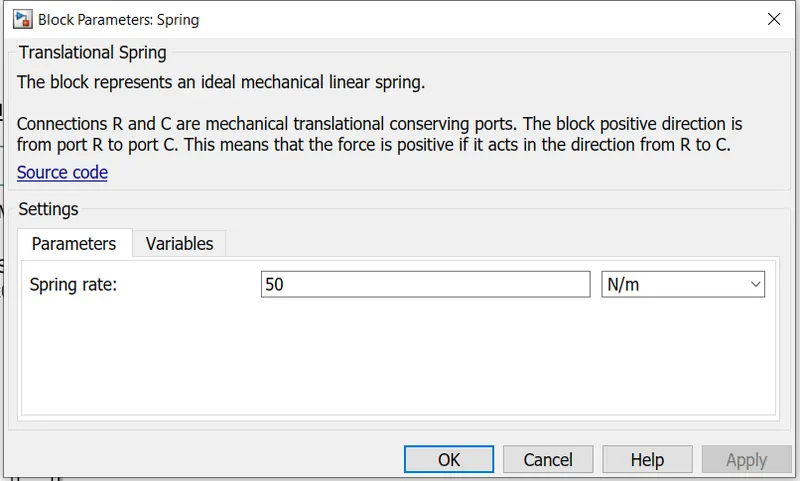
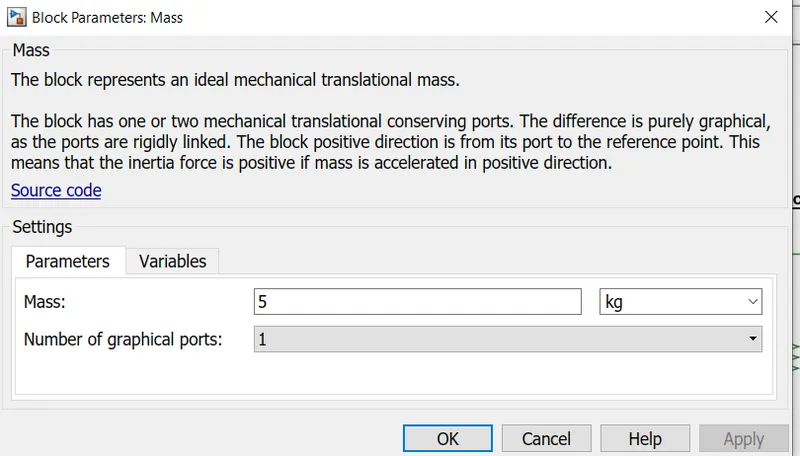
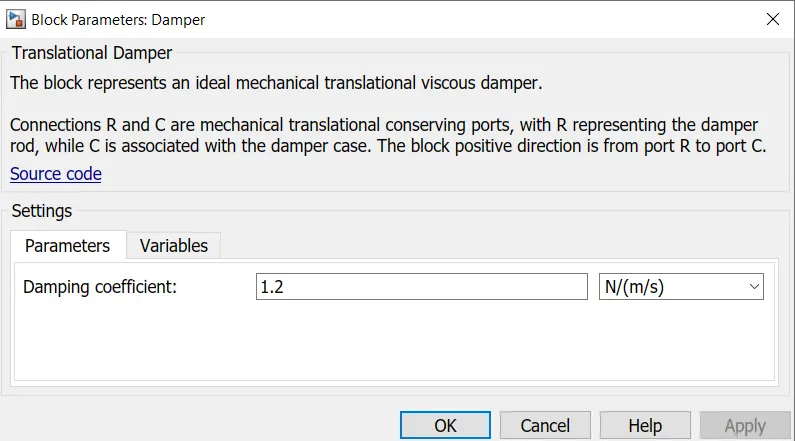
- Change the value of Mass, Displacement as x0 = 2 in the Simulink model and plot the results.
- Make response from the Simscape and Simulink model as two separate displays.
The free body diagram and the derivation of the governing equation is shown below:
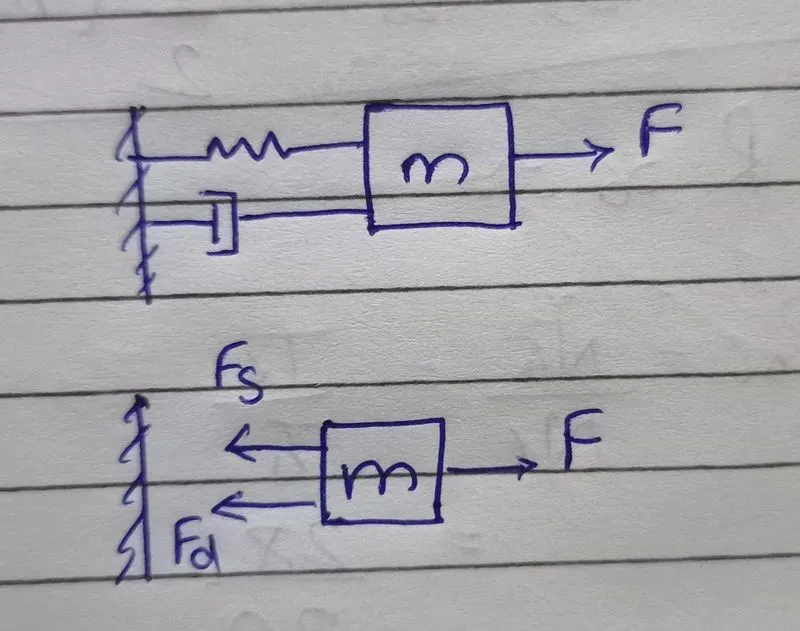
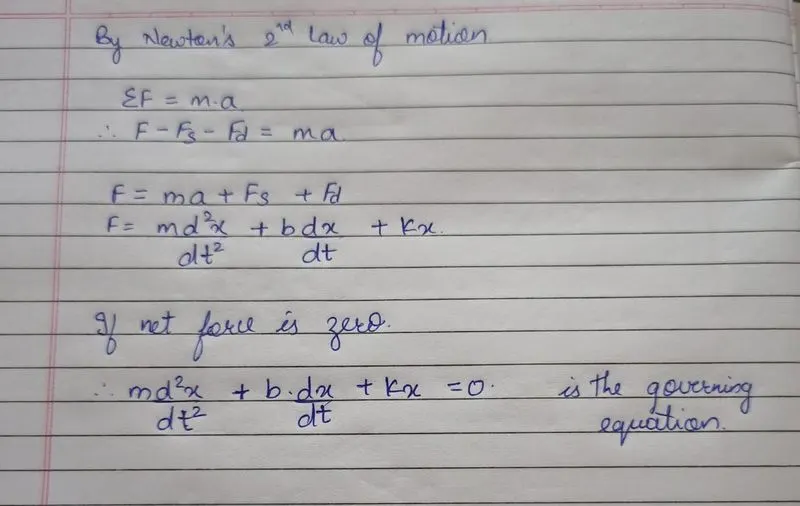
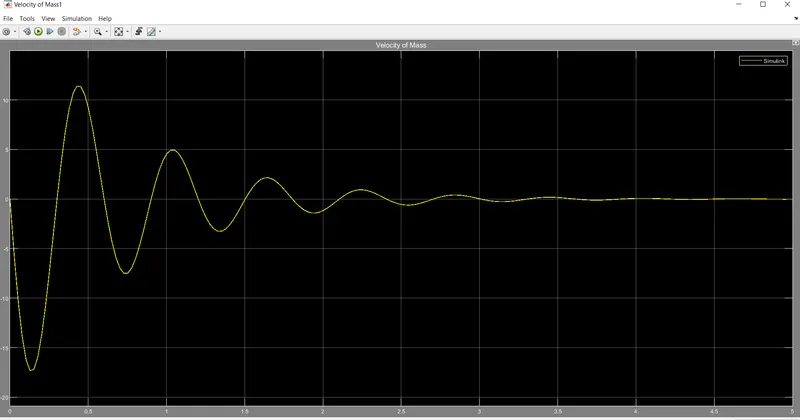
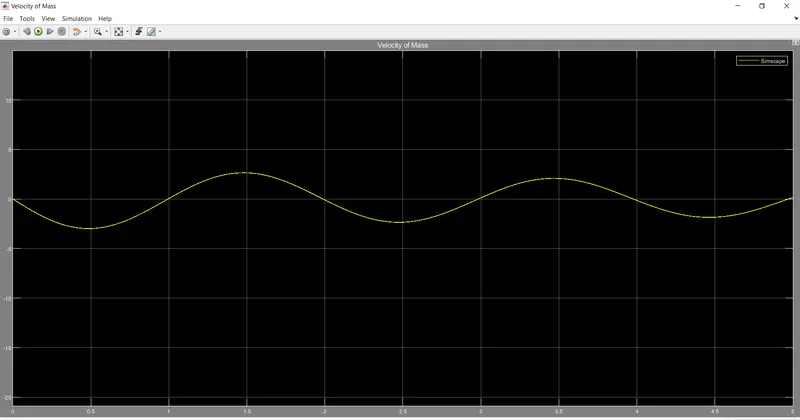
The values of the spring, mass and damper were change accordingly and the value of x0 = 2m was changed in the Simulink model. The changes in parameters and the velocity of the mass was plotted as shown below:
The Simulink model is shown below:
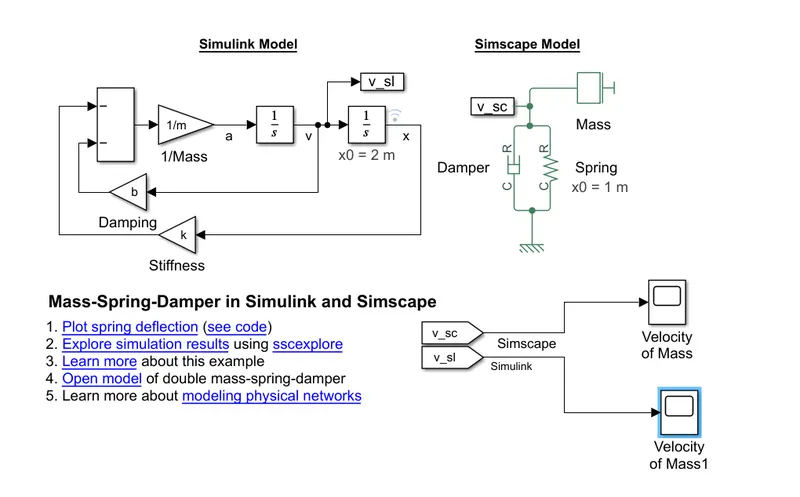
The responses from the Simulink and Simscape is separated and shown below respectively:
Conclusion:
- The work done by a force can be estimated by using the principle of area under the curve of force vs time plot. In Simulink this can be achieved by using the ‘integrator’ block.
- Basic blocks can be used to manipulate variables and constant to form algebraic equations and solve them in Simulink.
- The sample models can be used to calculate results by changing the parameters according to our requirement. The Simscape model enables to change various parameters, whereas the Simulink model enables to change comparatively less number of parameters.